Classroom Seating Chart
Seating plans & group maker
Designed for iPhone, iPad
Free · In-app purchases
- Age rating4+
- CategoryEducation
- DeveloperBo Kalvslund
- LanguagesEnglish+ 13 more
- Size8.5 MB
Links to the official App Store page
Download.org hosts no file of Classroom Seating Chart. The button opens its official App Store page, published by Bo Kalvslund. Listing last checked on Nov 20, 2026.
Screenshots

About
Create a seating chart for your class in seconds. Classroom Seating is the simple tool for teachers who want to know where every student sits – and change it whenever they need to.
DRAG, DROP – DONE
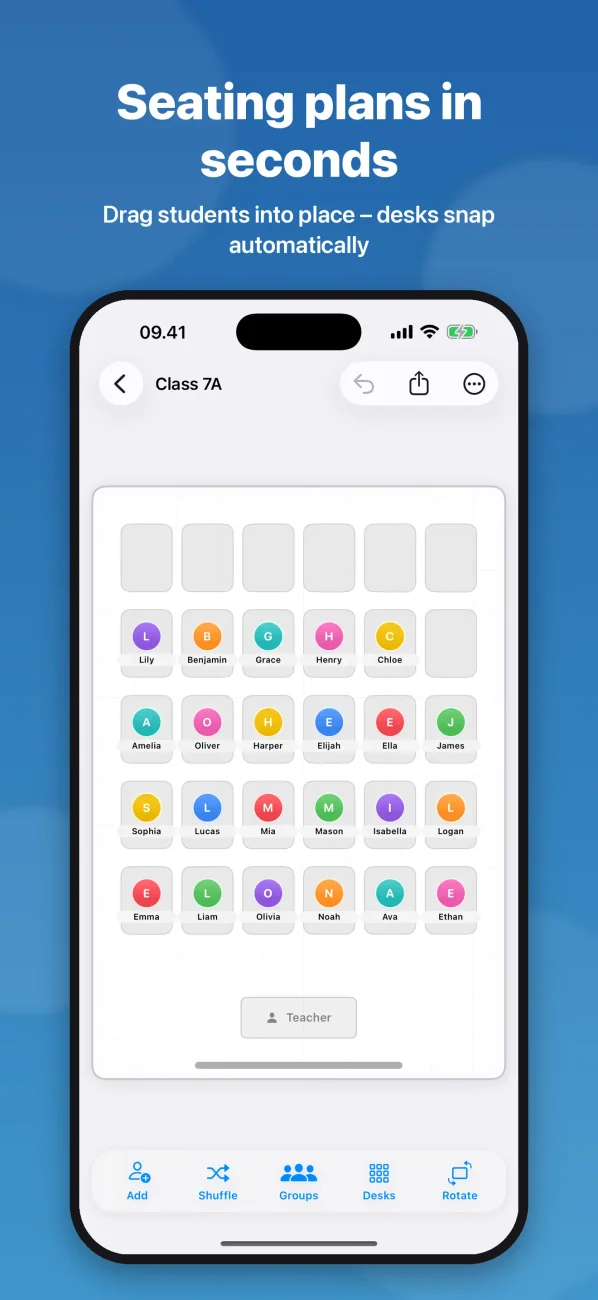
Tap the room to add a student, or import your whole class list at once. Drag students around with your finger. With desks turned on they snap into a seat, and dropping a student on a taken seat swaps the two.
DESKS LIKE YOUR CLASSROOM
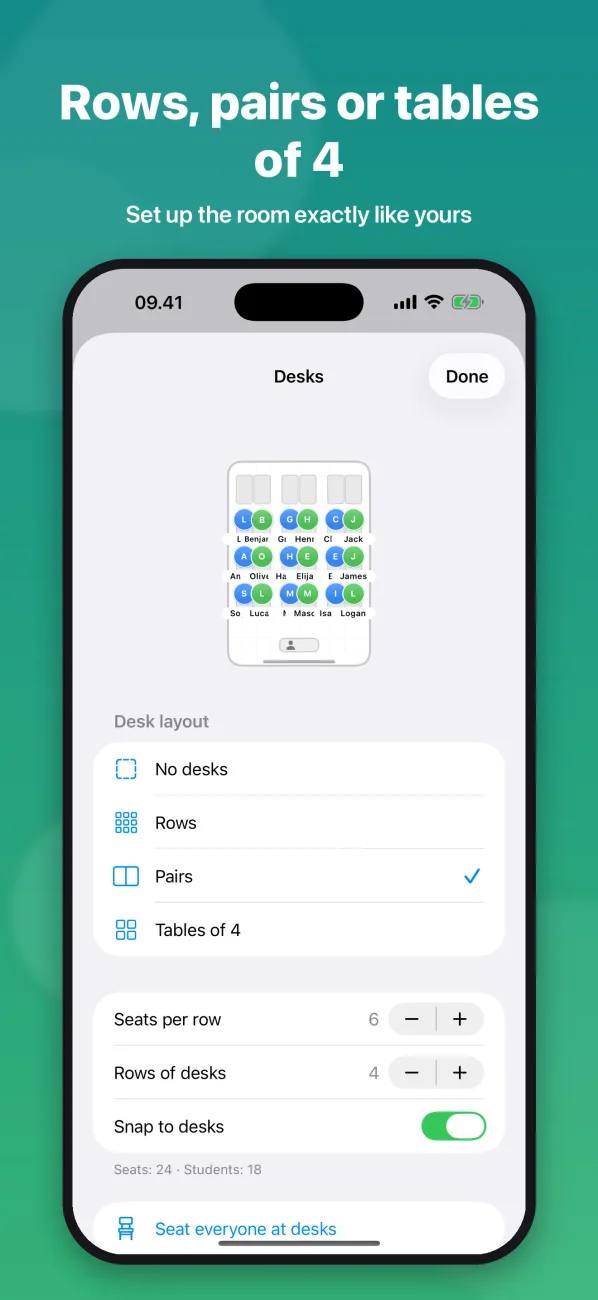
Choose rows, pairs or tables of 4 and set the number of seats and rows. Rotate the room to match your classroom.
RANDOM SEATING AND GROUPS
• Shuffle seats with one tap – perfect for a new seating plan
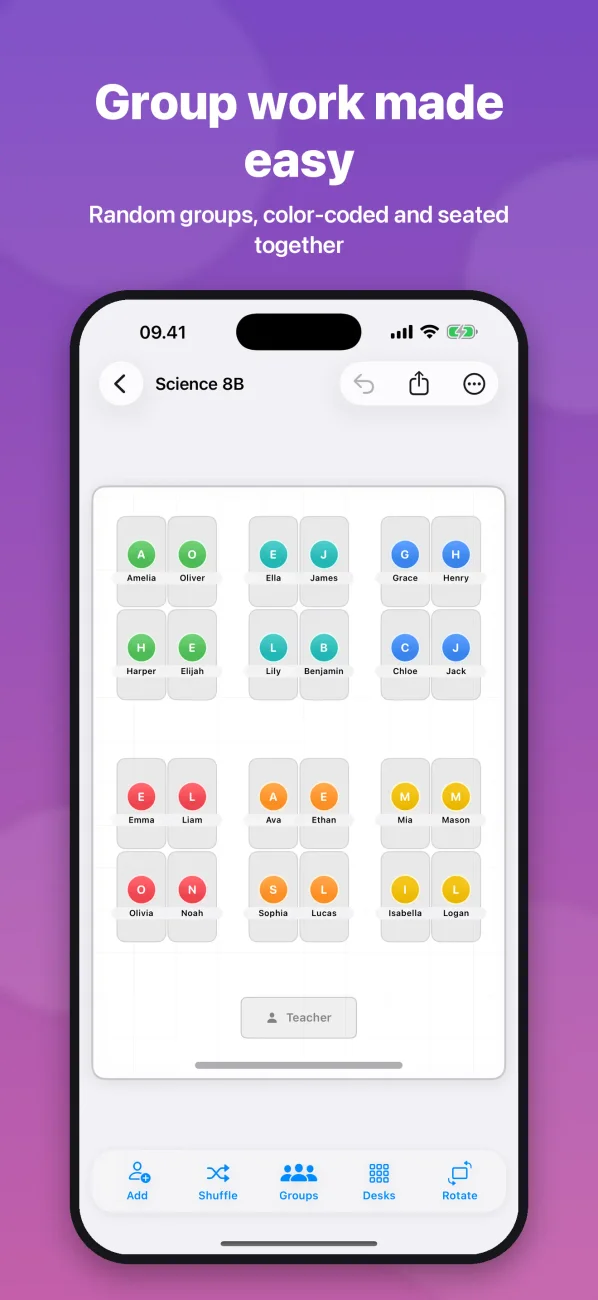
• Make random groups of 2–8 students, each group in its own color
• With pairs or tables of 4, groups are seated together at the same table
ALL YOUR CLASSES
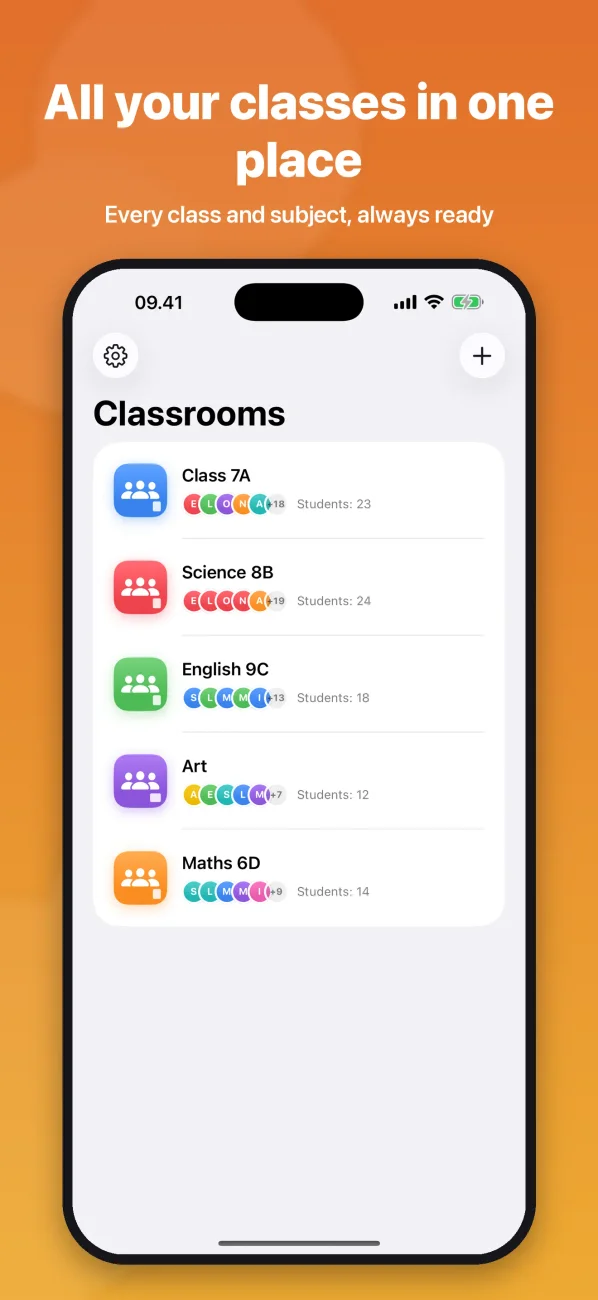
Keep track of every class and subject. Each class has its own seating chart, and you can rename, duplicate and reorder them.
SHARE AND PRINT
Share the seating chart as a PDF with colleagues and substitute teachers, or print it for your desk.
MADE FOR EVERY DAY
• Rename, color or delete a student with a tap
• Undo any change
• Works on iPhone and iPad, portrait and landscape
• No account and no student data sent anywhere – everything stays on your device
PREMIUM
The free version includes 2 classes (more by watching a short video). Premium is a one-time purchase that unlocks unlimited classes and removes all ads.
For K-12 teachers, college instructors, trainers and anyone who needs people seated in the right place.
What’s new
Version 3.0 · Nov 13, 2026
Classroom Seating 3.0 – completely redesigned!
• New, modern design on iPhone and iPad
• Desks: rows, pairs or tables of 4 – students snap into a seat
• Drop a student on a taken seat to swap places
• Shuffle seats for a random seating plan
• Make random groups, color-coded and seated together
• Import your whole class list in one go
• Rename and color students, and undo any change
• Better PDF for printing
Your existing classrooms are moved over automatically.
App privacy
What Bo Kalvslund declares on the App Store about how this app handles data.
-
Data used to track you
May be used to track you across apps and websites owned by other companies.
- Location
- Identifiers
- Usage data
- Diagnostics
-
Data linked to you
May be collected and linked to your identity.
- Location
- Identifiers
- Usage data
- Diagnostics
-
Data not linked to you
May be collected but is not linked to your identity.
- Diagnostics
Privacy practices may vary, for example with the features you use or your age.
Information
- Seller
- Bo Kalvslund
- Category
- Education
- Version
- 3.0
- Updated
- Nov 13, 2026
- Released
- Mar 12, 2025
- Size
- 8.5 MB
- Requires
- iOS 17.0 or later
- Age rating
- 4+
- Price
- Free
- In-app purchases
- Yes
- Languages
- English, Danish, Dutch, Finnish, French, German, Italian, Japanese, Norwegian Bokmål, Polish, Portuguese, Simplified Chinese + 2 more
- Copyright
- © Bo Kalvslund
You might also like
-
 SC Class AssistantClass Management/Seating Chart
-
 SeatMyClassEducation
-
 School Seating Chart HelperAttendance Behavior Timetable
-
 myClassroom: Widget ControllerClassroom Tools from Anywhere
-
 Easy Seating ArrangementSeating organization app
-
 Seating Plan (companion app)Names, homework, attendance
-
 ClassroomPlanerEducation
-
 Kelebek - Exam Seating PlanExam seating plan generator
-
 Teacher Aide (cloud)By a teacher, for teachers
-
 Classroom HeroClassroom Reward System