
claw GPS Tracker
Secure GPS track for OpenClaw
Designed for iPhone, iPod touch
Free
- Age rating17+
- CategoryUtilities
- DeveloperYi Liu
- LanguagesEnglish
- Size23.1 MB
Links to the official App Store page
Download.org hosts no file of claw GPS Tracker. The button opens its official App Store page, published by Yi Liu. Listing last checked on Nov 16, 2026.
Screenshots
About
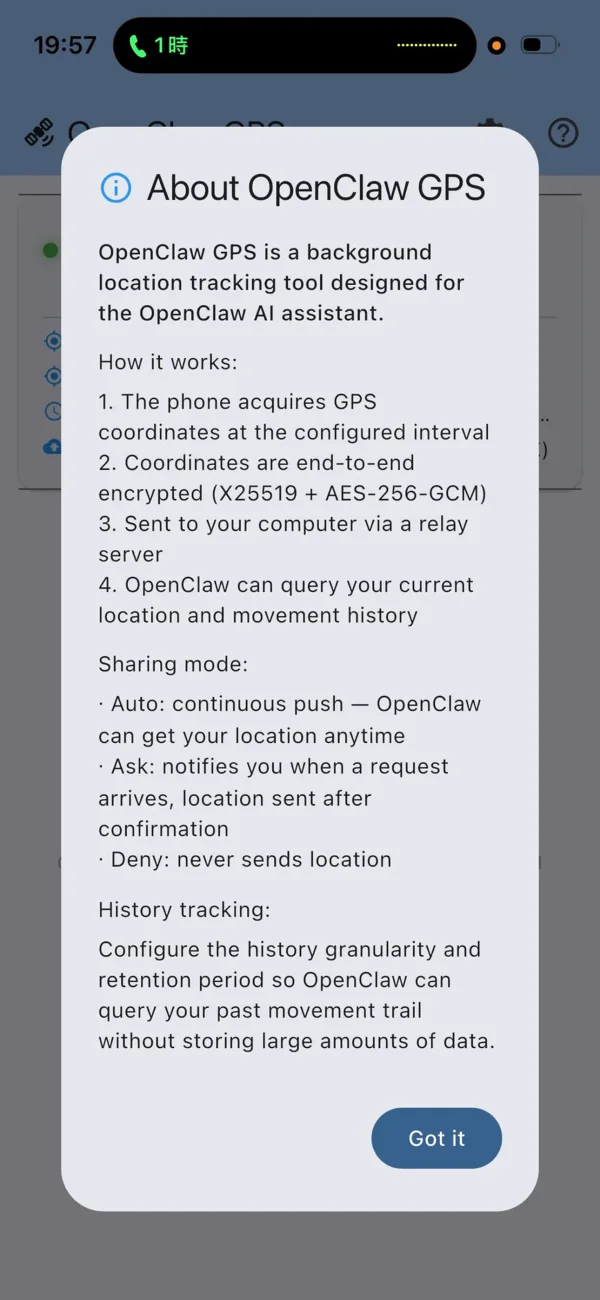
claw GPS Tracker is a privacy-first location tracking companion for OpenClaw, the open-source AI assistant.
Your phone sends encrypted GPS coordinates to your own computer through a zero-storage relay server. OpenClaw can then query your location and movement history — all without any third party ever seeing where you are.
HOW IT WORKS
• Your phone acquires GPS coordinates at a configurable interval
• Coordinates are end-to-end encrypted using X25519 key exchange and AES-256-GCM
• Encrypted data is forwarded through a relay server that stores nothing
• Only your computer (running gps-bridge) can decrypt and store the data
• OpenClaw queries your location locally — no cloud, no external API
FEATURES
• End-to-end encryption with forward secrecy (new key per message)
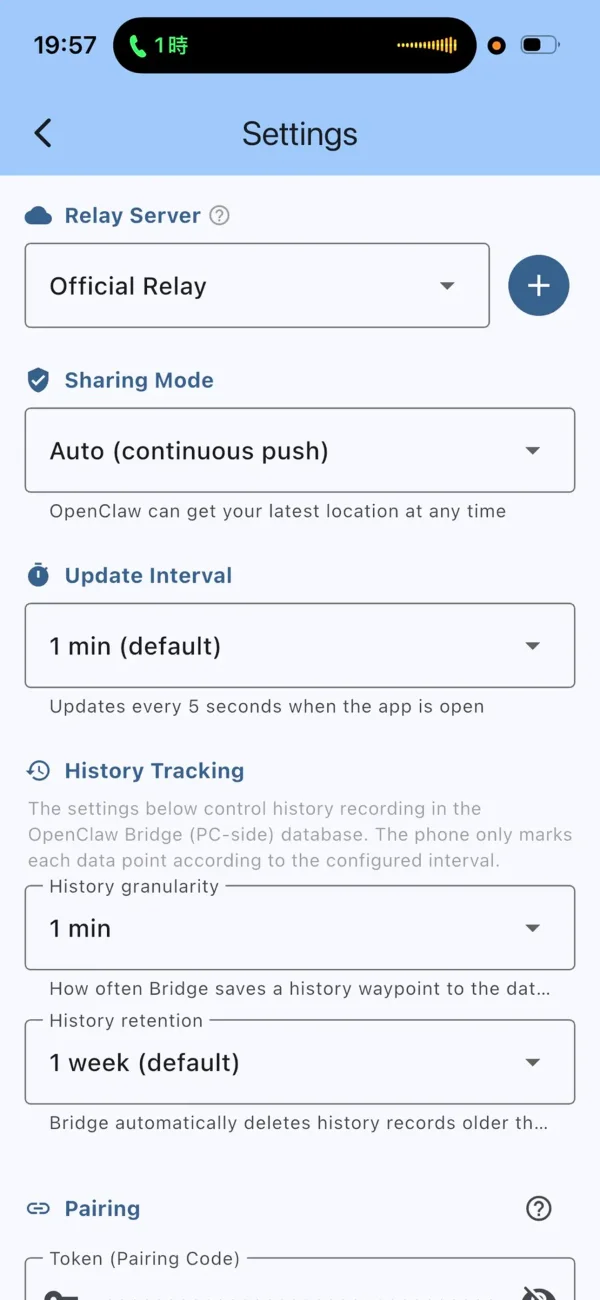
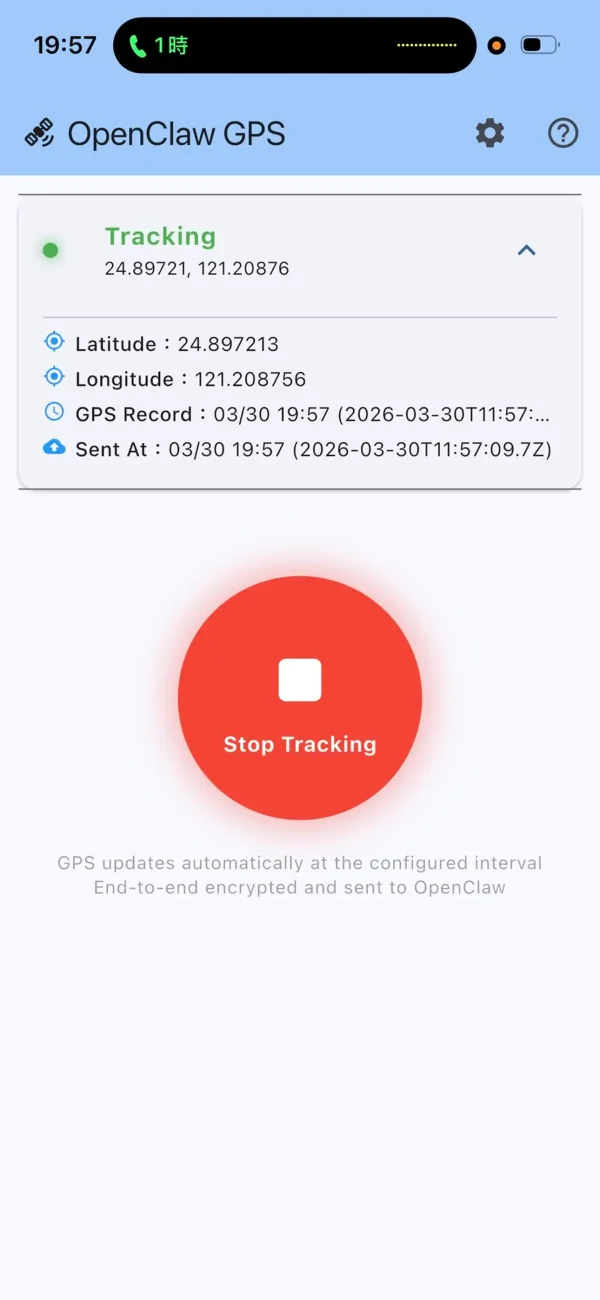
• Background GPS tracking with configurable update intervals
• History recording with adjustable granularity and retention period
• Multiple sharing modes: Auto, Ask (coming soon), and Deny
• Official relay server included — no setup required
• Self-hosting supported for full control
• Open source: phone app, relay server, and bridge are all publicly auditable
PRIVACY BY DESIGN
• The relay server is zero-storage — it only forwards encrypted blobs
• Your private key never leaves your computer
• GPS data is stored only on your own machine
• No account required, no telemetry, no ads
• You control exactly when and how often your location is shared
SETUP
1. Install gps-bridge on your computer (pip install gps-bridge)
2. Tell OpenClaw: "I want to set up GPS tracking"
3. OpenClaw generates a pairing token and public key
4. Enter them in this app's Settings page
5. Tap Start Tracking — done!
REQUIREMENTS
• A computer running gps-bridge (Linux, macOS, or Windows)
• OpenClaw with the gps-location skill installed
Learn more:
https://github.com/luna61ouo/gps-tracker-app
https://github.com/luna61ouo/gps-bridge
What’s new
Version 1.0.5 · Jun 27, 2026
Version 1.0.5
New
• Screen lock: the home screen is locked by default after opening the app, preventing pocket taps from turning off GPS or changing settings.
• Slide to unlock: drag the handle at the bottom all the way to the right.
• Optional password unlock (Settings → Screen Lock → Set unlock password) replaces the slider with a password field when enabled.
Fixed
• Background delivery reliability: after 3 consecutive unconfirmed sends, the WebSocket connection is rebuilt automatically. Prevents the phone from showing "sent" while the server has actually stopped receiving (a known issue when the app stays in the background for long periods).
App privacy
What Yi Liu declares on the App Store about how this app handles data.
-
Data not collected
The developer does not collect any data from this app.
Privacy practices may vary, for example with the features you use or your age.
Information
- Seller
- Yi Liu
- Category
- Utilities
- Version
- 1.0.5
- Updated
- Jun 27, 2026
- Released
- Apr 6, 2026
- Size
- 23.1 MB
- Requires
- iOS 13.0 or later
- Age rating
- 17+
- Price
- Free
- Languages
- English
- Copyright
- © 2026 luna61ouo
You might also like
-
 MegaText: Big Text LED BannerScroller, Marquee & Signboard
-
 NoteBlobUtilities
-
 SpySeekCheck Suspicious Links
-
 SpeedReader - RSVP ReaderUtilities
-
 VideoHub: Media Player & IPTVStream Cloud, NAS & Servers
-
 MY PingUtilities
-
 iHomepage BrowserTab Browser · Custom Home
-
 PDF to ePUB - ConvertereBook Reader
-
 CleanMyPhotos: Photo CleanerDelete Duplicates & Free Space
-
 Wave ScreenshotStitching together screenshots