
Cleanova: Storage Cleaner
Save Space. Keep Your Memories
Designed for iPhone, iPod touch
Free · In-app purchases
- Age rating4+
- CategoryUtilities
- DeveloperAITI KASTERS, TOO
- LanguagesEnglish+ 8 more
- Size69.5 MB
Links to the official App Store page
Download.org hosts no file of Cleanova: Storage Cleaner. The button opens its official App Store page, published by AITI KASTERS, TOO. Listing last checked on Nov 23, 2026.
Screenshots
About
Running out of iPhone storage? Free up space and keep the memories that matter.
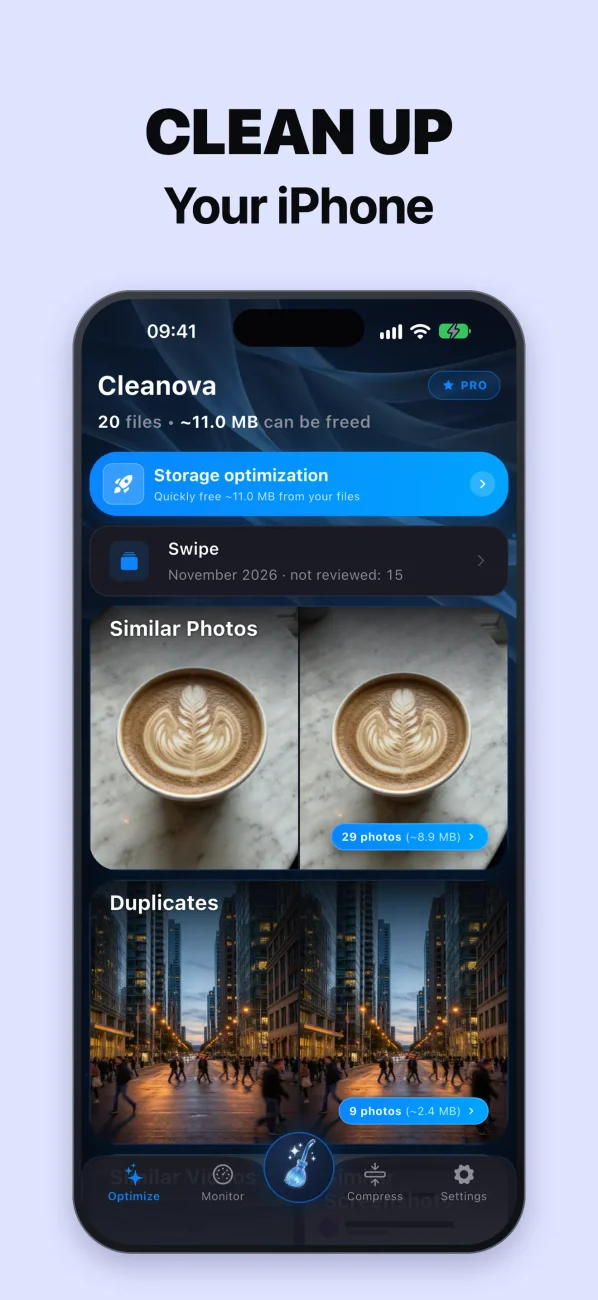
Meet Cleanova, a storage cleaner for your photos, videos and contacts. Find duplicate and similar photos, compress large videos and see what takes up your storage, all in one app. You see everything that is selected and confirm before anything is deleted.
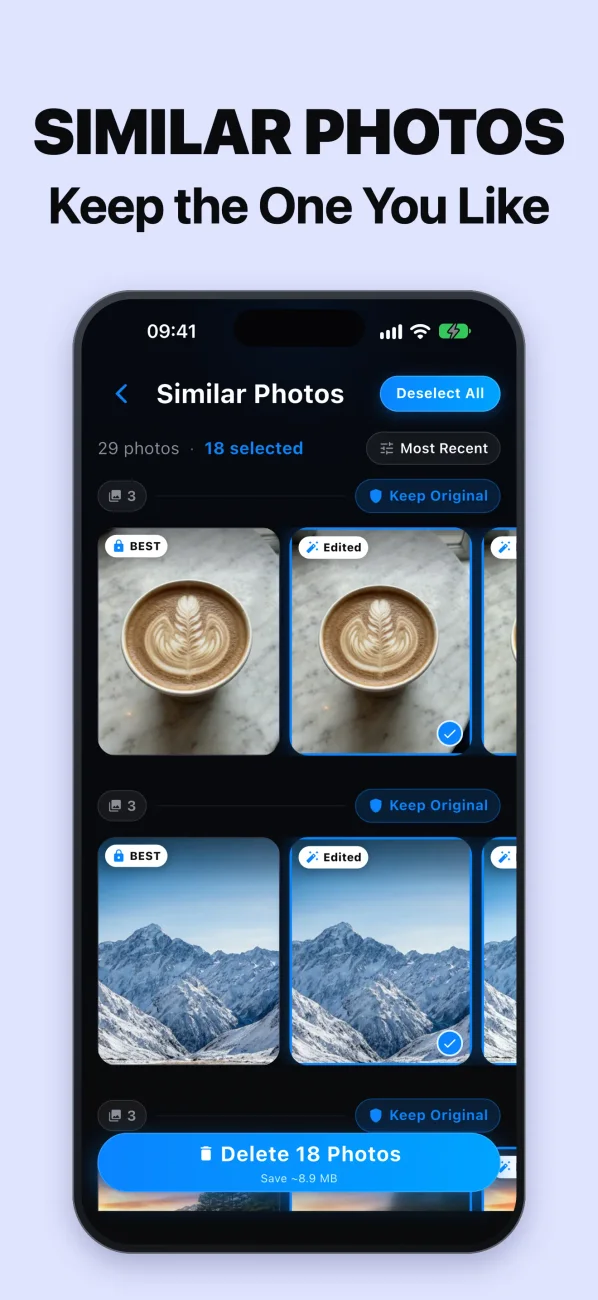
SMART CLEAN — DUPLICATES & SIMILAR PHOTOS
Tired of scrolling through hundreds of photos to find the ones you no longer need?
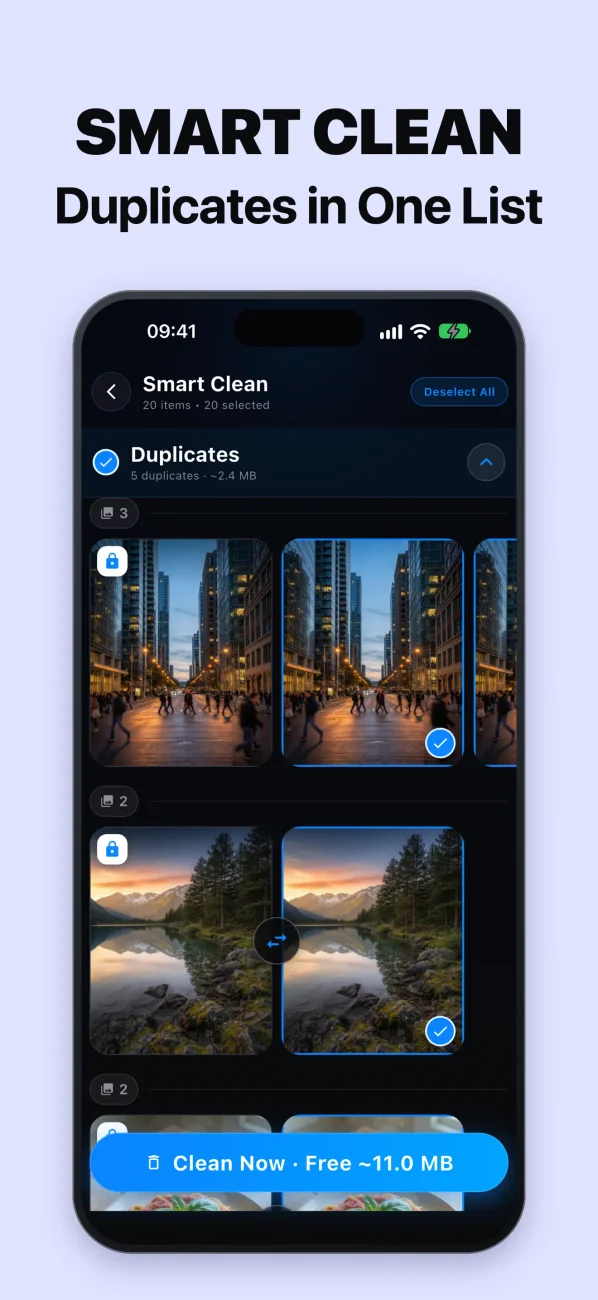
• Duplicate and similar photos, videos and screenshots, grouped side by side or all at once in Smart Clean
• Extra copies are preselected, and the best shot in each group is kept
• See how much space you can free up, and a cleanup history of what Cleanova has already freed
SWIPE TO CLEAN — ORGANIZE YOUR GALLERY
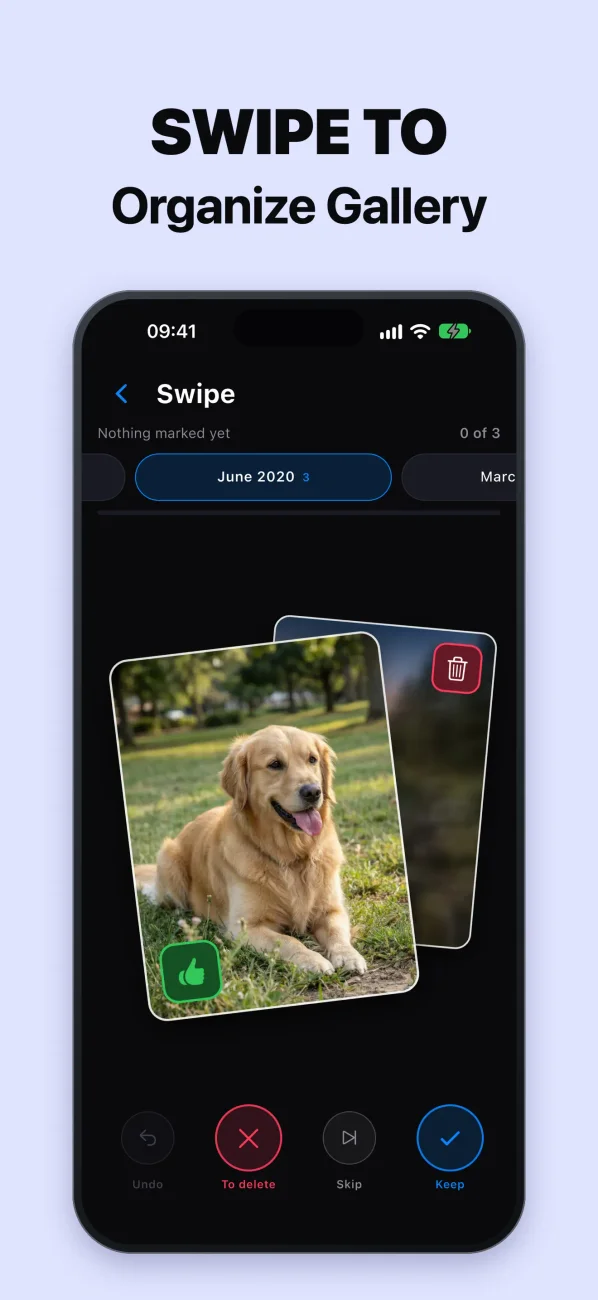
Swipe left to mark a photo for deletion, swipe right to keep it.
• Photos and videos one at a time, by month or in the On this day, Screenshots and Random sets
• Undo a swipe if you change your mind, and pick up where you left off
• Nothing is deleted until you confirm at the end
COMPRESS — SAVE SPACE, KEEP MEMORIES
Large videos take up valuable space. Make room without giving up your favorite moments.
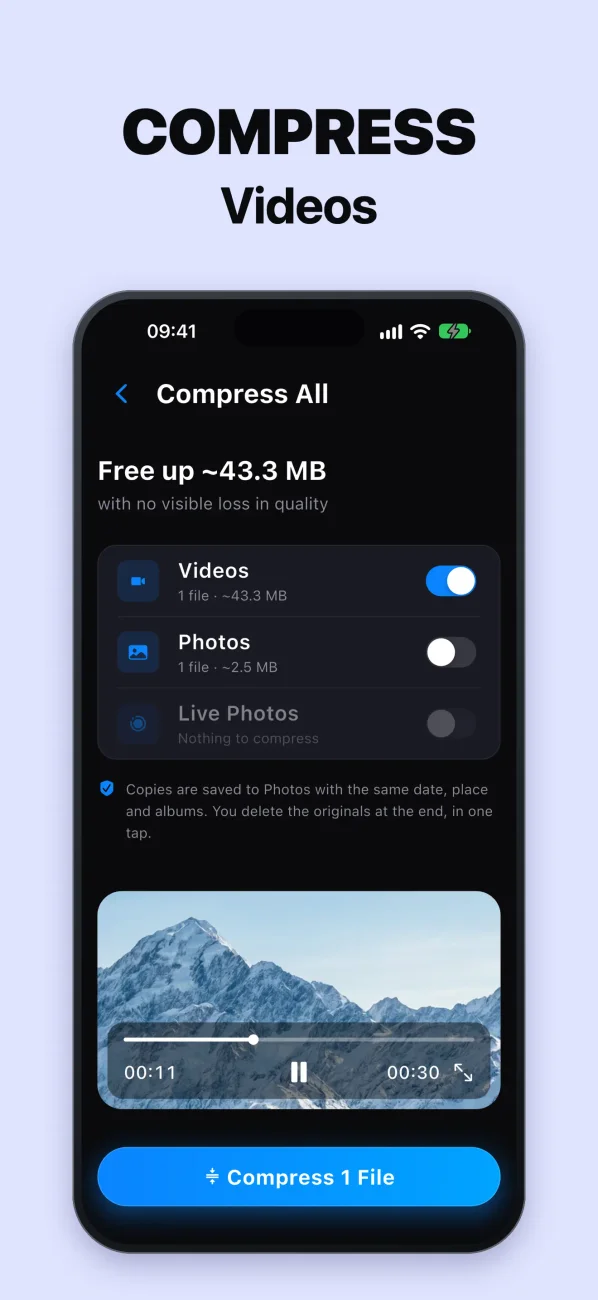
• Videos to HEVC: one with a choice of quality, or many at once; the copy keeps the original date
• JPEG photos and screenshots to HEIC at full size, Live Photos to still photos
• Compress All in one run, with the date, location and albums carried over. Optionally, 4K videos become 1080p
• See how much space it frees before you start
• A video or Live Photo stored only in iCloud can be downloaded first
• On iOS 26 and later, compression can keep running when you switch to another app
• Originals are deleted only after you confirm, or you keep both
ORGANIZE PHOTOS & VIDEOS
Find what takes up space without endless scrolling.
• Screenshots, screen recordings, selfies and blurry photos
• Large, short and recent videos
• Categories sorted on your device: people, portraits, nature, food, animals, documents, QR and barcodes, bursts, Live Photos, low-quality shots and more
• Protected from deletion: photos and videos you mark no longer appear in scan results
DUPLICATE CONTACTS
• Contacts with the same phone number, even written differently, are grouped
• Delete the extra entries; one contact in each group always stays
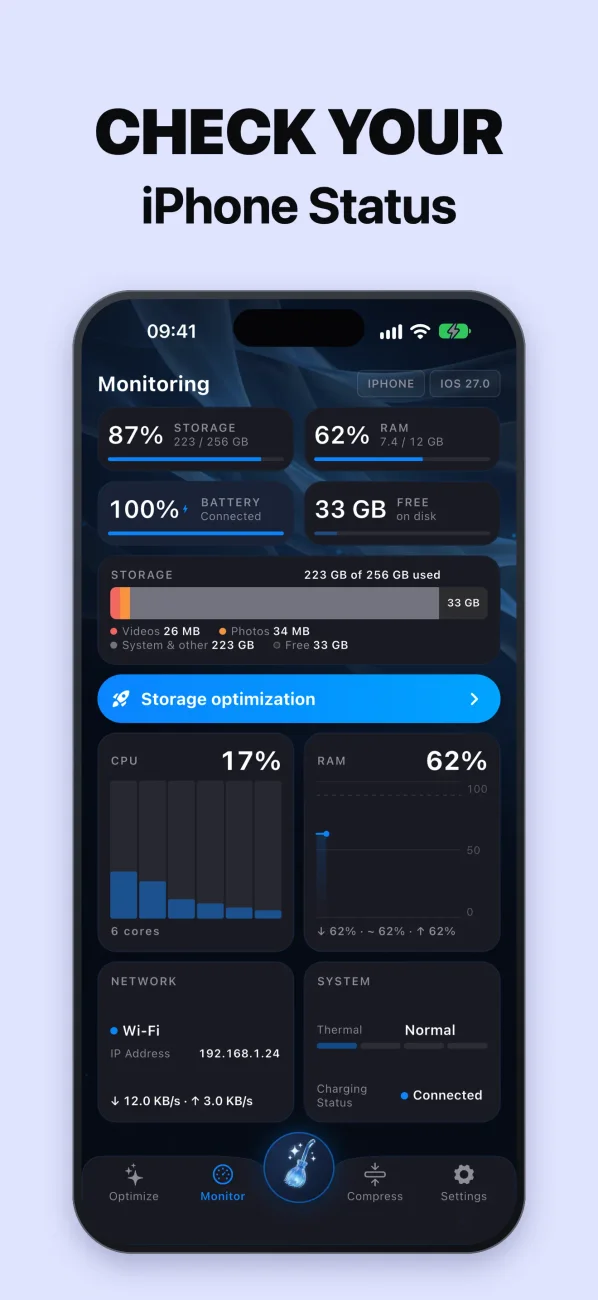
MONITOR YOUR iPhone
• Memory, CPU, storage, battery and charging, thermal state, network type, local IP address and traffic, updated live
• Device model and iOS version
• Start Smart Clean right from the Monitor
YOUR PHOTOS. YOUR CHOICE.
• Photos, videos and contacts are analyzed on your iPhone and are not uploaded
• Before deleting, you see how many items are selected and how much space they take
• Deleted photos and videos stay in Recently Deleted in Photos for 30 days, so you can restore them. The space is freed when you empty that album, and Cleanova can remind you
SETTINGS
Language, subscription and Restore Purchases, Clear Cache, Swipe reset, Rate Us and Contact Us, plus your choices: cleanup reminders, offers, analytics, tracking status, Erase Cleanup History and a data deletion request.
START FREE, UPGRADE WHEN YOU NEED MORE
Scanning, the storage summary, the Monitor, duplicate contacts and your first compressed file are free. Deleting photos and videos and compressing more files require Premium, an auto-renewable subscription.
• Plans, prices and free trial eligibility are shown in the app before you subscribe
• Payment is charged to your Apple Account when you confirm the purchase
• The subscription renews automatically unless you cancel it at least 24 hours before the end of the current period. Renewal is charged within 24 hours before the period ends
• To manage or cancel your subscription, open Settings on your iPhone, tap your name, then Subscriptions
Save space. Keep your memories. Stay in control.
Terms of Use: https://novaboost.app/terms.html
Privacy Policy: https://novaboost.app/privacy.html
What’s new
Version 3.3.0 · Nov 18, 2026
Your cleanup history is now kept in your own iCloud, so a reinstall won't wipe it.
• “Cleaned with Cleanova all-time” and the history also move to a new iPhone with the same Apple Account; originals waiting to be deleted after compression are still offered after a reinstall
• To start over: Settings > Privacy Settings > Erase Cleanup History, here and in iCloud
• Video compression shows how many videos don't compress and why; iCloud originals for compression keep downloading when you switch apps (iOS 26 and later)
• Compress All: “Shrink 4K to 1080p” now works on Dolby Vision too
• Larger tab labels, Monitor tiles in a 2×2 grid, and one style of selection marks: a checkmark circle for what you pick, a lock for what stays
• Better with large text and VoiceOver; Subscription shows your plan and its price and whether it renews or ends
• New glass-style illustrations in pop-ups and empty screens
App privacy
What AITI KASTERS, TOO declares on the App Store about how this app handles data.
-
Data used to track you
May be used to track you across apps and websites owned by other companies.
- Identifiers
-
Data not linked to you
May be collected but is not linked to your identity.
- Purchases
- Location
- User content
- Identifiers
- Usage data
- Diagnostics
Privacy practices may vary, for example with the features you use or your age.
Information
- Seller
- AITI KASTERS, TOO
- Category
- Utilities
- Version
- 3.3.0
- Updated
- Nov 18, 2026
- Released
- Feb 26, 2026
- Size
- 69.5 MB
- Requires
- iOS 15.5 or later
- Age rating
- 4+
- Price
- Free
- In-app purchases
- Yes
- Languages
- English, French, German, Japanese, Korean, Portuguese, Russian, Simplified Chinese, Spanish
- Copyright
- © 2026 NovaBoost AI. All rights reserved.
You might also like
-
 Photo Сleanup: Storage CleanerDelete Duplicate Photos, Video
-
 RedPandaCleanFree Your Storage, Privately
-
 AI Cleanup FastCleanup: Phone Storage Cleaner
-
 Cull: Phone Cleaner & PrivacyClean Storage, Safe Guard
-
 Cura: Optimize StorageStorage Cleaner, Photo Manager
-
 Fast Cleanup: Storage CleanerPhoto & Phone Manager
-
 CleanseDoc AI ScanClean & Scan Docs Smart
-
 MrClean: Storage CleanerDigital Cleaning & Protection
-
 PureClear: Deep Clean & BoostAI Cleaner Photo Vault
-
 AI Photo Cleanup & Cache ClearSmart Gallery Cleaner