
CleanupMe - Clean & Private
Photo Cleaner & Web Security
Designed for iPhone, iPad
Free · In-app purchases
- Age rating17+
- CategoryUtilities
- DeveloperTerek Apps
- LanguagesEnglish+ 7 more
- Size63.9 MB
Links to the official App Store page
Download.org hosts no file of CleanupMe - Clean & Private. The button opens its official App Store page, published by Terek Apps. Listing last checked on Nov 15, 2026.
Screenshots

About
CleanupMe - Clean & Private shows what takes up room in your photo library and lets you decide what stays. Duplicates, near-identical shots, old screenshots and heavy videos are grouped with their sizes. It also brings a locked album, a contacts tidy-up and Safari filters. Photos are checked on this iPhone, and nothing is removed until you confirm it.
WHAT YOU CAN DO
1. Duplicate and Similar Photos. Copies and series of the same moment are grouped, and the sharpest frame is marked, so you keep it and review the rest.
2. Screenshots. Sorted by month. Older ones are preselected, while those from the last 30 days are left alone.
3. Duplicate and Large Videos. Find repeated clips and videos above a size you choose, from 100 MB to 1 GB.
4. Compress Media. Make files lighter instead of deleting them. Balanced keeps 1080p and cuts the size by about half, Smaller switches to 720p. The new copy keeps the original date.
5. Sensitive Media. Text in your photos is read on the device to spot bank cards, receipts, codes, documents and QR codes. Move them to the private album or delete them.
6. Private Album. A separate album inside the app for personal photos, with an optional Face ID or passcode lock.
7. Contacts. Merge duplicates with every number and email kept, review cards without a name or number, and make a backup you can restore.
8. Calendar Invites. Remove invitations from people not in your contacts without sending a reply.
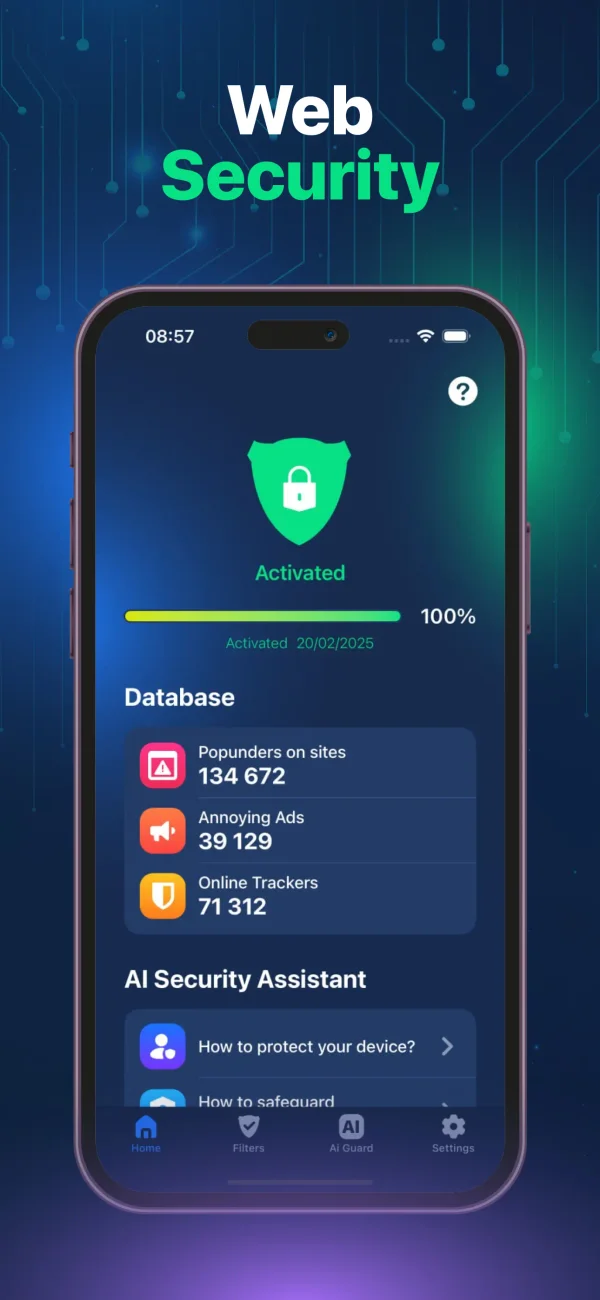
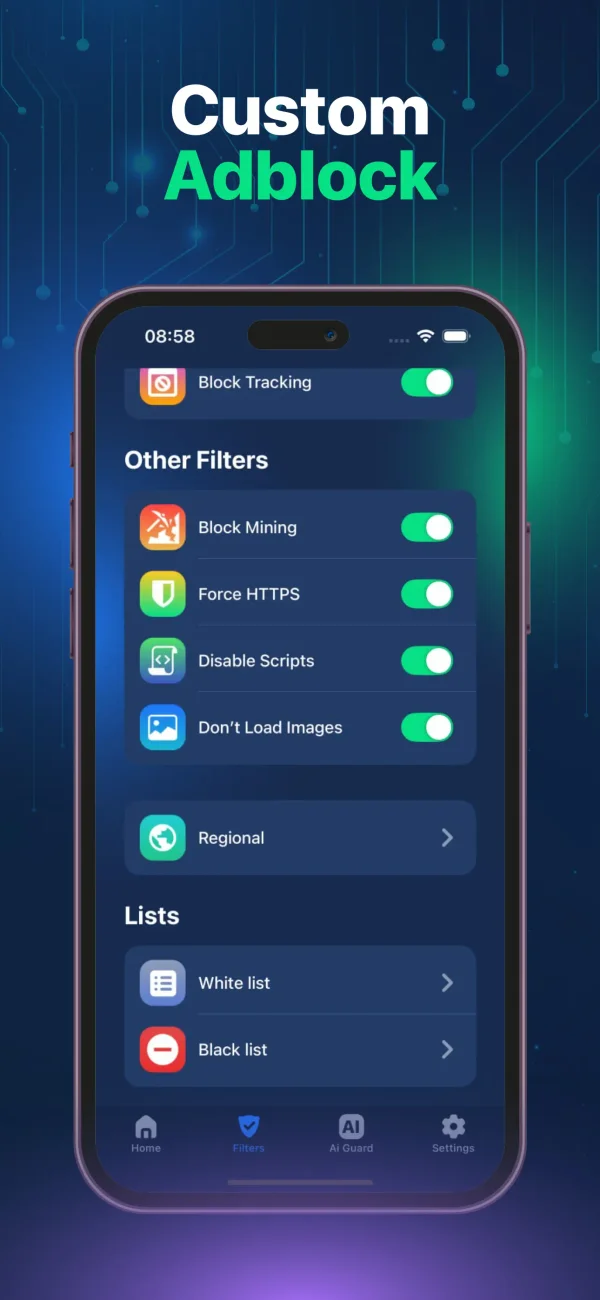
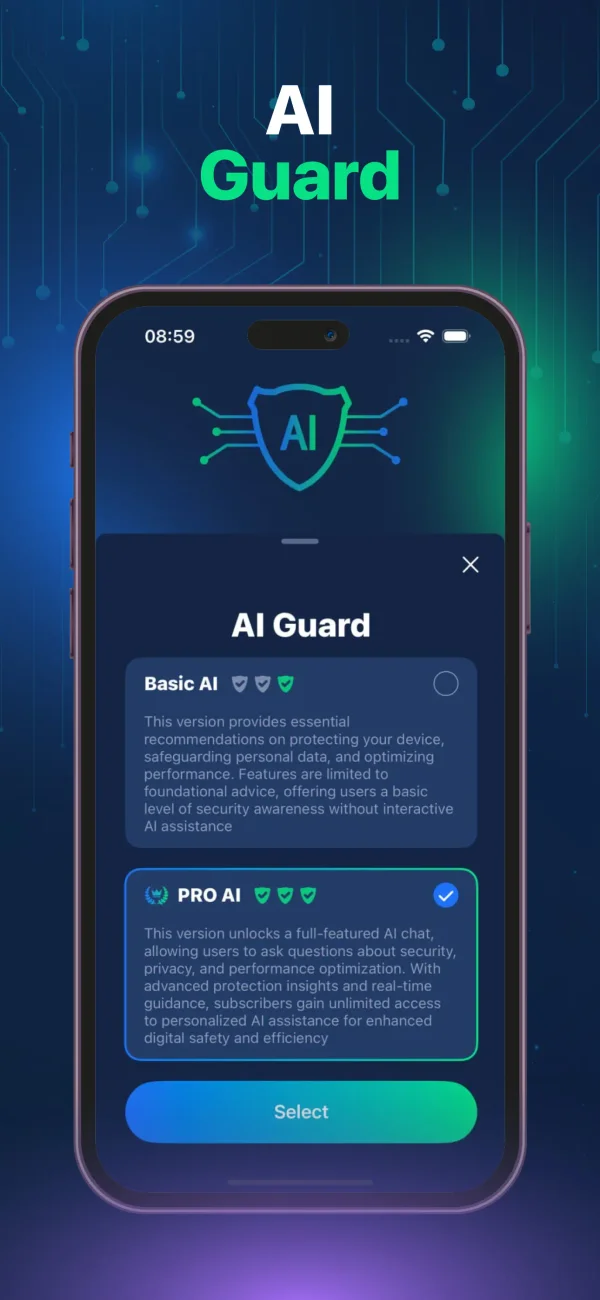
9. Protection. Seven Safari filters hide ads and pop-ups, limit trackers and mining scripts, and open sites over HTTPS. AI Guard answers questions about privacy settings and app permissions.
ACCESS AND YOUR DATA
Photo library access is needed to find duplicates, videos and sensitive images. Contacts and Calendar access is used only for duplicates and invites. Face ID only unlocks the private album. Removed photos and videos go to Recently Deleted in Photos for up to 30 days; empty that album to free the space right away, and the app shows how. Private album photos and contact backups are stored inside the app on this iPhone, so move or export them before deleting the app.
WHEN IT HELPS
Whenever storage runs low, one pass through Media shows how much space can be cleared and where. On the privacy side, photos of cards and documents can go into a locked album, unwanted invites leave your calendar, and Safari pages load with fewer ads and trackers. Download CleanupMe and take a calm look at your phone.
SUBSCRIPTION
CleanupMe PRO gives full access to the cleanup tools and Safari filters. Plans: weekly with a 3-day free trial, or yearly access without trial period. Prices may vary by country. Payment is charged to your Apple ID when you confirm, or when the trial ends. The plan renews on its own unless auto-renewal is turned off at least 24 hours before the current period ends. Manage or cancel in your Apple ID settings, App Store, Subscriptions.
Privacy Policy: https://terekggroup.info/privacy.html
Terms of Use: https://terekggroup.info/terms.html
What’s new
Version 2.0 · Nov 12, 2026
DefendMe is now CleanupMe. Same app, new name. Nothing was switched off, only a few things moved:
- Photos and videos now live in the new Media tab: find duplicate and similar photos, screenshots and large videos, and compress media to save space.
- Contacts and Calendar have their own tab, second in the menu: merge duplicate contacts and remove unwanted calendar invites.
- Safari filters moved to the Protection tab, together with the tutorial and AI Guard.
- Private Album is now in Settings. Same album, same photos, same lock.
Your subscription works exactly as before. There is nothing to buy again.
App privacy
What Terek Apps declares on the App Store about how this app handles data.
-
Data used to track you
May be used to track you across apps and websites owned by other companies.
- Identifiers
- Usage data
- Diagnostics
-
Data not linked to you
May be collected but is not linked to your identity.
- Identifiers
- Usage data
- Diagnostics
Privacy practices may vary, for example with the features you use or your age.
Information
- Seller
- TEREK G-GROUP, TOO
- Category
- Utilities
- Version
- 2.0
- Updated
- Nov 12, 2026
- Released
- Feb 26, 2025
- Size
- 63.9 MB
- Requires
- iOS 16.6 or later
- Age rating
- 17+
- Price
- Free
- In-app purchases
- Yes
- Languages
- English, Arabic, Dutch, French, German, Japanese, Portuguese, Spanish
- Copyright
- © Terek Apps
You might also like
-
 Clenora: Cleaner & PrivacyClean Photos • Secure Device
-
 Eva BoosterYour virtual assistant
-
 PDF Tools: Read & EditEdit, Merge, and Sign PDFs
-
 SnapBoosterBoost iPhone with SnapBooster
-
 Prime Cleaner ProOptimize Device & Create Audio
-
 AiSafe - Ai Safety AdvisorAI cleaner & security advisor
-
 Storm Cleaner-Clean up storageFree Up Space , Delete Photos
-
 Cleaner Plan - Storage & DupesFree Up Space & Photos Org
-
 Astra CleanerUtilities
-
 Cleanup Storage ProFind & delete duplicates