Clear Frame Camera
Shutter never blocks your view
Designed for iPhone
In-app purchases
- Age rating4+
- CategoryPhoto & Video
- DeveloperRyuichi Kayashima
- LanguagesSpanish+ 43 more
- Size2.4 MB
Links to the official App Store page
Download.org hosts no file of Clear Frame Camera. The button opens its official App Store page, published by Ryuichi Kayashima. Listing last checked on Nov 8, 2026.
Screenshots
About
Is the thing you want to photograph
hidden behind the shutter button?
Shooting a plate of food from above.
Placing your child, your dog or your cat
low in the frame.
On the stock camera app,
the shutter button can land right there.
You cannot tell how it came out
until you take the shot.
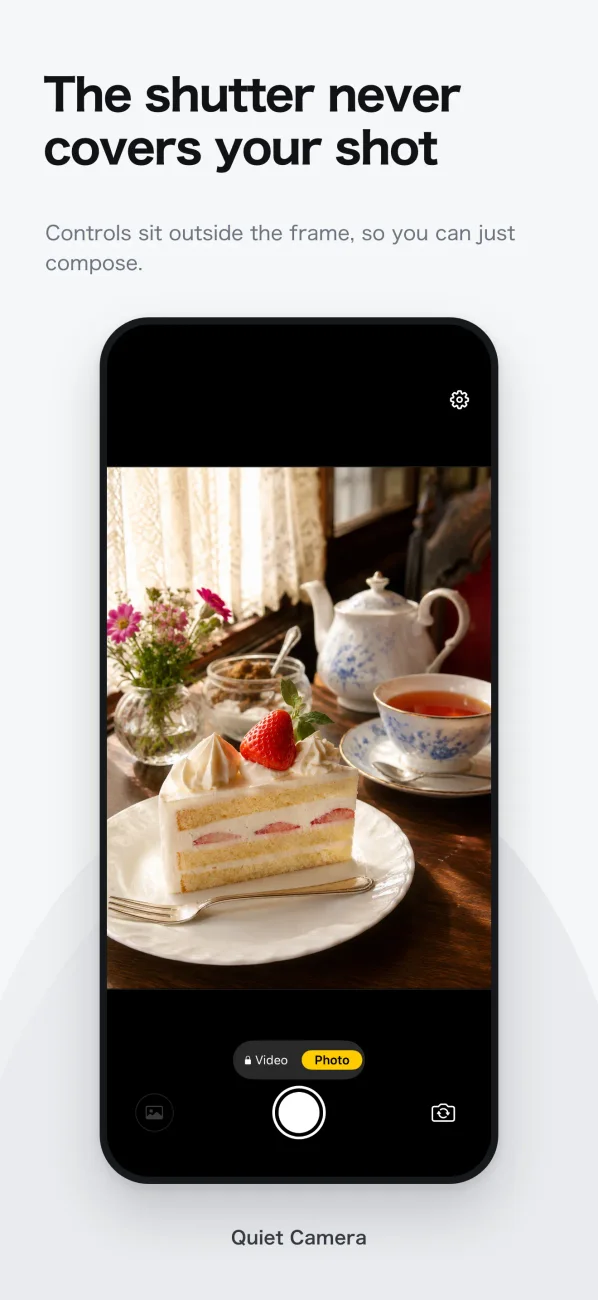
Clear Frame Camera is a camera app
that promises to keep the shutter button
outside the frame.
( 1 ) The shutter never hides your frame
Nothing overlaps the frame.
What you see is what you get.
( 2 ) It works like the camera you know
Nothing new to learn.
The same gestures as the stock camera,
doing the same things.
- Tap to focus and set exposure
- Pinch to zoom
- Flash (auto / on / off)
- Timer (3s / 10s)
- Grid
- Photos and videos save straight to your photo library
( 3 ) Settings step aside while you shoot
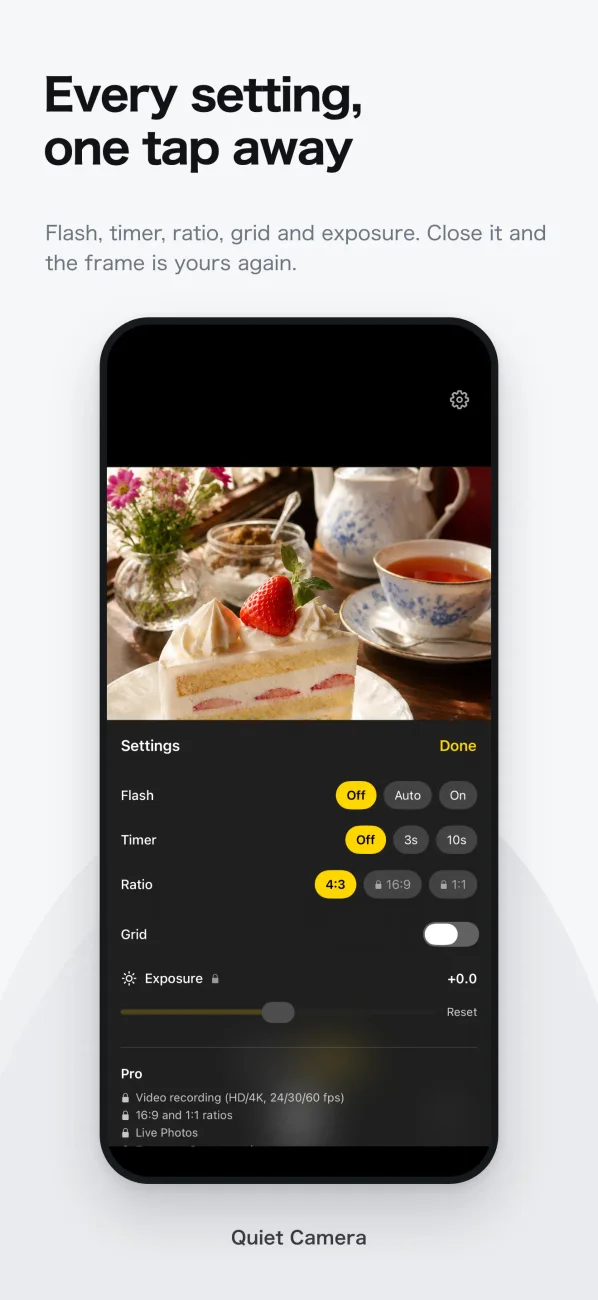
The gear in the top corner opens flash, timer, ratio, grid and exposure in one panel.
Close it and the wide view is back.
While you are shooting,
settings never sit over the frame.
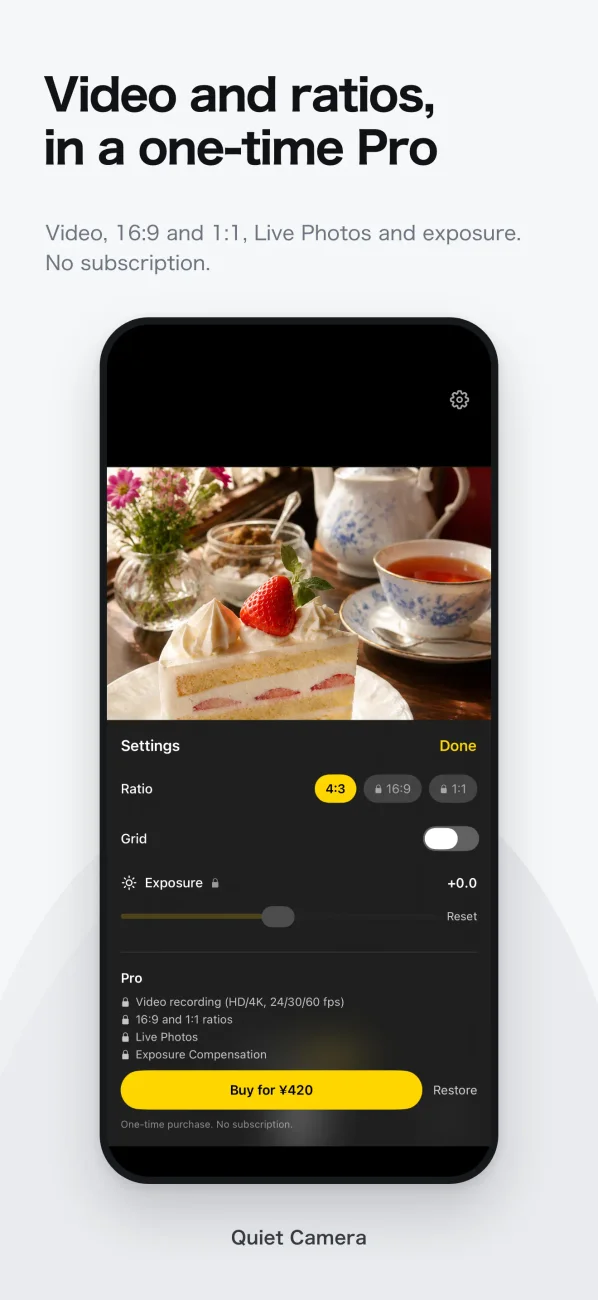
( 4 ) Pro (one-time purchase)
A single purchase unlocks these features.
There is no monthly fee.
- Video recording (HD / 4K, 24 / 30 / 60 fps)
- 16:9 and 1:1 aspect ratios
- Live Photos
- Exposure compensation
Photo capture stays free forever,
whether or not you buy it.
( 5 ) We collect nothing
No ads.
No usage analytics.
The photos and videos you take are only saved
to the photo library on your device.
What’s new
Version 1.1 · Aug 23, 2026
We refined the shutter button with a frosted-glass ring that subtly reflects the lower part of the viewfinder. Your subject stays unobstructed in both Photo and Video modes.
App privacy
What Ryuichi Kayashima declares on the App Store about how this app handles data.
-
Data not collected
The developer does not collect any data from this app.
Privacy practices may vary, for example with the features you use or your age.
Information
- Seller
- Ryuichi Kayashima
- Category
- Photo & Video
- Version
- 1.1
- Updated
- Aug 23, 2026
- Released
- Aug 13, 2026
- Size
- 2.4 MB
- Requires
- iOS 18.0 or later
- Age rating
- 4+
- In-app purchases
- Yes
- Languages
- Spanish, German, Bengali, Kannada, Catalan, Czech, Simplified Chinese, Traditional Chinese, Korean, Croatian, Danish, Slovak + 32 more
- Copyright
- © 2026 Ryuichi Kayashima
You might also like
-
 CharmCamPhoto & Video
-
 NONFIL ノンフィルPhoto & Video
-
 Filmos Lab - Analog DarkroomAnalog Darkroom & Editor
-
 4Cut - Korean Photo StripsFour shots. Then it develops.
-
 Tumble: Vintage Photo EditorRetro Film Camera & Filters
-
 Clair-Amazing PiP CameraSeparate Saves & Smart Cutout
-
 Granul: Film CameraKodak and Fuji Looks
-
 Loopix: Analog Film CameraVintage Filters, Live Grain
-
 TruePix CameraFor Best Sunset Pictures
-
 Natural Photo by Justin WetchPhoto & Video