Click - Temporary Camera
Taking temporary photos
Designed for iPhone
In-app purchases
- Age rating4+
- CategoryPhoto & Video
- Developer军 顾
- LanguagesSimplified Chinese+ 1 more
- Size3.7 MB
Links to the official App Store page
Download.org hosts no file of Click - Temporary Camera. The button opens its official App Store page, published by 军 顾. Listing last checked on Nov 20, 2026.
Screenshots

About
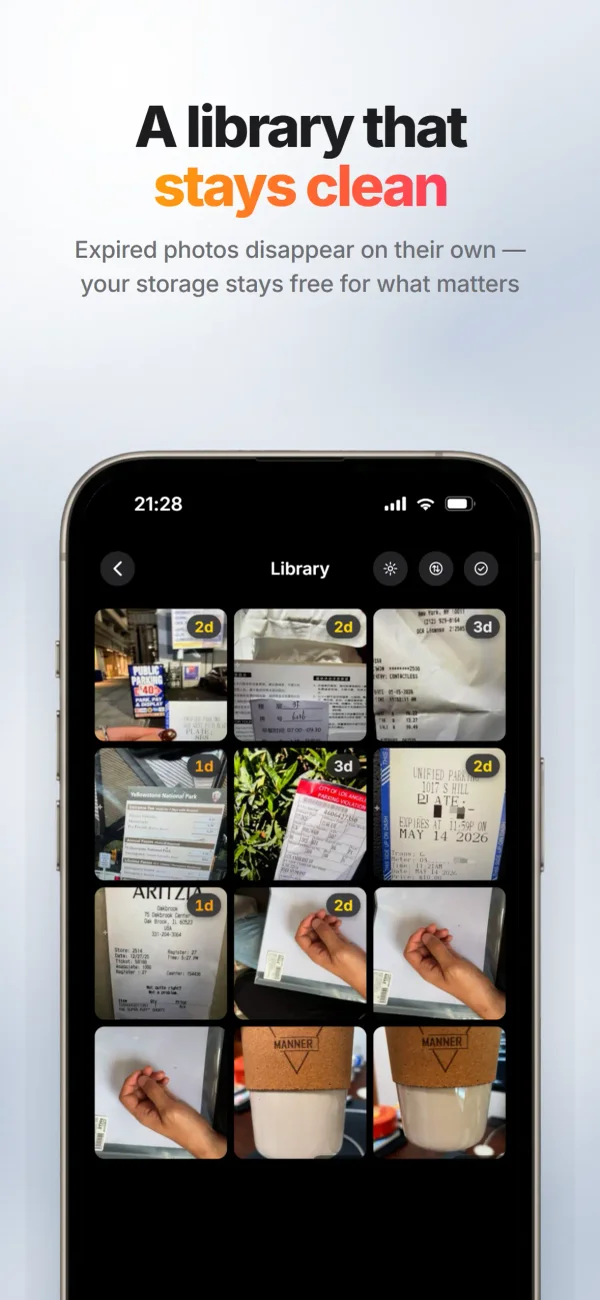
Some photos are only useful for a few hours or days: Wi-Fi passwords, parking spots, package labels, whiteboards, temporary addresses. Shot with the system camera, they pile up in your photo library long after they stop mattering.
Click is a visual cache for your phone. Capture it, use it, let it go.
KEY FEATURES
• Kept out of Photos: Captures live only inside the app's own sandbox. Nothing is written to your photo library unless you explicitly export it.
• Expires on its own: Choose how long each capture lives — 12 hours, 1, 3, 7 (default), 14 or 30 days, or keep it forever. When the time is up it is deleted for good.
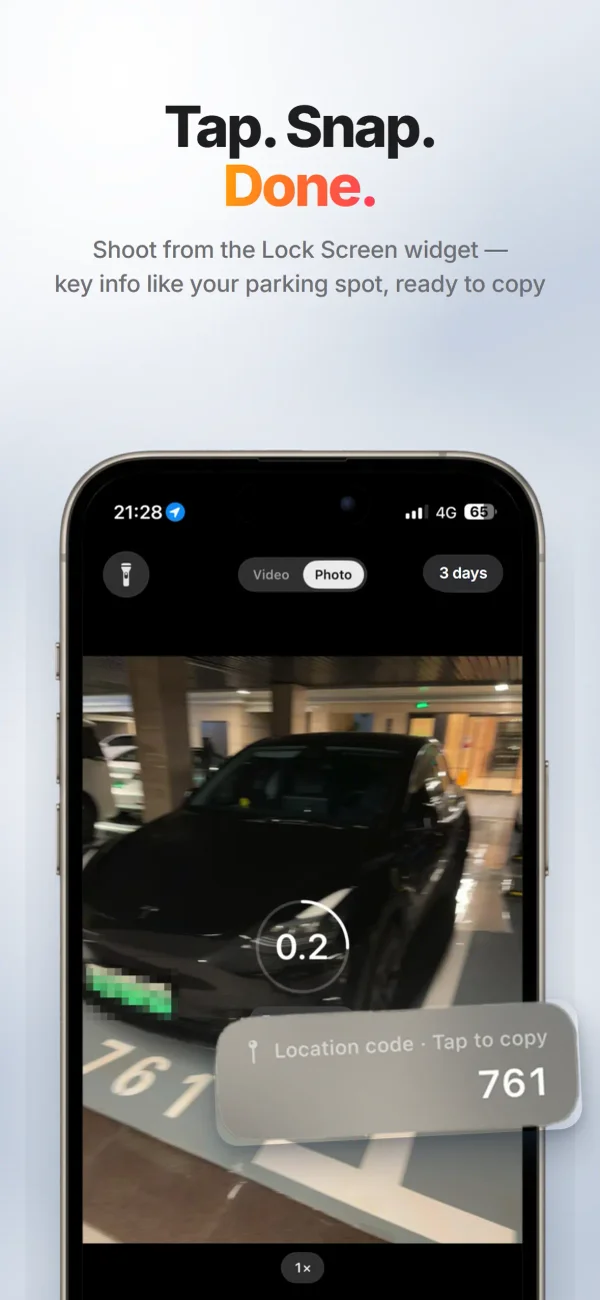
• Key text read on device: Parking numbers, codes, addresses and the like are detected automatically and ready to copy with one tap.
• Location on capture: Optionally record where a shot was taken, see it on a map, and open it in Maps for directions back.
• Home Screen widget: The latest capture and its countdown, one tap away from the full record.
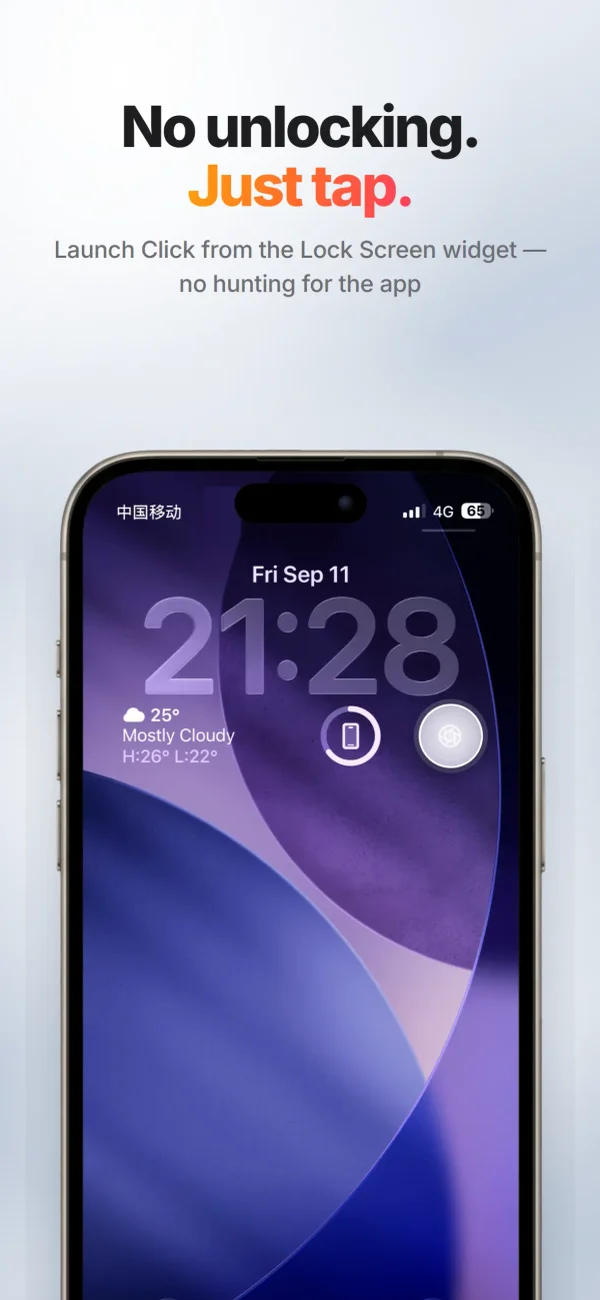
• Quick shot: A Lock Screen widget and a Control Center button that open the camera and take a shot after a one-second countdown.
• Photo and video: Capture either, with the same expiry and the same isolation.
PRIVACY
• On-device processing: Your photos and all text recognition stay on your device. Images are never uploaded.
• Excluded from iCloud backup: Records are explicitly kept out of iCloud. They do not follow you to a new device, and uninstalling clears everything.
• Cannot read your library: The app requests add-only photo access. It has no ability to read your existing photos.
• No tracking: No analytics, no third-party SDKs, no ads, no marketing notifications.
• The only network use is Apple's own service, when you turn on location recording, to turn coordinates into a street name.
PURCHASE TERMS
• Free allowance: Your first 5 captures are free, with every feature available.
• One-time unlock: A single purchase removes the capture limit for good. Payment is charged to your Apple ID account upon confirmation.
• Not a subscription: Nothing auto-renews and you are never charged again. Restore your purchase any time from the paywall or Settings.
Terms of Use: https://sun-flower.cn/click/legal/en/terms_and_conditions.html
Privacy Policy: https://sun-flower.cn/click/legal/en/privacy_policy.html
What’s new
Version 1.0.5 · Nov 19, 2026
Lock Screen widget.
App privacy
What 军 顾 declares on the App Store about how this app handles data.
-
Data not collected
The developer does not collect any data from this app.
Privacy practices may vary, for example with the features you use or your age.
Information
- Seller
- 军 顾
- Category
- Photo & Video
- Version
- 1.0.5
- Updated
- Nov 19, 2026
- Released
- Sep 7, 2026
- Size
- 3.7 MB
- Requires
- iOS 26.0 or later
- Age rating
- 4+
- In-app purchases
- Yes
- Languages
- Simplified Chinese, English
- Copyright
- © 2026 Sun Flower
You might also like
-
 Unrato: Temporary CameraPhoto Expiry, OCR & Widgets
-
 SnapTemp: Auto-Delete CameraScreenshot & Photo Cleanup
-
 Retrocam - Vintage Film CameraAnalog Filters & Retro Effects
-
 TempSnap - Auto Delete CameraTemp Snap, Auto delete photos
-
 Rad TVCreator-First Video & Live TV
-
 Mosaic: Blur Photo EditorPixelate Face Blur Censor
-
 Click Camera: Trusted ContentAuthentic Photos & Videos
-
 Lively - Photos to GIFCreate your own GIF!
-
 Carbon - B&W Filters & EffectsBlack and White Photo Editor
-
 PICNIC: AI Sky Filter&EnhancerCollage, Face Blur & Upscaler