
- Age rating4+
- CategoryUtilities
- DeveloperNicholas Ritschel
- LanguagesEnglish
- Size898.0 KB
Links to the official App Store page
Download.org hosts no file of Clicklet. The button opens its official App Store page, published by Nicholas Ritschel. Listing last checked on Nov 18, 2026.
Screenshots


About
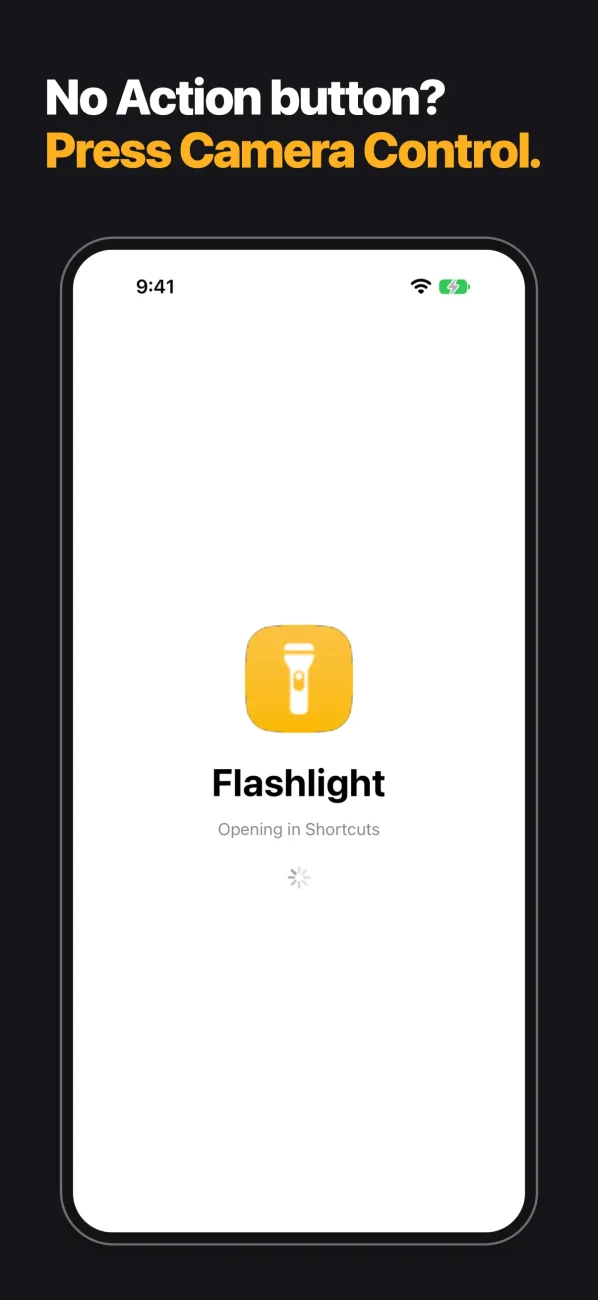
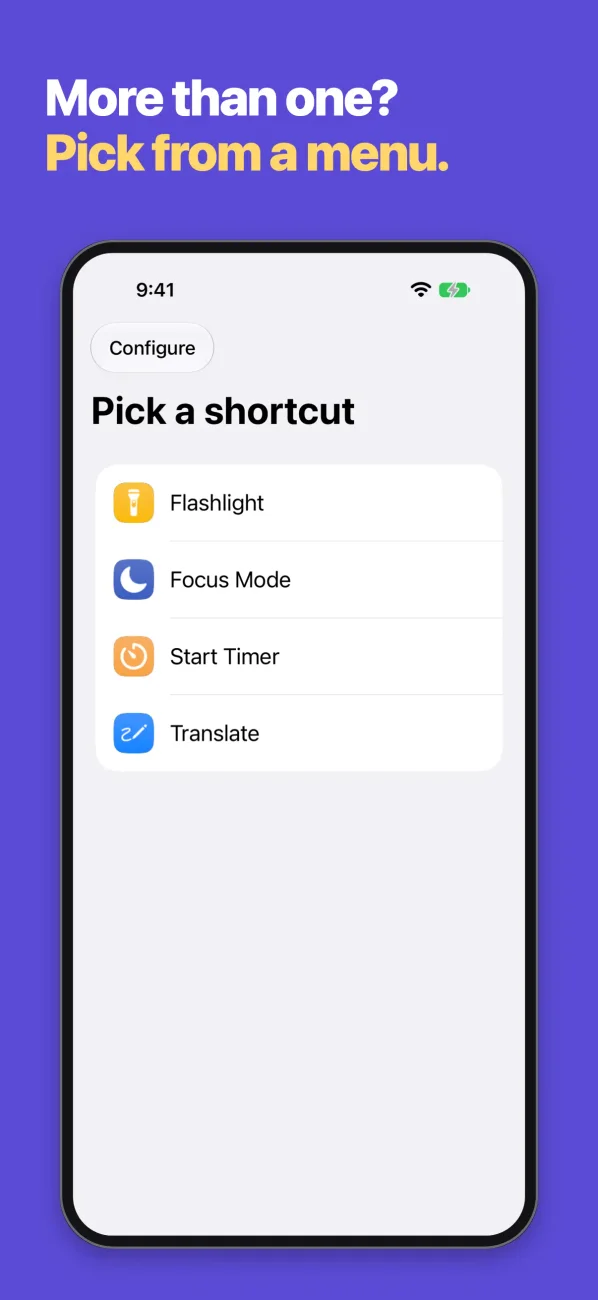
Clicklet lets the Camera Control button on your iPhone start your Apple Shortcuts. Pick one shortcut to launch with a press, or turn on Menu mode and choose from a few favorites each time.
Clicklet opens Apple Shortcuts to run your workflow, so you'll see the usual Shortcuts screens, along with any permission prompts or app handoffs your shortcut needs.
To set up your library, install the included Connect Clicklet helper. It brings in your shortcut names and small icon images, which appear in your library, in the menu, and while a shortcut opens. You can also search for a shortcut or type its name. If you used an earlier version, replace the old helper with the new one and refresh to get icons.
From the menu, tap Configure to go back to setup. You can scroll the menu by dragging along its side margins.
Your shortcut names, icons and selections stay on your device. There's no account, advertising, analytics, subscription or in-app purchase. Camera access supports the Camera Control and lock-screen handoff and shows a live preview; Clicklet doesn't save photos or videos. Launching while your iPhone is locked requires authentication.
Requires iOS 18 or later and Apple's Shortcuts app. Launching from the button requires an iPhone with Camera Control; set Clicklet in Settings > Camera > Camera Control. Opening Clicklet on its own shows your setup without running a shortcut.
What’s new
Version 1.1.1 · Nov 15, 2026
Updated App Store screenshots to show Camera Control, menu mode, the shortcut library, and setup.
App privacy
What Nicholas Ritschel declares on the App Store about how this app handles data.
-
Data not collected
The developer does not collect any data from this app.
Privacy practices may vary, for example with the features you use or your age.
Information
- Seller
- Nicholas Ritschel
- Category
- Utilities
- Version
- 1.1.1
- Updated
- Nov 15, 2026
- Released
- Nov 8, 2026
- Size
- 898.0 KB
- Requires
- iOS 18.0 or later
- Age rating
- 4+
- Price
- Free
- Languages
- English
- Copyright
- © 2026 Nicholas Ritschel
You might also like
-
 SiteShift: Unfolded BrowsingMatch browsing to screen size.
-
 OutSpan - Fullscreen BrowsingWide web pages and ad blocker
-
 MeBoard: Glide & HapticsThe most configurable keyboard
-
 Brim BrowserEdge-to-edge browsing
-
 FoldboardThe keyboard that follows you
-
 FoldCounter: Fold StatsTrack your fold
-
 App Privacy Report AnalyzerMonitor Network & Data Access
-
 Wider - Fullscreen BrowsingMore room for the internet
-
 Deflector ◇Shortcuts Everywhere
-
 EFKey – Swipe & AI KeyboardTranslate, dictate, gestures