
Clipboard Manager: ClipSync
Copy paste history & snippets
Designed for iPhone, iPad
In-app purchases
- Age rating4+
- CategoryProductivity
- DeveloperHastik Mangukiya
- LanguagesEnglish
- Size45.6 MB
Links to the official App Store page
Download.org hosts no file of Clipboard Manager: ClipSync. The button opens its official App Store page, published by Hastik Mangukiya. Listing last checked on Nov 12, 2026.
Screenshots
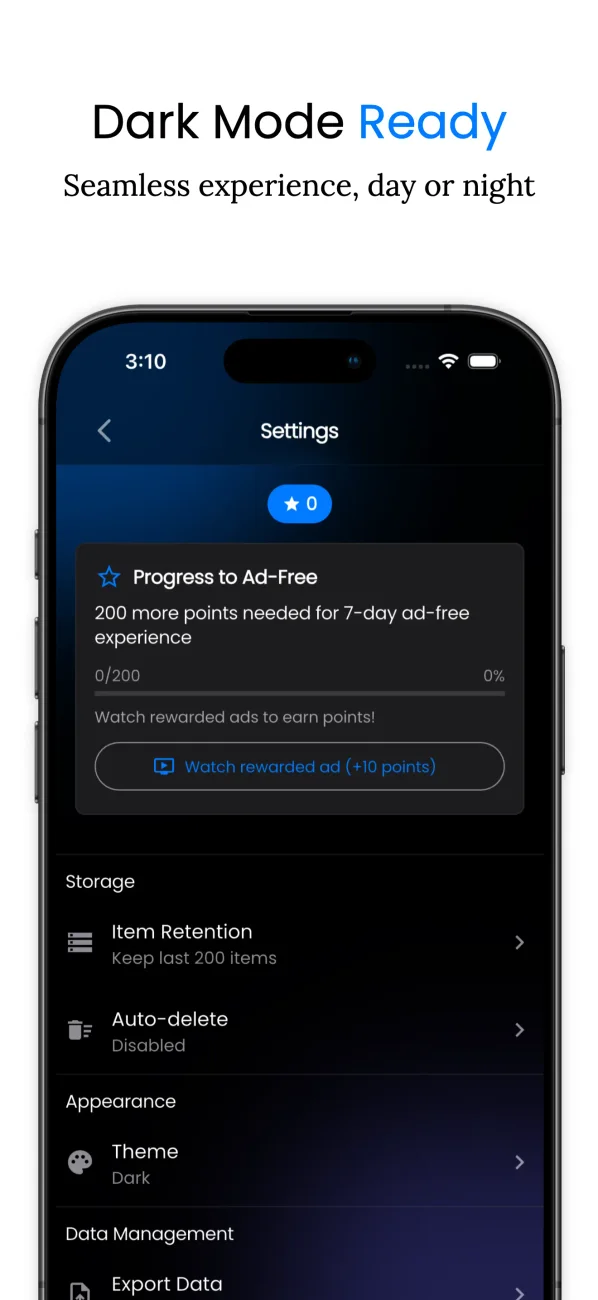
About
Never lose what you copy again. ClipSync keeps a searchable clipboard history of everything you copy on your iPhone and iPad. text, links, images and files encrypted on the device, with no account and no server.
CLIPBOARD HISTORY THAT STAYS
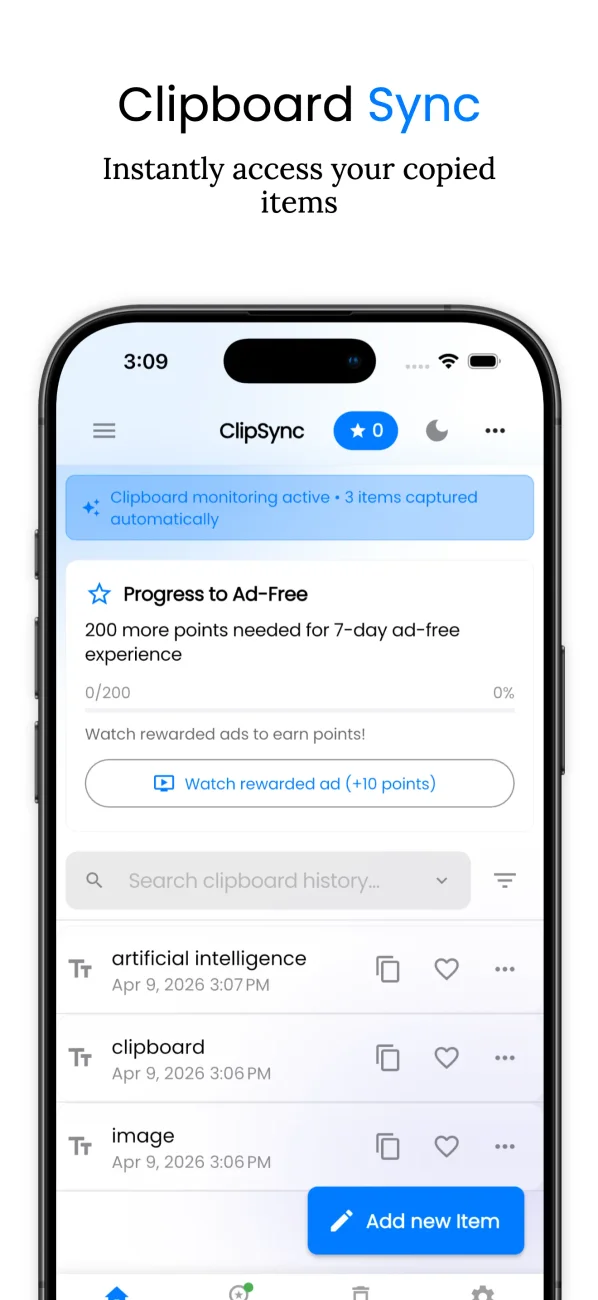
Open ClipSync and whatever you copied is captured into your history. From any other app, tap Share → ClipSync to save text, a link or an image without switching away. Scroll back through your full copy and paste history whenever you need it.
FIND ANYTHING YOU COPIED
Full-text search across your entire clipboard history. Filter by type - text, links, images, files or by tag, favorite, pinned and date. That address, license key or reference from last week is one search away.
ORGANIZE YOUR CLIPS AND SNIPPETS
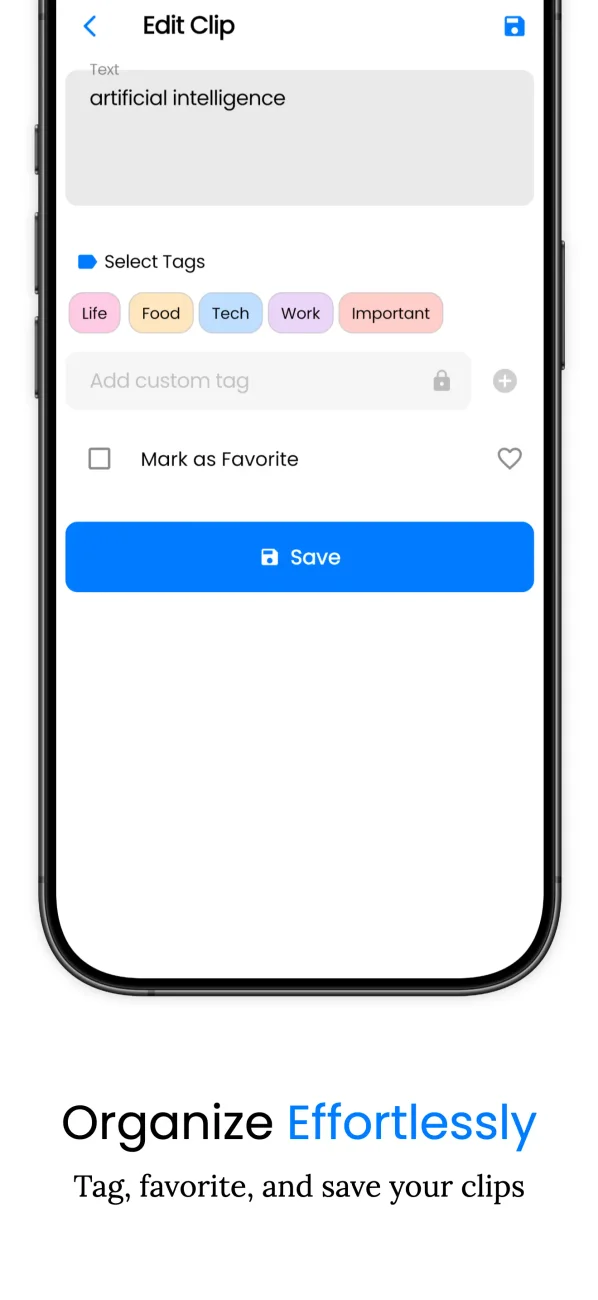
Pin the clips you use constantly to the top. Tag them - Life, Work, Tech, Ideas, Money, or your own. Mark favorites. Edit a saved clip and revert to the original at any time. ClipSync doubles as a snippet manager for the phrases, templates and code you paste again and again.
BUILT-IN TEXT TOOLS
Clean up any clip without leaving the app: UPPERCASE, lowercase, Title Case and Sentence case; trim whitespace, collapse spaces, remove blank lines; sort lines, remove duplicate lines, reverse lines; slugify; JSON prettify and minify; Base64 encode and decode; URL encode and decode. Every clip shows its character, word and line count.
PRIVATE BY DESIGN
Your clipboard history is encrypted on your device, with the key held in the iOS Keychain. There is no account, no server and no cloud - your clips never leave your
iPhone or iPad. The free version shows ads, which use an advertising identifier as described in our Privacy Policy.
BACKUP, EXPORT AND RESTORE
Back up your whole history to JSON and restore it later. Export text clips to CSV for a spreadsheet, or to PDF for printing. Save an image clip straight to Photos, or a file
clip to Files.
TRASH AND AUTO-CLEANUP
Deleted clips go to Trash so you can bring them back. Set a history limit, or have ClipSync automatically delete clips older than 1, 3, 7, 14 or 30 days.
KNOW YOUR COPY HABITS
See what you clip most, which tags you lean on, how much storage your history uses and which days you are busiest. Keep a daily streak going and share a weekly clip card.
WHO IT IS FOR
Students saving research links and quoted passages. Developers keeping code snippets, terminal commands and config values. Writers collecting references and draft lines. Anyone who copies a tracking number, an address or a one-time code and needs it again five minutes later.
DESIGNED FOR EVERYONE
A clean, uncluttered interface with full VoiceOver support and accessible touch targets, on both iPhone and iPad.
PREMIUM
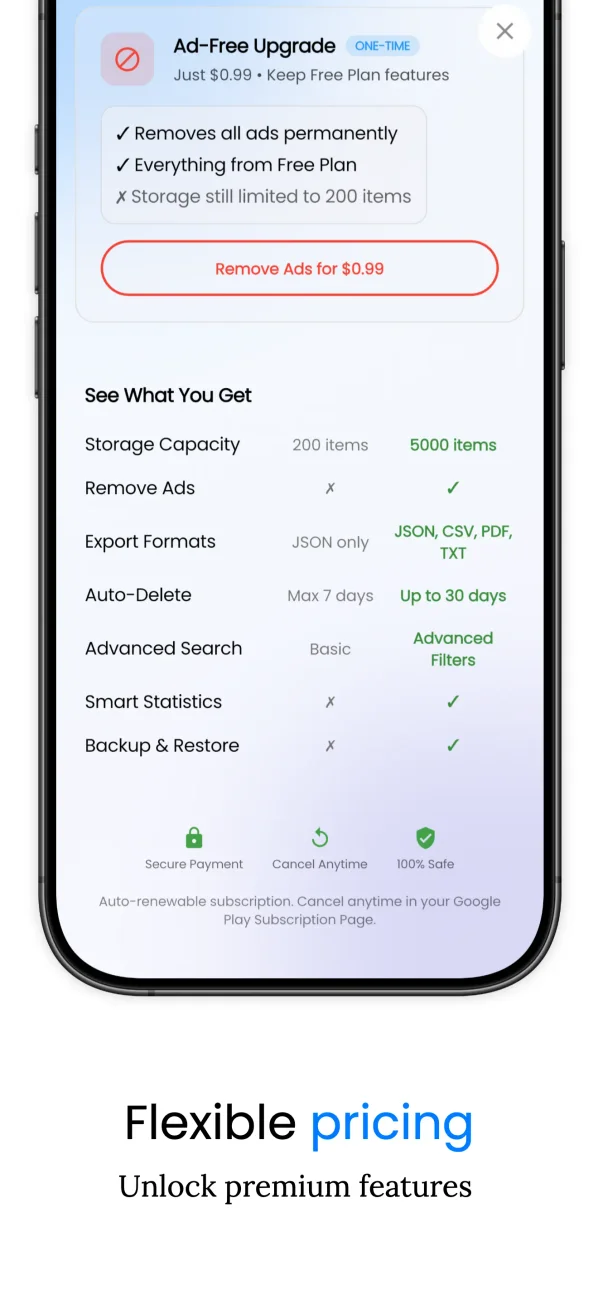
ClipSync is free to use. Premium is an auto-renewing subscription - weekly, monthly or yearly that removes ads and unlocks unlimited clipboard history, advanced search filters, custom tags, image and file import, bulk copy, share and export, CSV and PDF export, longer auto-delete schedules, and clipboard statistics.
Payment is charged to your Apple ID at confirmation of purchase. The subscription renews automatically unless it is canceled at least 24 hours before the end of the current
period; manage it in your Apple ID account settings.
Download ClipSync and take control of your clipboard.
---
Terms of Use (EULA): https://www.apple.com/legal/internet-services/itunes/dev/stdeula/
Privacy Policy: https://clipsync-website.vercel.app/privacy
What’s new
Version 1.0.1 · Aug 18, 2026
- Change the entire app's user interface
- Removed banner Ads
- Improved photo saving reliability on iOS
- Better backup export/import support
- Various bug fixes and performance improvements
App privacy
What Hastik Mangukiya declares on the App Store about how this app handles data.
-
Data used to track you
May be used to track you across apps and websites owned by other companies.
- Identifiers
- Usage data
-
Data not linked to you
May be collected but is not linked to your identity.
- Purchases
- Identifiers
- Usage data
- Diagnostics
Privacy practices may vary, for example with the features you use or your age.
Information
- Seller
- Hastik Mangukiya
- Category
- Productivity
- Version
- 1.0.1
- Updated
- Aug 18, 2026
- Released
- Apr 20, 2026
- Size
- 45.6 MB
- Requires
- iOS 16.0 or later
- Age rating
- 4+
- In-app purchases
- Yes
- Languages
- English
- Copyright
- © 2026 Hastik Mangukiya
You might also like
-
 FastPaste - Clipboard SyncProductivity
-
 ClipSync — Clipboard SyncOne clipboard, all devices
-
 Fields: Secure Notes & VaultSimple Key-Value iCloud Locker
-
 CopymunkClipboard history, synced
-
 Syncer — Clipboard on KeyboardCopy on PC, paste on phone
-
 Mantle LauncherTile Board for Your Shortcuts
-
 Markmatic - AI to Word & PDFChatGPT to Word and PDF
-
 ChaptrCreate Podcast Chapter Marks
-
 Clypy: Clipboard ManagerEncrypted history & sync