Clipora:Read & Learn Languages
Read Later, Listen & Translate
Designed for iPhone
Free · In-app purchases
- Age rating4+
- CategoryProductivity
- Developer优贵 邹
- LanguagesEnglish
- Size56.2 MB
Links to the official App Store page
Download.org hosts no file of Clipora:Read & Learn Languages. The button opens its official App Store page, published by 优贵 邹. Listing last checked on Nov 15, 2026.
Screenshots
About
Turn every saved article into language‑learning material. Clipora supports 15 languages and helps you build both reading and listening skills with immersive reading, text‑to‑speech, smart translation, and instant dictionary lookup.
Turn the web into your language textbook
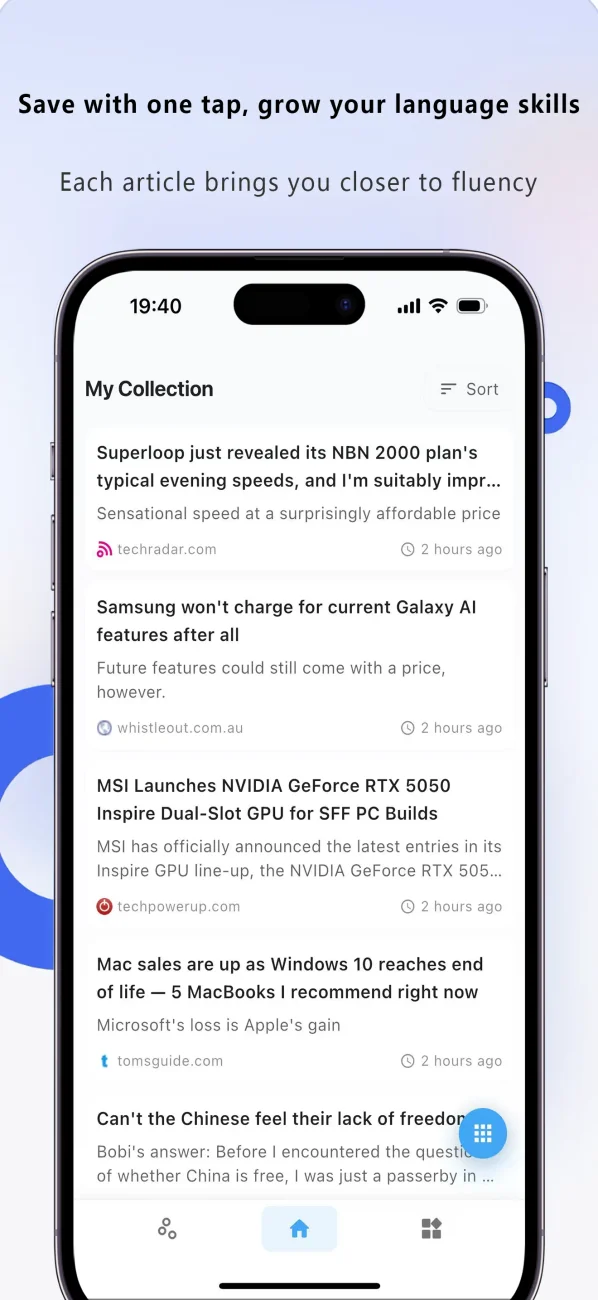
With one tap, save any web page—news, blogs, or social posts. Clipora extracts the main content and generates a clean, offline‑ready document. For every article you can:
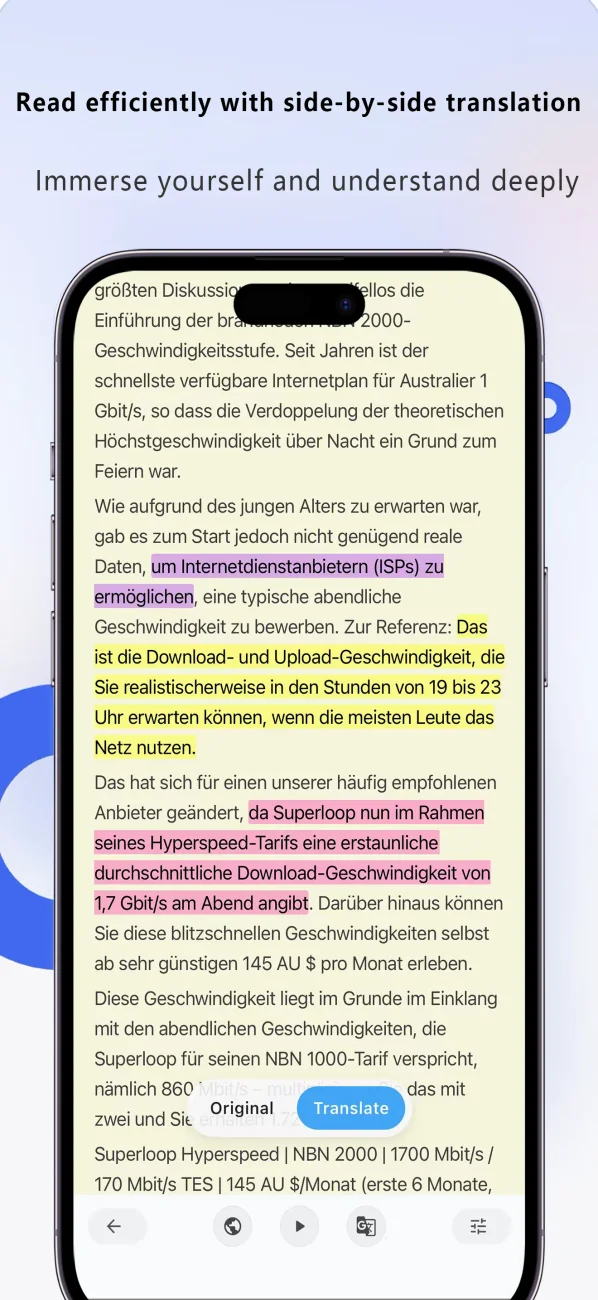
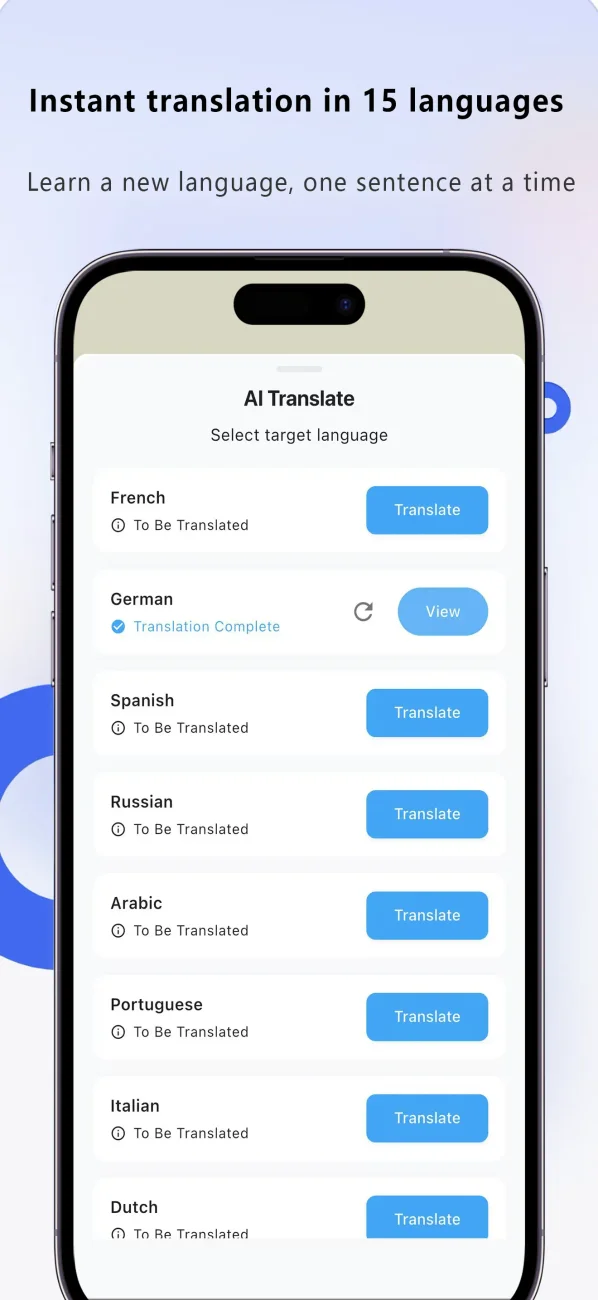
- Translate the full text into multiple languages (Chinese, English, Japanese, Korean, German, French, Spanish, Russian, and more).
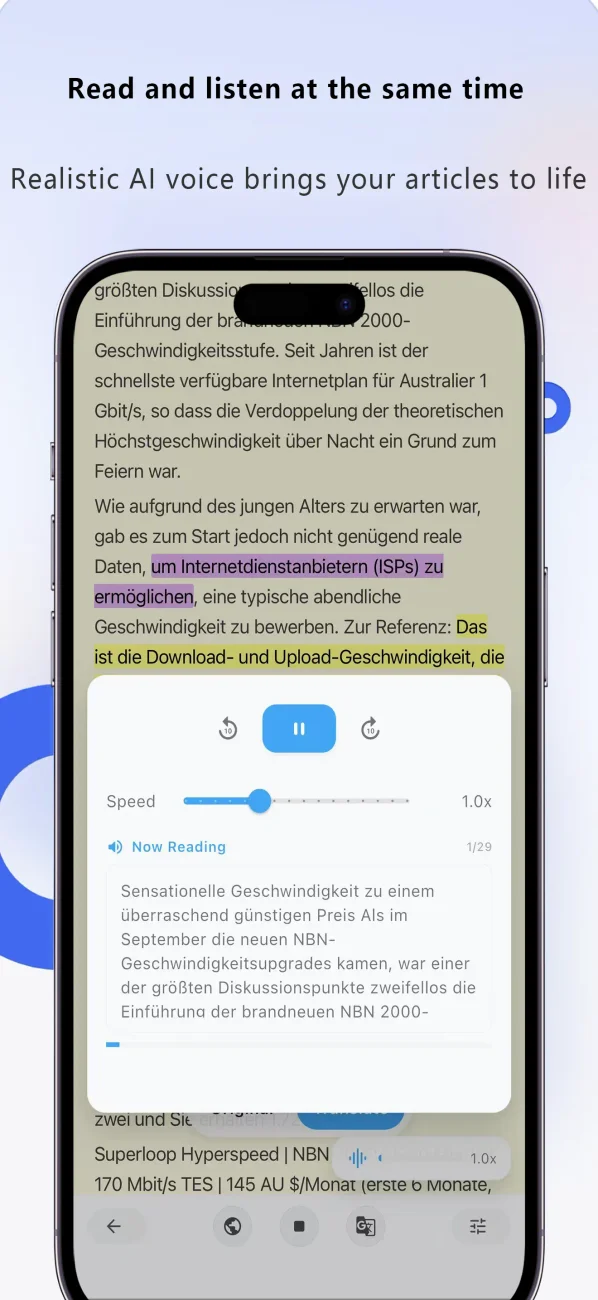
- Listen to any language version with high‑quality text‑to‑speech to train listening skills.
- Read in bilingual mode to understand context by comparing with the original.
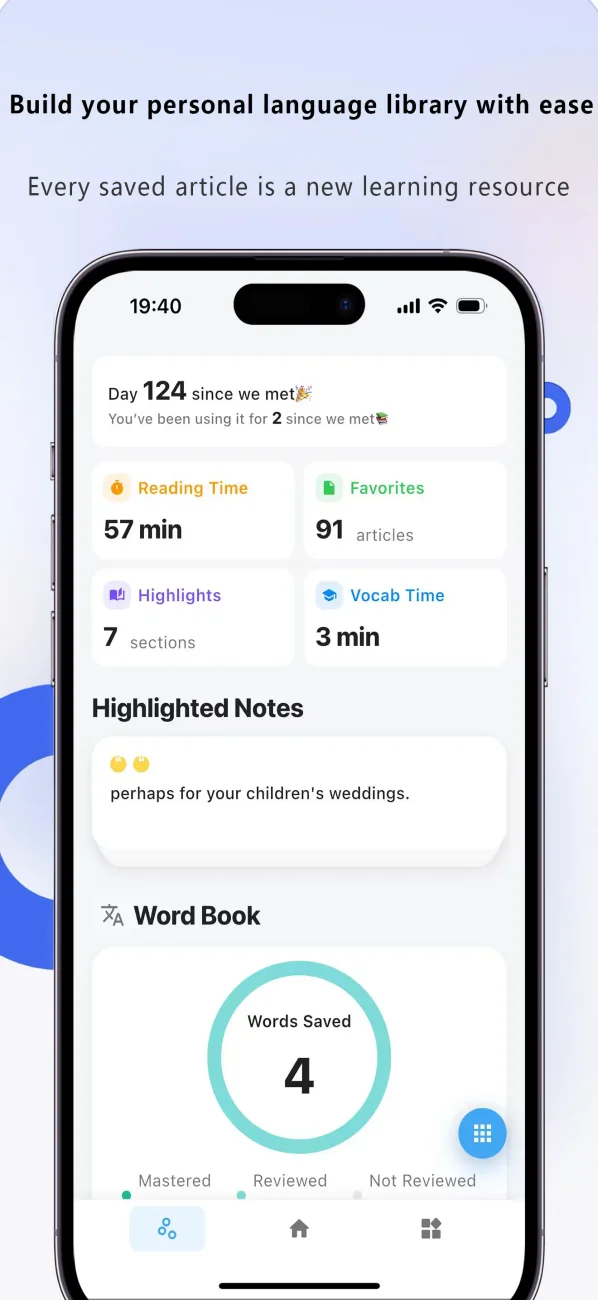
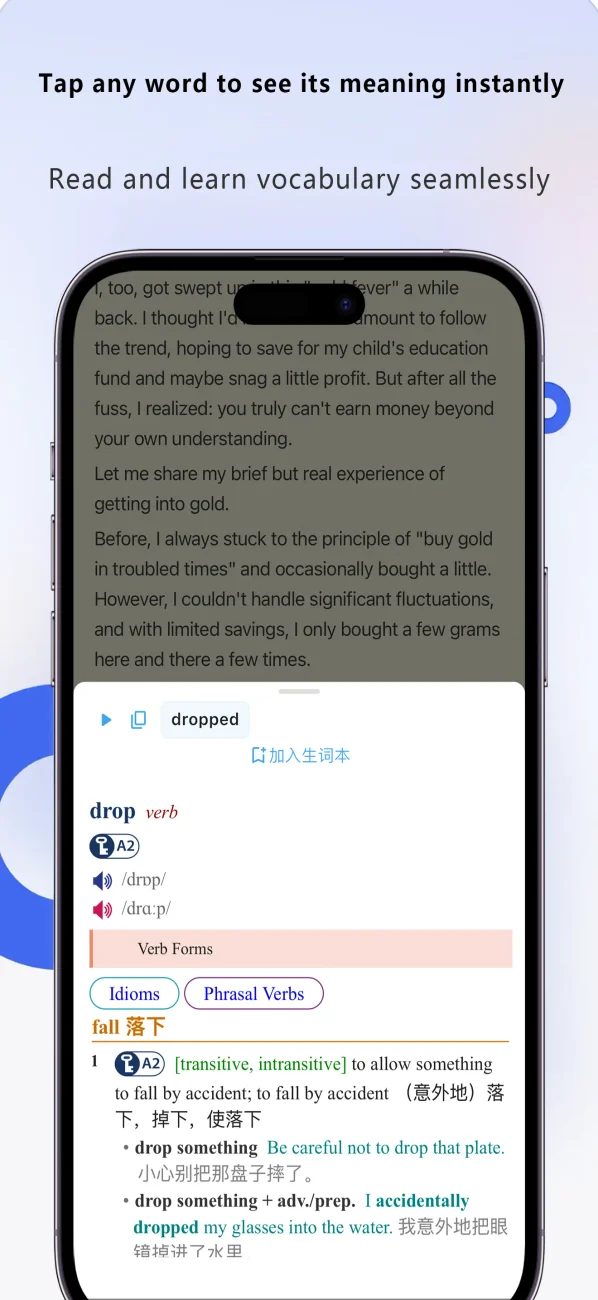
- Look up words instantly and save them to your vocabulary list with definitions, examples, and pronunciation.
Immersive learning experience
- Distraction‑free reading: automatically removes ads and clutter so you can focus on the content.
- Highlights and notes: mark key points in foreign‑language articles and capture your thoughts to aid memory and review.
- AI‑assisted translation: get help understanding complex sentences and paragraphs so the original text feels natural.
All‑in‑one knowledge and language growth
- Web save + snapshot archive: even if the original page disappears, your saved copy stays accessible.
- Tags and categories: organize a personal language knowledge base.
- Full‑text search: quickly find any saved learning material.
- Cloud sync: keep progress consistent across devices.
Supported languages
15 languages including Simplified Chinese, English, Japanese, Korean, French, German, Spanish, Russian, and more.
Who is Clipora for?
- Learners who want to turn everyday reading into language input.
- Learners aiming to improve listening and reading comprehension.
- Efficient readers who want to save web content offline and organize notes.
Website: https://www.clipora.cc
Contact: main@clipora.cc
Privacy Policy: https://www.clipora.cc/agreement
Terms of Service: https://www.clipora.cc/privacy
What’s new
Version v3.6.0 · Nov 25, 2025
Add user onboarding
Add user assistance/help
App privacy
What 优贵 邹 declares on the App Store about how this app handles data.
-
Data not collected
The developer does not collect any data from this app.
Privacy practices may vary, for example with the features you use or your age.
Information
- Seller
- Shenzhen Gubuguang Technology Enterprise
- Category
- Productivity
- Version
- v3.6.0
- Updated
- Nov 25, 2025
- Released
- Jul 10, 2025
- Size
- 56.2 MB
- Requires
- iOS 16.6 or later
- Age rating
- 4+
- Price
- Free
- In-app purchases
- Yes
- Languages
- English
- Copyright
- © ShenZhengShi Gubuguang TechnologyEnterprise
You might also like
-
 DelingoSimplify Your English Learning
-
 SnapNote - Cross-Platform SyncPrivate Data Storage
-
 Furigana ReaderBrowse Japanese with Furigana
-
 CollectAll: Save & Read LaterMake Your Knowledge Useful
-
 MindMarkSave&manage your inspirations
-
 FlowFerry - Read Without NoiseSave Articles. Read Anywhere.
-
 Notopia NotesNotes, plans & Mind Palace
-
 Pebble - SmallstepsTrack progress, not just tasks
-
 Spring JournalDistraction-free writing
-
 Lorry – On Device AIon-device ai chat