ClockPro - Time Clock
Smart team time tracking
Designed for iPhone, iPad
Free · In-app purchases
- Age rating4+
- CategoryBusiness
- DeveloperWesley Santos
- LanguagesEnglish+ 2 more
- Size61.8 MB
Links to the official App Store page
Download.org hosts no file of ClockPro - Time Clock. The button opens its official App Store page, published by Wesley Santos. Listing last checked on Nov 23, 2026.
Screenshots



About
ClockPro is the time-tracking app built for service businesses —
construction, painting, cleaning, landscaping, roofing and more.
No more spreadsheets and paper notes. Your team clocks in right from
their phone, with location, and you follow everything in real time.
FEATURES
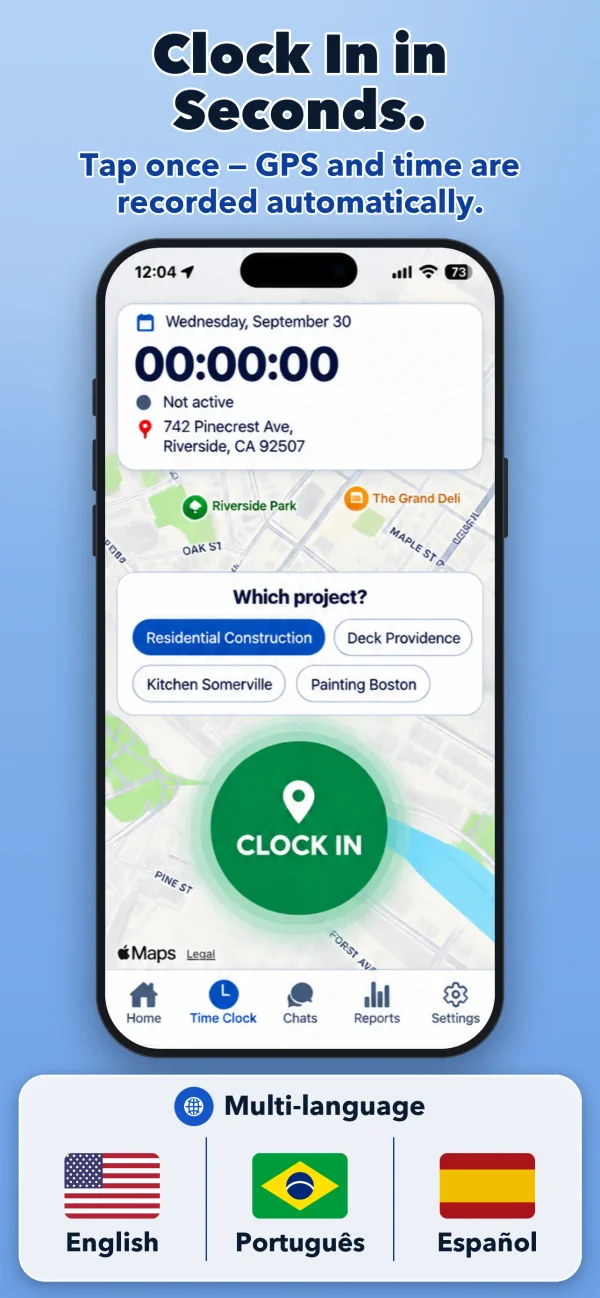
• Clock In / Clock Out with GPS and address
• Works offline — time is saved even without internet
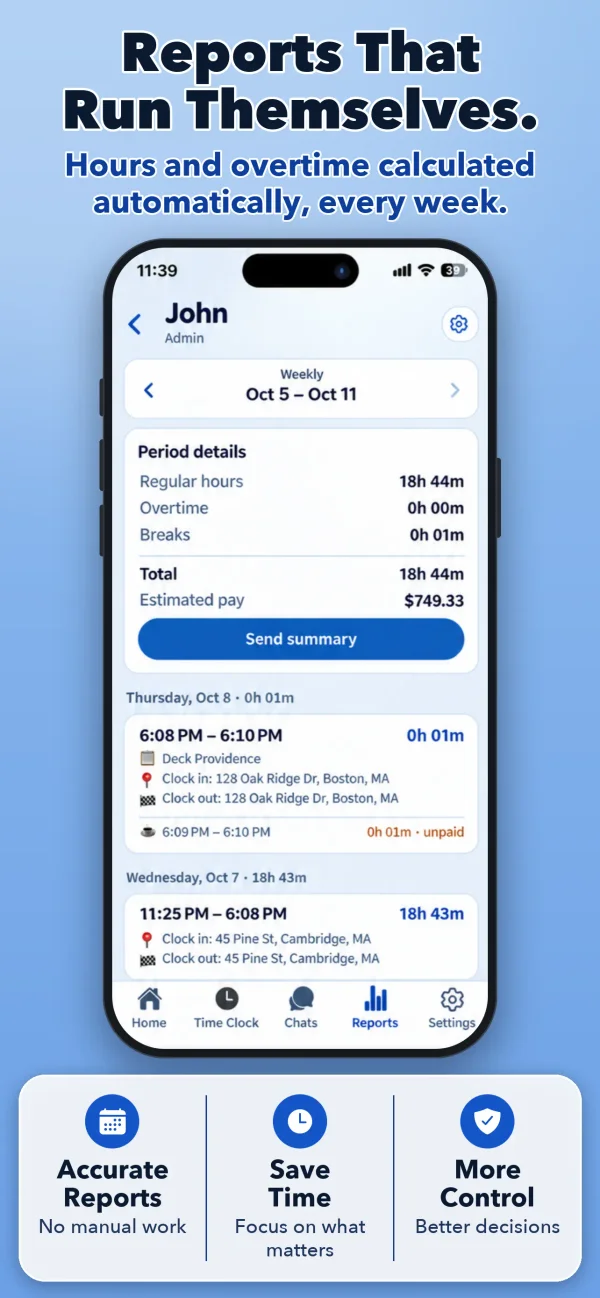
• Breaks and overtime calculated automatically
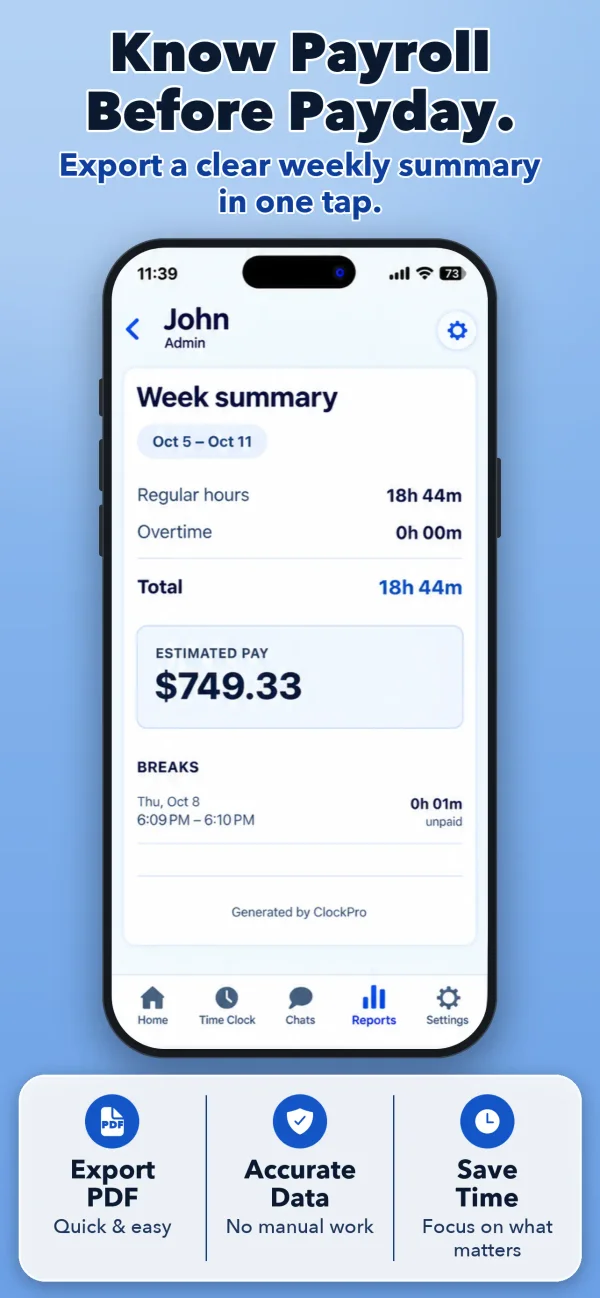
• Per-employee reports: weekly hours and estimated pay
• Weekly PDF summary to share on WhatsApp
• Jobs: know which project each person is working on
• Job-site check: see how far from the job address each clock in and clock out happened
• Crew schedule: assign people to jobs by day or week and share it as a PDF
• Optional early clock-in limit: no one punches in before the time you set
• Team dashboard: see who is working, on break or done for the day
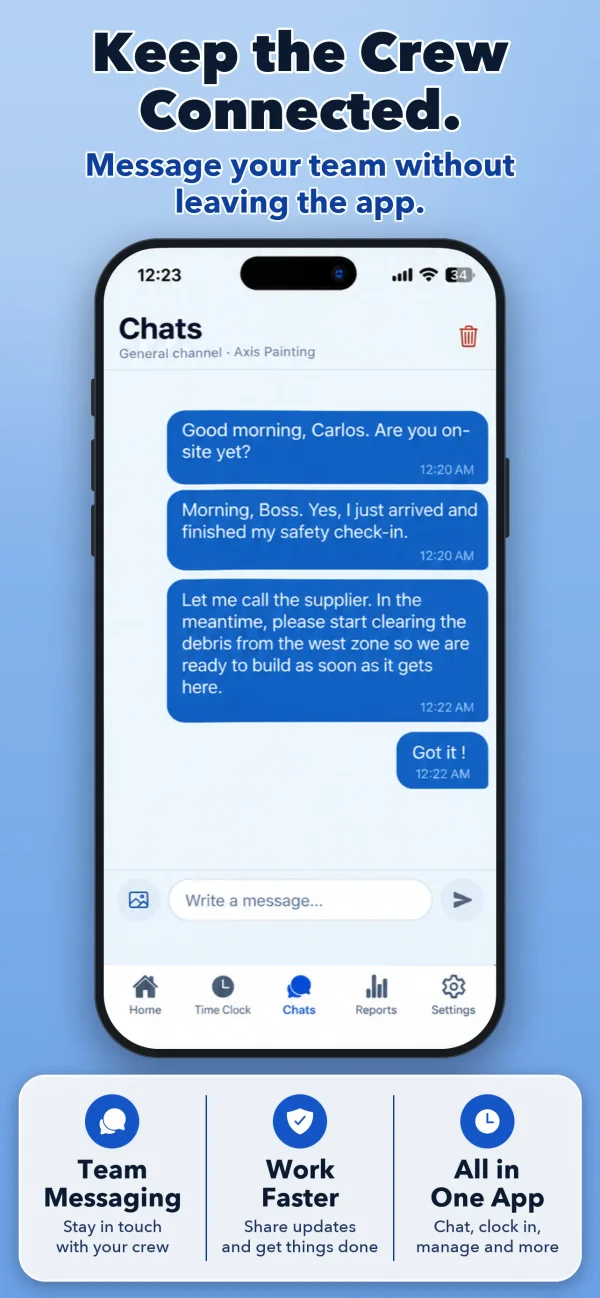
• Built-in team chat
• Forgotten Clock Out reminder
• Admin time correction with an audit trail
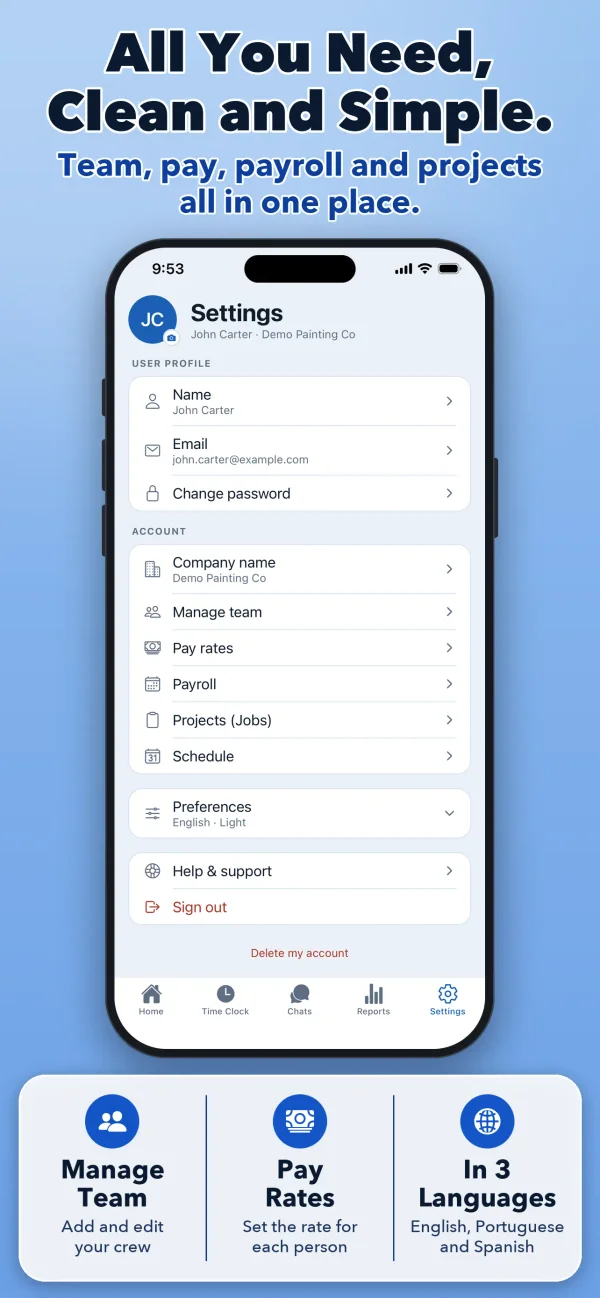
• Portuguese, English and Spanish
WHO IT'S FOR
Owners of small and medium businesses that pay employees by the hour and
want more organization, control and peace of mind at payroll.
SUBSCRIPTIONS
Try ClockPro free for 14 days. After that, the company owner picks a plan in Settings > Plan: Starter (up to 8 people), Team (14), Growth (20), Business (30) or Pro (50), billed monthly or annually. Team members who join with an invite code never pay.
• Payment is charged to your Apple Account at confirmation of purchase.
• Subscriptions renew automatically unless cancelled at least 24 hours before the end of the current period. Your account is charged for renewal within 24 hours before the end of the current period.
• Manage or cancel anytime in your Apple Account settings.
Terms of Use: https://www.apple.com/legal/internet-services/itunes/dev/stdeula/
Privacy Policy: https://clockproapp.com/privacy
Download now and manage your team's hours in a simple, fair and smart way.
What’s new
Version 1.2.5 · Nov 18, 2026
• A fresh Home screen: see your week at a glance, with a bar for each day.
• See who is clocked in right now.
• Quick shortcuts to Schedule, Projects and your weekly summary.
App privacy
What Wesley Santos declares on the App Store about how this app handles data.
-
Data linked to you
May be collected and linked to your identity.
- Purchases
- Financial info
- Location
- Contact info
- User content
- Identifiers
- Other data
Privacy practices may vary, for example with the features you use or your age.
Information
- Seller
- Wesley Santos
- Category
- Business
- Version
- 1.2.5
- Updated
- Nov 18, 2026
- Released
- Oct 26, 2026
- Size
- 61.8 MB
- Requires
- iOS 16.4 or later
- Age rating
- 4+
- Price
- Free
- In-app purchases
- Yes
- Languages
- English, Portuguese, Spanish
- Copyright
- © 2026 ClockPro App
You might also like
-
 Capricho ProRun your cleaning business
-
 ZcheduleScheduling for small teams
-
 Nexus One FSMField Services Manager
-
 AlloFi: Money TrackerInsights and financial health
-
 TikexPOS Work Order Management
-
 WIZniche Field ServiceQuote, Dispatch, Invoice App
-
 WProofGPS time clock for crews
-
 My Nest : Daily Planner AppAesthetic Planner & Journal
-
 MINT - Money In New TargetsAchieve goals with MINT
-
 Daily Planner: by NS AppsTo Do, Planner, Calendar, Task