
- Age rating4+
- CategoryUtilities
- Developer春演 余
- LanguagesEnglish
- Size1,020.0 KB
Links to the official App Store page
Download.org hosts no file of ClockSync Pro. The button opens its official App Store page, published by 春演 余. Listing last checked on Nov 20, 2026.
Screenshots

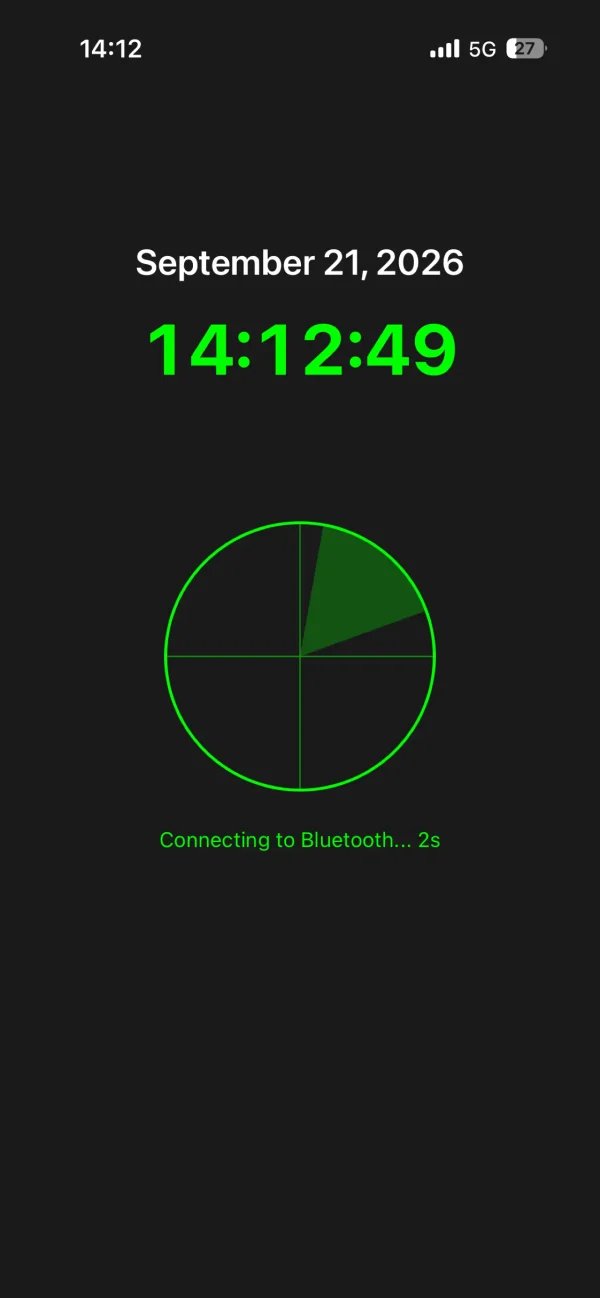

About
ClockSync Pro keeps your Bluetooth electronic clock accurate with a simple one-tap time sync.
How it works:
1. Open the app and tap "Time Auto-Sync".
2. The app scans for your Bluetooth clock and connects automatically (within a range of about 10 meters / 33 feet).
3. Once connected, it writes your phone's current time to the clock. An "OK" confirmation appears when the sync is complete.
4. If no clock is found within 60 seconds, the app shows "Connection Timeout" with a "Reconnect" button so you can try again.
Features:
- Simple, guided one-tap syncing — no technical skills needed.
- Private by design: no account, no sign-in, and no personal data is collected or shared.
- Bluetooth connection only.
Please note: Bluetooth must be enabled on your phone, and the clock should be kept nearby during syncing.
App privacy
What 春演 余 declares on the App Store about how this app handles data.
-
Data not collected
The developer does not collect any data from this app.
Privacy practices may vary, for example with the features you use or your age.
Information
- Seller
- 春演 余
- Category
- Utilities
- Version
- 1.0
- Updated
- Sep 25, 2026
- Released
- Sep 25, 2026
- Size
- 1,020.0 KB
- Requires
- iOS 13.0 or later
- Age rating
- 4+
- Languages
- English
- Copyright
- © 2026 ClockSync
You might also like
-
 YarnChooserPerfect Colors Every Time
-
 DecaiDVRUtilities
-
 Calendar IslandReminders & Calendar in Island
-
 Tachomaster WorkerUtilities
-
 MuMuPlayerRemote control for MuMu PC
-
 District Play PartnerManage Play Bookings
-
 Supernote PartnerUtilities
-
 V-Tool OBD ScannerDiagnose & Fix your Volvo
-
 AtomicClock: NTP TimePrecision Clock, UTC Reference
-
 Lawly AI: Autoagent For PhoneAlternative Ignore Reminders