
ClockTimer - Focus & Habit
Routine, ToDo & Voice Timer
Designed for iPhone, iPad, iPod touch
In-app purchases
- Age rating4+
- CategoryLifestyle
- DeveloperSYNCRAFT
- LanguagesEnglish
- Size67.5 MB
Links to the official App Store page
Download.org hosts no file of ClockTimer - Focus & Habit. The button opens its official App Store page, published by SYNCRAFT. Listing last checked on Nov 12, 2026.
Screenshots

About
Even if you can’t do it today,
you can always start again.
ClockTimer is a simple app that connects
clock, timer, ToDo, and routines in one place.
A simple tool for time management and focus.
It’s not a Pomodoro timer.
And it’s not a detailed scheduler.
Just add a task like a quick note,
decide “I’ll do this for a few minutes,”
and start the timer.
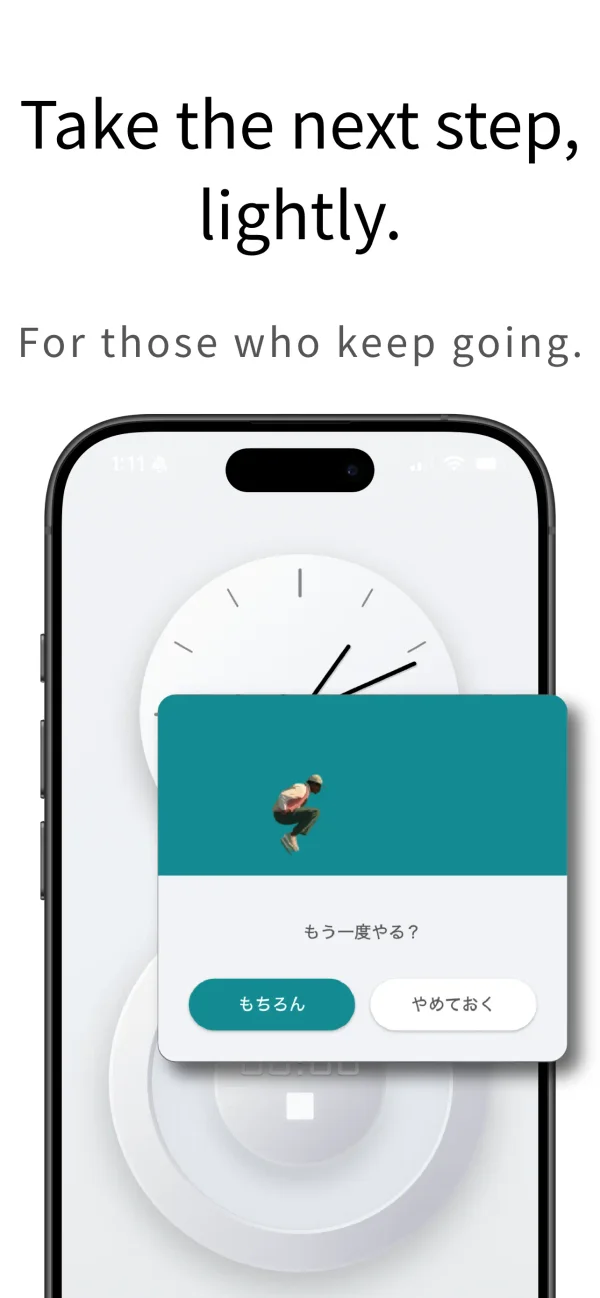
When the timer ends, the app asks:
“Did you do it today?”
“Yes” or “Not yet.”
Both are okay.
If you couldn’t do it,
just start the timer again.
ClockTimer isn’t about perfect planning.
It’s about giving you a chance to try again.
◆ What you can do with ClockTimer ◆
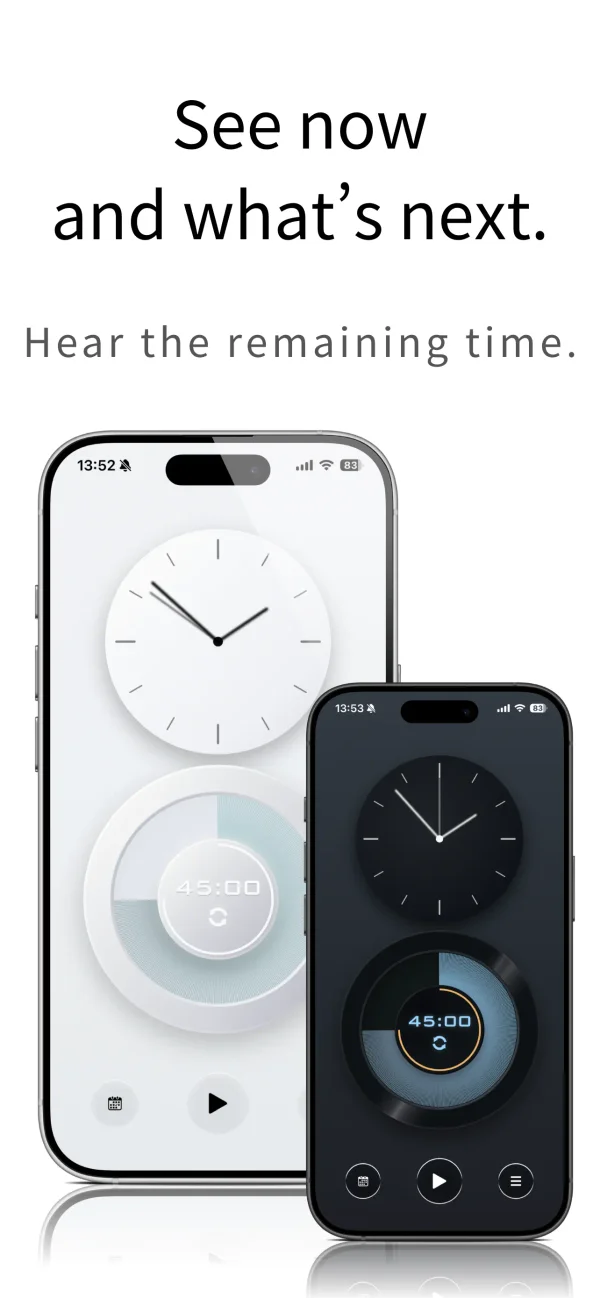
• See the clock and timer together
Check the current time and the time you’re using
on a single screen.
• Quickly add tasks as they come to mind
Capture ideas like notes.
Set a time and start the timer instantly.
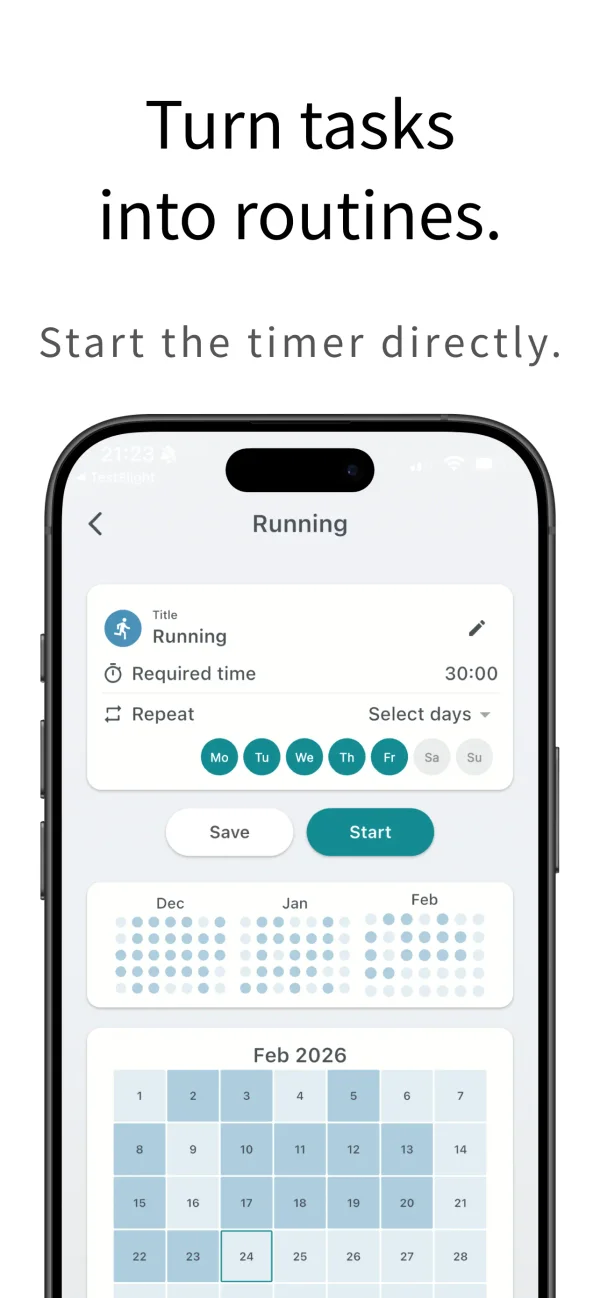
• Build routines naturally
Create a simple daily flow.
Completed days are quietly recorded.
• Voice guidance for time transitions
Get gentle voice notifications for remaining time and completion.
Helps you smoothly switch your focus.
• Start again anytime
When the timer ends, choose:
“Done” or “Try again.”
◆ Recommended for people who ◆
• Struggled to keep using ToDo apps
• Didn’t enjoy Pomodoro timers
• Don’t like detailed scheduling
• Want to build habits little by little
• Just want to move forward — even imperfectly
ClockTimer isn’t for people who never fail.
It’s for people who can come back and try again.
Reconnect your time —
again and again.
◆ Pricing ◆
ClockTimer’s core features are available for free,
with no account required.
With ClockTimer Pro, you can unlock:
• Clock design customization
• Ad-free experience
• Advanced customization features
You can choose the plan that fits your lifestyle:
• Monthly plan
• Annual plan
• One-time lifetime purchase
Start with the free version and try it out.
◆ Contact / Bug Reports ◆
Please note that we may not be able to respond quickly
to individual issues through the review section.
If you encounter any problems or have suggestions,
please contact us at:
hello@syncraft.dev
◆ Terms & Privacy Policy ◆
Terms of Use
https://syncraft.dev/clocktimer/terms/
Privacy Policy
https://syncraft.dev/clocktimer/privacy/
App privacy
What SYNCRAFT declares on the App Store about how this app handles data.
-
Data not linked to you
May be collected but is not linked to your identity.
- Usage data
- Diagnostics
Privacy practices may vary, for example with the features you use or your age.
Information
- Seller
- SYNCRAFT
- Category
- Lifestyle
- Version
- 1.0
- Updated
- Mar 13, 2026
- Released
- Mar 12, 2026
- Size
- 67.5 MB
- Requires
- iOS 15 or later
- Age rating
- 4+
- In-app purchases
- Yes
- Languages
- English
- Copyright
- © 2026 Syncraft
You might also like
-
 Arucocca: Plan & JournalTimeline, not a calendar grid
-
 OkiTime - Alarm MorningWeather, outfit, schedule
-
 TaskCry: Urgent Todo ReminderSuffering faces on a countdown
-
 yubuneA gentle habit for self-care
-
 Tokiori -時折-Lifestyle
-
 Habik: Weekly Habit TrackerBuild Daily Routines & Goals
-
 1440: Daily Planner & PromiseOne promise a day, stamped
-
 Passket: Gift Card & CouponeGift Wallet & Expiry Reminder
-
 Bucket List Hyaku - 100 GoalsTrack 100 goals. Stay on track
-
 Five Year Diary: GonenOne line a day, 5-year journal