Clockwiser: Tell Time
Analog Clocks for Ages 5-8
Designed for iPhone, iPad, iPod touch
Free · In-app purchases
- Age rating4+
- CategoryEducation
- DeveloperJEREMY M JOHNS
- LanguagesEnglish+ 3 more
- Size53.2 MB
Links to the official App Store page
Download.org hosts no file of Clockwiser: Tell Time. The button opens its official App Store page, published by JEREMY M JOHNS. Listing last checked on Nov 13, 2026.
Screenshots
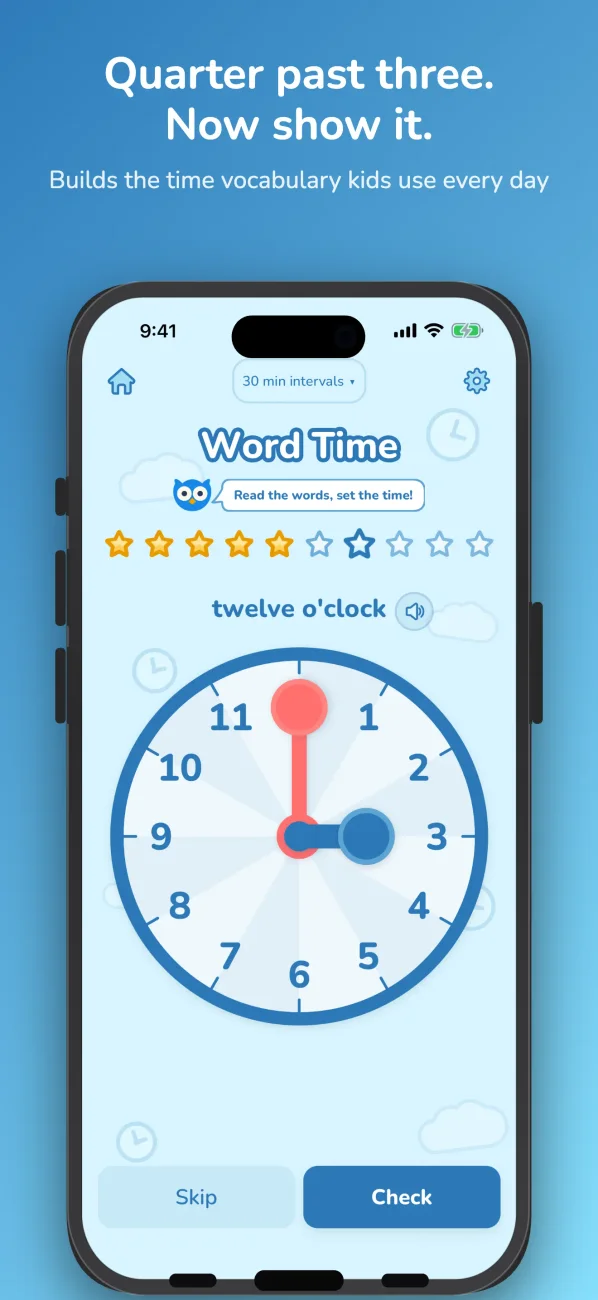
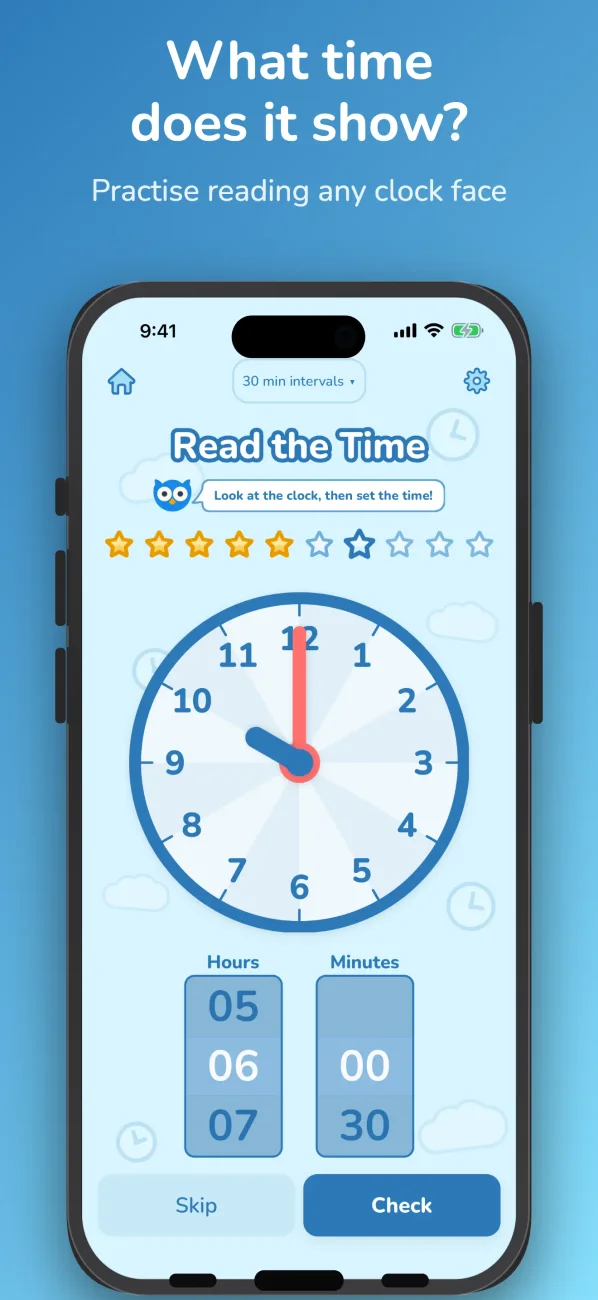
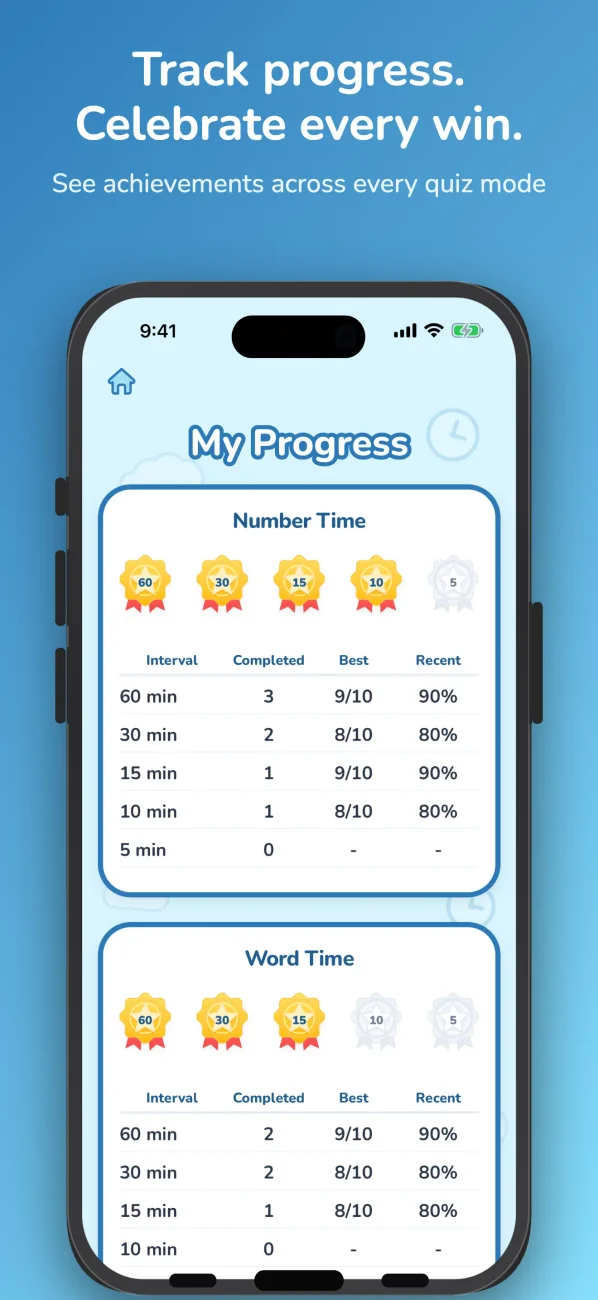
About
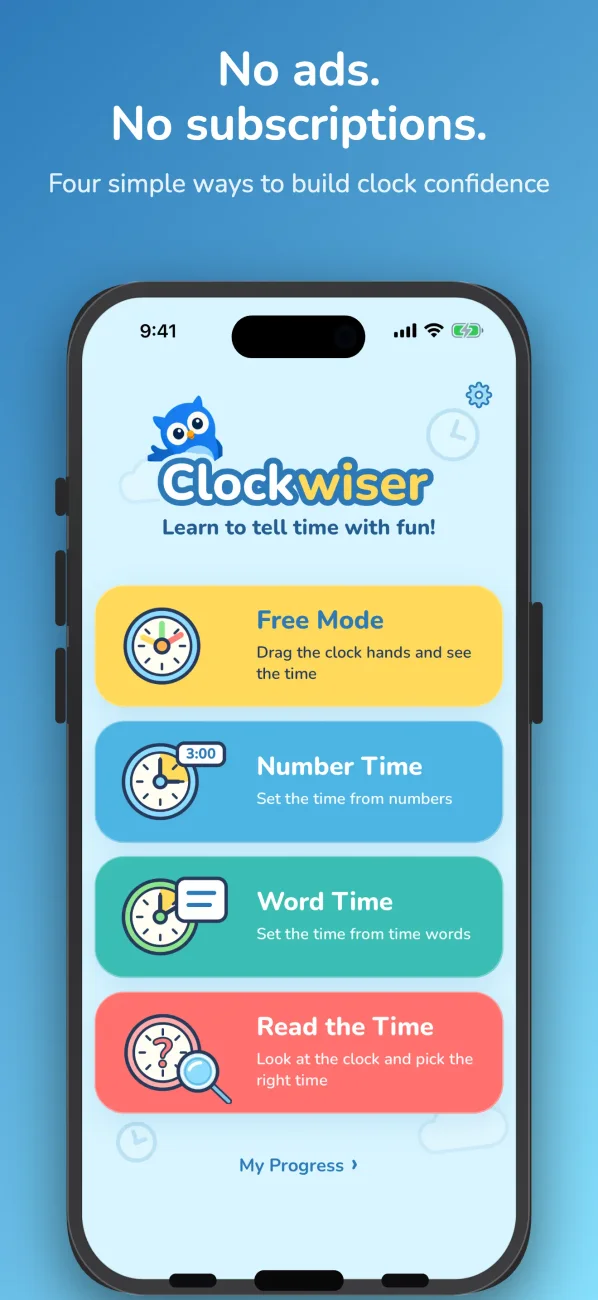
Clockwiser helps kids learn to read analog clocks through focused, hands-on practice.
Designed for early primary learners (ages 5-8), Clockwiser makes telling time easier to understand with interactive clock activities, guided quizzes, and a friendly learning flow.
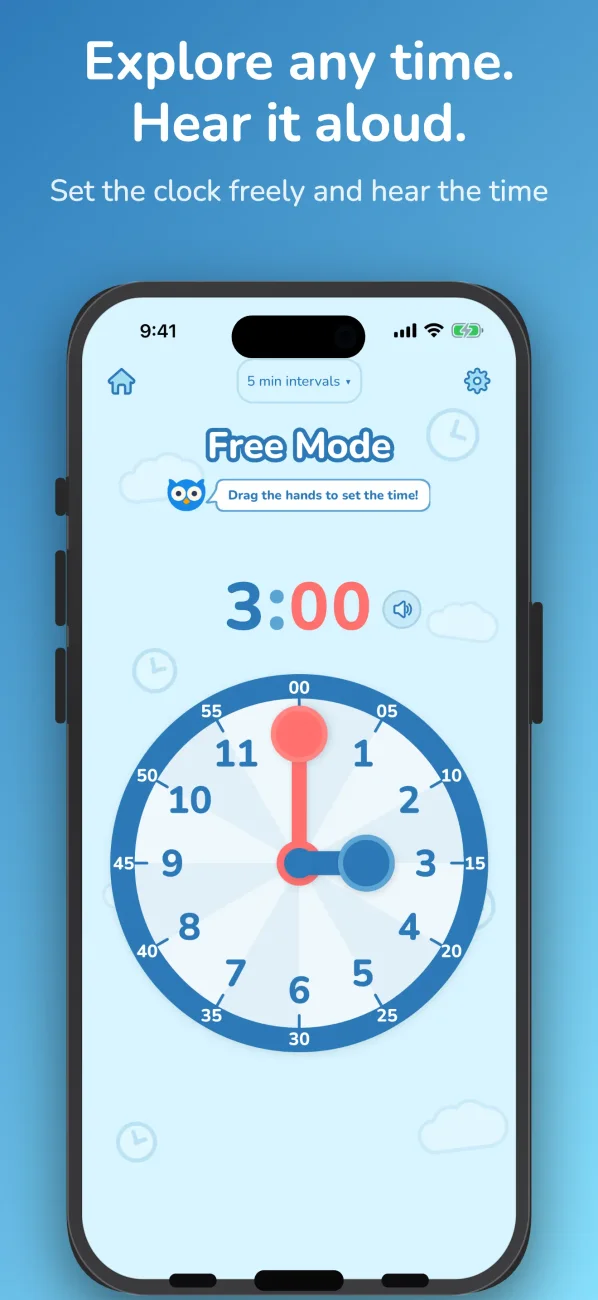
Kids can practice freely by moving the clock hands, choosing a minute interval, and hearing the current time aloud.
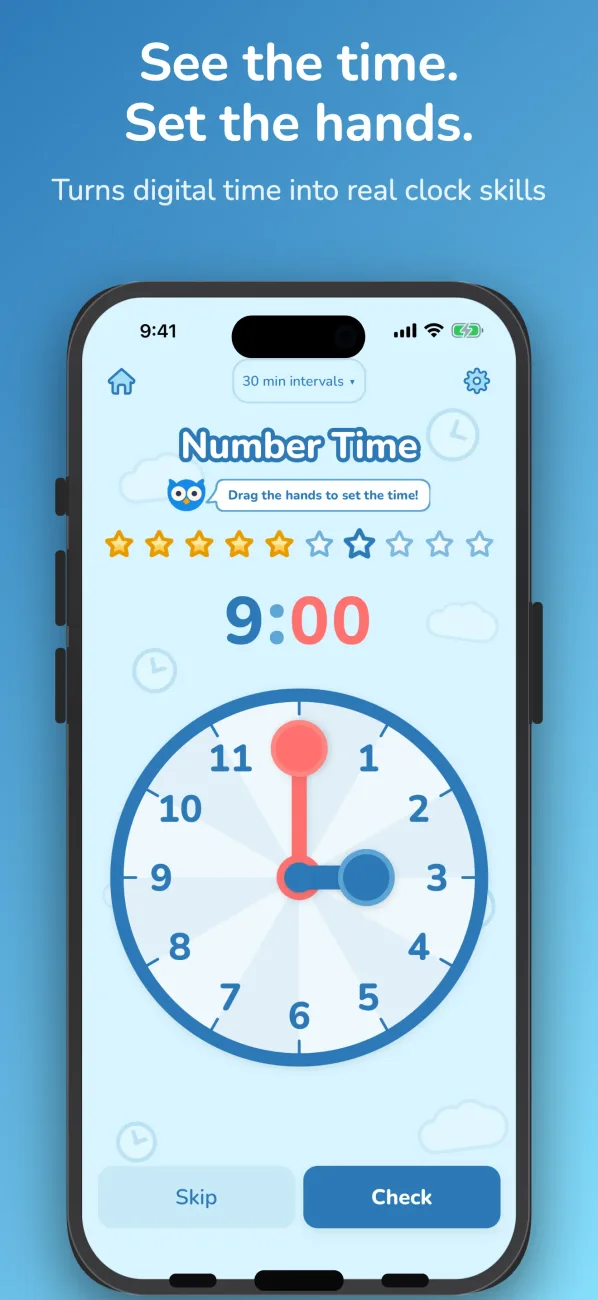
They can then build confidence with Number Time, Word Time, and Read the Time quiz modes through short, focused mastery rounds.
Achievement badges and detailed progress by quiz mode and minute interval make improvement easy to see.
Why Clockwiser works well for home and classroom practice:
• Hands-on analog clock practice
• Free Mode with adjustable minute intervals and spoken time
• Number Time, Word Time, and Read the Time quiz modes
• Short mastery rounds with clear answer feedback
• Achievement badges, best scores, and recent accuracy
• 60- and 30-minute practice included free
• 15-, 10-, and 5-minute practice with a one-time premium purchase
• Support for English, Spanish, Japanese, and Chinese
• Clear, child-friendly design
• No ads
• No subscriptions
Clockwiser is ideal for kids learning time at home, in the classroom, or as extra math practice after school.
What’s new
Version 1.5.0 · Oct 20, 2026
New: show minute numbers on the clock. Turn on "Show minute numbers" in Settings to see the minutes for your chosen interval around the clock face, in Free Mode and in every quiz.
Meet a friendlier Clockwiser with a new owl companion. The Home screen also has a new owl wordmark and refreshed app artwork.
We improved the Round Complete layout on smaller phones and made answer feedback clearer.
We also polished the overall presentation of the app.
App privacy
What JEREMY M JOHNS declares on the App Store about how this app handles data.
-
Data linked to you
May be collected and linked to your identity.
- Identifiers
-
Data not linked to you
May be collected but is not linked to your identity.
- Usage data
- Diagnostics
Privacy practices may vary, for example with the features you use or your age.
Information
- Seller
- JEREMY M JOHNS
- Category
- Education
- Version
- 1.5.0
- Updated
- Oct 20, 2026
- Released
- Sep 6, 2025
- Size
- 53.2 MB
- Requires
- iOS 15.1 or later
- Age rating
- 4+
- Price
- Free
- In-app purchases
- Yes
- Languages
- English, Japanese, Simplified Chinese, Spanish
- Copyright
- © 2026 Jeremy Johns
You might also like
-
 KnowClock - Kids ClockKids time learning game
-
 Clock TwirlingLearn to Tell Time
-
 Telling Time for Kids: LearnClock Practice: Hours, Minutes
-
 Smart ClocksLearn about clock and time
-
 TickTock Time Kids ClockLearn Clocks Through Play
-
 Clock HelperTeaching kids to read clocks
-
 Learn to Tell Time: SaatAnalog clock reading for kids
-
 Nanzoo ClockLearn Time with Animals
-
 とけいキングEducation
-
 九九カード|唱えて覚える かけ算九九Education