
- Age rating4+
- CategoryBusiness
- DeveloperEASYLOG LIMITED
- Size74.0 MB
Links to the official App Store page
Download.org hosts no file of ClockWithID. The button opens its official App Store page, published by EASYLOG LIMITED. Listing last checked on Nov 12, 2026.
Screenshots
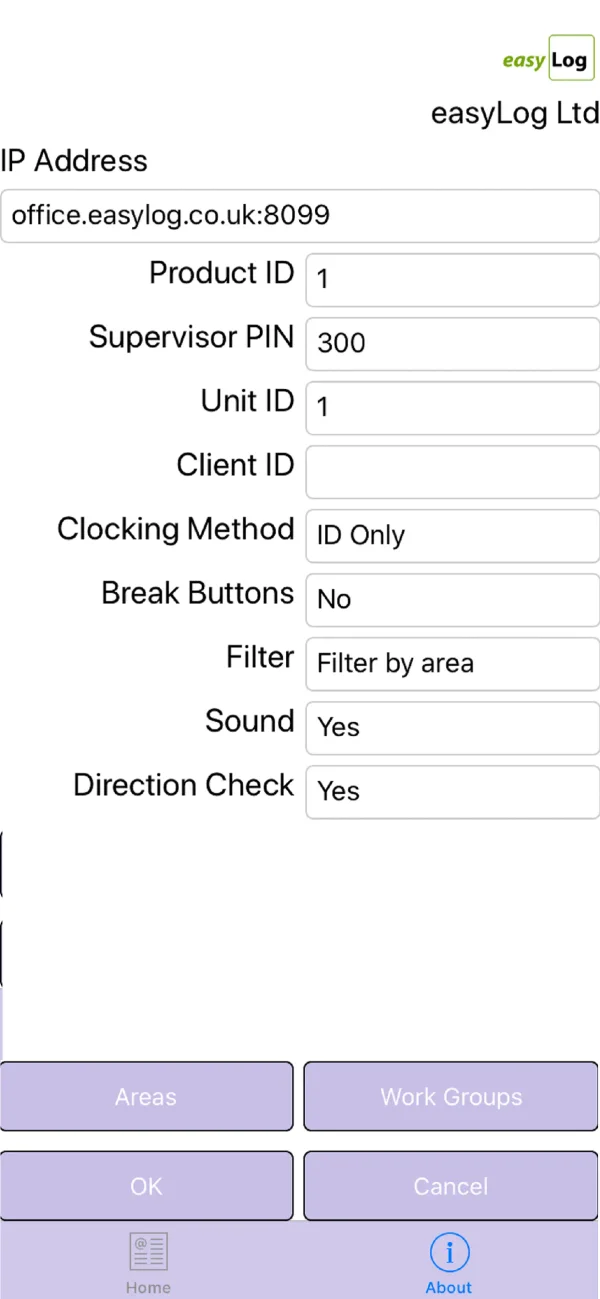
About
This app is for any business needing to get their staff to clock in. This app will be used by small businesses who will not want to register with Apple and therefore it cannot be restricted to company devices or specific corporate distribution channels. It must be on the App Store
The app can only be used by companies that already have our back end software. Their records are created in the back end software. The employees tap in their own ID and this links to the record in the back end database.
This app will be used on tablets for staff to clock in at remote locations. The settings page contains all information to connect to the remote server and configure the app for the appropriate method of clocking. Clicking on In or Out or Break allows the tablet to tell the remote server that the user is going in or out. The employee has to select their name from a drop down or type an ID. Once this is entered the remote server will confirm the user name if one exists. Pressing the confirm button will complete the clocking.
What’s new
Version 2.24 · Oct 15, 2026
Slight change to visitor entry
App privacy
What EASYLOG LIMITED declares on the App Store about how this app handles data.
-
Data not collected
The developer does not collect any data from this app.
Privacy practices may vary, for example with the features you use or your age.
Information
- Seller
- EASYLOG LIMITED
- Category
- Business
- Version
- 2.24
- Updated
- Oct 15, 2026
- Released
- May 24, 2017
- Size
- 74.0 MB
- Requires
- iOS 15.0 or later
- Age rating
- 4+
- Price
- Free
- Copyright
- © easyLog Ltd 2025
You might also like
-
 Message BuddyNFC URL Launcher
-
 Website Services UKWebsite design and Mobile apps
-
 No. 1 HealthcareBusiness
-
 Clocking OutProductivity
-
 Braehead FoodsBusiness
-
 Clik JobsProductivity
-
 Magic OSSuper Magic, New AI assistant
-
 Aro MoneyFinance
-
 Vev Booking SoftwareAppointments for salons
-
 Y-POS - Your Point of Sale appYour Point of Sale Solution