Screenshot Manager: CloudShots
Organizer, Search & Cleaner
Designed for iPhone, iPad, Mac
Free · In-app purchases
- Age rating4+
- CategoryProductivity
- DeveloperLeonid Resenchuk
- LanguagesEnglish+ 11 more
- Size112.6 MB
Links to the official App Store page
Download.org hosts no file of Screenshot Manager: CloudShots. The button opens its official App Store page, published by Leonid Resenchuk. Listing last checked on Nov 24, 2026.
Screenshots

About
One purchase covers iPhone, iPad, and Mac.
Find any screenshot again by what's inside it.
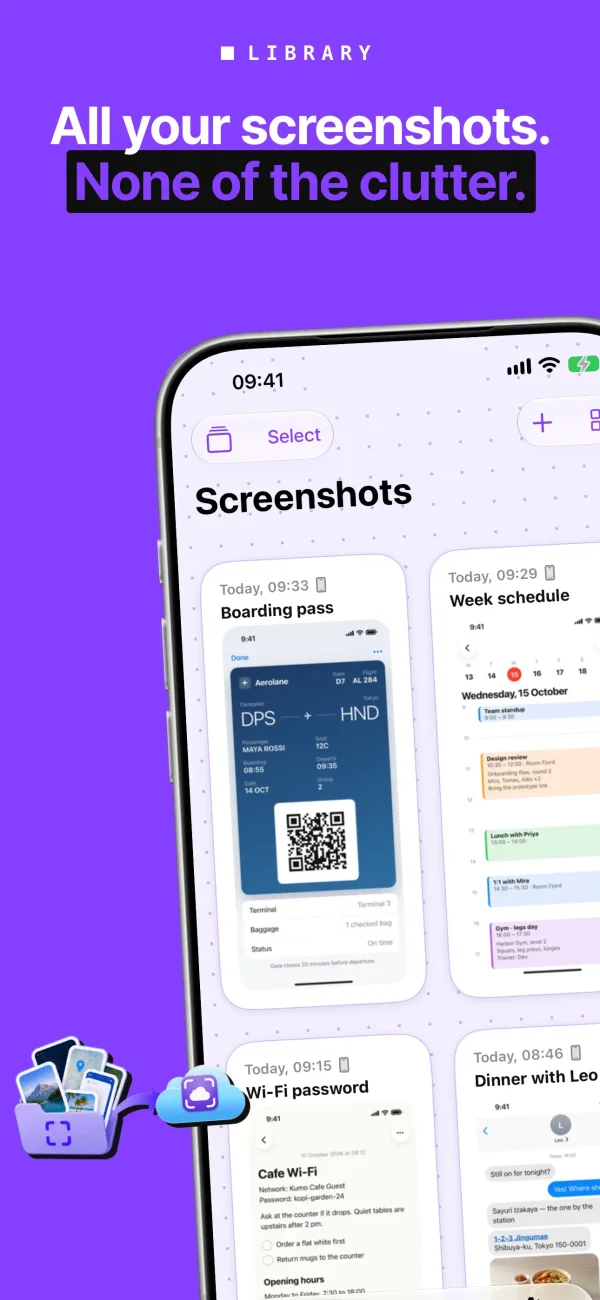
Screenshots pile up by the hundred and none of them have names. CloudShots pulls them from your Screenshots album into one history you can actually search — words, objects, "last week" — and keeps it in sync with your Mac, iPad, and Apple Watch through your own iCloud.
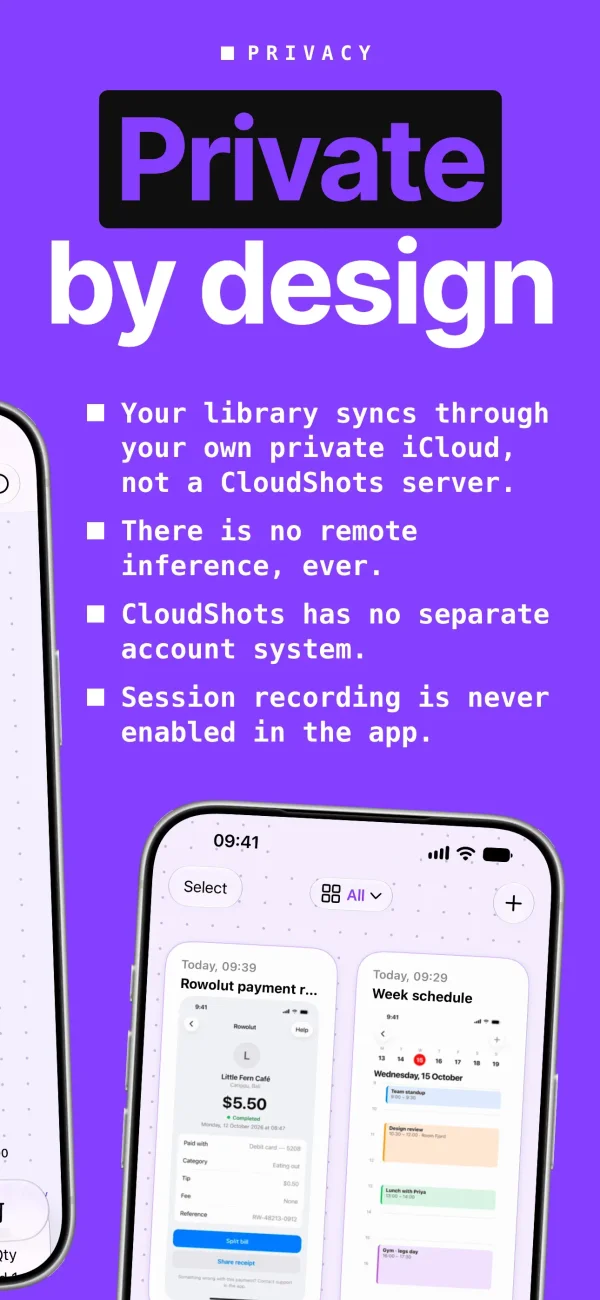
No CloudShots servers, no account: only you hold your library.
FIND IT AGAIN
• Your Screenshots album is imported automatically, in the background.
• Search the text and the objects inside an image, not just the date.
• Search finds by meaning too, not just the exact words.
• Every screenshot is filed on the device into a folder: Receipts, Messages, Social, Documents, Code, Maps, Media, Shopping, Web, Settings.
• Select and copy any text on the image with Live Text.
• Tap a verification code, password, IBAN, link, or address to copy it.
• Read the QR codes and barcodes in a screenshot.
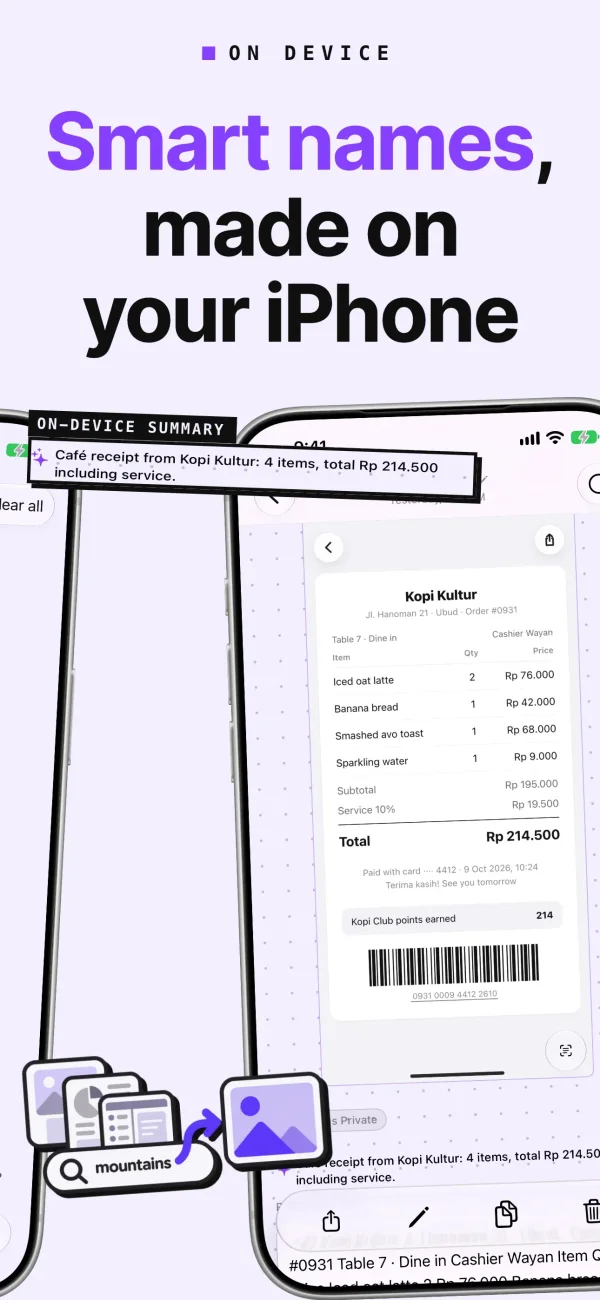
• Every screenshot gets a name and a summary, written on the device with Apple Intelligence or a local model, synced to your other devices through your iCloud, and free on both tiers.
• Junk Triage in Settings finds older duplicates and near-blank screenshots to review; what you remove goes to the Trash.
EDIT AND SHARE
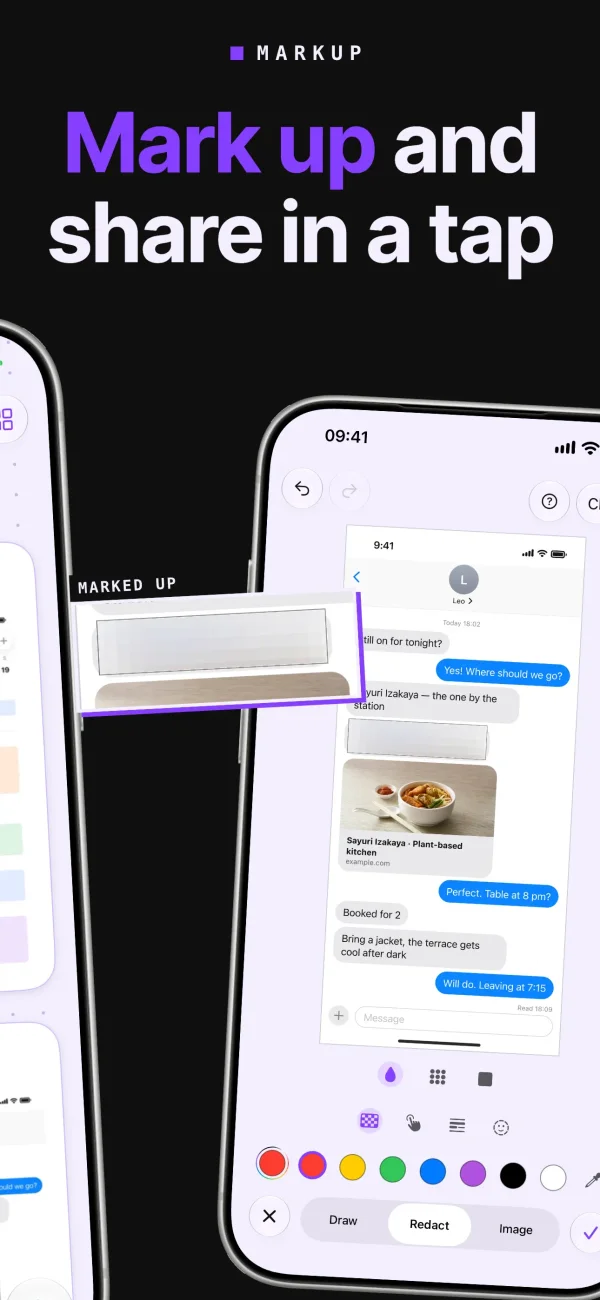
• Annotate, crop, remove or blur the background, blur faces, redact text, and redact objects.
• Select an object with a tap, then crop to it or redact it precisely.
• No surface ever shows the unredacted image. Share it, or invite someone to collaborate with edit or view-only access through iCloud — edits are saved into the file for everyone who has it, but only the owner can restore the original, on the device that sealed it, and only with an internet connection.
• Widgets, Live Activities, Shortcuts, Siri, Spotlight, Handoff, and a 30-day Trash.
• Review one by one on iPhone and iPad: swipe to keep or move to Trash.
PRIVATE BY DESIGN
On every supported device, CloudShots reads text, classifies scenes and objects, finds similar screenshots and groups them, lifts subjects and blurs backgrounds, and detects faces and barcodes. Names and summaries come from Apple Intelligence or a local model you download once, and nothing leaves the device. Pro lets you mark a screenshot private, and it leaves the library, the search results, and the widgets. Diagnostics cover crashes, hangs, and feature usage — never a screenshot or the text in it — and you can turn them off.
FREE AND PRO
Free opens your newest 30 screenshots. Everything older keeps syncing and stays yours; it is locked, not deleted, and unlocks the moment you upgrade. Pro adds Free Up Space: after you confirm, it clears the originals of screenshots already safe in your iCloud out of Photos, into Recently Deleted, never straight to gone. Pro also offers Optimize iCloud Storage, which keeps a smaller copy of each screenshot in iCloud. It cannot be undone.
CloudShots Pro is an auto-renewing subscription: $0.99 per week, or $9.99 per year after a one-week free trial for eligible accounts. Lifetime is a one-time purchase of $24.99. The yearly plan can also be paid monthly over a 12-month commitment where available. Payment is charged to your Apple ID account at confirmation of purchase. The subscription automatically renews unless it is turned off at least 24 hours before the end of the current period; your account is charged for renewal within 24 hours prior to the end of the current period. You can manage or cancel your subscription anytime in your Apple ID account settings after purchase. Any unused portion of a free trial is forfeited when you purchase a subscription. iCloud storage is billed by Apple. Prices and availability vary by region.
Apple standard EULA: https://www.apple.com/legal/internet-services/itunes/dev/stdeula/
Manage subscriptions: https://apps.apple.com/account/subscriptions
Terms of Use: https://cloudshots.app/terms?source=appstore — Privacy Policy: https://cloudshots.app/privacy?source=appstore
What’s new
Version 0.9.11 · Nov 23, 2026
- Scrolling Capture on iOS 27 joins what you scroll into one tall screenshot.
- Terms of Use and Privacy Policy open inside the app instead of the browser.
- The waiting-to-upload badge appears only on screenshots this device is about to upload.
- Fixes for switching the feed filter.
- In swipe review the buttons no longer flash, and a released card glides off at the speed of your finger.
- Importing older screenshots pauses while Low Power Mode is on and resumes when it turns off; new screenshots still import.
- Fixes for crashes in sync, capture, the upload strip and the on-device model, and for an onboarding hang on iPhone Duo.
- Sync no longer uploads your whole library again when your account has not changed. When an edit from another device makes a screenshot identical to another one, the extra copy moves to the Trash. After you switch to another iCloud account, your library still uploads to it if the first attempt fails.
- Names and summaries from the on-device model retry later instead of failing. Generation stops while the app is not active.
- On-device AI and the Naming Queue moved to a new Settings section, AI & integrations.
- The paywall and the end of a sync no longer freeze the app for a moment.
- Spotlight no longer misses your screenshots when it asks the app to reindex right at launch.
- Anonymized analytics and crash reports are on by default. Turn them off any time in Settings > Privacy > Diagnostics.
- Restoring screenshots from the Trash makes them searchable in Spotlight again.
App privacy
What Leonid Resenchuk declares on the App Store about how this app handles data.
-
Data not linked to you
May be collected but is not linked to your identity.
- User content
- Identifiers
- Usage data
- Diagnostics
Privacy practices may vary, for example with the features you use or your age.
Information
- Seller
- Leonid Resenchuk
- Category
- Productivity
- Version
- 0.9.11
- Updated
- Nov 23, 2026
- Released
- Sep 10, 2026
- Size
- 112.6 MB
- Requires
- iOS 18.0 or later
- Age rating
- 4+
- Price
- Free
- In-app purchases
- Yes
- Languages
- English, Dutch, French, German, Italian, Japanese, Korean, Portuguese, Russian, Simplified Chinese, Spanish, Turkish
- Copyright
- © 2026 Leonid Resenchuk
You might also like
-
 SCREEN: Screenshot MemoryYour screenshots, remembered
-
 Inspiration4UProductivity
-
 Album Watch ZoomerScreencap quick review
-
 Just One - Focus TimeFocus on one thing. Every day.
-
 DocSetu: Offline PDF ToolkitPrivate. Secure. On-Device.
-
 Unshot: Screenshot CleanerSwipe to Declutter Camera Roll
-
 Life AI: Organise Your LifeTasks, Budget & Daily Habits
-
 SnackBack: AI Link OrganizerSave now, read later offline
-
 Pockli Scan: Document ScannerScan, Search & Organize PDFs
-
 Tiko List: Tasks & AgendaShared Lists, Notes & AI