
- Age rating4+
- CategoryBusiness
- DeveloperCribmaster
- LanguagesEnglish+ 4 more
- Size34.0 MB
Links to the official App Store page
Download.org hosts no file of CM Mobile NG. The button opens its official App Store page, published by Cribmaster. Listing last checked on Nov 15, 2026.
Screenshots


About
CM Mobile is CribMaster’s next-generation inventory management app, designed for the mobile workforce. Whether you’re operating a tool crib, running a Vendor Managed Inventory (VMI) program or replenishing inventory, CM Mobile features an intuitive design that guides users through their essential workflows. It lets you perform frequent job tasks and access inventory information at the touch of a button on your mobile device. A simple interface and clear action paths enhance usability, with all data seamlessly connected to CribMaster’s Inventory Management Software for greater efficiency.
Pre-Requisite Software(s):
• CribMaster Inventory Management Software Version 11 (CM Desktop Client 11) and later
• CM REST API 11 (NEW!)
What’s new
Version 1.20260730 · Jul 30, 2026
What’s New in Version 1.20260730
This release delivers powerful performance upgrades, refined inventory workflows, and layout enhancements designed to make daily operations faster, cleaner, and more intuitive.
Pre-Requisite Software Requirements
Minimum REST API Version: 11.1.40713.0
Note: The Android 10+ requirement does not apply to iOS.
Key Highlights
User Interface & Workspace Layout
Streamlined Screen Layouts: Removed background status banners and yellow color bars across tracking, issuing, and on-hand screens to maximize visible workspace.
Optimized Display Space: Refined issuance screens to group employee details into a clean status bar, freeing up screen real estate for item lists.
Text Visibility: Resolved text clipping on specific layouts (including iPhone 11), ensuring confirmation headers and menu options render perfectly.
Adaptive Fields: Return screens now dynamically adjust to accommodate long employee names without cutting off text.
Faster Site Navigation: Removed unnecessary distance metrics, allowing the site selection list to load faster and browse smoothly.
Inventory & Transactional Workflows
Accelerated Item Returns: Streamlined returns by making item selection manual, defaulting actions to "Return It," and enabling direct badge scanning without extra taps.
Destination Flexibility: Process an item return directly to an alternate crib location instead of being locked to the original source.
Item Visibility: Added a unit of measure field directly onto core issuing and receiving screens for immediate verification.
Direct Order Completion: Added a "Mark complete" checkbox directly within the receiving workflow to finalize transaction orders in real time.
Refined Comment Filters: Tailored bin comment configurations to display strictly during active Issue, Count, Adjust, and Receive workflows.
Automated Activity Tracking: Timestamps automatically update the moment a cycle count is performed on a Serial ID.
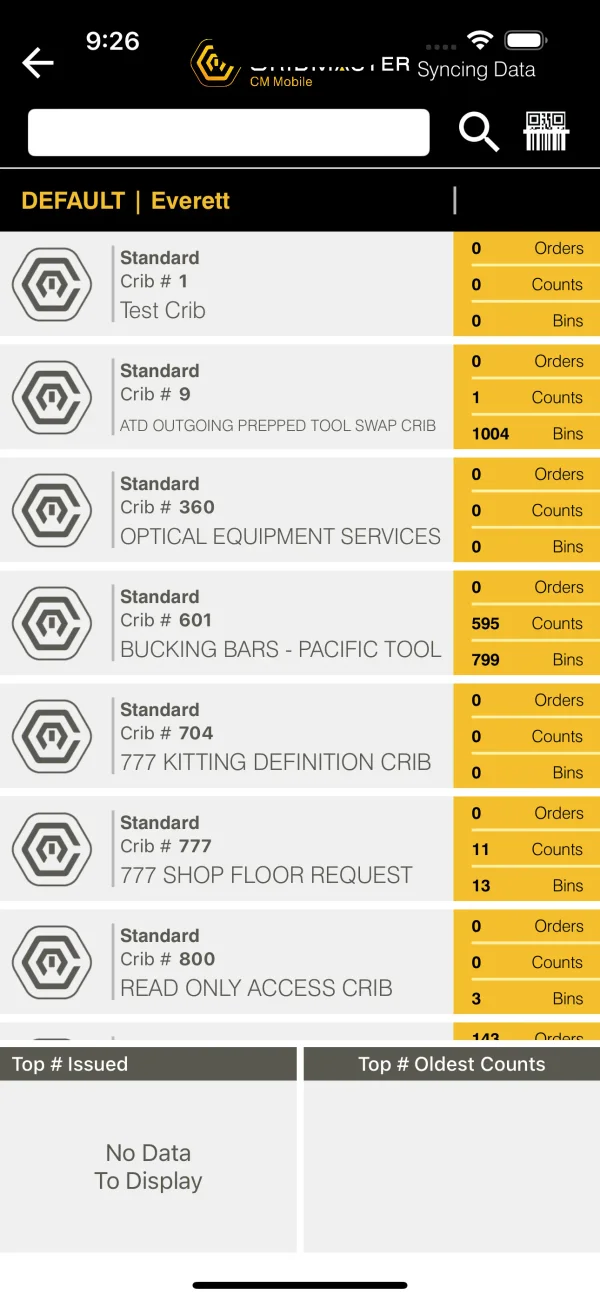
Numeric Crib Sorting: Displays crib options sequentially by numerical identifier rather than alphabetically to match physical facility layouts.
Security & System Performance
Seamless First-Time Sign In: Eliminated interface loops where the site-retrieval progress wheel would spin indefinitely during the first login.
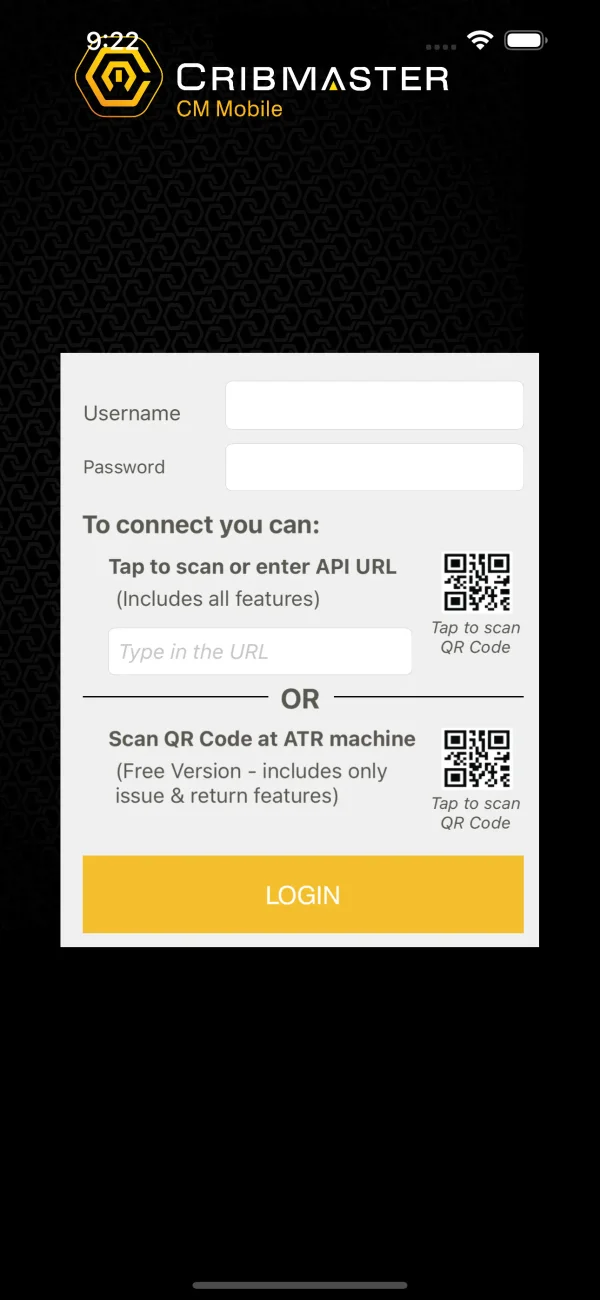
Self-Service Credentials: Added a "Change expired password" option directly on the login window for quick, independent updates.
Interface Responsiveness: Maintains stability and responsiveness even if navigation buttons or search icons are tapped repeatedly.
Offline Transparency: Restored visibility for background queue counters, showing the precise number of pending offline transactions remaining.
Secure Access Diagnostics: Replaced raw code strings and long technical API error messages with clean, user-friendly data entry prompts.
Consecutive Workflow Reliability: Strengthened processing to allow immediate consecutive returns for the same item without encountering operational blocks.
Platform Foundation Upgrade: Upgraded underlying frameworks to modern technical standards (Dotnet 10) to optimize application speed and security.
App privacy
What Cribmaster declares on the App Store about how this app handles data.
-
Data not collected
The developer does not collect any data from this app.
Privacy practices may vary, for example with the features you use or your age.
Information
- Seller
- CribMaster, Inc.
- Category
- Business
- Version
- 1.20260730
- Updated
- Jul 30, 2026
- Released
- Jan 5, 2018
- Size
- 34.0 MB
- Requires
- iOS 13.0 or later
- Age rating
- 4+
- Price
- Free
- Languages
- English, French, German, Italian, Spanish
- Copyright
- © 2017 Stanley Industrial and Automotive, LLC