Coba Lagi: Learn to Code
A coding adventure for kids
Designed for iPhone, iPad, Mac, iPod touch
Free · In-app purchases
- Age rating4+
- CategoryEducation
- DeveloperARDEMAN .
- LanguagesEnglish
- Size48.0 MB
Links to the official App Store page
Download.org hosts no file of Coba Lagi: Learn to Code. The button opens its official App Store page, published by ARDEMAN . Listing last checked on Nov 17, 2026.
Screenshots
About
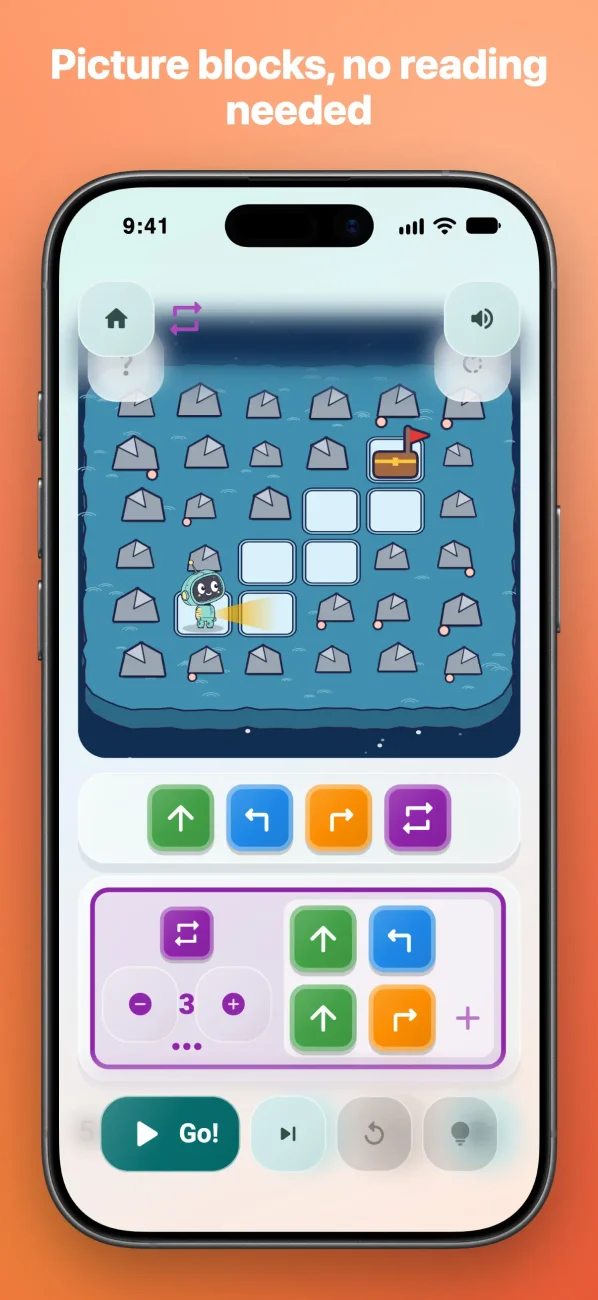
Coba Lagi helps children learn the basics of coding through play. Kids put picture blocks in order to guide their little robot, Koba, along a path to the flag. No reading needed: every instruction is spoken aloud, in Bahasa Indonesia, English, Javanese and Sundanese.
IT STARTS WITH A WARM-UP GAME
A few picture questions find the right starting point for your child: reading, left and right, patterns and order. It feels like play, not a test. Afterwards the Warm-up planet has these games and more, with counting, colours and shapes, for little ones to play and master any time.
NINE CODING PLANETS
• Directions: forward, turn left, turn right
• Step by step: putting steps in the right order
• Loops: using the repeat block to do more with fewer blocks
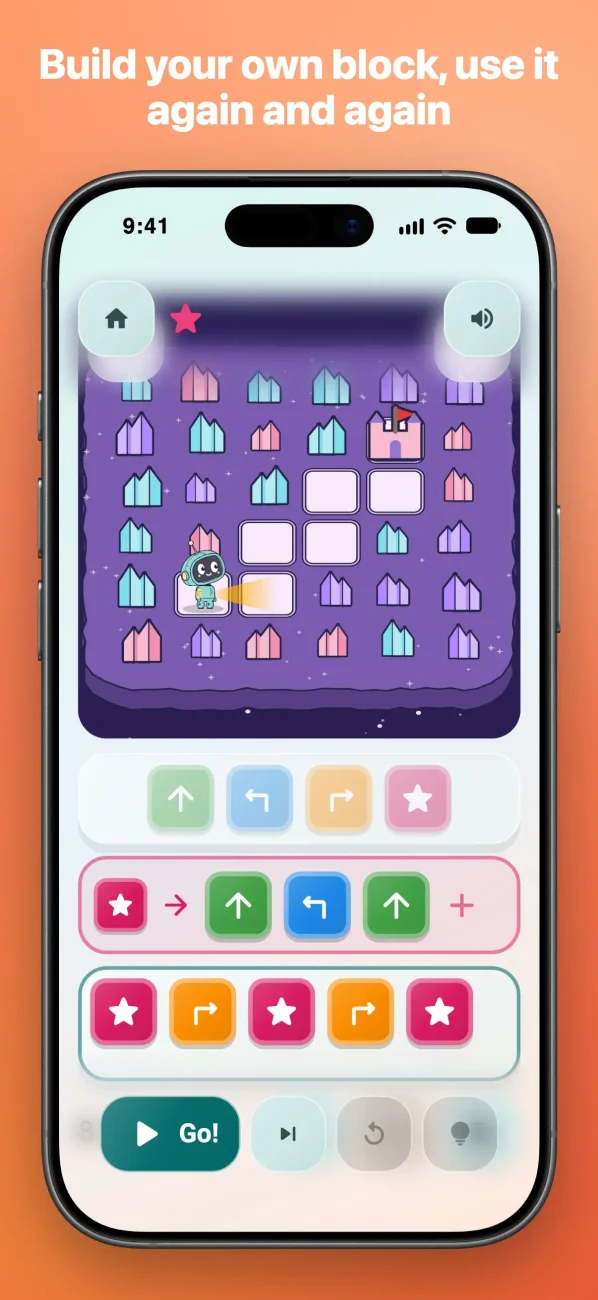
• Magic Block: building your own block, then using it again and again
• Look Ahead: checking whether the path is clear before taking a step
• Step Box: saving a number of steps and using it again
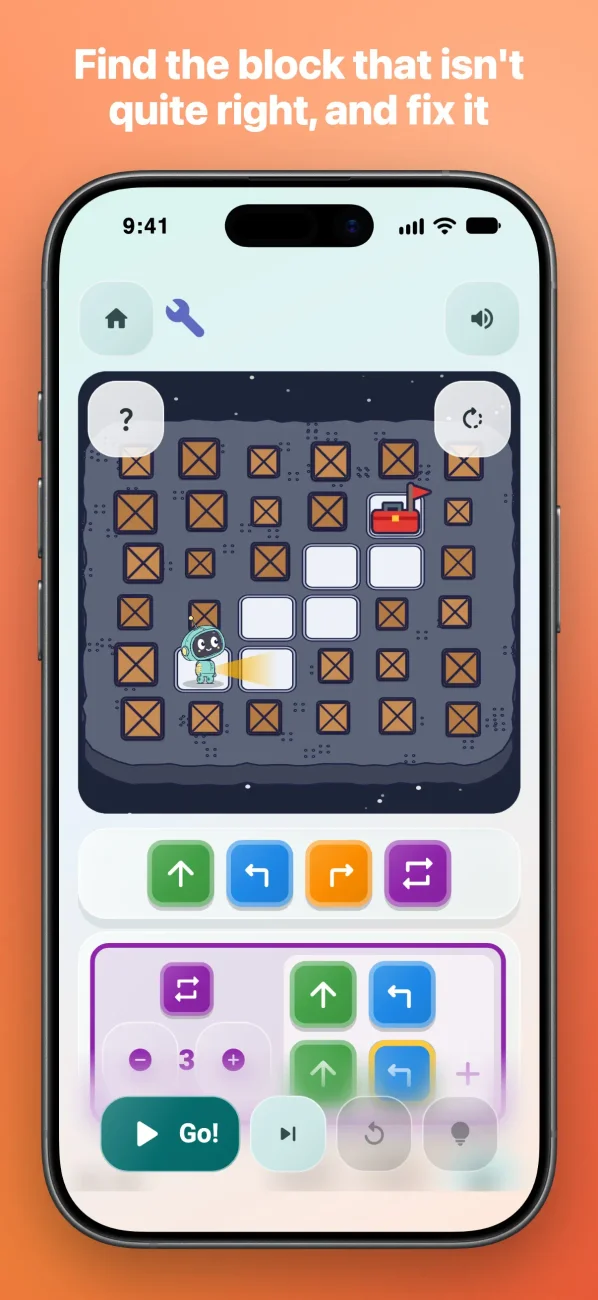
• Fix it!: finding and fixing the block that isn't quite right
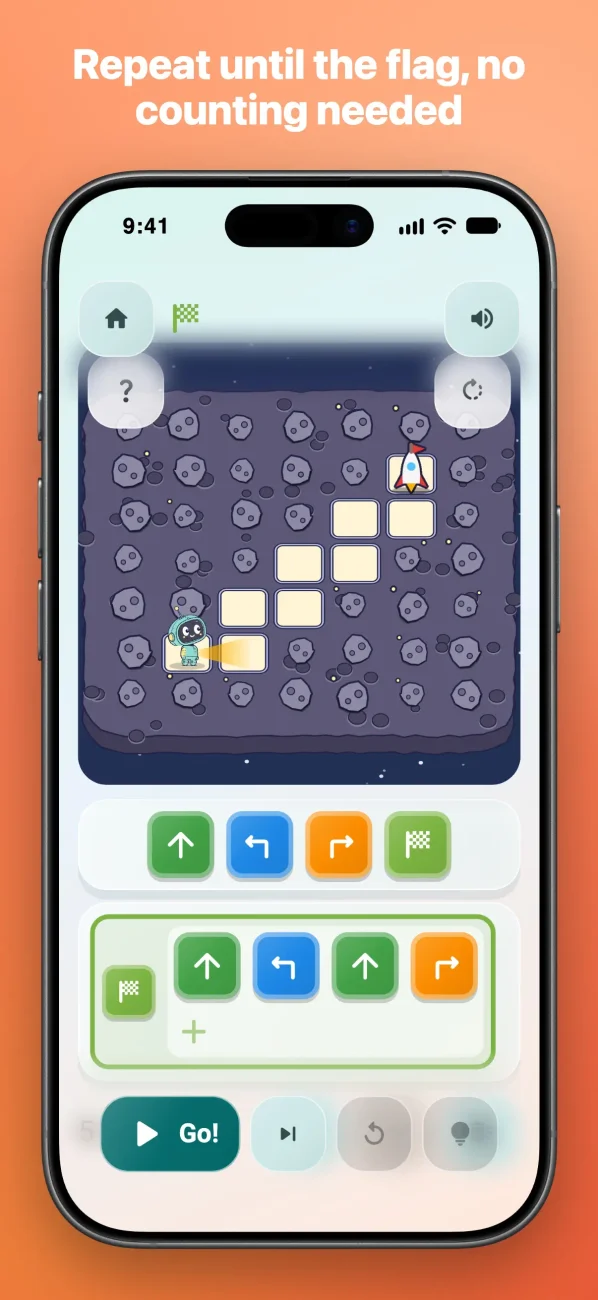
• Until the flag: a repeat that keeps going until the flag
• Otherwise: if the path is clear, take a step; otherwise, turn
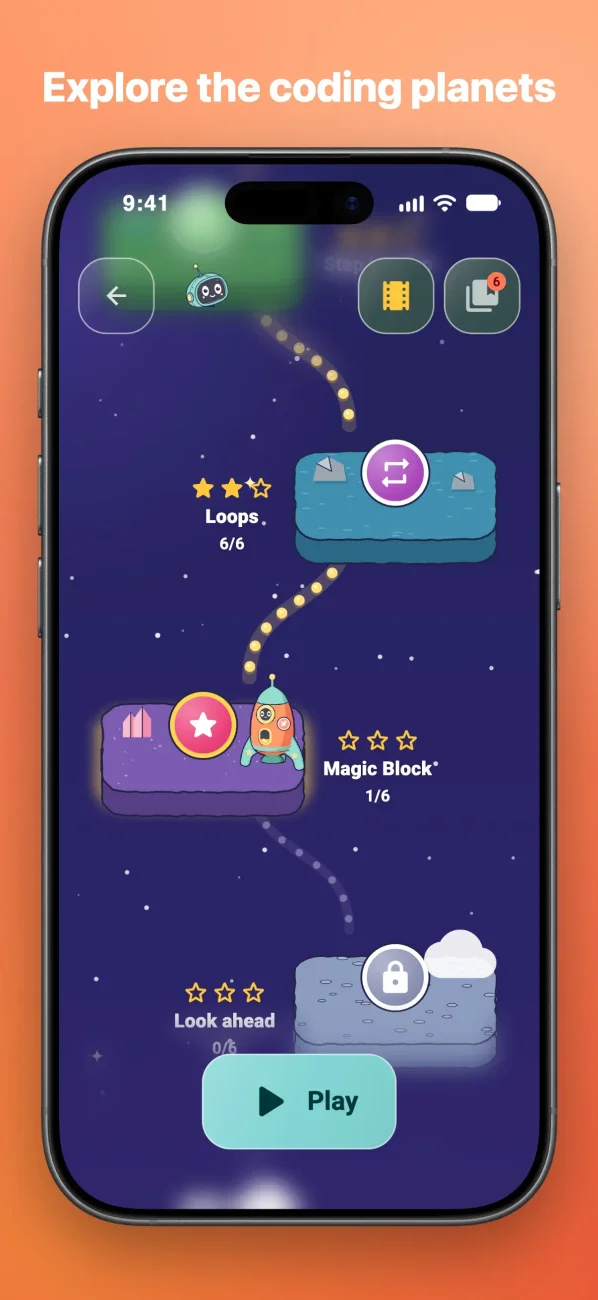
The first time, Koba shows what each button and block does. Every planet starts with a short demo that shows the idea. Stars on the map show how far your child has come on each planet. Completed lessons can be replayed from their planet, and every finished planet and Warm-up game adds a sticker to the child's sticker book. A planet's sticker turns gold once every star is collected.
A STORY TO PLAY ALONG
Koba's star ship runs on stars, and a space wind has scattered them over the planets. Your child is the commander who helps Koba collect them. Each planet opens with a short, voiced scene that shows why Koba needs its skill, and the book on the map plays the story again.
PICTURE BLOCKS AND CODE
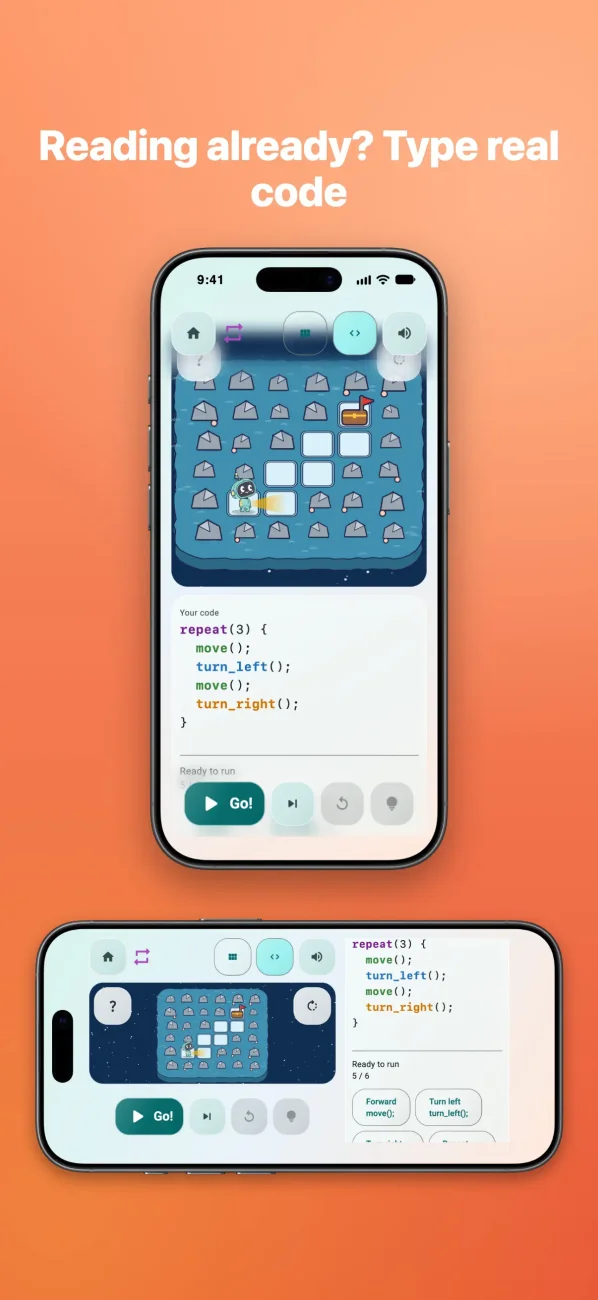
Children who are still learning to read use picture blocks. Readers can switch to the Code tab and type the same program as text. Blocks can be dragged or tapped to add them, with a finger or a mouse. A button turns the map a quarter turn at a time, so your child can see it from Koba's side.
LEARNING AT YOUR CHILD'S PACE
After every puzzle, Coba Lagi picks what comes next: the next planet, a fresh practice puzzle, or a bonus adventure to review an earlier skill. Practice puzzles are generated and always checked to be solvable, so a child never gets the same puzzle twice.
MISTAKES ARE PART OF LEARNING
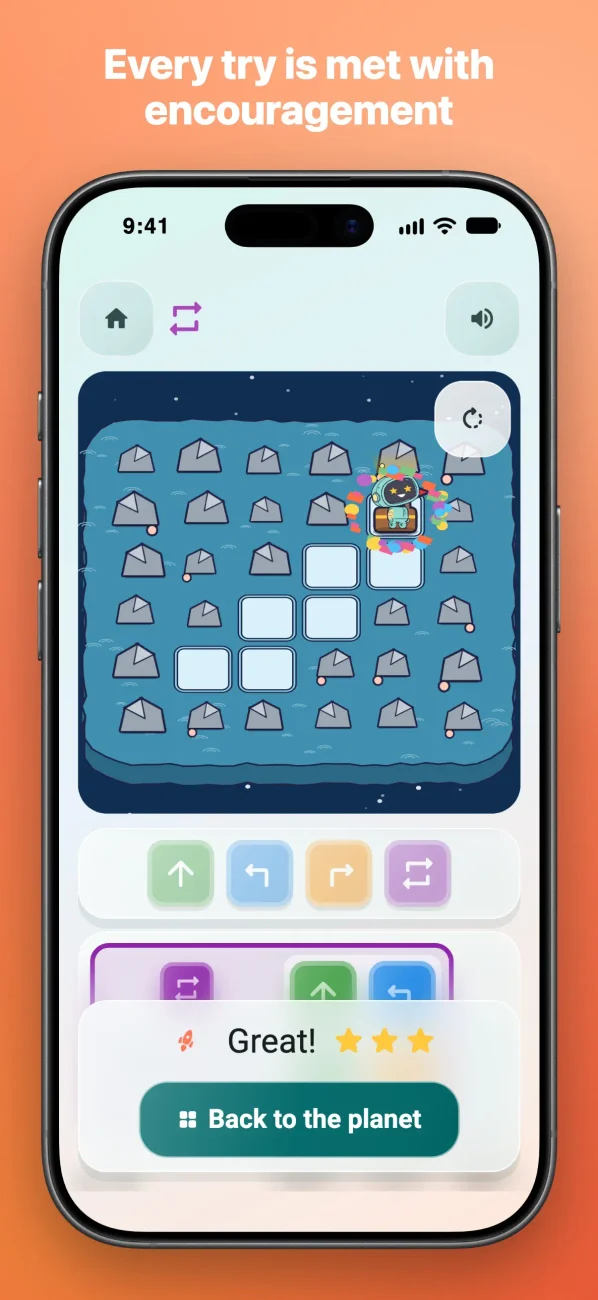
The name means "try again". Every attempt is met with encouragement, never with "wrong". If Koba bumps into a rock, the block that caused it is marked. When your child is stuck, the light bulb shows the way.
FOR PARENTS
• The parent area sits behind a question meant for grown-ups
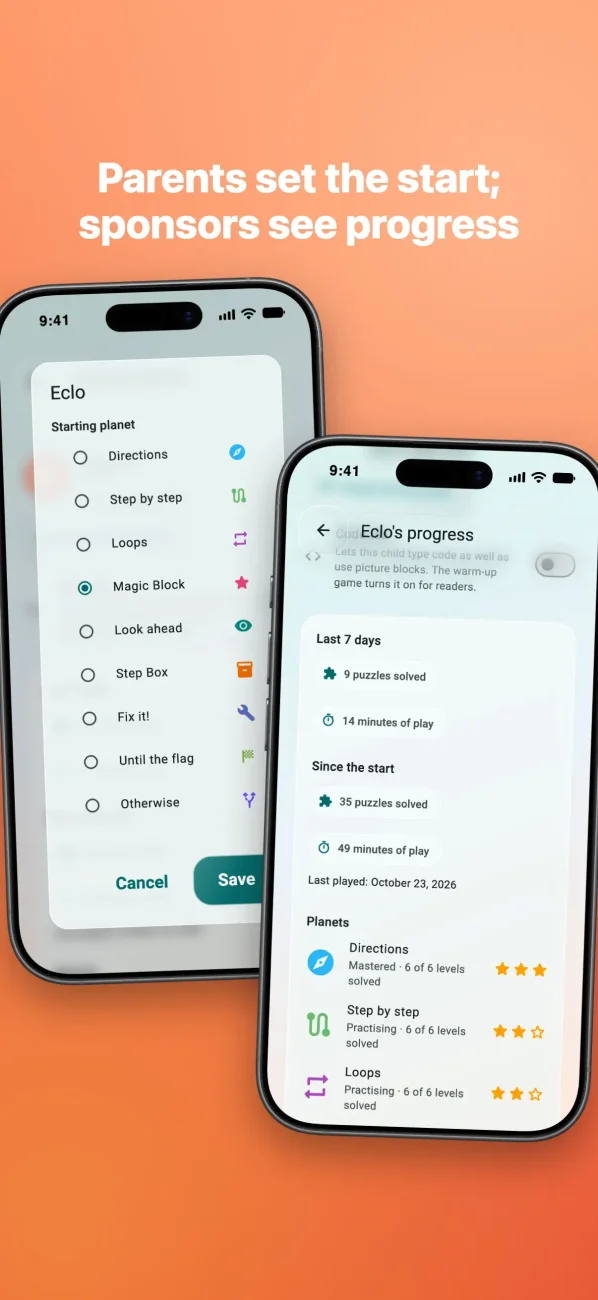
• Choose a child's starting planet or replay the warm-up game
• Change a player's nickname and picture at any time
• Set a break reminder: after 15, 30 or 45 minutes of puzzles, your child is invited to rest, and only a grown-up can continue
• Sponsors can see a progress report for each child
• Works without an internet connection
FREE, WITH NO ADS
Coba Lagi is free for one player. A tip of any size unlocks sponsor features, such as up to six players on one device, and with Family Sharing on your family's devices too. Tips can only be given from the parent area and are handled by the App Store.
PRIVACY
No ads, no tracking, no accounts. Nicknames and progress stay on your device, and the app itself never connects to the internet; tips are handled by the App Store.
Privacy policy: https://cobalagi.ardeman.com/privacy.html
What’s new
Version 2.10.0 · Nov 1, 2026
- Coba Lagi now speaks Javanese and Sundanese too. Pick the language in the parent area.
- Move a child to another device: save their progress to a file and load it there.
- The language choice in the parent area is now a simple list.
- A swipe on a repeat block now scrolls; drag it by its picture.
App privacy
What ARDEMAN . declares on the App Store about how this app handles data.
-
Data not collected
The developer does not collect any data from this app.
Privacy practices may vary, for example with the features you use or your age.
Information
- Seller
- ARDEMAN .
- Category
- Education
- Version
- 2.10.0
- Updated
- Nov 1, 2026
- Released
- Oct 19, 2026
- Size
- 48.0 MB
- Requires
- iOS 15.0 or later
- Age rating
- 4+
- Price
- Free
- In-app purchases
- Yes
- Languages
- English
- Copyright
- © 2026 Ardeman
You might also like
-
 VibeCode Kids14-Day AI Coding Sprint
-
 Kids Games: Learn to CodeSTEM Puzzles for Ages 5-12
-
 KodingKids: Coding for KidsLogic & coding games, ages 4–9
-
 GlitchCode: Python AdventureLearn Real Coding & Algorithms
-
 Coding.geCoding for Kids — Georgian
-
 Rocket Cadets: Coding for KidsLearn Python Programming & AI
-
 Code PlaygroundFun JavaScript Coding for Kids
-
 Ofisi DominikanEducation
-
 Coding for Kids – JavaScriptJavaScript Learning for Kids!
-
 Florida DMV Permit Test - 2026FL Practice Written Exam Prep