
Cockpit Log
Sensor-based flight logbook
Designed for iPhone
Free · In-app purchases
- Age rating4+
- CategoryTravel
- Developerhyeongju park
- LanguagesEnglish+ 2 more
- Size90.6 MB
Links to the official App Store page
Download.org hosts no file of Cockpit Log. The button opens its official App Store page, published by hyeongju park. Listing last checked on Nov 24, 2026.
Screenshots




About
Scan your boarding pass, tap Start, and your iPhone's own sensors record the flight from takeoff to landing.
Your flight record is not copied from third-party flight data. It holds only what your GPS, barometer and motion sensors actually measured. It is a record that you were there.
■ Recording
· Scan the boarding pass barcode to fill in flight number, route and seat
· Or share a booking confirmation email to add the boarding pass
· One sample per second, takeoff to landing
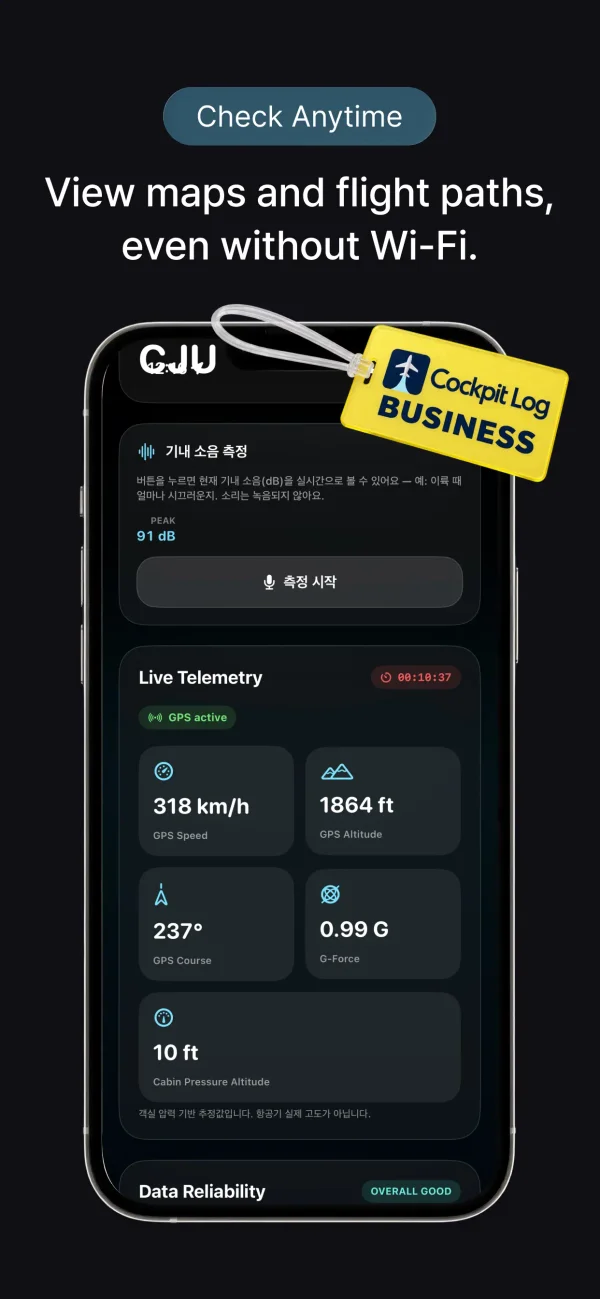
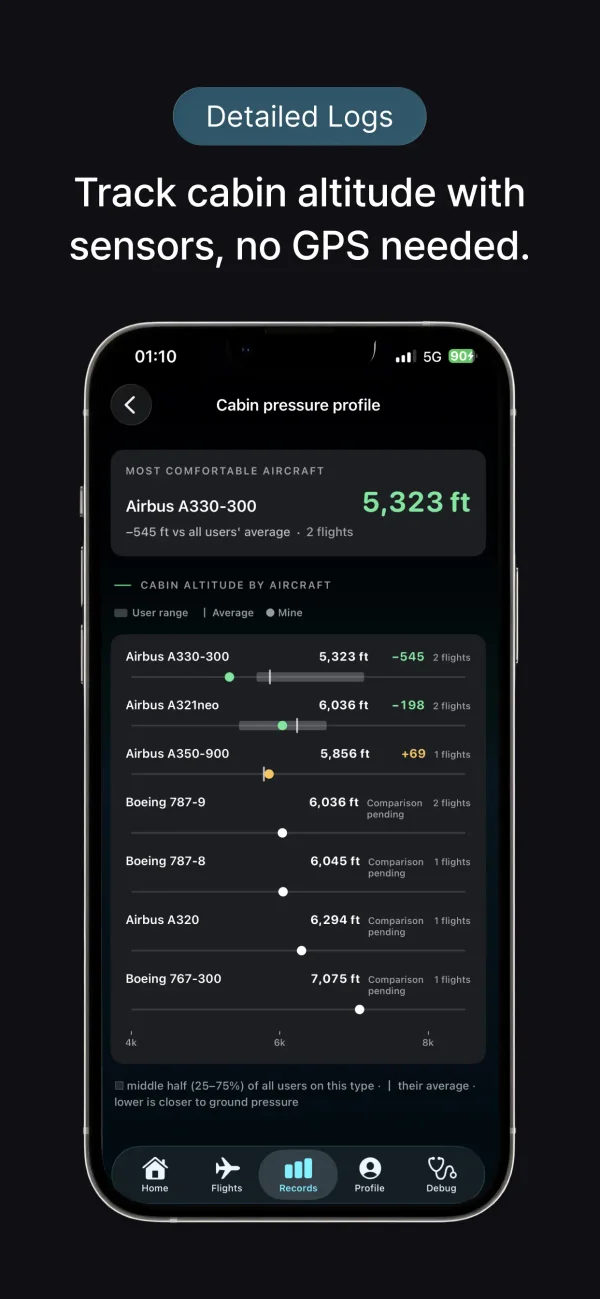
· Altitude, ground speed, G-force, cabin pressure altitude
· Automatic phases: taxi, takeoff, cruise, landing, taxi
· Keeps recording with the screen off or another app open
■ Before you fly, after you arrive
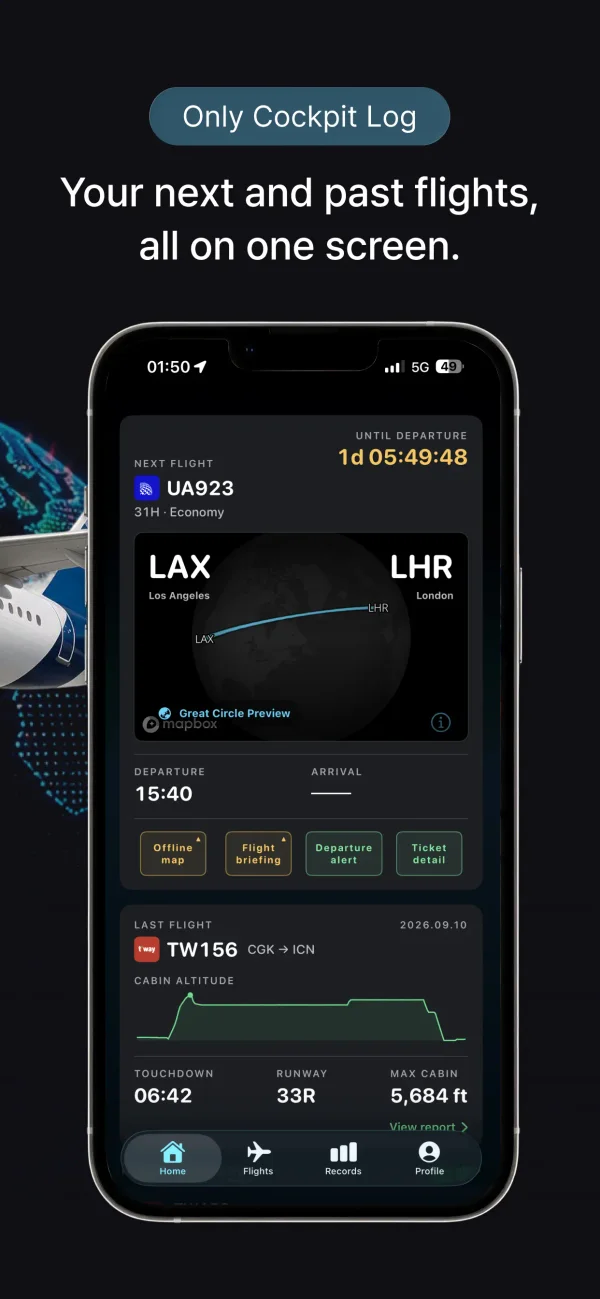
· Home shows your next flight with its route map and a to-the-second countdown
· Flight briefing: your aircraft, gate, and weather at the destination
· Arrival guide: baggage belt, arrival gate, immigration hall, and where to catch your rideshare
(some details aren't available at every airport)
■ After you land
· Measured takeoff and touchdown times, and time airborne
· Peak altitude, speed and G-force
· Your actual GPS track on a map
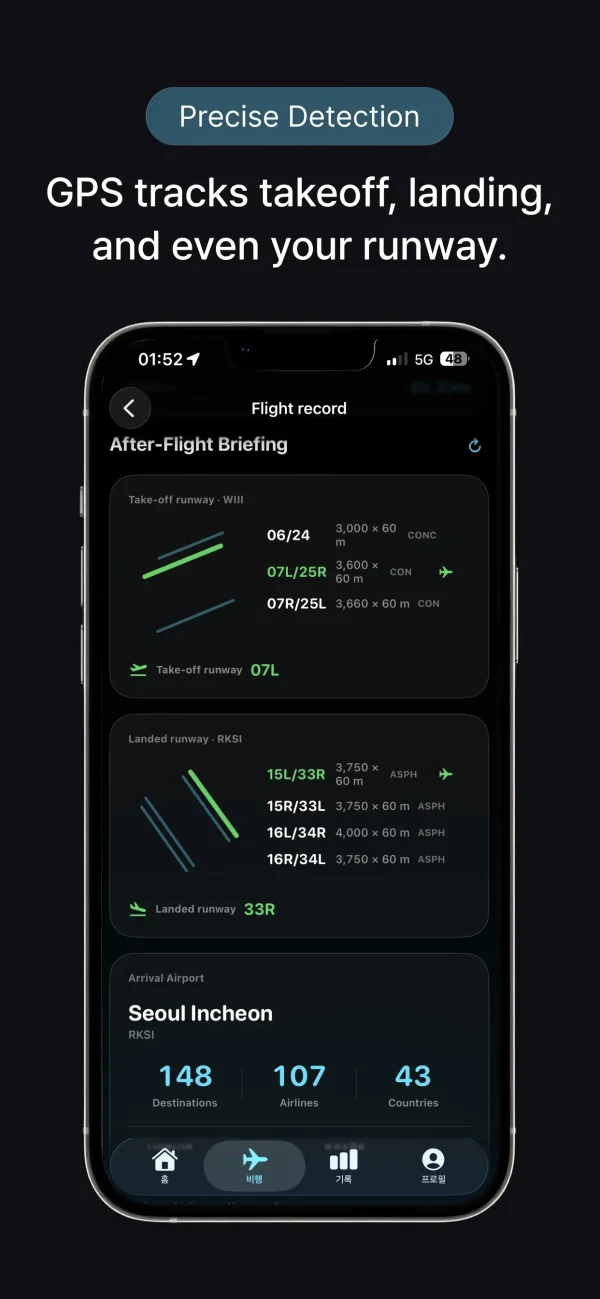
· Takeoff and landing runway identification
· Arrival airport stats and carbon footprint
■ Logbook
· Your flights add up into a personal aviation logbook
· Keeps the aircraft you flew (type, registration, photo), seat and gate
· Search by flight number or route
· Import past flights from another app's CSV, and export all your flights as CSV
■ Records: collections and habits
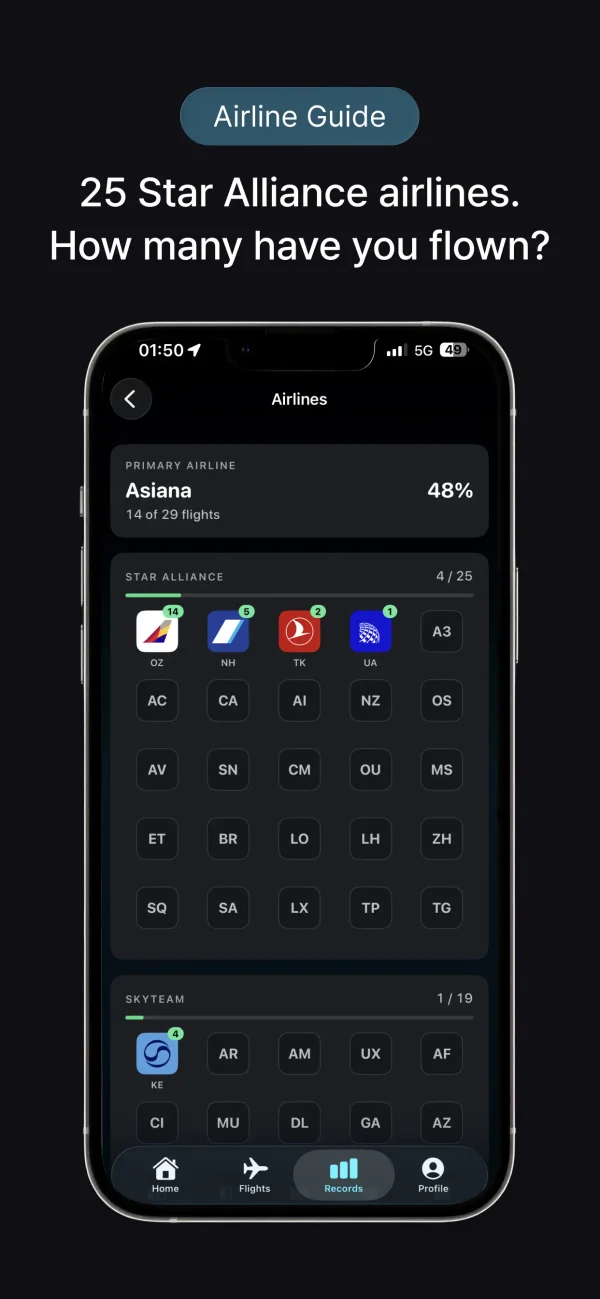
· Airlines and alliances, airports and runways, countries, and every aircraft you've flown become collections
· Aircraft details: photo, specs, registration history, and your flights on it
· Cabin pressure profile and personal records
· Your seat habits, on-time rate, and a year in review that opens each December
■ Your data stays yours
· Raw GPS coordinates stay on this device and in your own iCloud. They are never sent to our server
· Only your boarding passes and flight summaries (flight number, times, peak values) are backed up
· Email import sends only the text of the email you share, to read the flight details
· Delete everything, or your whole account, at any time
■ About GPS in the cabin
Reception depends heavily on where you sit. In our own measurements, window seats recorded 95-100% of the flight while non-window seats managed 14-53%. Sitting by a window and keeping your phone near it makes a large difference.
A gap in the GPS track is not a failed recording. Altitude, G-force and flight phases keep recording from the barometer and motion sensors.
■ BUSINESS
· Offline route maps so you can follow the route with no internet in the air
· A full PDF of each flight record, and watermark-free share cards
· See where the aircraft you flew is flying today
· An aircraft's full registration history, and on-time rates by airline
· A single-flight pass is available if you would rather not subscribe
Available in English, Korean and Japanese.
Subscription details
Cockpit-log BUSINESS
· Monthly — $3.99 per month
· Yearly — $39.99 per year
A BUSINESS subscription unlocks the offline route map you can use in the air without internet, a full PDF of every flight record, watermark-free share cards, today's flights for aircraft you've flown, full registration history, and on-time rates by airline. Recording, boarding passes, the logbook, stats, collections and the visited-countries map are free.
Subscriptions renew automatically unless cancelled at least 24 hours before the end of the current period, and your Apple ID is charged for renewal. You can manage or cancel in Settings > Apple Account > Subscriptions after purchase.
Business Single Flight Pass — $1.99 (one-time, non-renewing. Applies to a single flight and unlocks that flight's offline route map, PDF and watermark-free share card)
Terms of Use: https://www.cockpit-log.com/v1/policy/terms
Privacy Policy: https://www.cockpit-log.com/v1/policy/privacy
What’s new
Version 1.3.0 · Nov 24, 2026
■ New
• 2026 RECAP: opens December 1. Look back on your year of flying as a story
• View by year: see how often you flew each airline and aircraft type, from the Records tab
• The plane I will board, now: check the position and inbound delay of your assigned aircraft on the ticket
• Live flight status: time to boarding on your Lock Screen and Dynamic Island
• Widget: your next flight right on the Home Screen
• Goodbye OZ Memorial Hall: share a memory and earn a limited badge
■ Improved
• Redesigned share card and PDF report: a globe poster and a flight plan style report
• Get notified when descent begins while recording
• Pull to refresh your profile to update subscription status and badges
■ Fixed
• Boarding passes that failed to upload no longer show as synced
• The Dynamic Island now returns when you reopen the app while recording
App privacy
What hyeongju park declares on the App Store about how this app handles data.
-
Data linked to you
May be collected and linked to your identity.
- Purchases
- Contact info
-
Data not linked to you
May be collected but is not linked to your identity.
- User content
- Identifiers
- Usage data
- Diagnostics
- Other data
Privacy practices may vary, for example with the features you use or your age.
Information
- Seller
- hyeongju park
- Category
- Travel
- Version
- 1.3.0
- Updated
- Nov 24, 2026
- Released
- Aug 3, 2026
- Size
- 90.6 MB
- Requires
- iOS 18.2 or later
- Age rating
- 4+
- Price
- Free
- In-app purchases
- Yes
- Languages
- English, Japanese, Korean
- Copyright
- © 2026 Young And Rich
You might also like
-
 SkyLog: Flight LogbookFlights, stays & Schengen
-
 FlightersTravel
-
 FlightLog - My Flight DiaryStats, maps & plane collection
-
 RailNetwork: Seoul Subway LiveKorea Travel: Metro, KTX, AREX
-
 KOREA AIP CHARTSNavigation
-
 FlightDiaryAppTrack flights & travel stats
-
 Tabiji - Plan trips with easePlan and share your trips
-
 Flyve - Trip Plans & Photo MapPlan together, split costs
-
 日航宗 - JAL修行のためのツールTravel
-
 Visited Map: Travel TrackerCountries, Regions & Trip Log