Code Scan - QR Barcode Scanner
DataMatrix, Aztec, VDS, MRZ
Designed for iPhone, iPad
Free
- Age rating4+
- CategoryUtilities
- DeveloperKURZ Digital Solutions GmbH & Co. KG
- LanguagesEnglish+ 1 more
- Size15.3 MB
Links to the official App Store page
Download.org hosts no file of Code Scan - QR Barcode Scanner. The button opens its official App Store page, published by KURZ Digital Solutions GmbH & Co. KG. Listing last checked on Nov 24, 2026.
Screenshots

About
Scan and create every common 1D and 2D barcode - one at a time or continuously in Batch Scan. Export your history as CSV or automatically send scans to your own server. Unlike an ordinary scanner, Code Scan also verifies the cryptographic seals on official documents.
WHAT IT READS
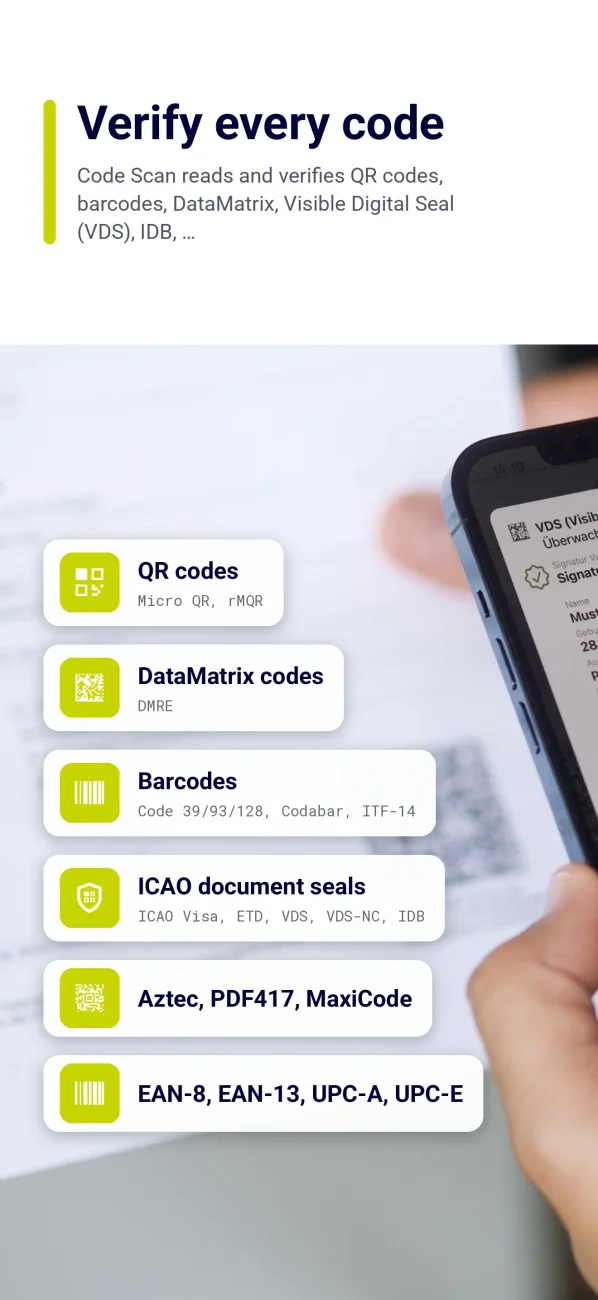
• QR, MicroQR and rMQR (rectangular MicroQR)
• DataMatrix, including DMRE
• Aztec, PDF417, MaxiCode
• EAN-8, EAN-13, UPC-A, UPC-E
• Code 39, Code 93, Code 128, Codabar, ITF / ITF-14
• GS1 DataBar and DataBar Expanded
• VDS, VDS-NC and IDB document seals
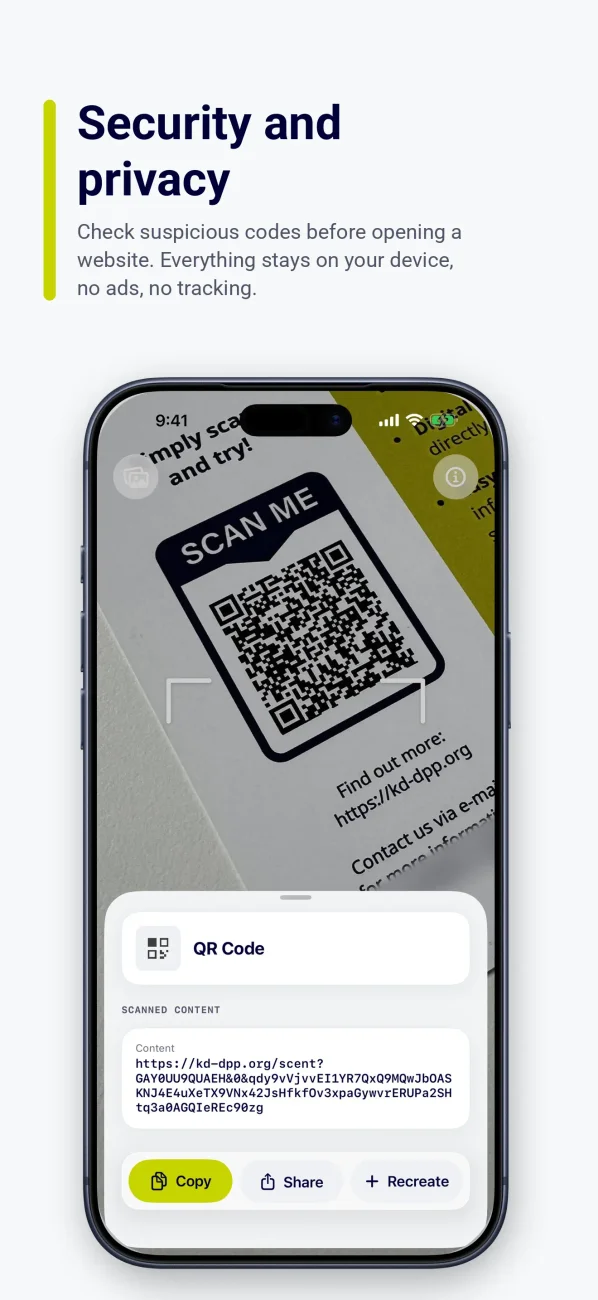
Codes are decoded on your device: from the live camera, from a photo in your library, or from an image you share into the app from somewhere else.
DIGITAL SEALS ON OFFICIAL DOCUMENTS
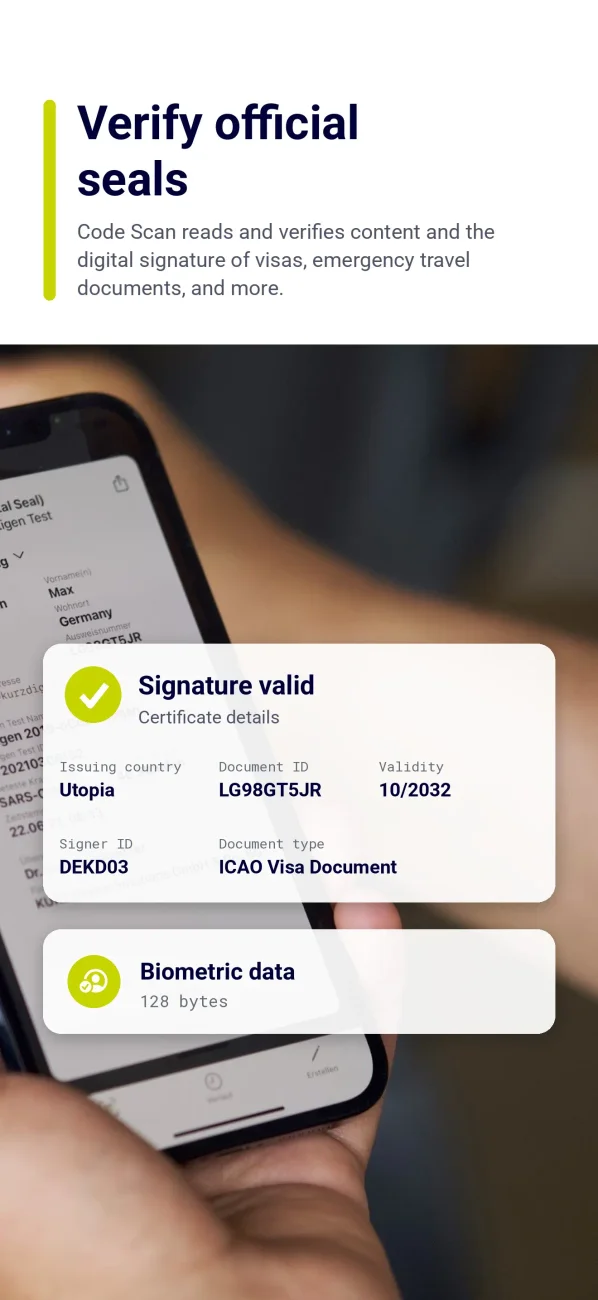
This is what sets Code Scan apart: it does not just read the seal, it checks the cryptographic signature.
• VDS (Visible Digital Seal, BSI TR-03137) in DataMatrix
• VDS-NC (ICAO) and IDB (ICAO Datastructure for Barcode) in QR codes
• Signatures verified against X.509 certificates, kept up to date automatically
• Import your own X.509 certificates for closed ecosystems
• MRZ data contained in a seal is parsed and shown in readable form
This app supports reading and verification of (among others) VDS Profiles:
- Social Insurance Card
- Residence Permit Document
- ICAO Visa Document
- ICAO Emergency Travel Document
- German Arrival Attestation Document
- Address Sticker for German Identity Card
- Place of Residence Sticker for German Passports
VDS-NC Profiles:
- ICAO PoT and PoV (ISO/IEC JTC1 SC17 WG3/TF5)
CREATE YOUR OWN CODES
• QR, DataMatrix, Aztec, PDF417 and Code 128
• Live preview while you type
• Choose the QR error correction level (L / M / Q / H) or the PDF417 level (0-8)
• Keep your codes in a library, mark favorites, share any of them as an image
FASTER IN EVERYDAY USE
• Camera light in four brightness steps and 1x / 2x / 4x zoom - for tiny print, dark rooms and laminated documents
• Share a screenshot from any app to read the code inside it, or share a link to turn it into a code
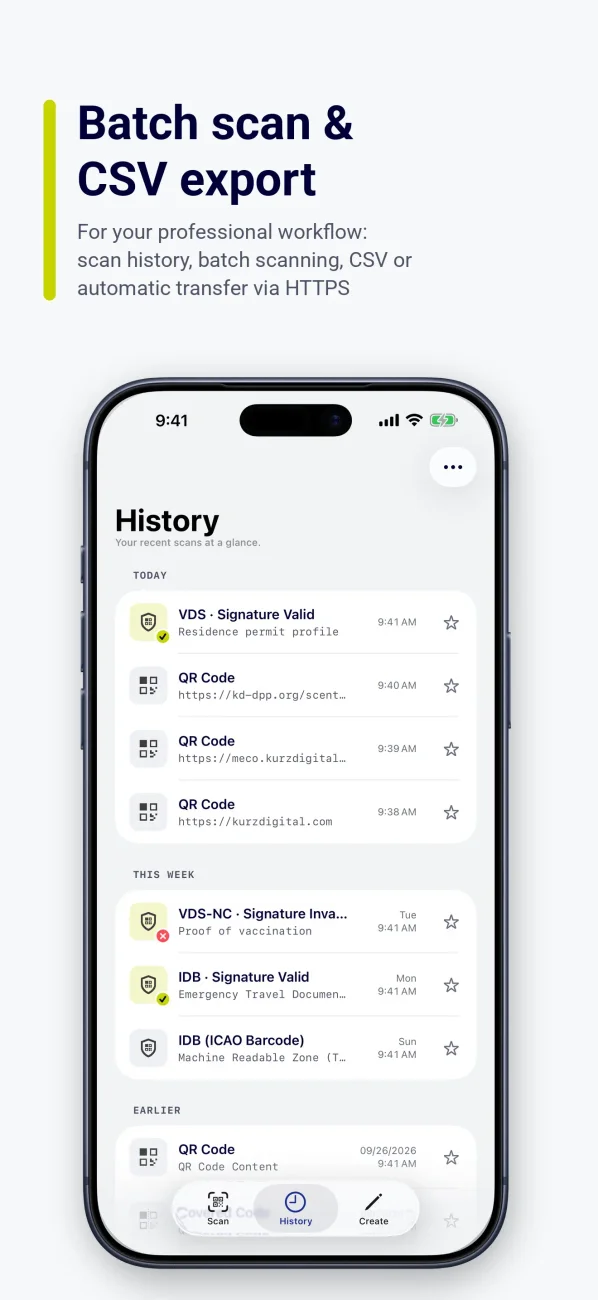
• Batch Scan: capture multiple codes without a result screen and save them straight to your history
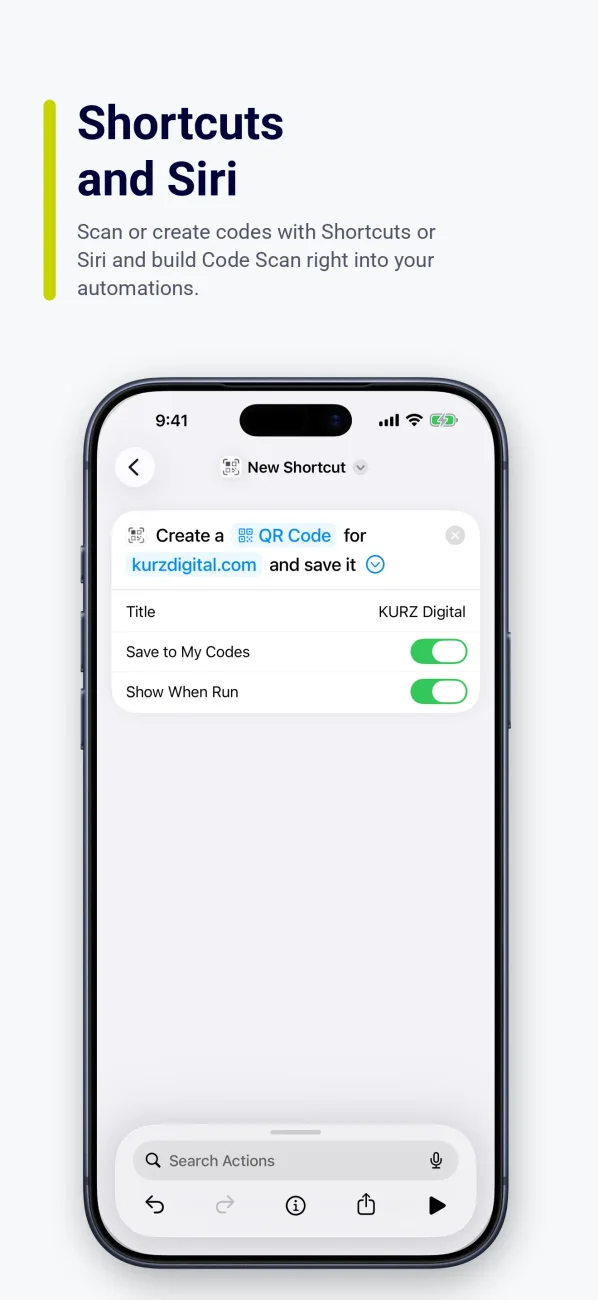
• Siri and Shortcuts: create a code or open the scanner by voice, or build both actions into your own shortcuts
• Recreate a scanned code in a single tap, with the content already filled in
A HISTORY THAT STAYS ORGANIZED
• Grouped into Starred, Today, This Week and Before
• Scanning a code again updates the existing entry instead of piling up duplicates
• Export and share your scan history as a CSV file
• Stored seals are re-verified in the background against the current certificates, so an expired signature stops showing as valid
FOR PROFESSIONAL USE
• GS1 application identifiers parsed and labelled
• Open recognized links immediately, skipping the result screen
• Copy and share the raw code data instead of the interpreted content
• Optionally send scans automatically to your own HTTPS endpoint (off by default)
• Play a confirmation sound after successful transfers
• Native iPad layouts
PRIVACY
Decoding happens entirely on your device, and your history stays there. There is no account and no tracking. To verify seals, the app downloads the public signer certificates from our certificate service. The optional face comparison against a document portrait is the one feature that sends an image to a KURZ Digital service, and only when you start it yourself.
For wishes and suggestions just contact us at info@kurzdigital.com
What’s new
Version 3.6.2 · Nov 10, 2026
• New: support and UI improvements for iPhone Duo, folded and unfolded
• Improvements for IDB parsing for Icelandic ID cards and German documents (IDB)
• New: Administrative documents according to BSI TR-03171, such as the German certificate of good conduct, are recognized and their signature verified
• Signatures of German visas and address stickers are now verified correctly
• Added support for more VDS and IDB document types
• New: Export and share your scan history as a CSV file
• Pro setting to send scans automatically to your own server (disabled by default)
• New Batch Scan captures multiple visible codes directly to history without a result sheet (with or without a server)
• Siri & Shortcuts: create a code or open the scanner hands-free - just ask Siri, or add these actions to your own shortcuts
If you have any questions or suggestions, please contact us at info@kurzdigital.com
App privacy
What KURZ Digital Solutions GmbH & Co. KG declares on the App Store about how this app handles data.
-
Data not collected
The developer does not collect any data from this app.
Privacy practices may vary, for example with the features you use or your age.
Information
- Seller
- KURZ Digital Solutions GmbH & Co. KG
- Category
- Utilities
- Version
- 3.6.2
- Updated
- Nov 10, 2026
- Released
- Apr 15, 2021
- Size
- 15.3 MB
- Requires
- iOS 18.0 or later
- Age rating
- 4+
- Price
- Free
- Languages
- English, German
- Copyright
- © 2026 KURZ Digital Solutions GmbH & Co. KG
You might also like
-
 Code Scanner QR Barcode ReaderData Matrix, GS1 & CSV Export
-
 Scandit SDK ShowcaseTest our Barcode & ID Scanning
-
 BrickSearch Minifigure ScannerScan Minifigures & track sets
-
 QR Pro - Code Reader & CreatorBarcode Scanner & Generator
-
 Dynamsoft Barcode ScannerUtilities
-
 ScanfigUtilities
-
 Scan MatrixScanner
-
 CodeCheckGSUtilities
-
 Barcode to PC: Wi-Fi scannerInstantly send barcodes
-
 QR Botqr code barcode scanner,cards