
Code Workspace - IA Agent
Free IDE with Git, SSH & AI
Designed for iPhone, iPad
Free
- Age rating9+
- CategoryDeveloper Tools
- DeveloperDavid Villegas
- LanguagesEnglish+ 9 more
- Size51.6 MB
Links to the official App Store page
Download.org hosts no file of Code Workspace - IA Agent. The button opens its official App Store page, published by David Villegas. Listing last checked on Nov 16, 2026.
Screenshots
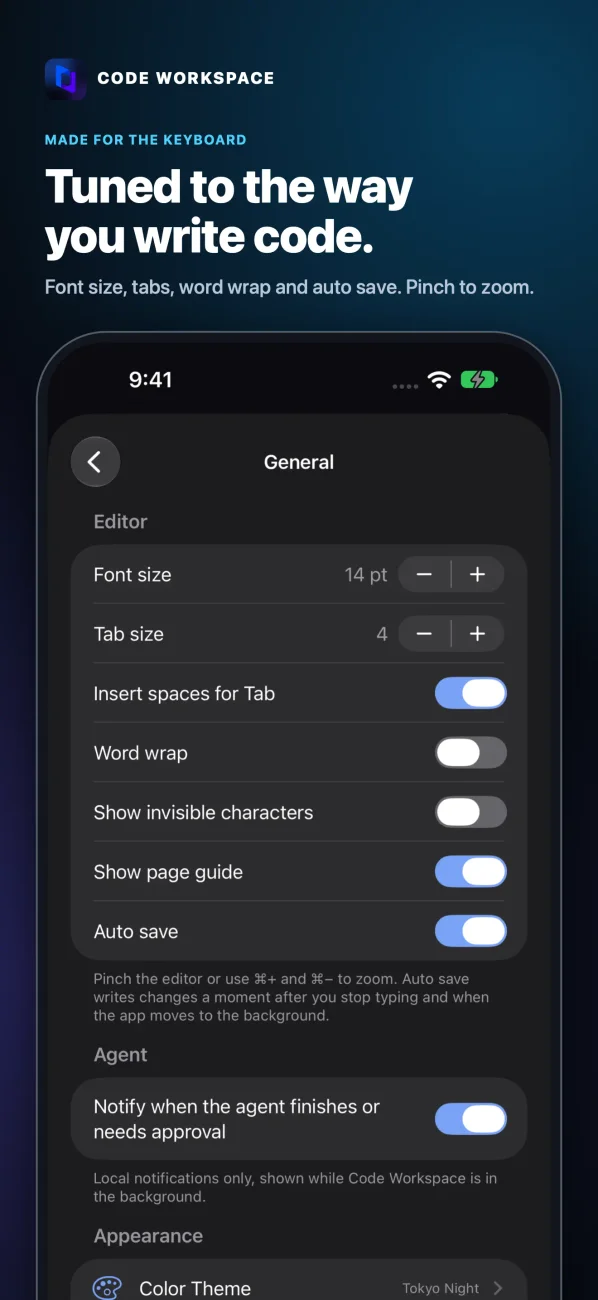
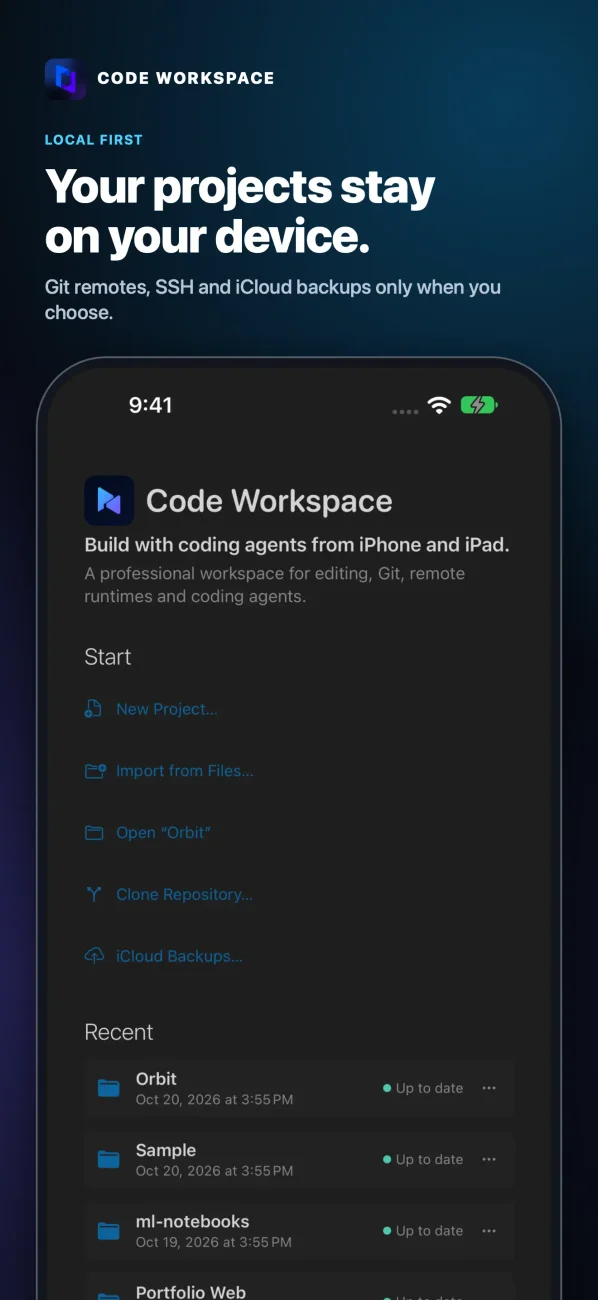
About
Code Workspace is a free, agent-first development environment for iPad and iPhone. Explore projects, edit and run code, manage Git and connect to remote development tools from one focused workspace. No account, no subscription and no in-app purchases.
AN AI AGENT INSIDE YOUR PROJECT
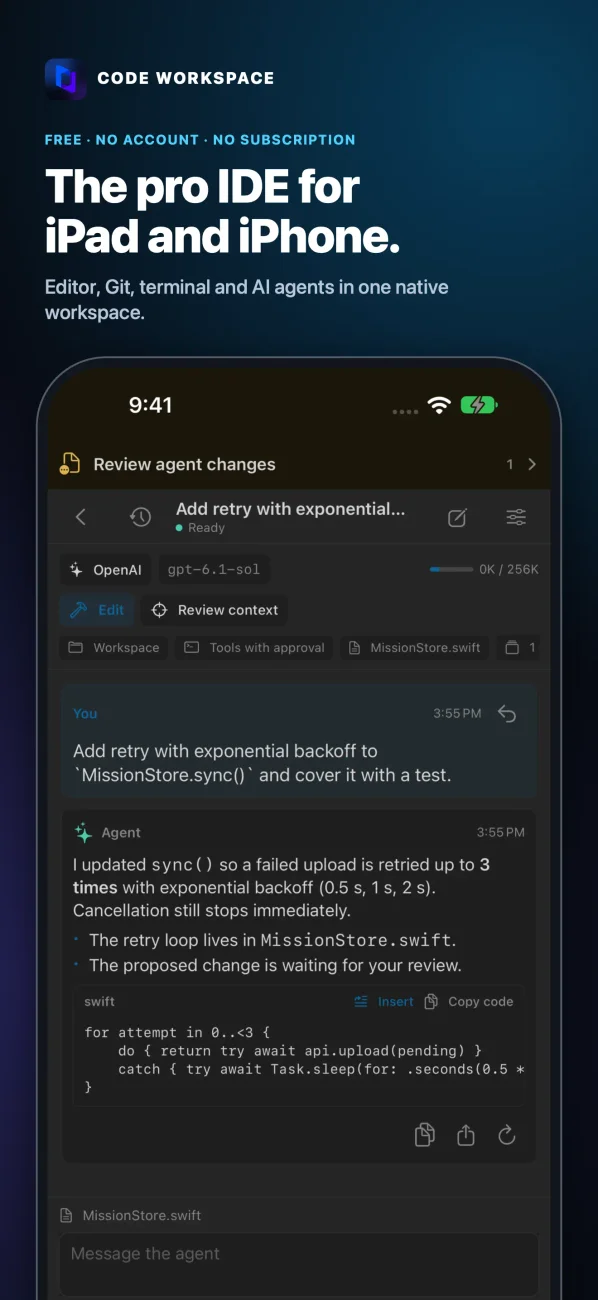
Work with a coding agent that understands your project. Mention files with @, use /explain, /fix, /tests and /review, attach screenshots or photos, and follow its progress, even from the Lock Screen with a Live Activity on iPhone.
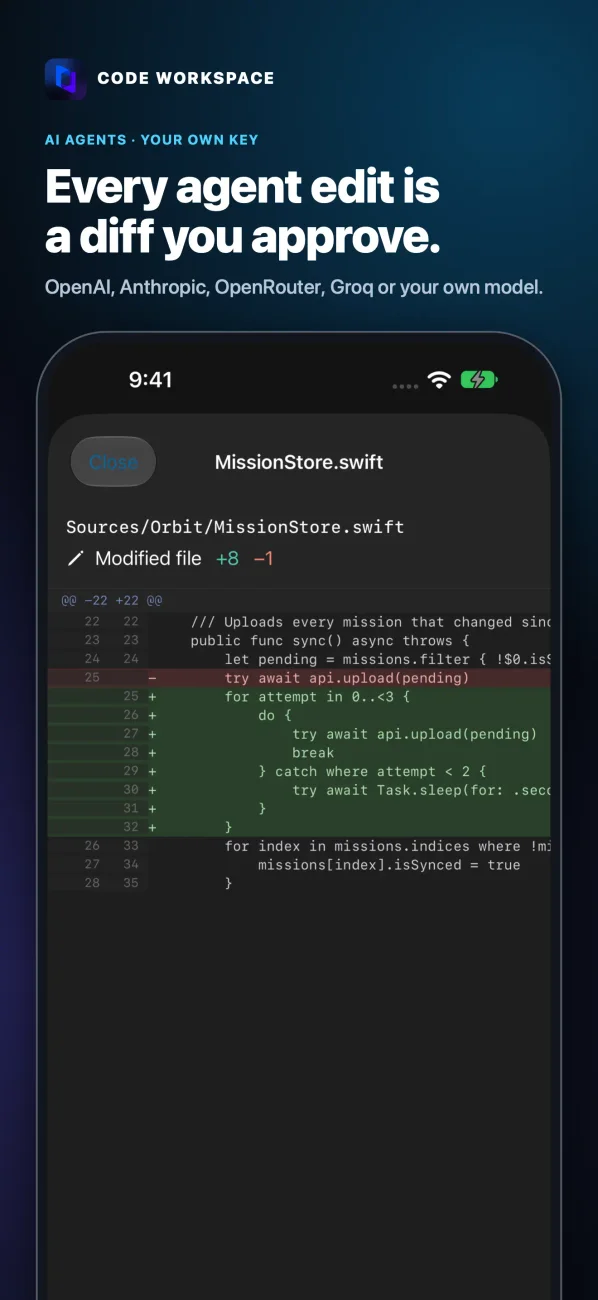
You remain in control. Review sensitive actions before they run, inspect proposed changes line by line and choose the AI provider you want with your own key: Claude, GPT, Gemini and other compatible services. Keys are stored in Keychain.
RUN AND FORMAT ON DEVICE
Run Python 3.14 and JavaScript files offline with ⌘R and read their output in the terminal. Format JavaScript, TypeScript, JSON, CSS, HTML and Markdown with Prettier, and preview HTML, CSS and JavaScript offline.
A WORKSPACE FOR REAL PROJECTS
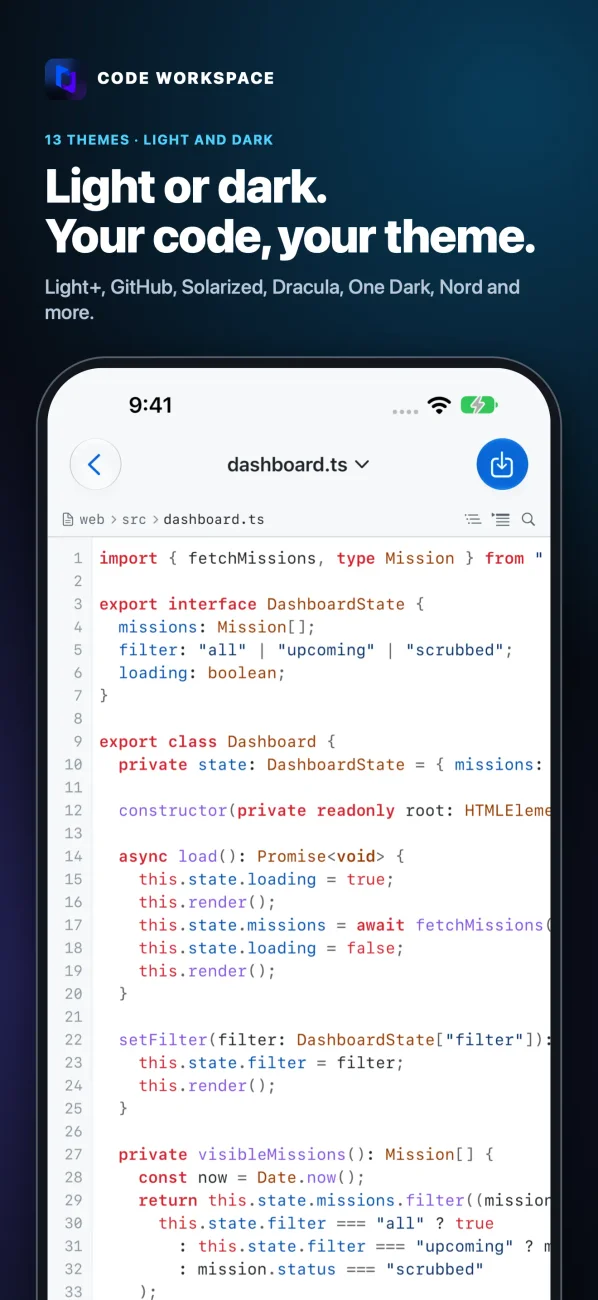
Create a project, clone a repository, or import folders, ZIP archives and files from Files, iCloud Drive or other apps. Edit with Tree-sitter syntax highlighting in 13 themes that can follow Light and Dark mode, split the editor to see two files side by side, and use optional Vim keybindings.
BUILT FOR IPAD
Use the iPadOS menu bar and keyboard shortcuts, multiple windows, resizable panels, trackpad hover effects, Split View and Stage Manager.
GIT, WITHOUT LEAVING YOUR CODE
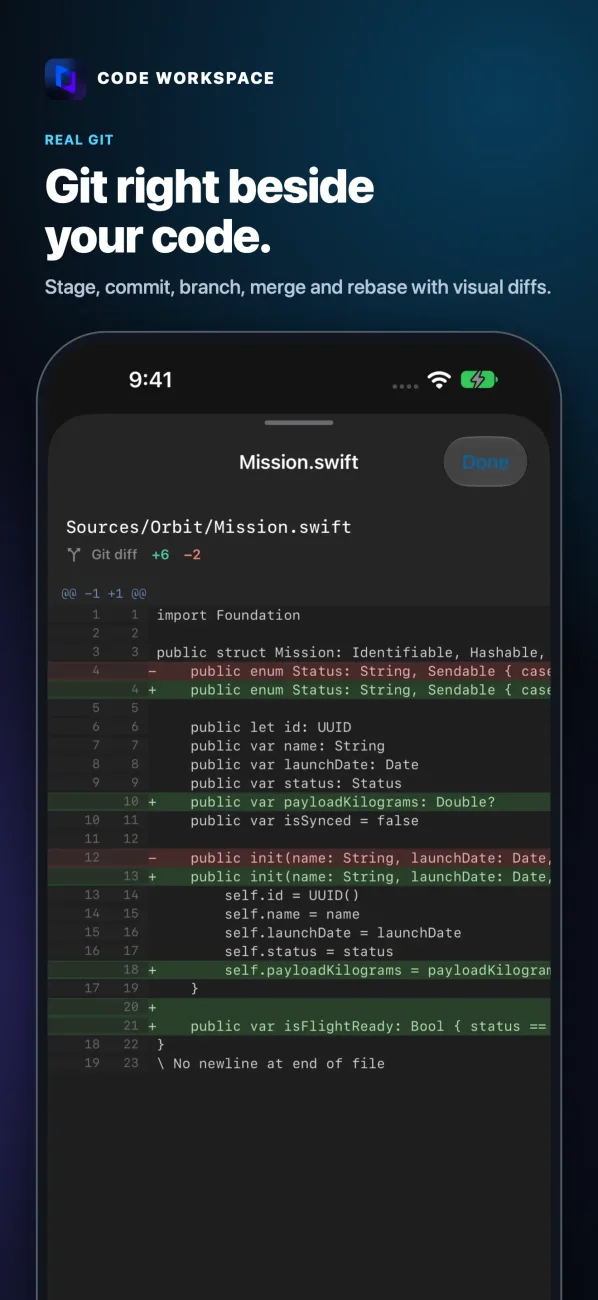
• Review changed files and visual diffs.
• Stage, commit, branch, stash, merge, rebase and cherry-pick.
• Resolve conflicts visually and see per-line blame.
• Draft commit messages with Apple Intelligence (iOS and iPadOS 26 or later).
• Connect GitHub, GitLab or your own Git server, and review pull and merge requests.
SSH, SFTP AND A PERSISTENT TERMINAL
Use interactive terminal sessions for shells, REPLs, Vim and long-running processes. Create SSH profiles, authenticate with passwords or Ed25519/RSA keys and access remote files through SFTP.
PROFESSIONAL LANGUAGE TOOLING
Connect language servers on your development host for completion, diagnostics, definitions, references, code actions and rename. Debug with DAP breakpoints, stepping, call stacks and variables. Works with Swift, JavaScript, TypeScript, Python, Dart, Go, Rust, HTML, CSS and Markdown.
BUILT FOR IPHONE DUO
Unfold iPhone Duo for the full multi-panel workspace on the inner display; fold it to keep working in the compact one-handed layout.
LOCAL FIRST, CONNECTED WHEN YOU CHOOSE
Files stay on your device unless you choose a Git remote, SSH server, AI provider or iCloud backup.
By DVX Labs
What’s new
Version 0.9.1 · Oct 27, 2026
Code Workspace 0.9.1 brings Swift and iOS development to iPad and iPhone. Still free.
• Build and test on your Mac or Linux host over SSH: Build Project (⇧⌘B) and Test Project (⌘U) run swift or xcodebuild, and errors appear in Problems. Tap one to jump to the line.
• Set Up Swift… checks the host and turns on SourceKit-LSP completion and diagnostics. Format Document uses swift-format for Swift files.
• New SwiftUI app and Swift package templates, plus code snippets for Swift, JavaScript, TypeScript and Python.
• Edit Info.plist, entitlements and String Catalogs (.xcstrings) as tables, with missing translations highlighted.
• See the dependencies in Package.swift and Package.resolved with their pinned versions.
• Preview project images, image sets, app icons and color sets, and pick colors for light and dark appearance.
• Rate Code Workspace any time from Settings › About & Support.
App privacy
What David Villegas declares on the App Store about how this app handles data.
-
Data not linked to you
May be collected but is not linked to your identity.
- Other data
Privacy practices may vary, for example with the features you use or your age.
Information
- Seller
- David Villegas
- Category
- Developer Tools
- Version
- 0.9.1
- Updated
- Oct 27, 2026
- Released
- Aug 16, 2026
- Size
- 51.6 MB
- Requires
- iOS 17.0 or later
- Age rating
- 9+
- Price
- Free
- Languages
- English, French, German, Indonesian, Italian, Japanese, Korean, Portuguese, Simplified Chinese, Spanish
- Copyright
- © 2026 DVX Labs
You might also like
-
 RulifyDeveloper Tools
-
 API Testing ToolDeveloper Tools
-
 JSON MasterViewer, Editor & Formatter
-
 AppScreens GoScreenshot Design Studio
-
 CodeSSH - Code EditorAI,LLM,Coding,SFTP,GIT,SSH,MLX
-
 Termini - SSH ClientRemote Terminal Server Manage
-
 Vays - Markdown readerMarkdown reader & editor
-
 Python Coding: IDE Editor AppRun Code Offline, Learn & Play
-
 Structly - JSON FormatterJSON Viewer & Tables
-
 URL Redirectorforward websites via sharing