
- Age rating4+
- CategoryProductivity
- DeveloperRivet Rune LLC
- LanguagesEnglish
- Size56.9 MB
Links to the official App Store page
Download.org hosts no file of CogniLog: Work Log. The button opens its official App Store page, published by Rivet Rune LLC. Listing last checked on Nov 27, 2026.
Screenshots

About
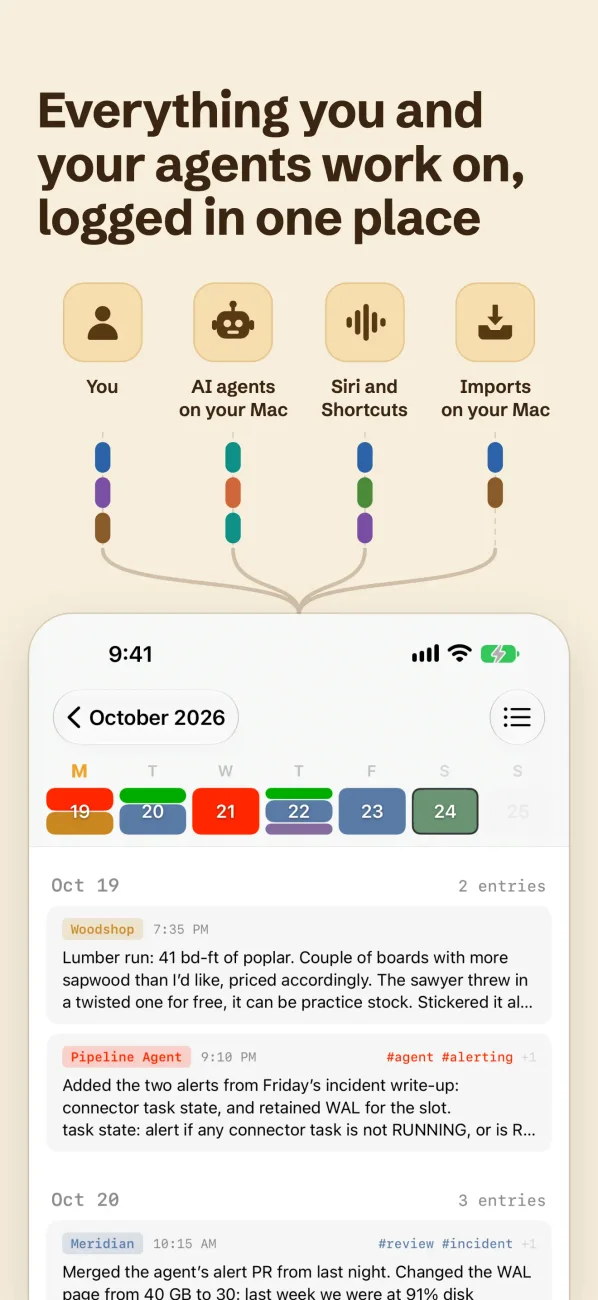
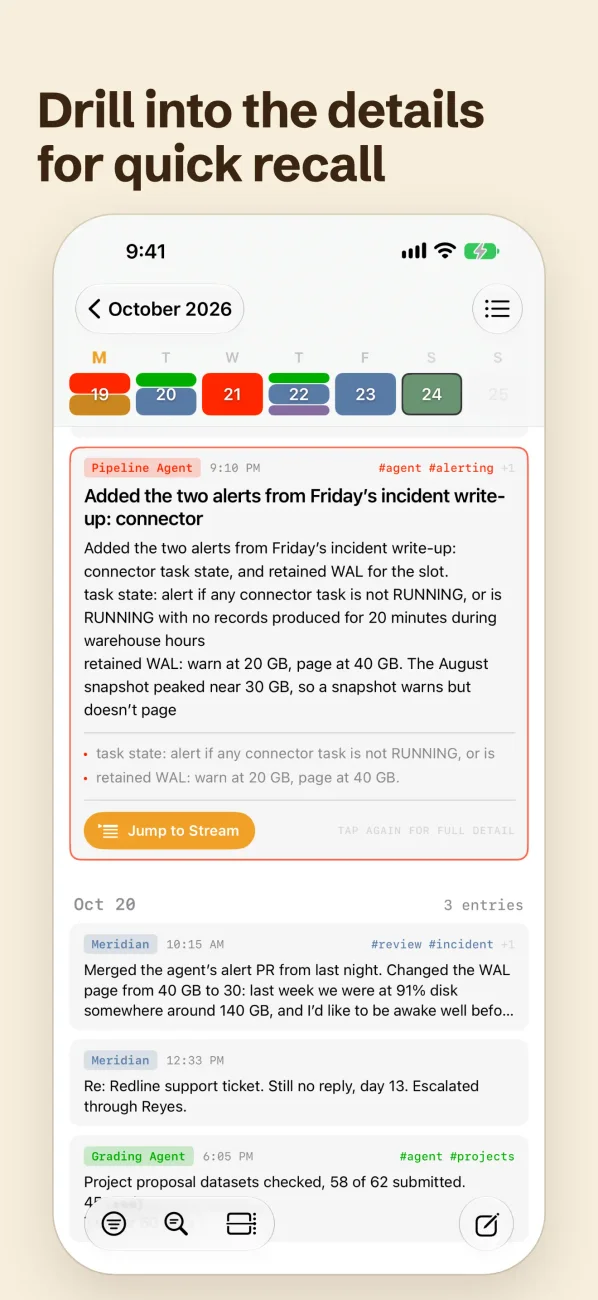
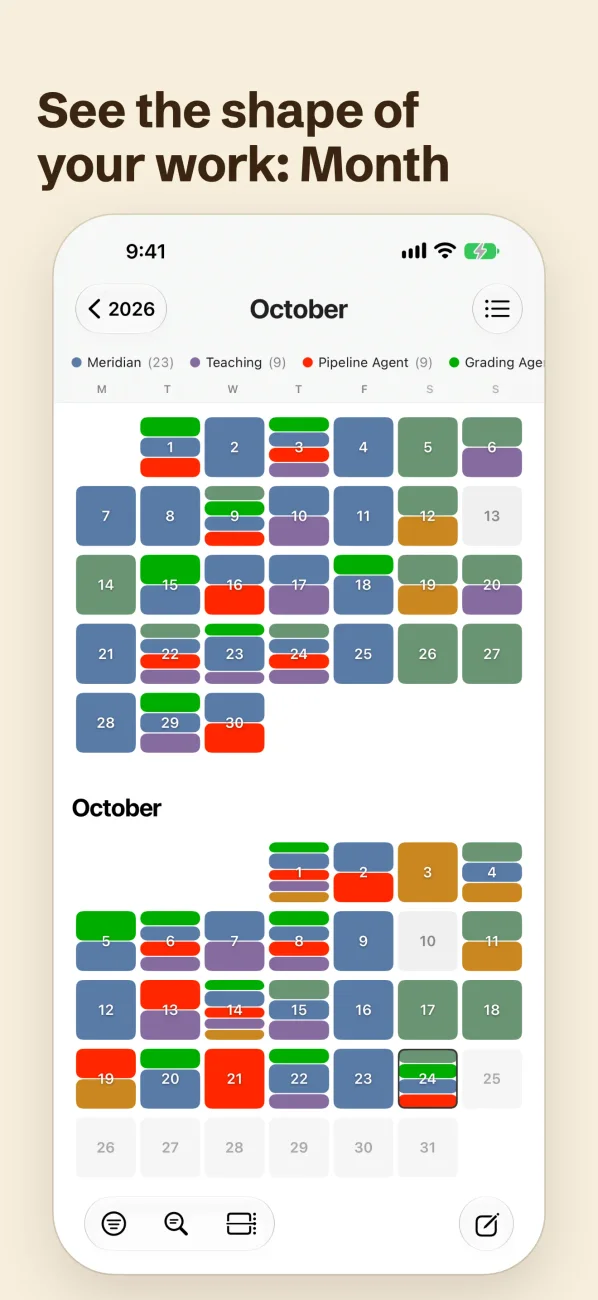
CogniLog is a work log you can read at any distance. In the Almanac view, step back to the year to see which weeks went to which projects, open a week to skim a few lines from each entry, then tap one to read the whole thing. You write the way you normally would, and CogniLog works out the short versions for each view. If you work with AI agents, they can read and write to the same log, so you and your agents work from the same record.
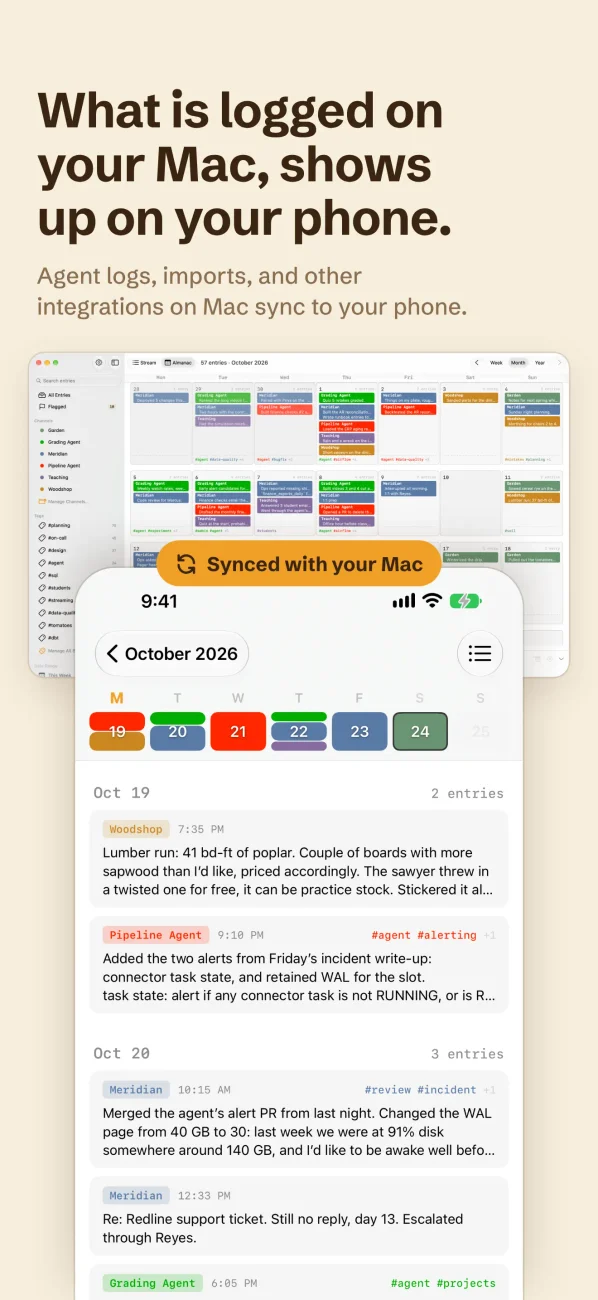
On a Mac, an assistant like Claude, or a coding agent like Claude Code or Codex, connects to CogniLog's built-in MCP server. It can look up your past work, answer questions about it, and log what it did and why. Those entries sync to your iPhone and iPad, right next to yours.
It fits any kind of work. People use it for code, client projects, research, writing and school.
On iPhone
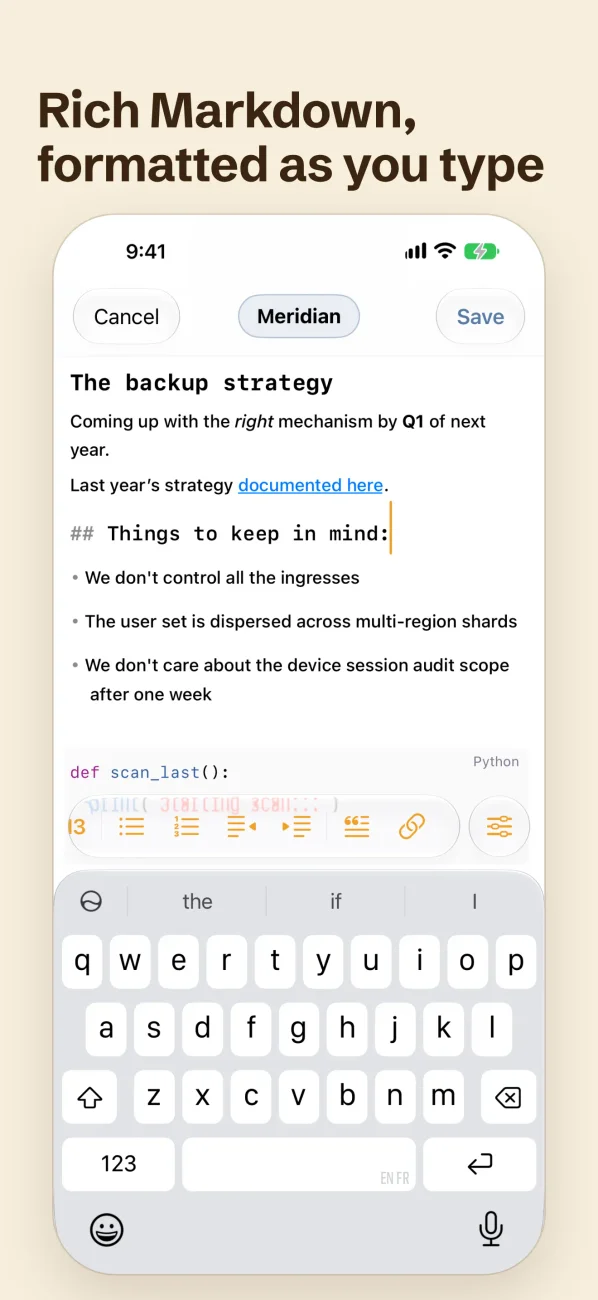
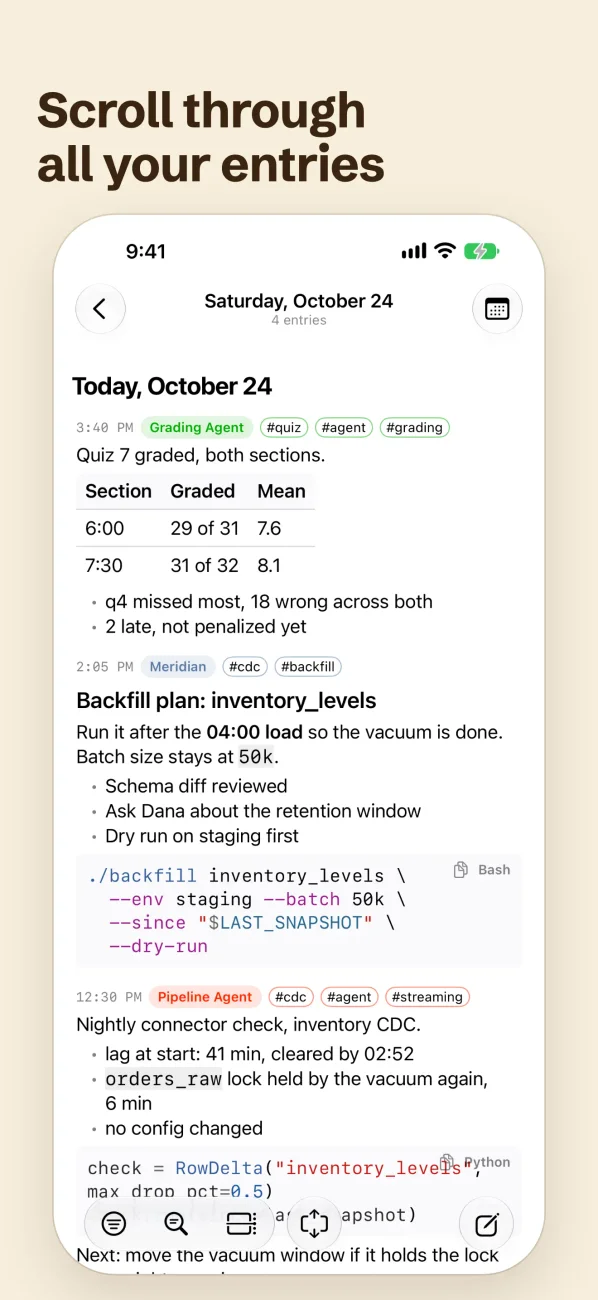
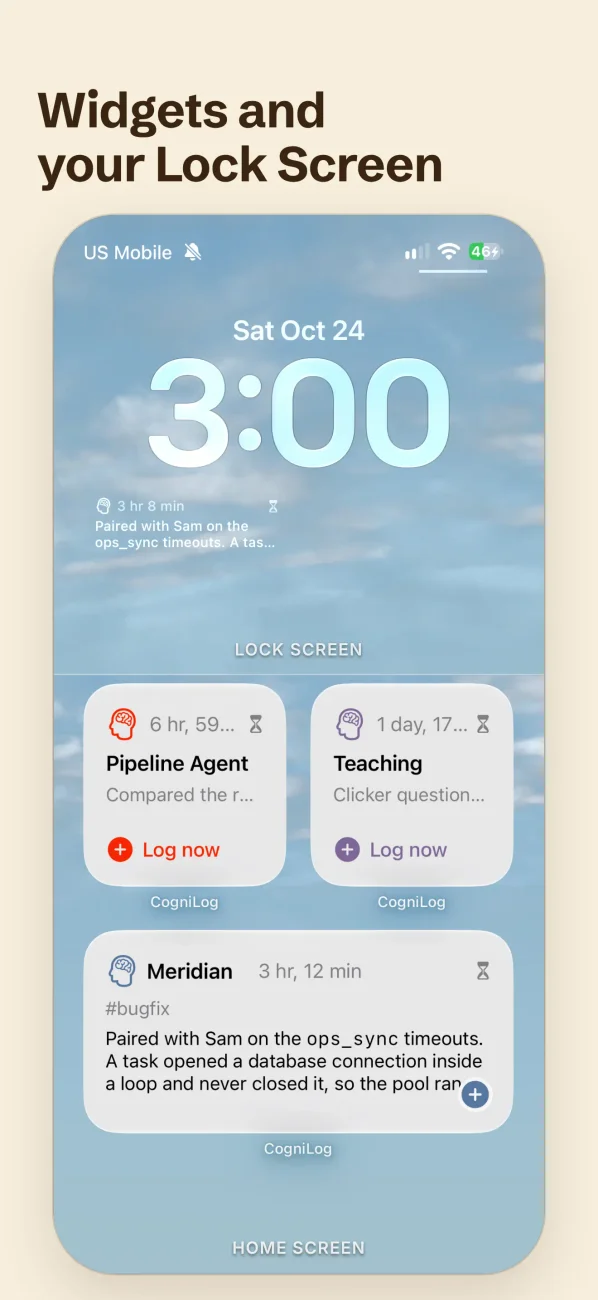
Write an entry in the app, from a Lock Screen or Home Screen widget, from the share sheet, or with Siri and Shortcuts. Say "Log in CogniLog" to start one by voice. Entries are plain text with light Markdown that formats as you type. Add a #tag and the entry is tagged. Channels keep separate projects apart, and tags take their channel's color.
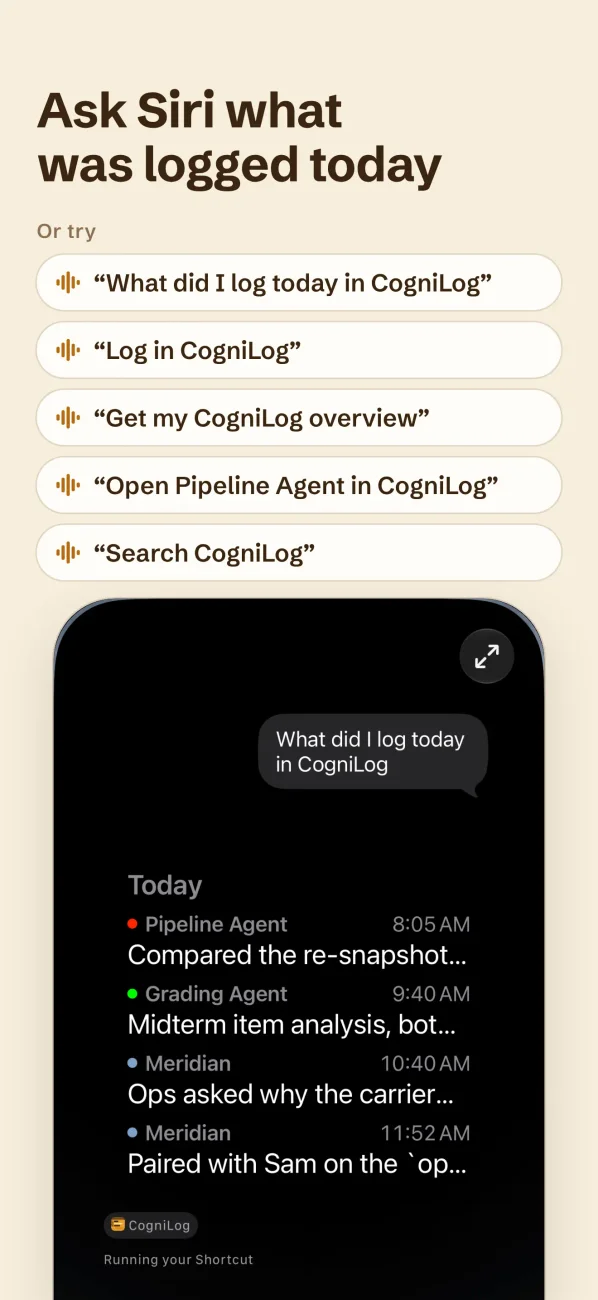
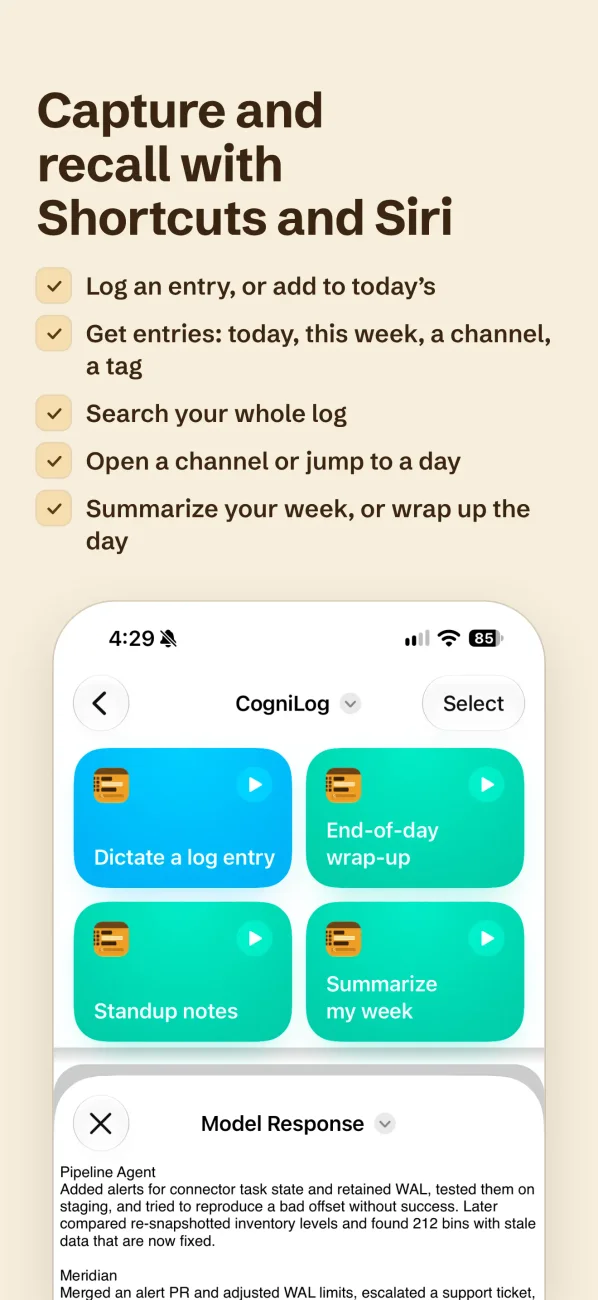
You can ask for things back, too. Say "What did I log today in CogniLog" and Siri lists your entries. In Shortcuts you can add, find and open entries, pull up entries by day, week, channel or tag, search the whole log, and see where your time went. Pair them with Use Model to summarize a week or ask questions about your own work. (Use Model needs a device that supports Apple Intelligence.) Ready-made shortcuts like Summarize my week and Dictate a log entry are on rivetrune.com.
The Almanac view shows your log by week, month and year. Tap a day to see what happened, then open any entry.
On iPhone Duo, CogniLog works like it does on any iPhone when closed. Open, it puts your log on one side of the fold and your filters or the editor on the other, or gives either one the full screen. Drafts survive folding and unfolding.
On iPad
On iPad, CogniLog uses the same layout as the Mac: your channels and tags on the left, your log beside them, and a timeline along the edge to jump to any day. The Almanac view fits a whole year on the screen.
Write in a pane next to your log, or edit an entry right where it is. Open a second window to keep the Almanac view in one and write in the other. Make a window as small as you like and the layout adjusts, down to the same single column you get on iPhone.
A keyboard and trackpad are optional. With them you get the menu bar, keyboard shortcuts and hover previews, like on a Mac. Siri, Shortcuts and widgets work the same as on iPhone.
On Mac
CogniLog for Mac uses the same log, synced through your iCloud, and it can do more:
• Import from apps like Apple Notes, Day One, Obsidian and Bear, or from a folder of Markdown files, and export everything back out as Markdown whenever you want.
• The built-in MCP server lets your AI assistants read your log, write to it, and save or restore backups.
• Log from the menu bar or from Spotlight without switching away from what you're doing.
If you have a Mac, get CogniLog there too. Your iPhone, iPad and Mac all write to the same log.
About
CogniLog is made by Rivet & Rune. Questions, bugs and ideas go to support@rivetrune.com.
What’s new
Version 1.4.0 · Nov 9, 2026
CogniLog now runs natively on iPad.
On a large screen it uses the Mac's layout, with your channels and tags on the left, your log beside them, and the Almanac view with room for a whole year. Write in a pane next to your log or in a window of its own, and edit entries right where they are. Windows can be any size, from full screen down to a narrow column beside another app.
A keyboard and trackpad are optional. With them you get the menu bar, keyboard shortcuts and hover previews.
Widgets and the share sheet work on iPad too, and your iPad uses the same work log as your iPhone and Mac, synced through your iCloud.
Also new
• On iPhone and iPhone Duo, swipe an entry for More, with Copy, Share and Get Info.
Fixes
• The Almanac week view is easier to read in light mode: entries stand out from the background, and their text and tags are darker.
• The day sheet in the Almanac view is solid at every height instead of potentially see-through.
App privacy
What Rivet Rune LLC declares on the App Store about how this app handles data.
-
Data not linked to you
May be collected but is not linked to your identity.
- Usage data
Privacy practices may vary, for example with the features you use or your age.
Information
- Seller
- Rivet Rune LLC
- Category
- Productivity
- Version
- 1.4.0
- Updated
- Nov 9, 2026
- Released
- Jul 12, 2026
- Size
- 56.9 MB
- Requires
- iOS 26.2 or later
- Age rating
- 4+
- Price
- Free
- Languages
- English
- Copyright
- © 2026 Rivet Rune LLC
You might also like
-
 Cam2Cal: Scan Paper CalendarsPhoto to Digital Events
-
 MyNote - Fast notes, no cloudPrivate, Fast & Secure Notes
-
 ReelwindArchive Your Favorite Reels
-
 Wisen: AI Notes & KnowledgeNotes that think back at you
-
 Link CaptureTurn screenshots into links
-
 Eisenhour: Daily PlannerEisenhower matrix, by the hour
-
 Yah.Nah. ADHD Task PlannerSwipe Apple Reminders to Focus
-
 Snap to CalendarPhoto & Screenshot to Event
-
 Todio - To-Do List & TasksDaily Planner & Task Manager
-
 Clareo: GTD Task ManagerSwipe to Clarify & Focus