
- Age rating4+
- CategoryEntertainment
- DeveloperShawn Strayer
- LanguagesEnglish
- Size1.4 MB
Links to the official App Store page
Download.org hosts no file of Color My Memory. The button opens its official App Store page, published by Shawn Strayer. Listing last checked on Nov 15, 2026.
Screenshots



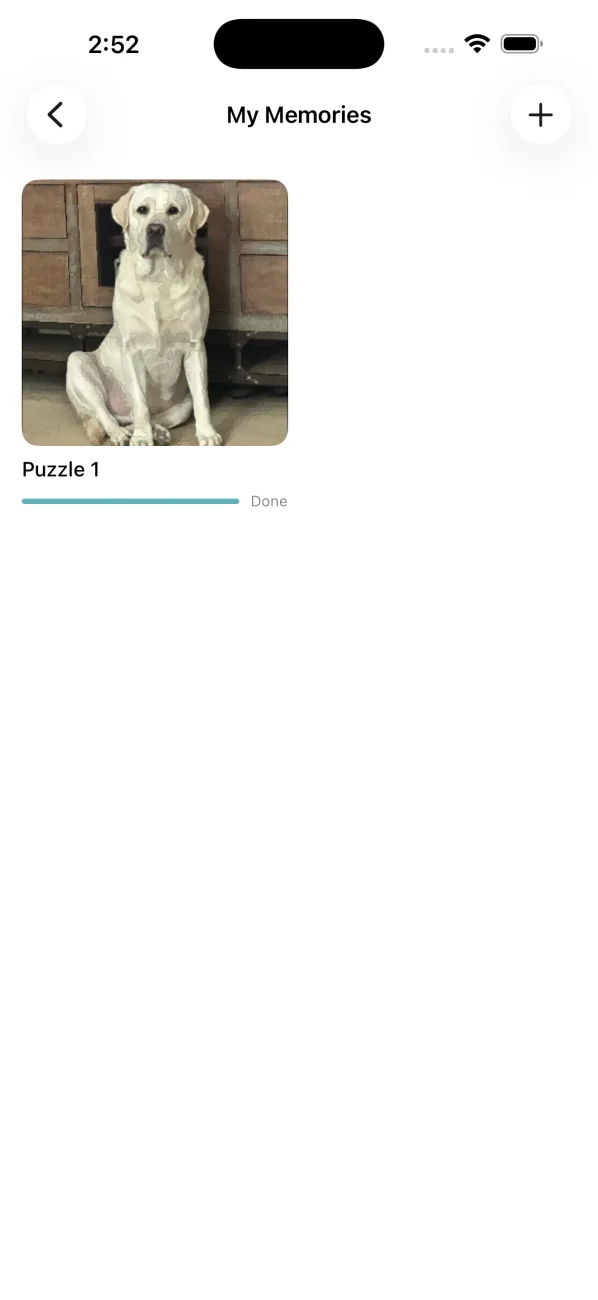
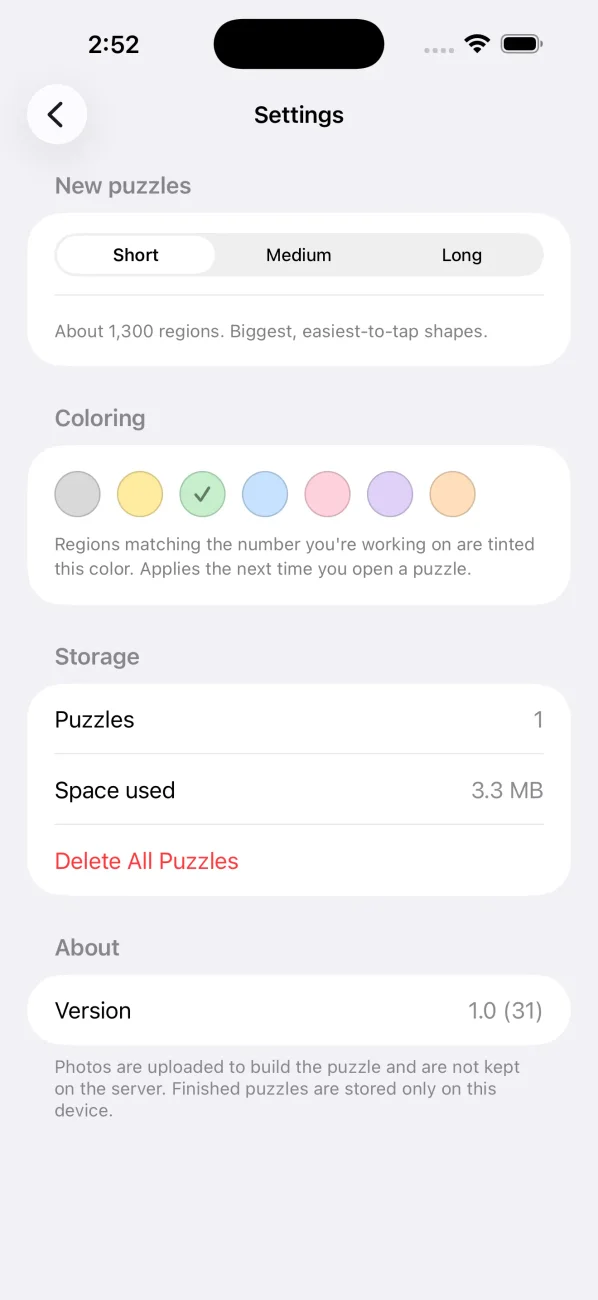
About
Every color-by-number app hands you the same clip art. Cartoon foxes. Generic mandalas. Somebody else's idea of what you should spend an evening coloring.
Color My Memory starts with your photograph.
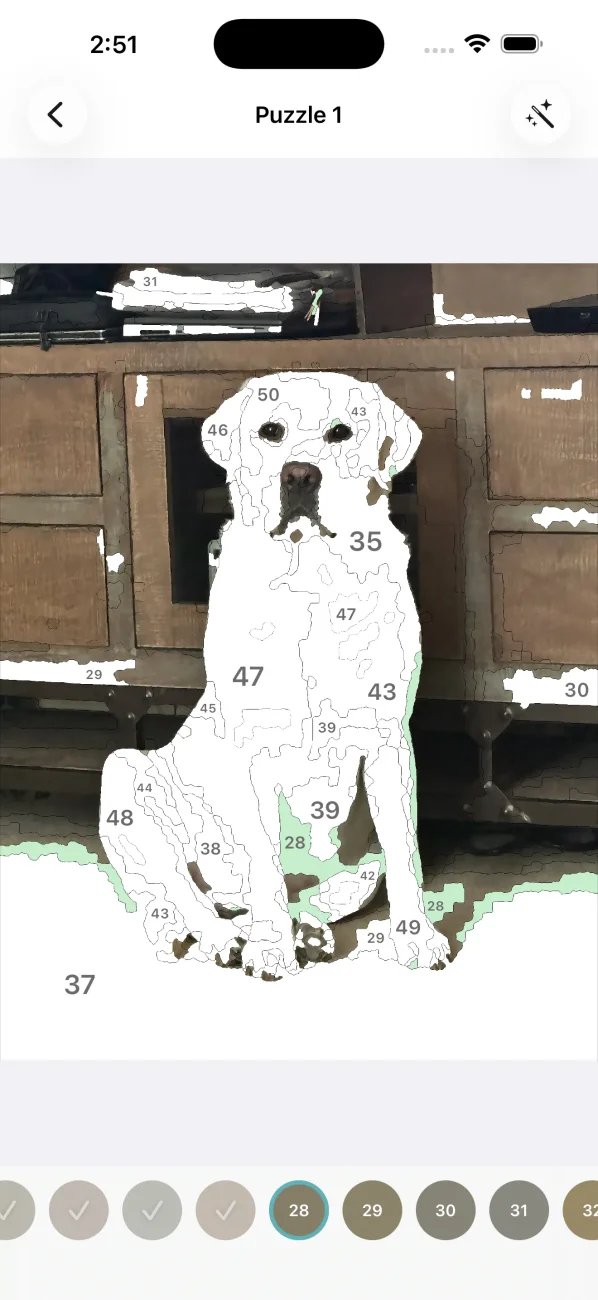
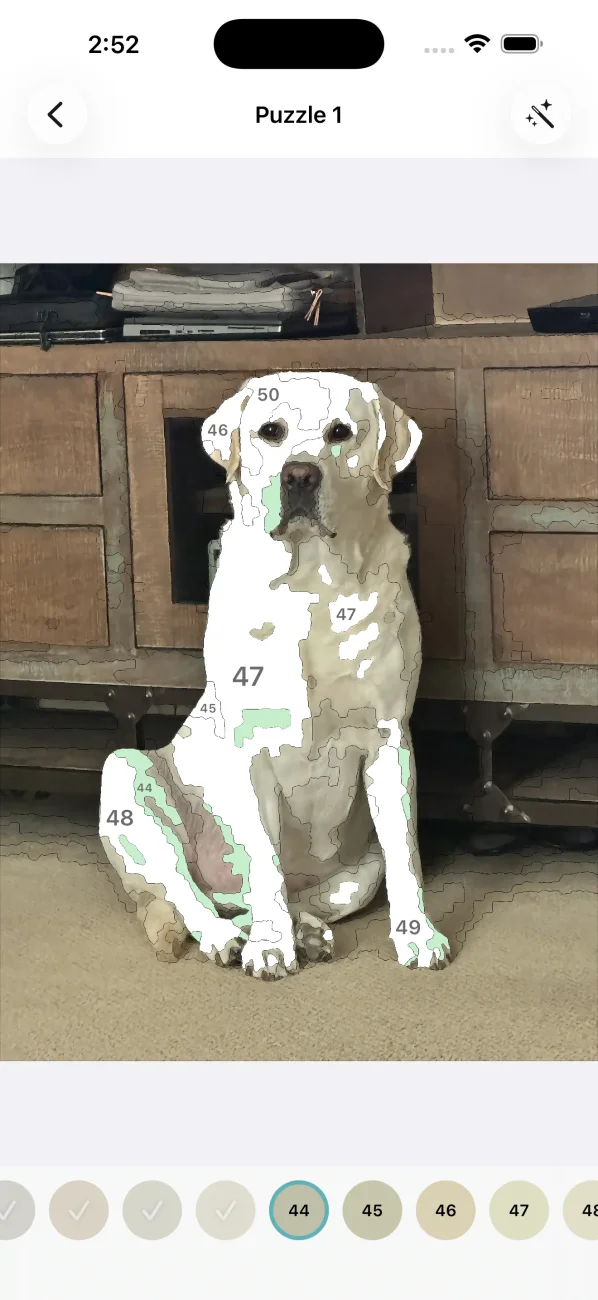
Pick a photo from your library and it becomes a real color-by-number puzzle, generated just for that image. Then the good part: as you fill each numbered region, the actual photograph appears underneath. Not a flat approximation. Not a cartoon version. The real picture, revealed one number at a time, until you're looking at the moment you started with.
It turns out that's a completely different feeling from coloring a stranger's drawing. You already know what the picture is. Watching it come back is the point.
HOW IT WORKS
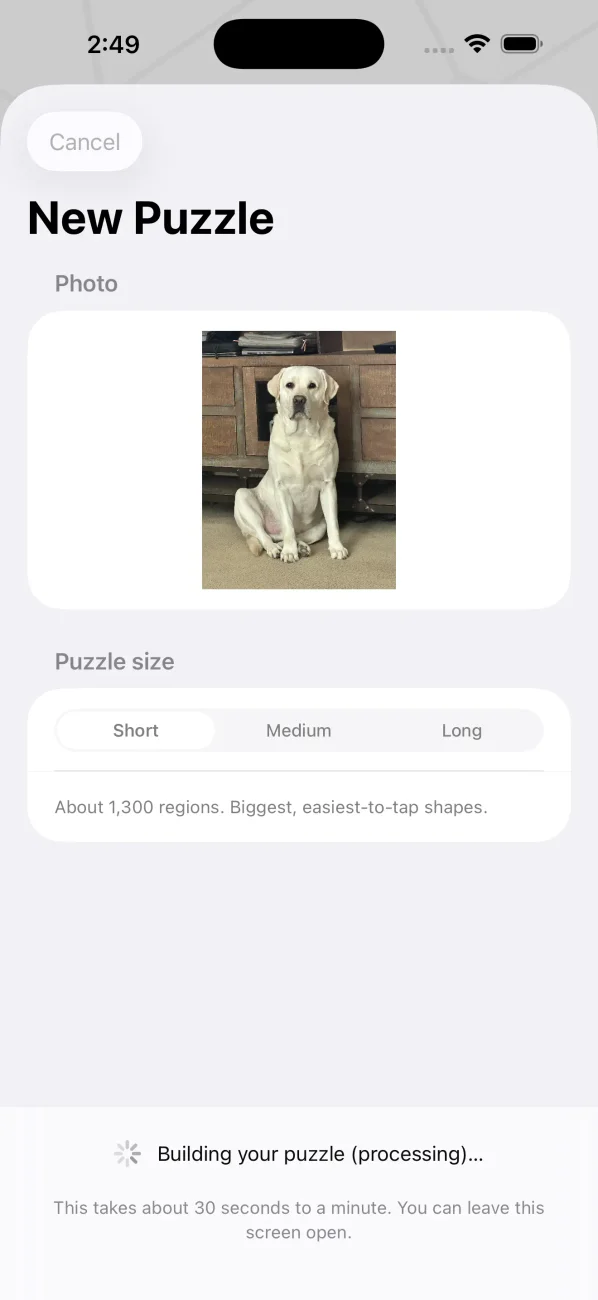
Choose a photo. Pick how long you want the puzzle to be. Wait about half a minute while it's built. Then start coloring.
Tap a region to fill it. Tap the wrong one and nothing happens, so you can work quickly without worrying. When you finish a color, the app moves you forward to the next one automatically. Pinch to zoom right in on the fine detail, and the numbers stay crisp at any magnification.
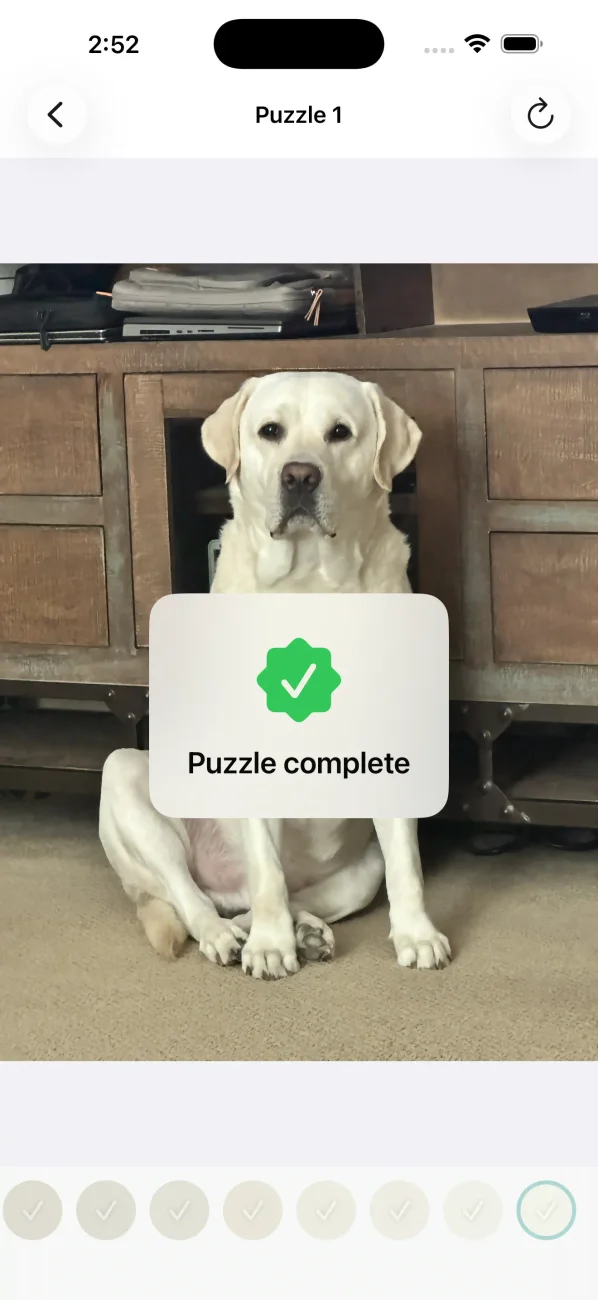
When the last region is filled, the outlines disappear and your photograph is simply there. Then it replays the whole thing from blank, in the order you actually colored it.
CHOOSE YOUR SESSION LENGTH
Short is 50 colors in the palette and roughly 1,300 regions with big, easy-to-tap shapes. An evening.
Medium is 100 colors and around 2,500. A few sittings.
Long is 200 colors and about 4,900 regions of fine detail. A proper project.
Every setting keeps about the same number of regions per color, so the hunt never gets harder as puzzles get longer. You're choosing how long you want to spend, not how difficult you want it to be.
MADE FOR ACTUALLY COLORING
Skip a color you're bored of and fill it in one tap.
Set the highlight tint to whatever's easiest on your eyes.
Progress saves as you go, and reopening a puzzle drops you back on the color you left off on.
Your library shows each puzzle as it currently stands, so you can see at a glance what's finished and what's waiting.
ABOUT YOUR PHOTOS
Your photo is uploaded to build the puzzle and is never kept on our server. The finished puzzle lives on your device.
No accounts. No sign-up. No ads.
REQUIREMENTS
iPhone and iPad running iOS 17 or later. An internet connection is needed to build a new puzzle; coloring works offline once it's on your device.
App privacy
What Shawn Strayer declares on the App Store about how this app handles data.
-
Data not collected
The developer does not collect any data from this app.
Privacy practices may vary, for example with the features you use or your age.
Information
- Seller
- Shawn Strayer
- Category
- Entertainment
- Version
- 1.0
- Updated
- Aug 25, 2026
- Released
- Aug 25, 2026
- Size
- 1.4 MB
- Requires
- iOS 17.6 or later
- Age rating
- 4+
- Price
- Free
- Languages
- English
- Copyright
- © Color My Memory, LLC
You might also like
-
 Marathon: TV & Movie TrackerEpisode Guide & Watchlist
-
 Thread & Needle: Cross StitchRelaxing Color by Number Art
-
 myColoring LiteColoring fun!
-
 Farbo: Paint by NumberColoring book from your photos
-
 Color Latte: Color by NumberRelaxing art coloring book
-
 Jigsaw Puzzle RelaxEntertainment
-
 Palettely: paint by numbersType a picture, paint it in
-
 VIDI: TV, Movie, Game TrackerWatchlist, Anime & Episodes
-
 ColorWave : Coloring for AllRelaxing Color by Number Fun
-
 Lakes Country 104.1Entertainment