
- Age rating4+
- CategoryBusiness
- DeveloperComcast Cable Communications
- LanguagesEnglish
- Size73.7 MB
Links to the official App Store page
Download.org hosts no file of Comcast Business. The button opens its official App Store page, published by Comcast Cable Communications. Listing last checked on Nov 21, 2026.
Screenshots


About
AVAILABLE TO COMCAST BUSINESS CUSTOMERS
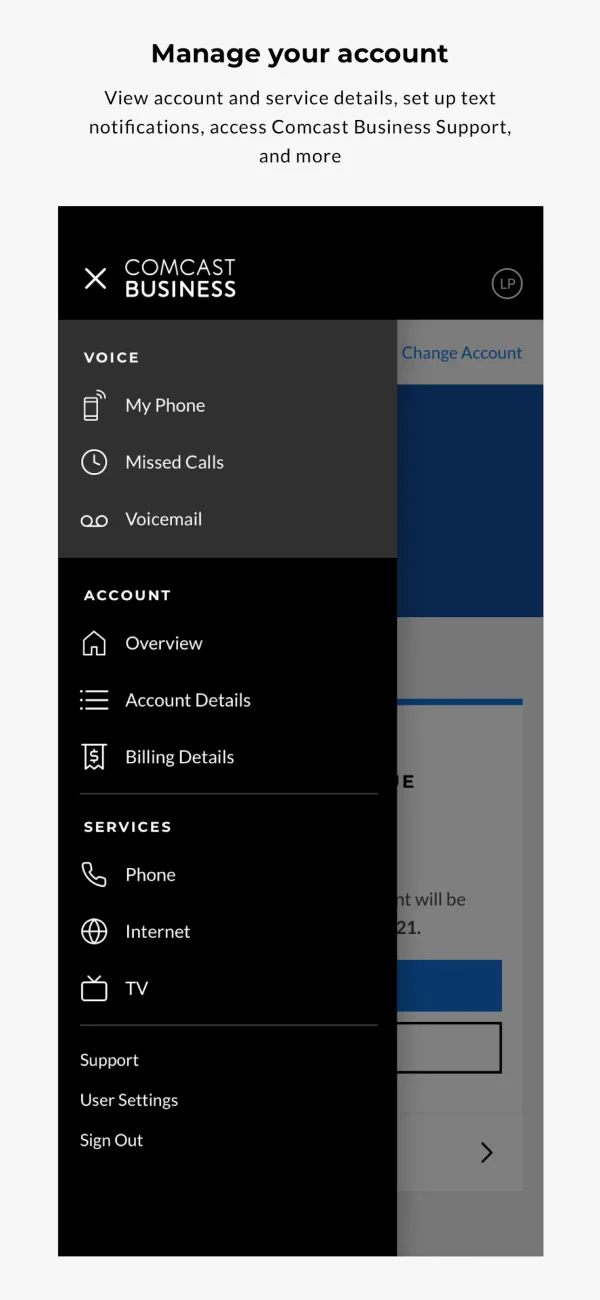
Access your Comcast Business account anytime and anywhere with the Comcast Business App—an innovative, all-in-one tool designed with your business in mind. With streamlined navigation and an intuitive layout, the Comcast Business App makes it easier than ever to manage your account on the go, right from your mobile device.
With the Comcast Business App, you can:
• Manage your account details
• View upcoming service appointments
• Pay your bill, view past invoices, and manage your payment methods
• Enroll in Auto Pay and Paperless Billing
• Manage WiFi networks, hotspots, and more
• Set up notifications for billing and service requests
• Stay up-to-date on your service status
• View your TV channel lineup
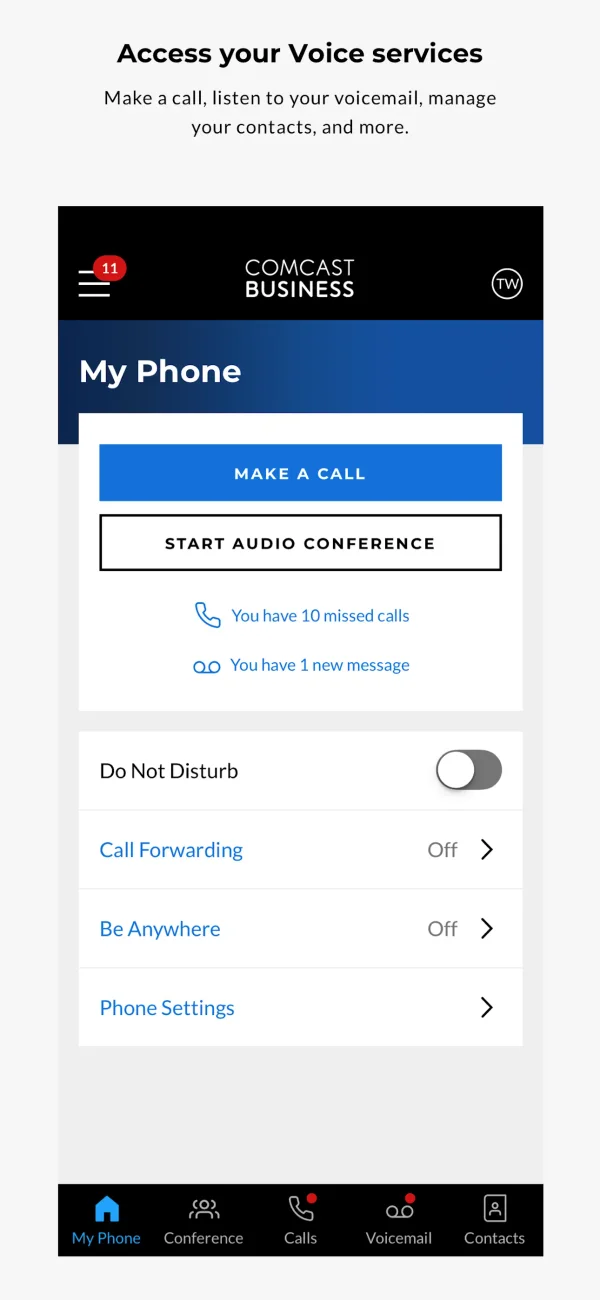
• Forward calls to your home, mobile phone, or colleagues with Call Forwarding
• Troubleshoot technical issues in a few easy steps
• Access Comcast Business Support
These features are available to Business Internet, Business TV, Business Voice, Business Voice Mobility, Business VoiceEdge™, and/or Business VoiceEdge Select™ customers and will vary depending on your services.
Comcast Business Voice Mobility, Business VoiceEdge®, and Business VoiceEdge Select™ customers can also:
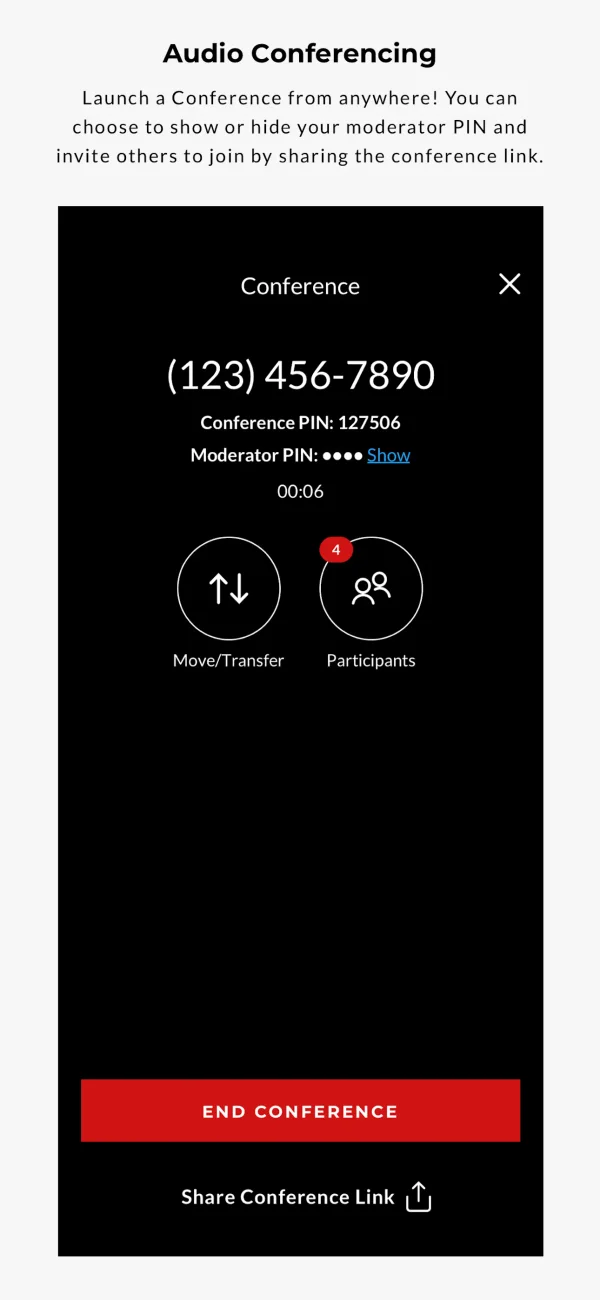
• Easily host a conference call for up to 50 participants (Business VoiceEdge® customers only)
• View recent calls, listen to and manage voicemail, and customize greetings
• Make outgoing calls through the app to display your business phone number on caller IDs
• Quickly transfer calls to colleagues or third parties
• Forward calls to your home, mobile phone, or colleagues with Call Forwarding
• Quickly move active calls to your Be Anywhere devices and desk phones
• Select the phones that will ring on inbound calls by managing Be Anywhere devices
• Easily manage security settings
These features will vary depending on your services.
You can submit feedback to CBMA_Feedback@comcast.com
What’s new
Version 5.17.0 · Nov 12, 2026
In this latest update, we’ve made some enhancements and minor bug fixes to improve your overall app experience.
App privacy
What Comcast Cable Communications declares on the App Store about how this app handles data.
-
Data linked to you
May be collected and linked to your identity.
- Financial info
- Contact info
- Identifiers
-
Data not linked to you
May be collected but is not linked to your identity.
- Contacts
- Diagnostics
Privacy practices may vary, for example with the features you use or your age.
Information
- Seller
- Comcast Cable Communications Management, LLC
- Category
- Business
- Version
- 5.17.0
- Updated
- Nov 12, 2026
- Released
- Jul 15, 2013
- Size
- 73.7 MB
- Requires
- iOS 15.0 or later
- Age rating
- 4+
- Price
- Free
- Languages
- English
- Copyright
- © 2023 Comcast Cable Communications. All rights reserved.
You might also like
-
 DoorDash - Business ManagerManage your DoorDash store
-
 Clover Go - Dashboard & POSRun your business on the Go
-
 ADP RUNMobile Payroll for Employers
-
 Uber Eats ManagerManage your business anywhere
-
 myCokeRestock Your Business
-
 LoopNet Real EstateCommercial Real Estate Search
-
 My Verizon For BusinessBusiness
-
 Yelp for Business AppRespond to reviews & leads
-
 Sysco ShopEasiest way to shop with Sysco
-
 Amazon Business: B2B ShoppingSeller & Wholesale Marketplace