Command for Philips Hue
Remote for Lights & Scenes
Designed for iPhone, iPad, Mac
Free · In-app purchases
- Age rating12+
- CategoryLifestyle
- DeveloperJoseph Leporati
- LanguagesEnglish+ 8 more
- Size48.1 MB
Links to the official App Store page
Download.org hosts no file of Command for Philips Hue. The button opens its official App Store page, published by Joseph Leporati. Listing last checked on Nov 25, 2026.
Screenshots
About
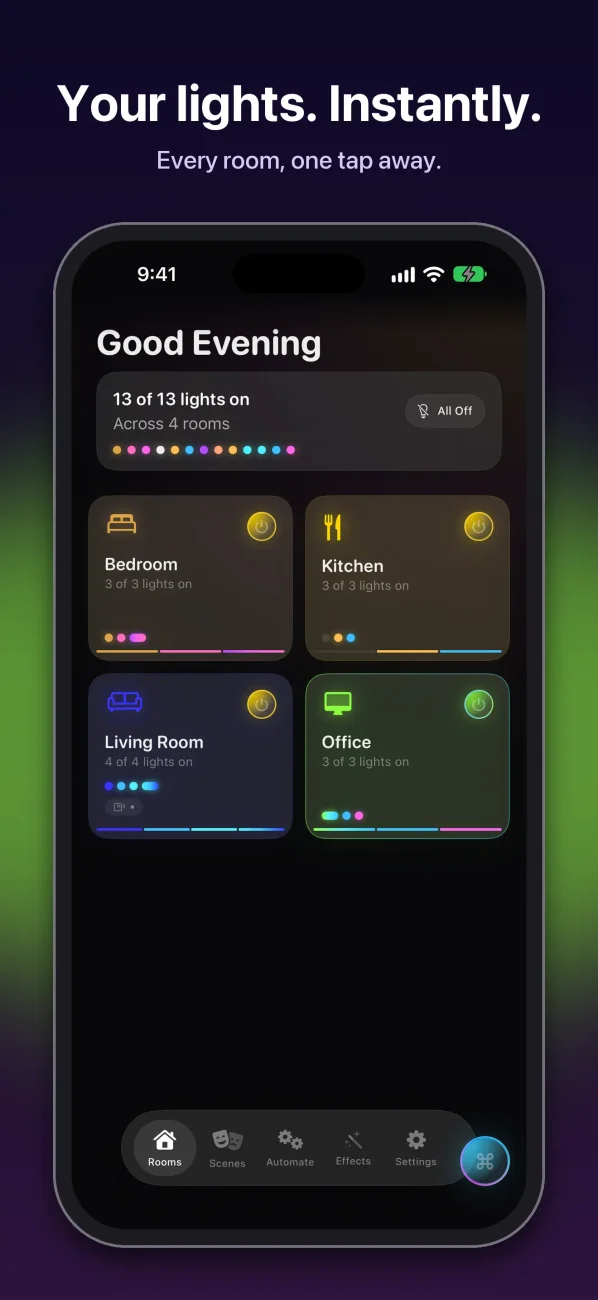
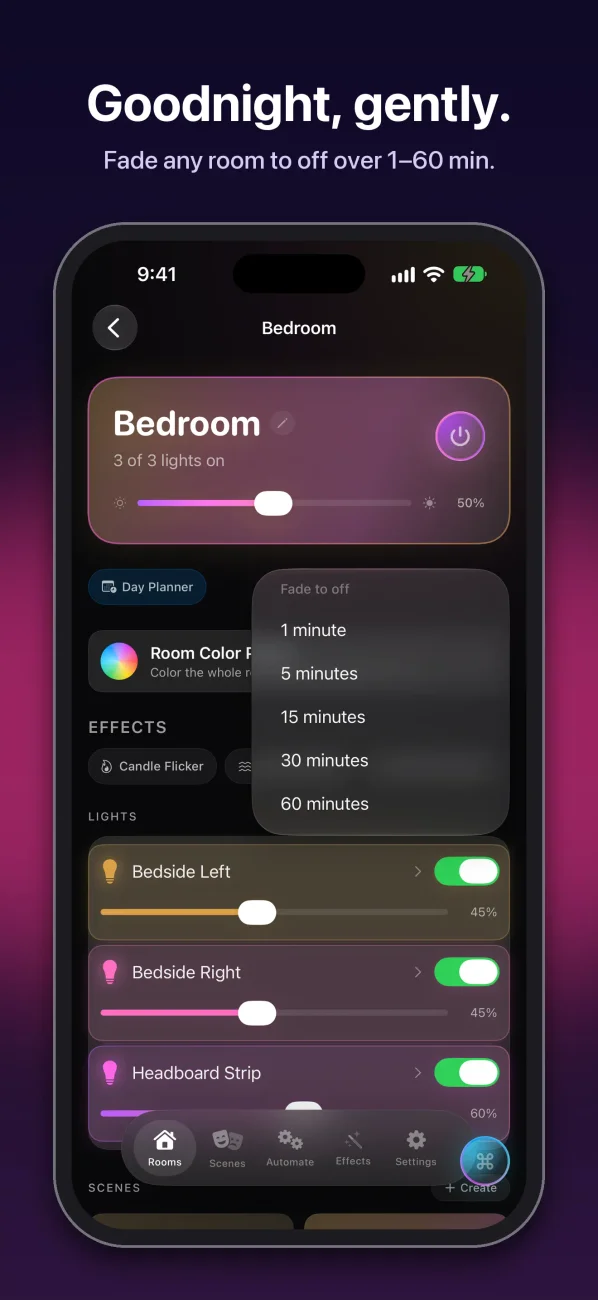
Command is the fast, dependable way to control your lights. It opens straight to your rooms and responds instantly, and your rooms are one swipe away in Control Center and on the Lock Screen. At bedtime, Goodnight fades any room gently to off.
WHAT'S NEW
• Zones: see and control your zones next to your rooms, and make scenes for them
• AI Scene Creator (Pro): describe a mood and get a scene, made on your device (needs Apple Intelligence, iOS 26 or later)
• Clearer messages when your Bridge refuses a change
HIGHLIGHTS
• Instant: opens straight to your rooms, with lights and scenes that respond the moment you tap
• All On and All Off for the whole house
• Goodnight: fade any room to off over 1 to 60 minutes. It runs on your Bridge, even after you close the app
• Room toggles in Control Center, on the Lock Screen and on the Action button (iOS 18 or later)
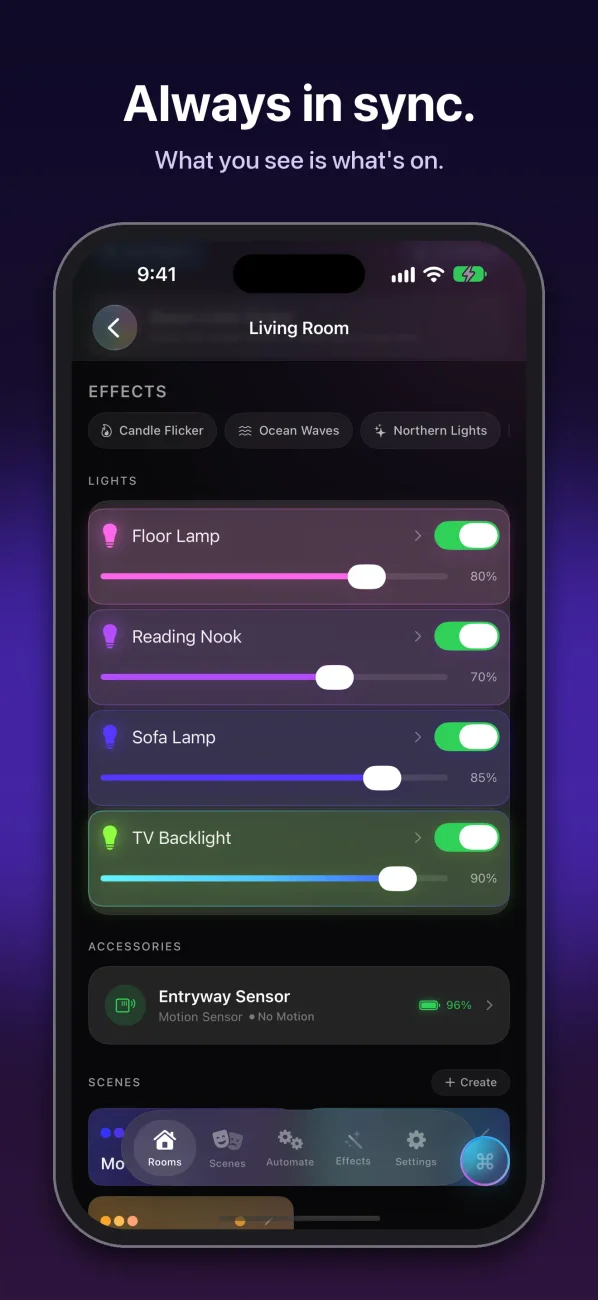
• Always in sync: reconnects on its own, finds your Bridge if its address changes, shows live sensors and batteries, and tells you if a change fails
• Made for iPad and iPhone Duo: more rooms at a glance, a side tab bar and a fold-aware layout
• Demo mode: explore every feature before you connect a Bridge
COMPLETE LIGHT CONTROL
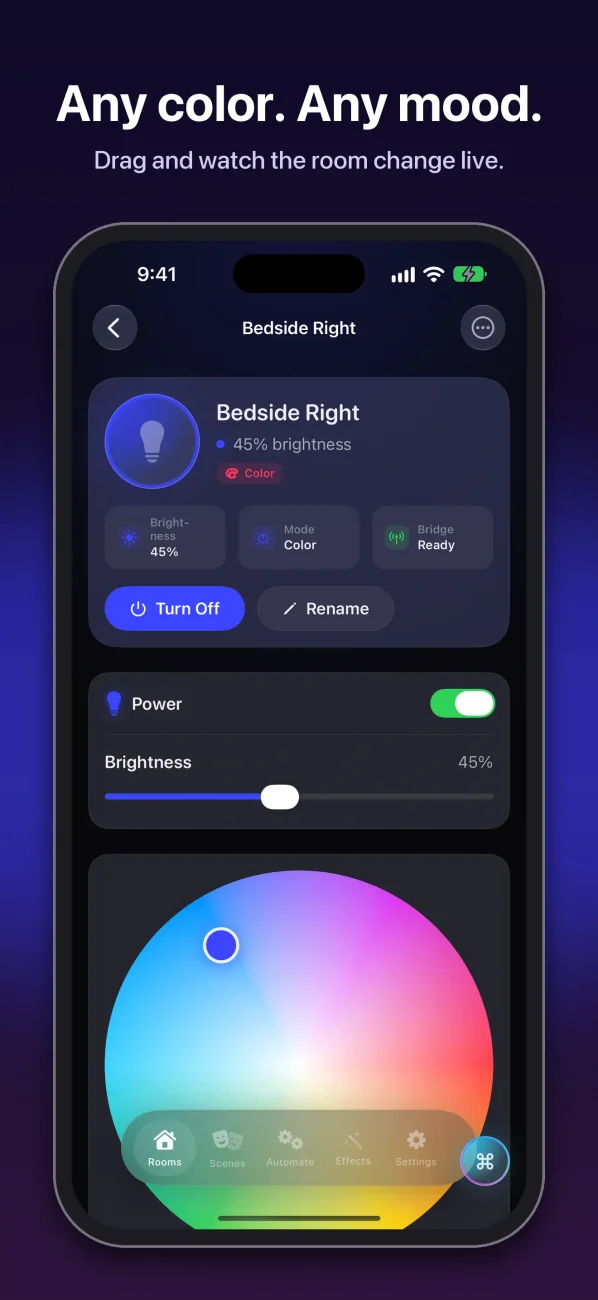
• Precise color picker with accurate XY color
• Color harmony overlays: complementary, analogous, triadic, split complementary
• Brightness, color temperature and on/off for every light
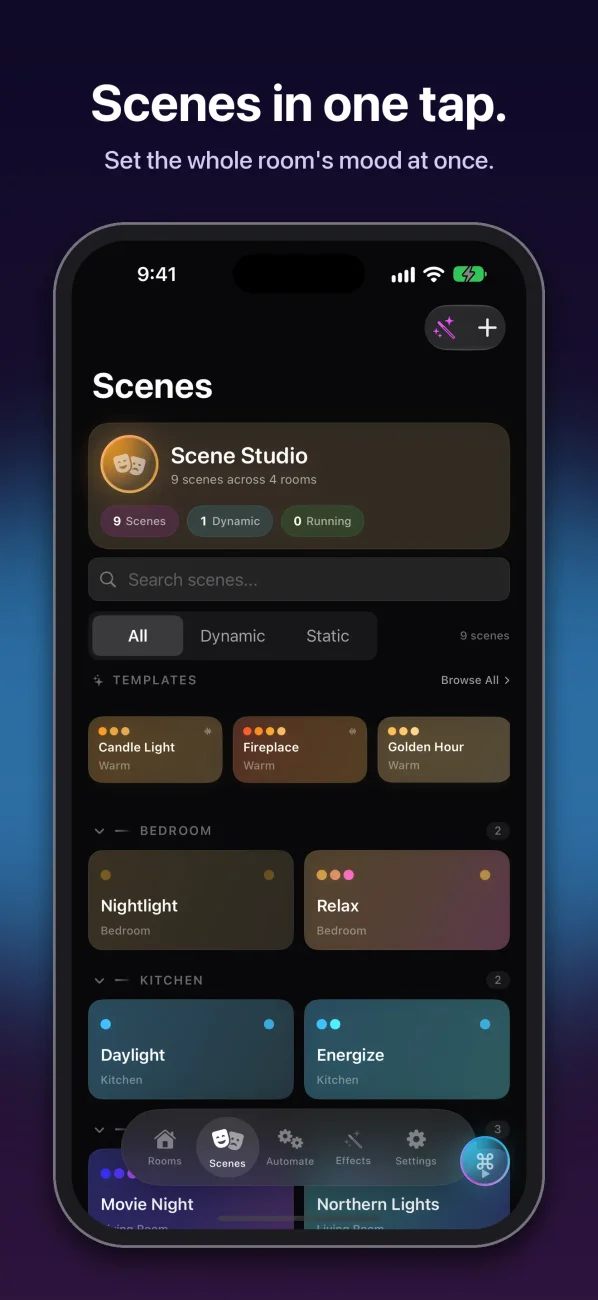
SCENES
• Create static or dynamic palette scenes and save them to your Bridge
• Set per-light colors visually, then name and save
• Activate scenes from room cards or the scene library
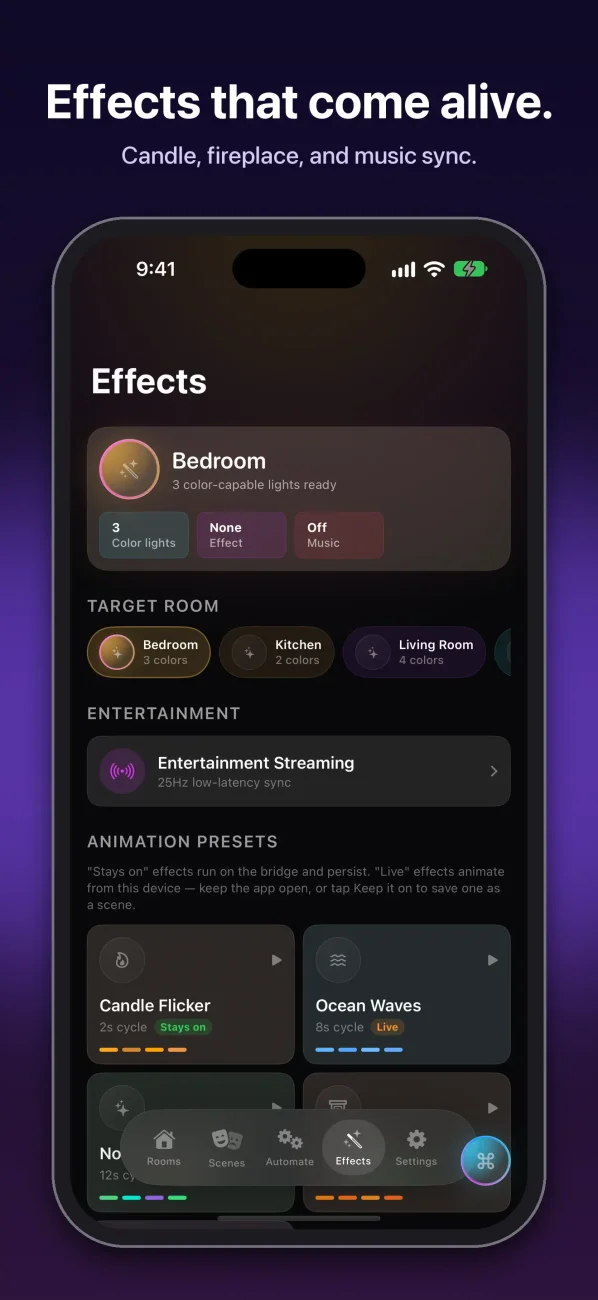
EFFECTS THAT STAY ON
• Candle, Fireplace and other animated effects
• Effects that run on your Bridge keep glowing after you close the app
ROOMS AT A GLANCE
• Every room with its live light status
• Quick toggle, brightness and scenes for each room
• Sensor and accessory status: motion, temperature, battery
CIRCADIAN LIGHTING
• Color temperature that follows the day
• Sunrise and sunset times based on your location
• Presets for wake, focus, relax and sleep
ENTERTAINMENT & MUSIC SYNC
• Real-time 25 Hz light streaming through the Entertainment API
• Music sync with 5-band frequency analysis
SWITCH & BUTTON PROGRAMMING
• Assign custom actions to dimmer switches, Tap, Smart Button and other switches
• Toggle rooms, start scenes or set brightness with any button press
GEOFENCING
• Start scenes automatically when you arrive or leave
• Processed on your device, with a custom radius per location
REMOTE ACCESS
• Control your lights from anywhere, not just on your home network
• Secure OAuth sign-in
ENERGY
• Estimated energy use per light and per room
• Daily, weekly and monthly kWh trends
MULTI-BRIDGE
• Connect and manage several Bridges at once
• Each Bridge keeps its own rooms and scenes
ON ALL YOUR APPLE DEVICES
• Native apps for iPhone, iPad, Mac, Apple TV and Apple Vision Pro
• Apple Watch companion and Home Screen widgets
• One Command Pro purchase works on all your Apple devices
Requires Bridge v2 or Bridge Pro. Control Center, Lock Screen and Action button controls need iOS 18 or later.
Light and room control, scenes, effects and circadian lighting are free. Command Pro adds remote access, multiple Bridges, automations, switch programming, AI scenes, energy insights and more, with a monthly or yearly subscription or a one-time lifetime purchase.
Command is an independent app and is not affiliated with, endorsed by, or sponsored by Signify or Philips. Philips and Hue are trademarks of Signify Holding.
Terms of Use (EULA): https://www.apple.com/legal/internet-services/itunes/dev/stdeula/
Privacy Policy: https://huecommand.com/privacy
What’s new
Version 1.2.8 · Nov 24, 2026
What's new in 1.2.8
• Set up your home in Command: search for new lights, switches and sensors, add or delete rooms, and remove devices you no longer use
• Create and delete entertainment areas (not on Apple TV)
• Start any scene at 25, 50, 75 or 100 percent brightness, and sort scenes by name or last used
• See movement and brightness for a room when its sensors report them
• Bridge Pro: see your MotionAware areas and turn them on or off
• Fixed: blinking a light in color now works
App privacy
What Joseph Leporati declares on the App Store about how this app handles data.
-
Data not linked to you
May be collected but is not linked to your identity.
- Purchases
- Identifiers
- Usage data
- Diagnostics
Privacy practices may vary, for example with the features you use or your age.
Information
- Seller
- Leporati Holdings, LLC
- Category
- Lifestyle
- Version
- 1.2.8
- Updated
- Nov 24, 2026
- Released
- Mar 30, 2026
- Size
- 48.1 MB
- Requires
- iOS 17.0 or later
- Age rating
- 12+
- Price
- Free
- In-app purchases
- Yes
- Languages
- English, Dutch, French, German, Italian, Japanese, Korean, Portuguese, Spanish
- Copyright
- © Leporati Holdings, LLC
You might also like
-
 all 4 hue (for Philips Hue)Powerful app for Philips hue
-
 hueDynamic for Philips HueLiterally everything for Hue!
-
 Hue LightsAdvanced control for Hue
-
 Hue Party for Philips HueDynamic light scenes
-
 Hue EssentialsFor Philips Hue,deCONZ,diyHue
-
 OnSwitch for Philips Hue#1 Rated Philips Hue App
-
 iLightShow for Philips HueMusic for Hue, LIFX, Nanoleaf
-
 LED Light Controller & RemoteRGB Strip, Bulb & Smart Home
-
 Philips HueOfficial Philips Hue app
-
 Eve for Matter & HomeKitLifestyle