
- Age rating4+
- CategoryNavigation
- DeveloperOna Pacholo Asis
- LanguagesEnglish+ 34 more
- Size38.7 MB
Links to the official App Store page
Download.org hosts no file of CompassOne. The button opens its official App Store page, published by Ona Pacholo Asis. Listing last checked on Nov 16, 2026.
Screenshots


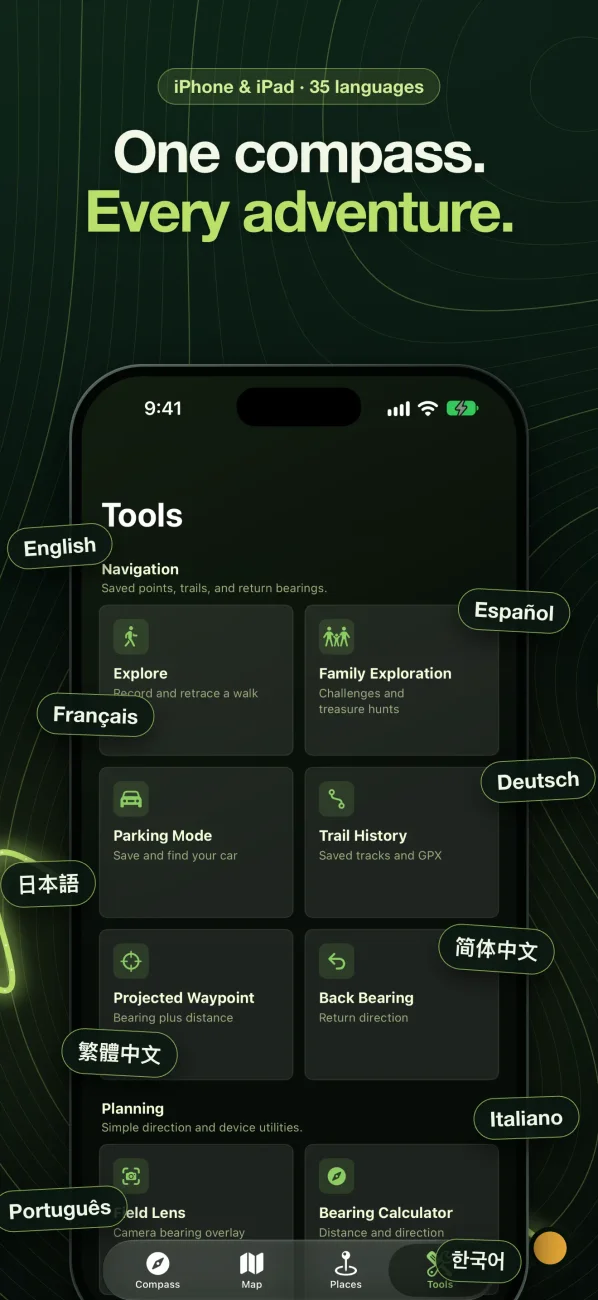
About
Never lose your way back. CompassOne is a clear, accurate compass with the field tools you actually use: record and retrace your walks, find your parked car, save the places you love and turn family walks into treasure hunts. On iPhone and iPad.
RECORD AND RETRACE
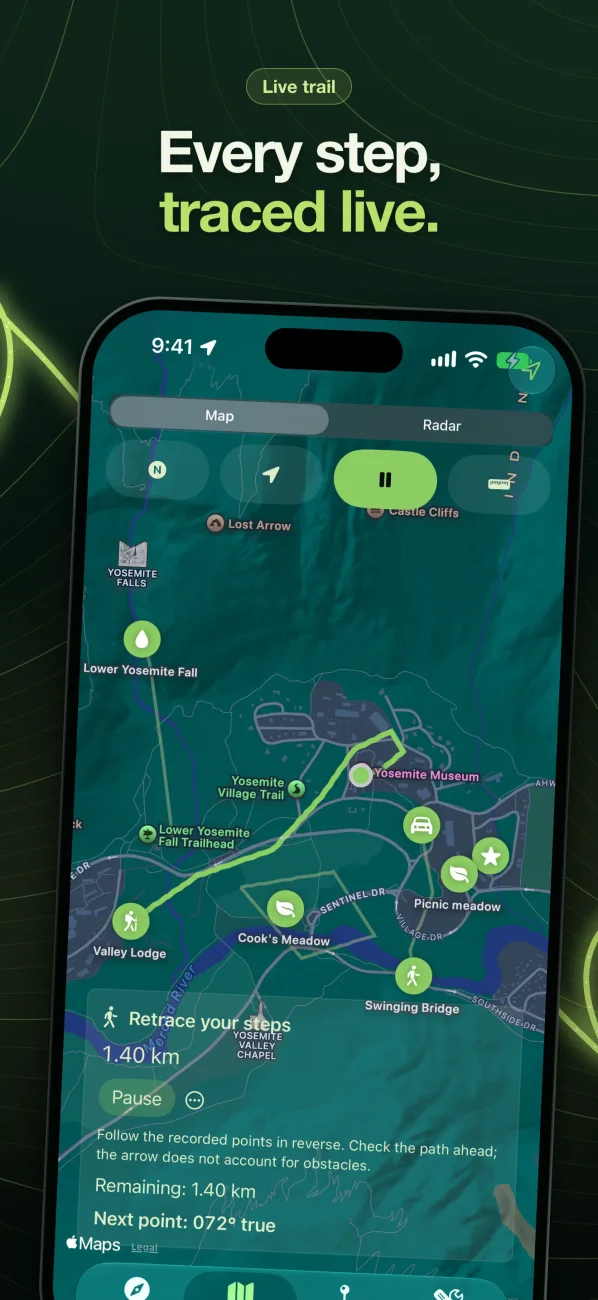
• Tap Start exploring to save your starting point and record your route, even with the screen locked
• Take me back guides you along your own path to where you began
• Watch your trail draw live on the map and review past walks in Trail History
• Export your trails as GPX
FIND YOUR CAR
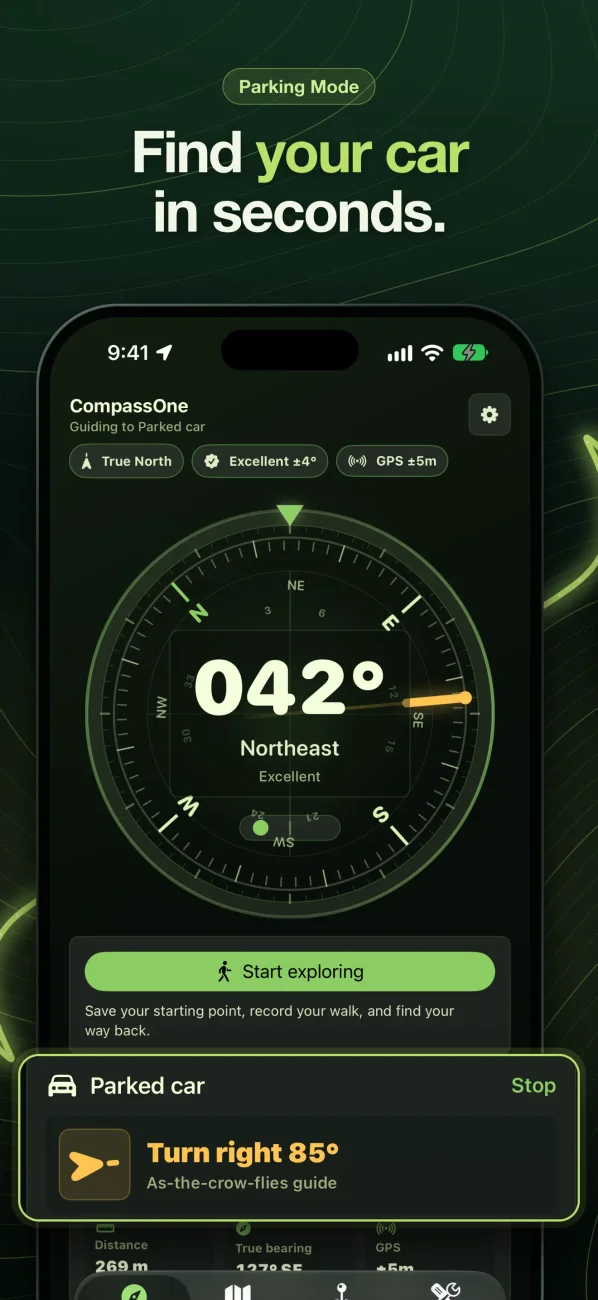
• Save your parking spot with a photo and a note like level, row or landmark
• Get a reminder before your parking expires
• Tap Guide Me and follow the arrow back to your car
FAMILY ADVENTURES
• Treasure hunts: turn saved places into a hunt with clues, then follow the arrow to each stop together
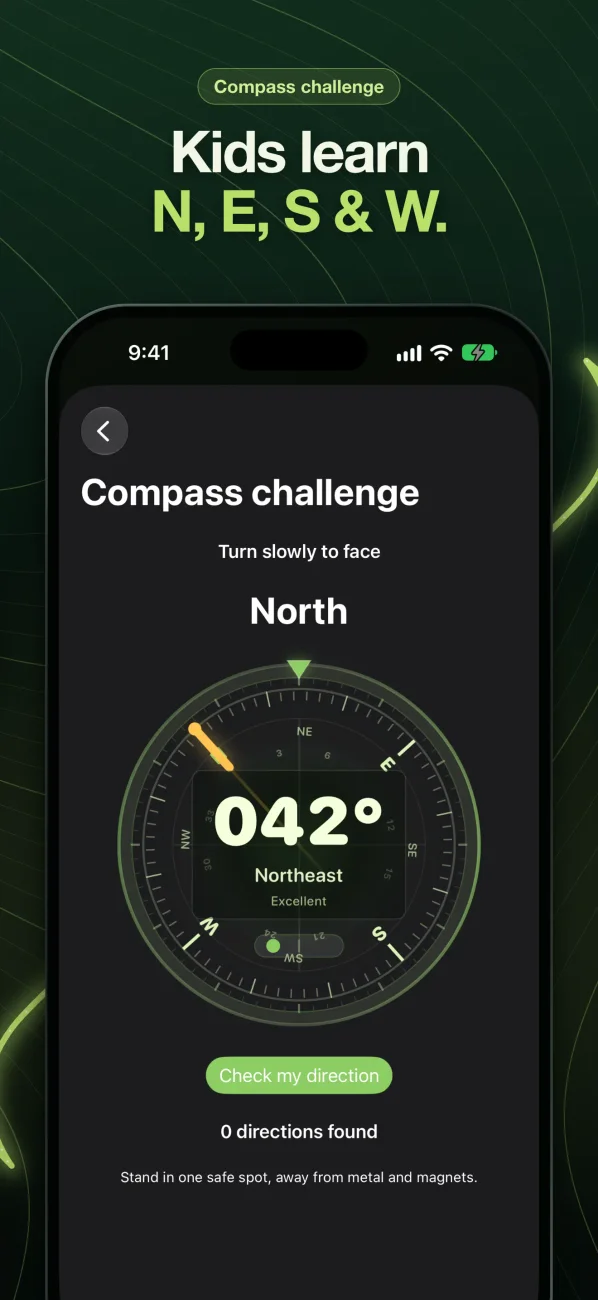
• Compass challenge: kids learn north, east, south and west by turning to face each direction
SAVED PLACES AND MAPS
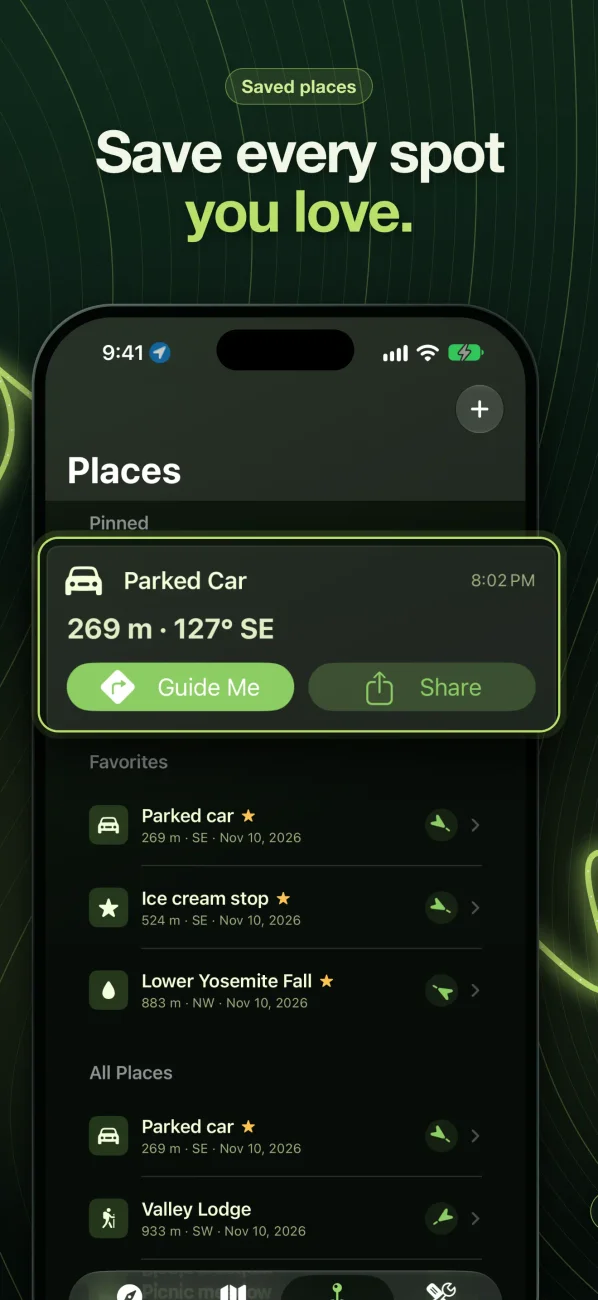
• Save any spot, then let Guide Me point the way back
• Share a place with its coordinates and links for Apple Maps and CompassOne
• See your places around you on the Map and Radar, and measure distances on the map
• Export your places as GPX, KML or CSV
COMPASS AND NAVIGATION TOOLS
• True or magnetic north, with adjustable heading smoothing
• Projected Waypoint: find a point from a bearing and a distance
• Back Bearing for your return direction
• Bearing Calculator for the distance and direction between two points
• Level for tilt and flatness
COORDINATES
• See your location in decimal degrees, DMS, DDM, UTM or Plus Code
• Convert between formats with the Coordinate Converter
WIDGETS AND SHORTCUTS
• Home Screen and Lock Screen widgets
• Shortcuts to open the compass, save your current place, share your location, guide you to your car or open the level
PRIVATE BY DESIGN
• Your places, trails and parking stay on your device unless you share or export them
Available in 35 languages.
Standard EULA: https://www.apple.com/legal/internet-services/itunes/dev/stdeula/
What’s new
Version 1.0.3 · Nov 15, 2026
Never lose your way back.
• Record & retrace walks: Tap Start exploring to save your starting point and record your route, even with the screen locked. When it's time to head back, Take me back guides you along your own path.
• Find your car: Add a photo of your parking spot and get a reminder before your parking expires.
• Treasure hunts: Turn your saved places into a hunt with clues, then follow the arrow to each one together.
• Compass challenge: Kids learn north, east, south and west by turning to face each direction.
• Share a destination: Send a saved place with its coordinates and links for Apple Maps and CompassOne.
• Now on iPad, with the full compass and toolkit.
• 35 languages, now including Bengali and Urdu. Compass dials and arrows also point the right way in Arabic, Hebrew and Urdu.
App privacy
What Ona Pacholo Asis declares on the App Store about how this app handles data.
-
Data not collected
The developer does not collect any data from this app.
Privacy practices may vary, for example with the features you use or your age.
Information
- Seller
- Ona Pacholo Asis
- Category
- Navigation
- Version
- 1.0.3
- Updated
- Nov 15, 2026
- Released
- Aug 3, 2026
- Size
- 38.7 MB
- Requires
- iOS 17.0 or later
- Age rating
- 4+
- Price
- $2.99
- Languages
- English, Arabic, Bengali, Catalan, Croatian, Czech, Danish, Dutch, Finnish, French, German, Greek + 23 more
- Copyright
- © 2026 QnSub
You might also like
-
 Calming Tiny WandersRelaxing short walks in nature
-
 Currency++Exchange & AI Safety
-
 Save Locations with PhotosAdd places to offline maps
-
 Range Finder Tooldistance and angle measurement
-
 TOODL: Departure & ETA TimerLive Traffic & Departure Alarm
-
 Speedometer Lite - Mph TrackerTachometer & Drive Tracker
-
 Hike, Sail, Fly: GPS LocatorPrivate GPS & GPX tracker
-
 Explored: Places Visited MapFind Where You Haven’t Been
-
 GPS MetricsLive GPS, track, nmea & export
-
 Nomad Translator - No InternetVoice, Text & Photo Offline