
CompilePilot: Build & Agents
Run apps, tests & AI agents
Designed for iPhone, iPad
Free · In-app purchases
- Age rating4+
- CategoryDeveloper Tools
- DeveloperCristian Gabriel Morales
- LanguagesEnglish+ 1 more
- Size47.0 MB
Links to the official App Store page
Download.org hosts no file of CompilePilot: Build & Agents. The button opens its official App Store page, published by Cristian Gabriel Morales. Listing last checked on Nov 24, 2026.
Screenshots


About
CompilePilot lets you start and follow builds on your Mac from your iPhone or iPad.
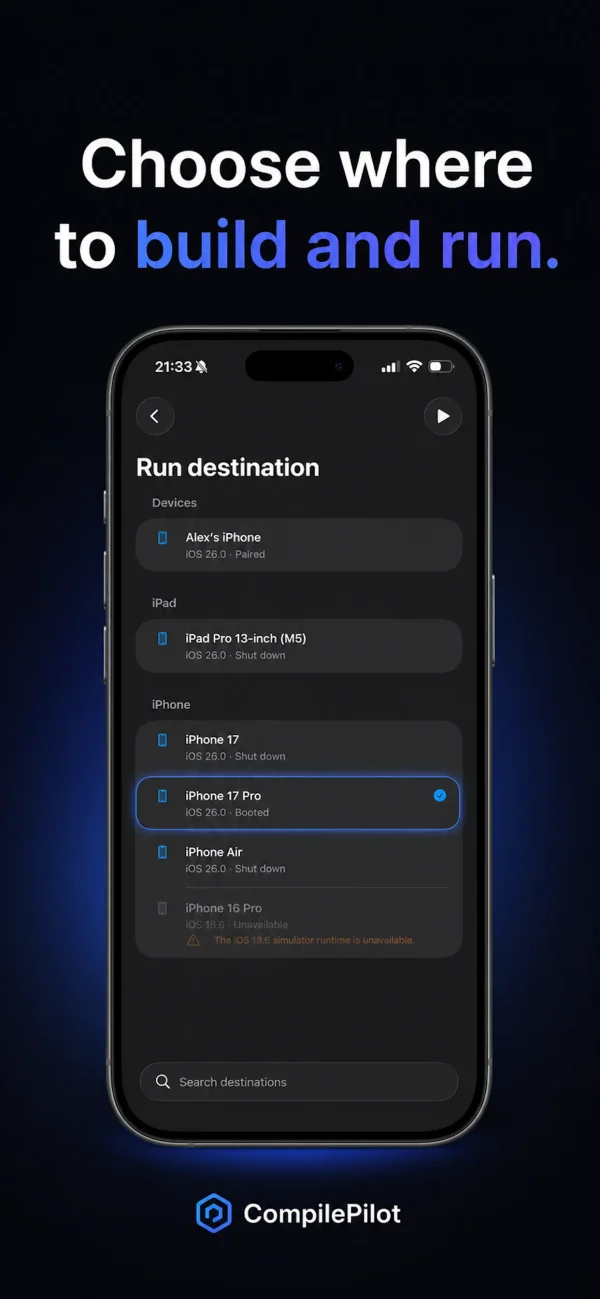
Choose a project, scheme, and destination, then put the build in motion without going
back to your desk.
Your Mac still does the work: compilation, signing, installation, and launch use the
Xcode command-line tools you already have installed. CompilePilot displays the
progress and complete output, but never downloads or runs executable code on your
iPhone or iPad.
Key features:
- Direct local-network connection through the Companion or SSH.
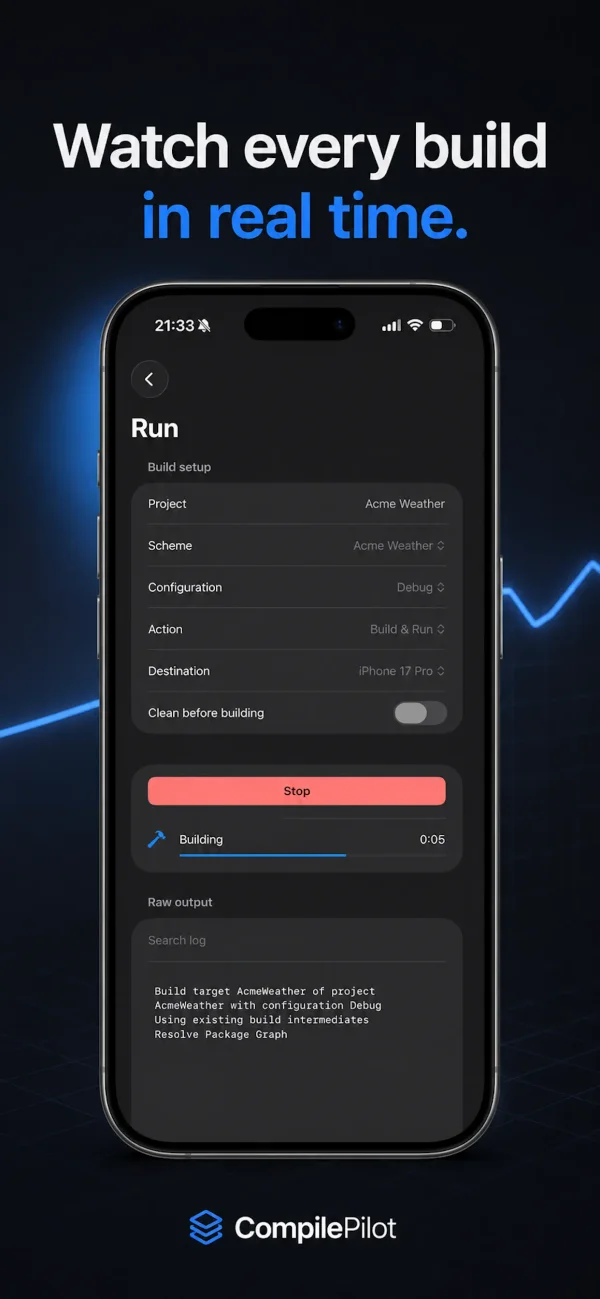
- Project, workspace, scheme, and configuration inventory.
- Selection of available simulators and development devices.
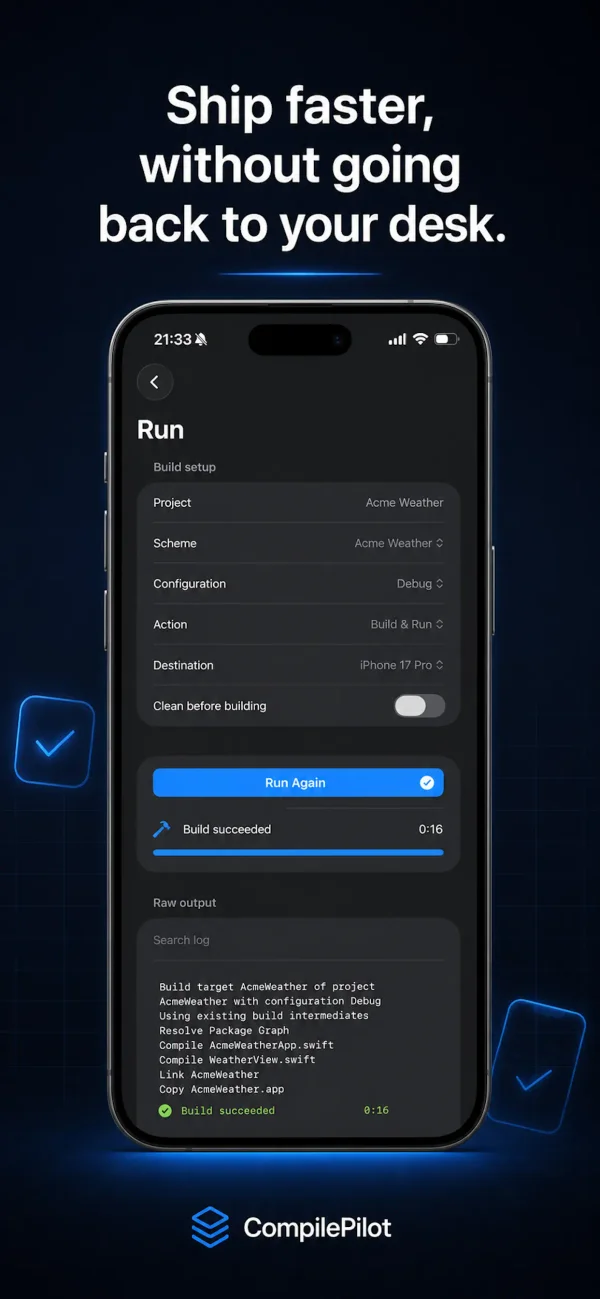
- Remote build and run with progress and a detailed log.
- A free Mac Companion, with local-network discovery and six-digit pairing.
- Live Simulator: watch and touch your Mac's simulator from your iPhone or iPad.
- Coding-agent sessions on your Mac (Claude Code, Codex, opencode) that you read and type from your iPhone or iPad. Requires the Companion.
- Siri and Shortcuts: ask how your build is going, run one again, or cancel it. A status widget, and an Apple Watch app with complications. Requires the Companion.
- Tell your coding agent what to do next, from Siri or your watch, once it has finished its turn. Permission prompts are still answered on your iPhone. Requires the Companion.
- Optional notifications when a build finishes or your agent is waiting, even away from home, encrypted on your Mac, and the running build on your Lock Screen. Requires the Companion.
- Projects and agent sessions from all your Macs in one list. On iPad, the list and the details side by side.
- A complete Demo Mode that works without a Mac or network connection.
- Credentials stored in the device Keychain.
There are no accounts, advertising analytics, tracking, or relay servers. Your iPhone
or iPad communicates directly with your own Mac.
Terms of Use: https://www.apple.com/legal/internet-services/itunes/dev/stdeula/
What’s new
Version 4.8.0 · Nov 21, 2026
• A floating simulator preview inside the conversation with your agent.
• Send your agent a screenshot or build and test errors, reviewed before sending.
• Saved instructions for the app, Shortcuts and Apple Watch.
• Git changes by file, and push or pull request with confirmation.
• More simulator tools: photos and videos, Face ID and Touch ID, app permissions and data.
• Pick tests from the active plan and rerun the ones that failed.
• Pair by scanning your Mac's QR code.
• Remote intervention: control a window on your unlocked Mac.
• View the screen of an iPhone or iPad connected to your Mac by cable.
New features require Companion 3.9.4 on your Mac.
App privacy
What Cristian Gabriel Morales declares on the App Store about how this app handles data.
-
Data not collected
The developer does not collect any data from this app.
Privacy practices may vary, for example with the features you use or your age.
Information
- Seller
- Cristian Gabriel Morales
- Category
- Developer Tools
- Version
- 4.8.0
- Updated
- Nov 21, 2026
- Released
- Sep 8, 2026
- Size
- 47.0 MB
- Requires
- iOS 18.0 or later
- Age rating
- 4+
- Price
- Free
- In-app purchases
- Yes
- Languages
- English, Spanish
- Copyright
- © 2026 CompilePilot
You might also like
-
 CodeShellSSH Terminal, SFTP & AI Agents
-
 BitMagicBitrise Client
-
 ReqPad - API Client & TesterREST, GraphQL, gRPC & MQTT
-
 box by SimularThe cloud computer for agents
-
 Buildio - Bitrise clientMultiaccount Bitrise client
-
 CodePad – Code Editor & IDEWrite & Run Offline
-
 Snapp AI: Build Apps with AIMobile App & Website Builder
-
 AICodingYour AI genius coding buddy
-
 SwiftMate: Swift Code EditorCompiler, IDE & Playground
-
 SSH TerminatorDeveloper Tools