
console.mobi: Web DevTools
Inspect Element & JS Console
Designed for iPhone, iPad, iPod touch
Free · In-app purchases
- Age rating17+
- CategoryDeveloper Tools
- DeveloperNOS K.K.
- LanguagesEnglish
- Size41.5 MB
Links to the official App Store page
Download.org hosts no file of console.mobi: Web DevTools. The button opens its official App Store page, published by NOS K.K. Listing last checked on Nov 23, 2026.
Screenshots
About
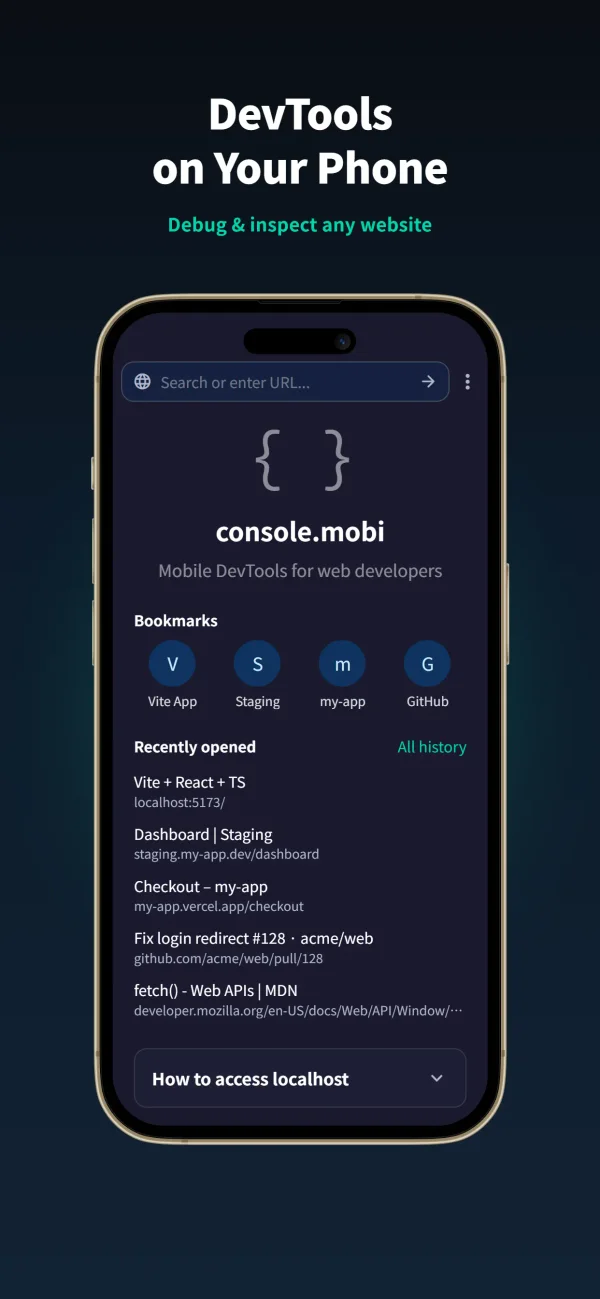
console.mobi is a mobile browser with built-in DevTools for web developers.
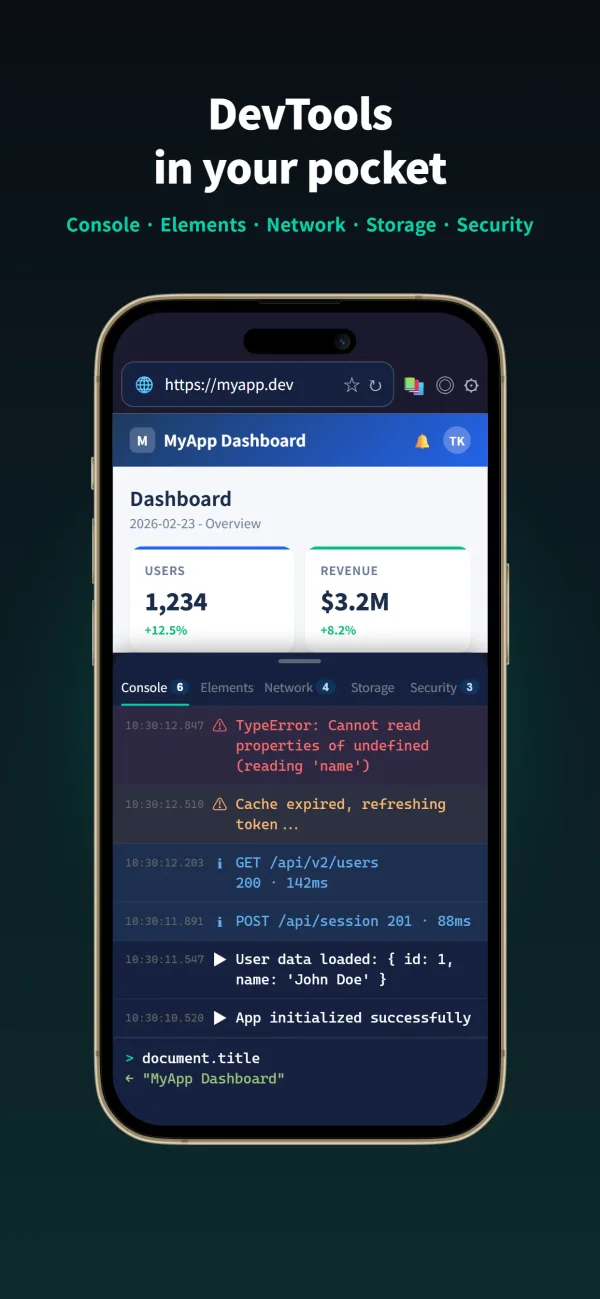
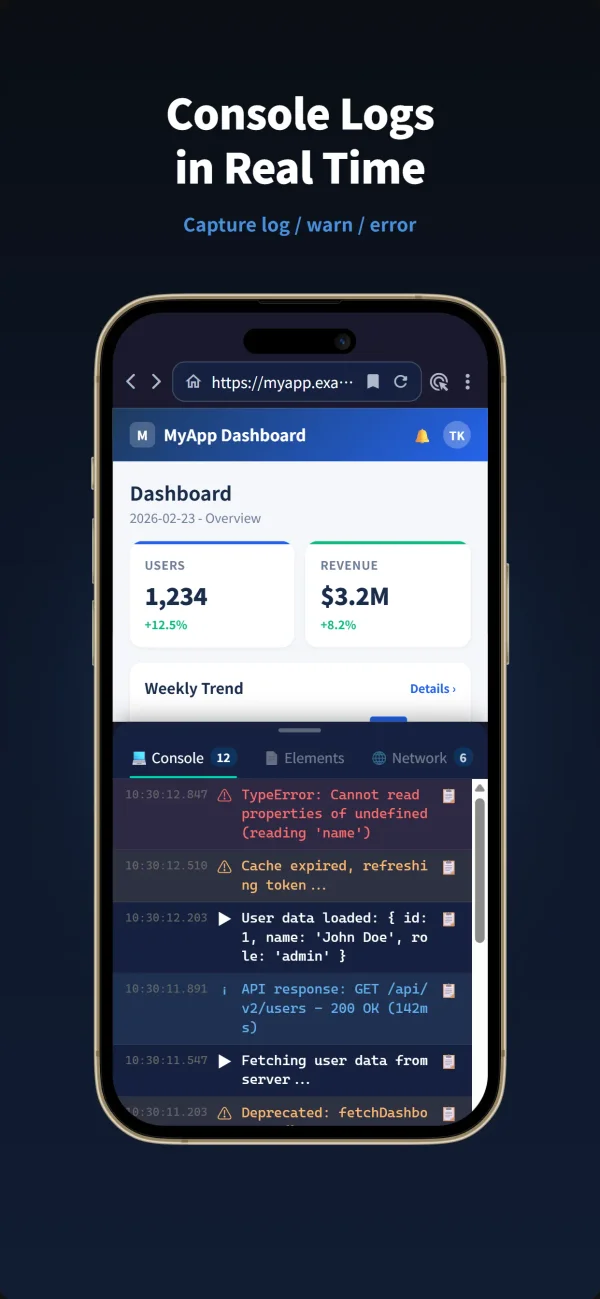
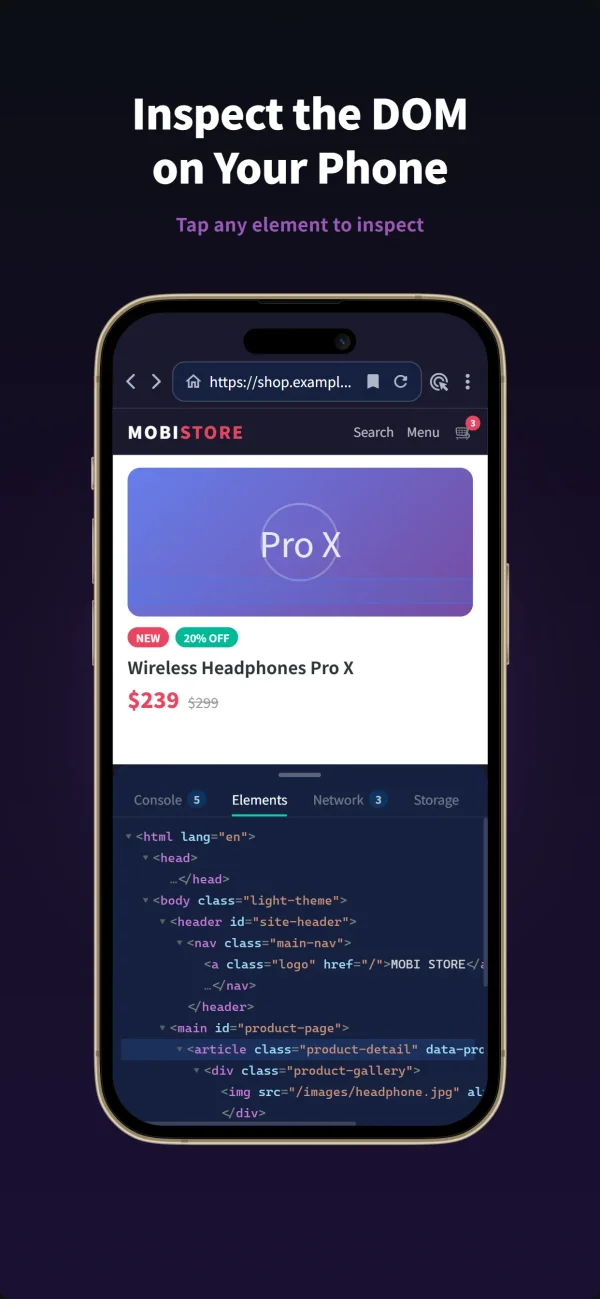
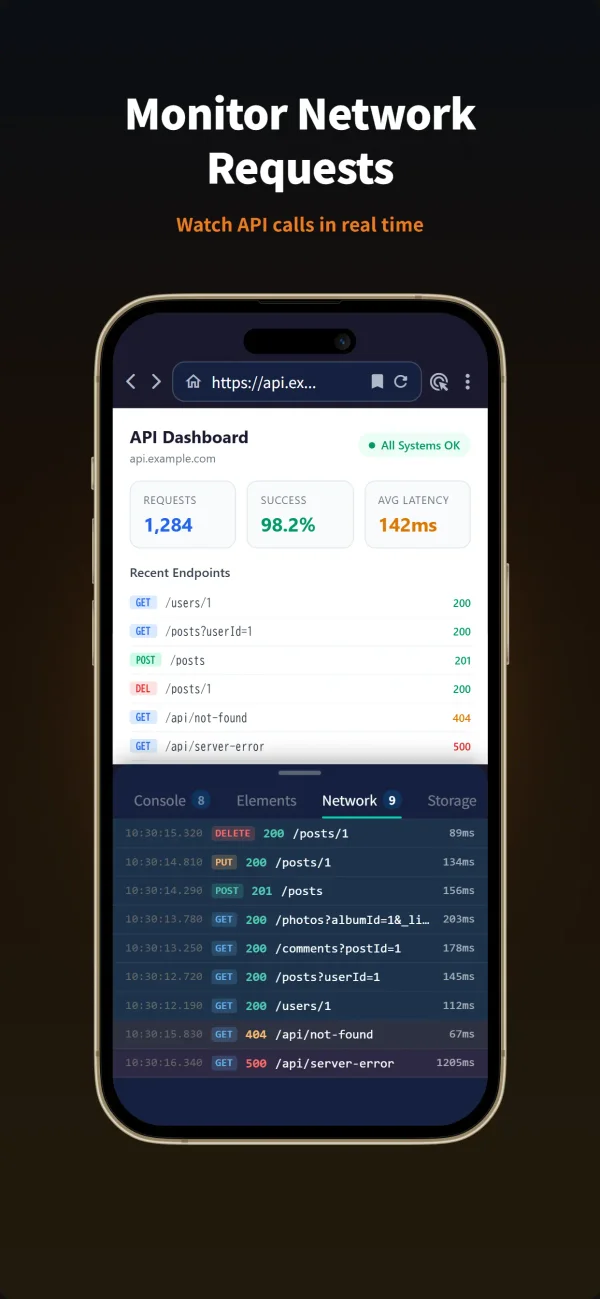
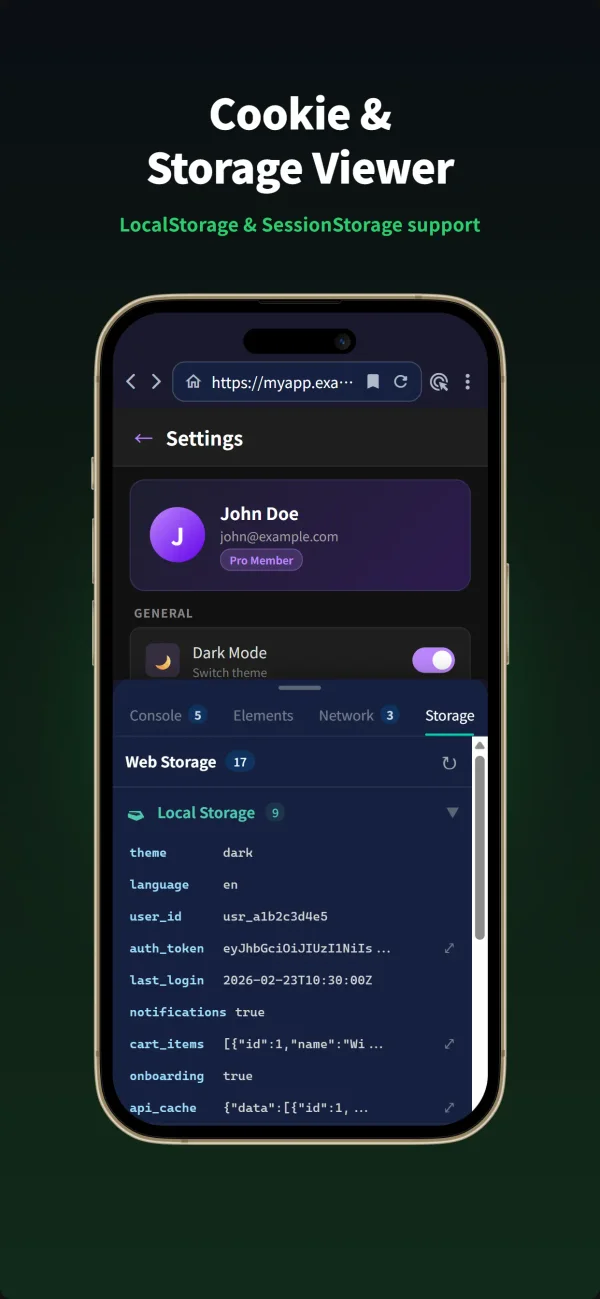
Just like Chrome DevTools on the desktop, you can debug websites right on your phone — capture console logs and errors in real time, inspect the DOM tree, monitor network requests, and view Storage and Cookies.
KEY FEATURES
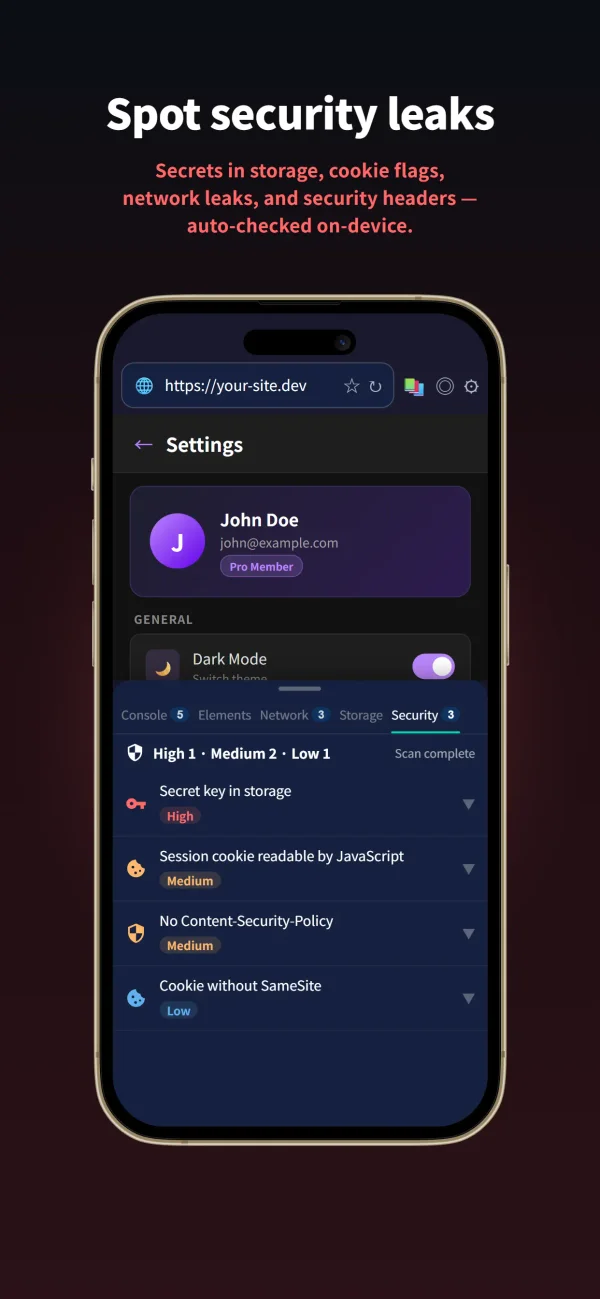
• Security (NEW): automatically checks the open page for exposed secrets in storage and in the page's own JavaScript and source maps, cookie flags (HttpOnly / Secure / SameSite), network leaks, vulnerable libraries and missing security headers — on your device. The number of findings is free; locations and fixes are in Pro
• Console: capture console.log / warn / error / info plus uncaught errors and promise rejections, with color-coded output
• Elements: browse the live DOM tree and tap "Inspect" to highlight and examine any element
• Network: monitor fetch / XHR requests with status, timing, headers and body
• Copy & share: copy a request's URL or response, or share a request as text
• Search: filter Console logs, find Network requests by URL, method or status, and step through matching elements in Elements
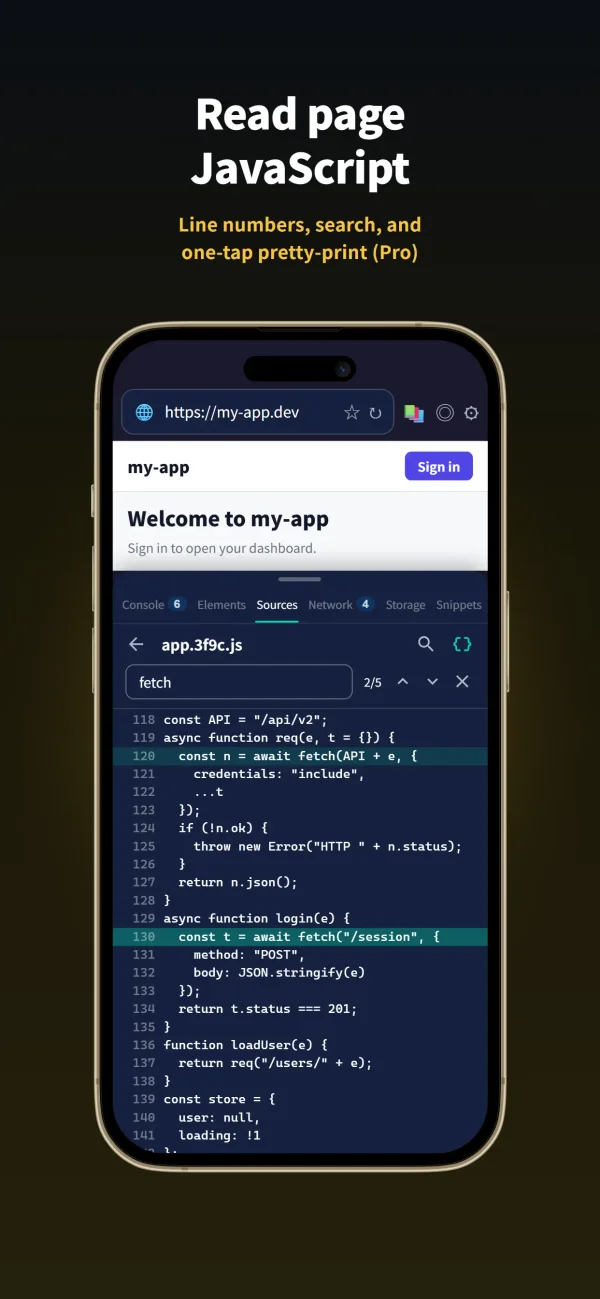
• Sources (NEW): list the JavaScript files the page loaded, grouped by site (inline scripts included), view them with line numbers and search inside a file
• Storage: view localStorage, sessionStorage and Cookies
• URL History: revisit pages quickly with a Chrome-style address bar
• Home screen: your bookmarks as tiles and recently opened pages
• Bookmarks, dark / light themes, Japanese & English
DEVELOPER POWER TOOLS (Pro)
• Security details: see where each issue is, masked values and how to fix it
• Console REPL: run JavaScript directly on the current page and see results instantly
• Storage Manager: edit and delete localStorage / sessionStorage / Cookies
• Custom Snippets: save frequently used code and run it with one tap
• Sources pretty-print: format minified JavaScript with the { } button
• Full-Page Screenshot: capture the entire page, including off-screen content, as a single image and share
console.mobi Pro is available as a monthly or yearly subscription, or as a one-time lifetime purchase. Some of the features above require Pro.
Terms of Use (EULA): https://www.apple.com/legal/internet-services/itunes/dev/stdeula/
Privacy Policy: https://www.nos-co.jp/apps/privacy/console-mobi
What’s new
Version 1.2.13 · Nov 17, 2026
• Search inside Console, Network and Elements.
• New Sources tab: read the page's JavaScript with line numbers (Pro: pretty-print with { }).
• Copy or share a request's URL and response.
• Your bookmarks and recently opened pages now appear on the home screen.
• Buy the developer a coffee from Settings (it doesn't unlock features).
App privacy
What NOS K.K. declares on the App Store about how this app handles data.
-
Data not linked to you
May be collected but is not linked to your identity.
- Usage data
Privacy practices may vary, for example with the features you use or your age.
Information
- Seller
- NOS K.K.
- Category
- Developer Tools
- Version
- 1.2.13
- Updated
- Nov 17, 2026
- Released
- Mar 28, 2026
- Size
- 41.5 MB
- Requires
- iOS 15.0 or later
- Age rating
- 17+
- Price
- Free
- In-app purchases
- Yes
- Languages
- English
- Copyright
- © 2026 NOS Inc.
You might also like
-
 DeltaPad: JSON & Dev ToolsJWT, Regex & Base64 Offline
-
 Cmdora: Remote Mac DevAI tasks, builds, terminal
-
 DevStash: Bookmark ManagerSave articles, code and notes
-
 dev-mux: AI coding fleet mgmtWatch & steer all your agents
-
 Dev Tools KitJSON, Base64, hash, JWT & more
-
 AgentLiveSSE Log Viewer
-
 Pier ShellNative SSH & SFTP Client
-
 BuildClawWebsite Generator using prompt
-
 Bugzilla++Enhanced Bugzilla experience
-
 Crackd: Dev InterviewAI-Powered Interview Prep