
Construction forms & templates
forms templates and documents
Designed for iPhone, iPad, iPod touch
Free · In-app purchases
- Age rating4+
- CategoryProductivity
- DeveloperBinary And Bricks Pvt Ltd
- LanguagesEnglish
- Size79.3 MB
Links to the official App Store page
Download.org hosts no file of Construction forms & templates. The button opens its official App Store page, published by Binary And Bricks Pvt Ltd. Listing last checked on Nov 16, 2026.
Screenshots


About
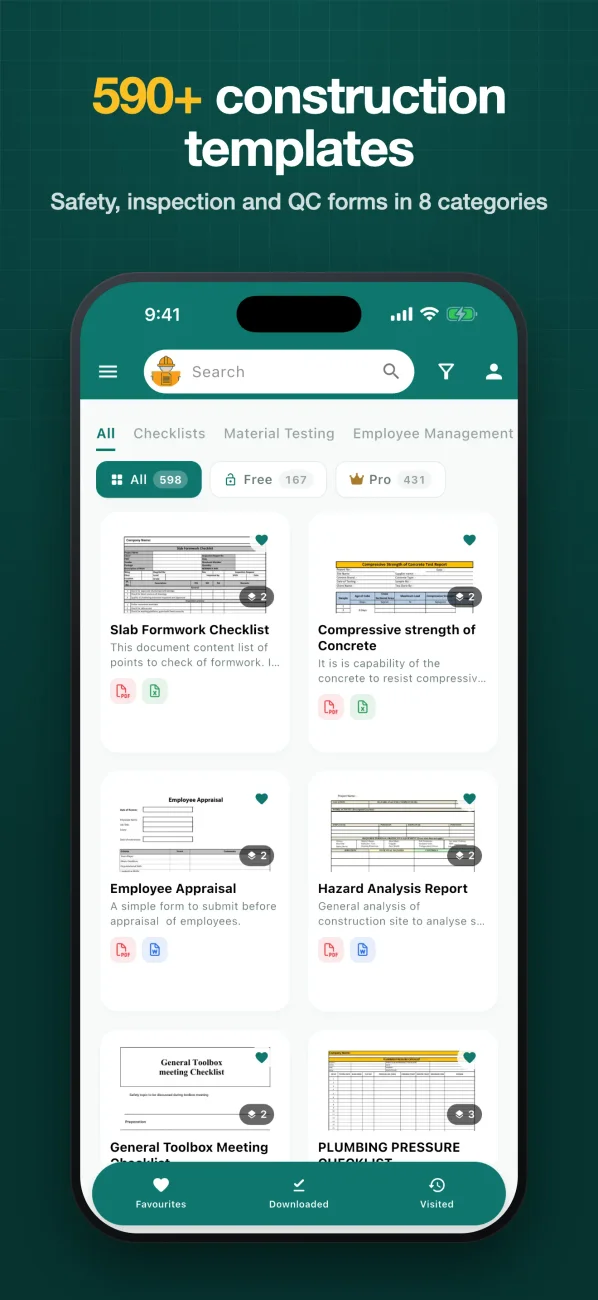
Construction Forms & Templates – Fill, Sign & Share Construction Documents
Access a complete library of ready-to-use construction forms, templates, checklists and documents – and now fill in more than 500 of them right inside the app. Complete an inspection on site, photograph the defects, sign it and share a professional PDF with your company logo in minutes. Built for site engineers, project managers, contractors and quality inspectors.
NEW: Fill Forms Right in the App
No more printing, handwriting and scanning. Open a document, tap "Fill this form" and complete it on the spot.
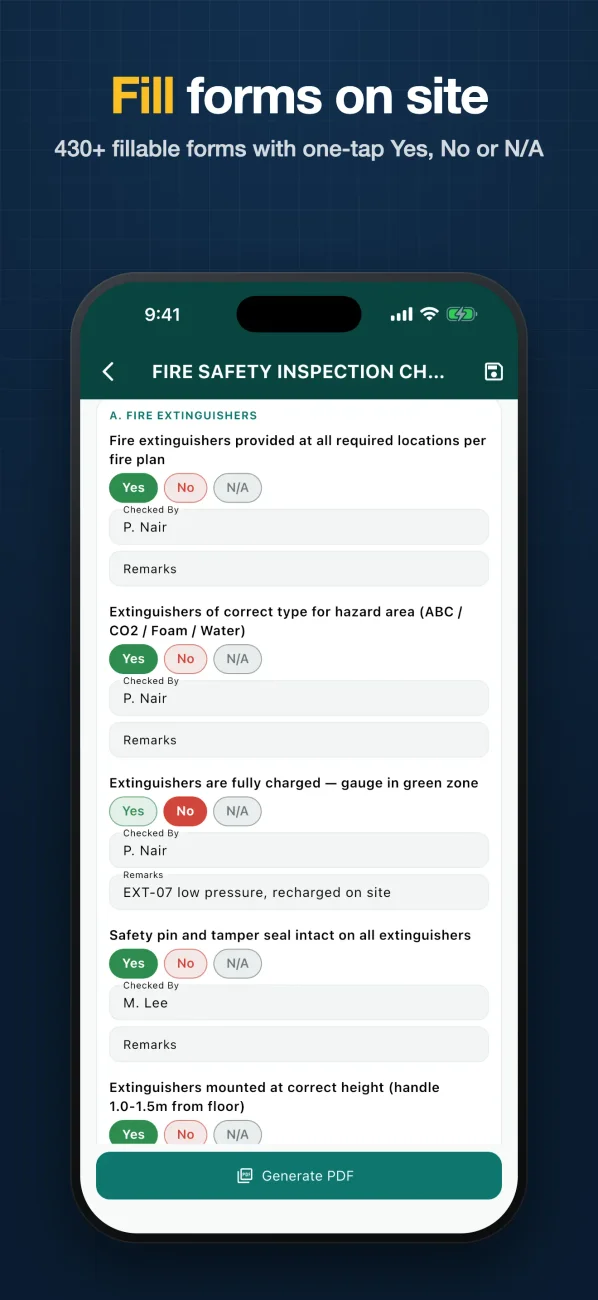
• 500+ fillable documents – checklists, inspection reports, work permits, risk assessments, material test reports, site diaries, registers and more
• Smart fields for dates, times, numbers, currency, dropdowns and checkboxes
• Color-coded Yes / No / N/A answers and ratings for fast checklist inspections
• Add extra rows to any checklist or table when the site needs more than the template allows
• Attach photos from your camera or gallery to any field or checklist item – they appear in the finished PDF
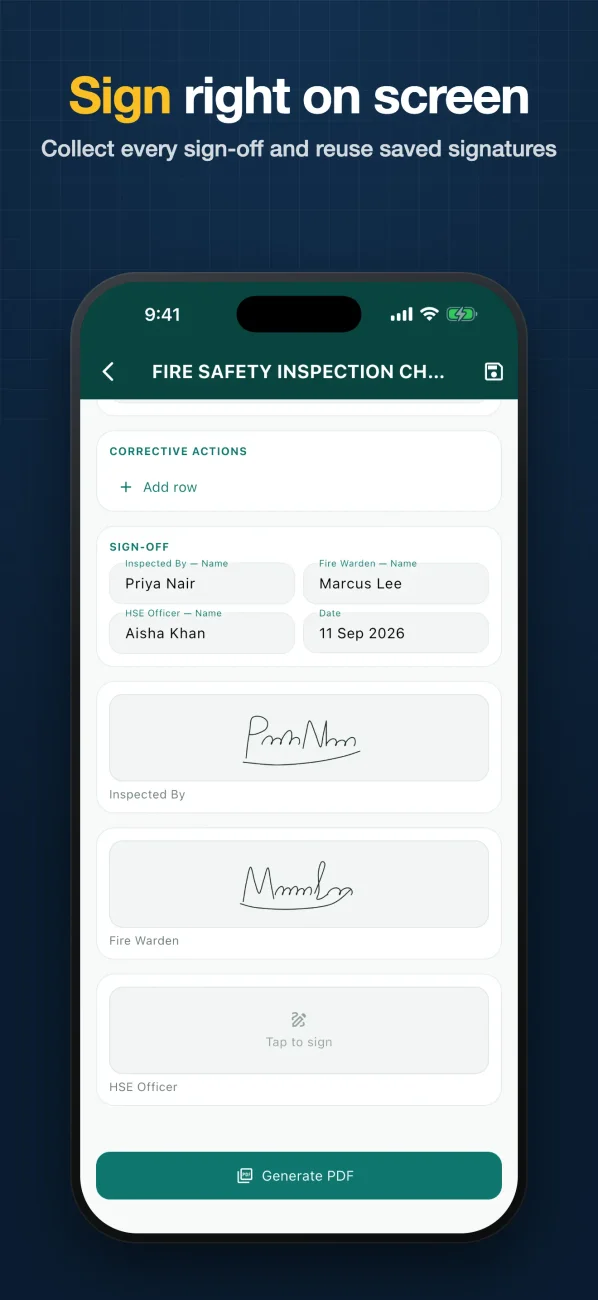
• Sign on screen or upload a signature image, then save it to My Signatures to reuse on every form
• Create a clean PDF to share or print in one tap
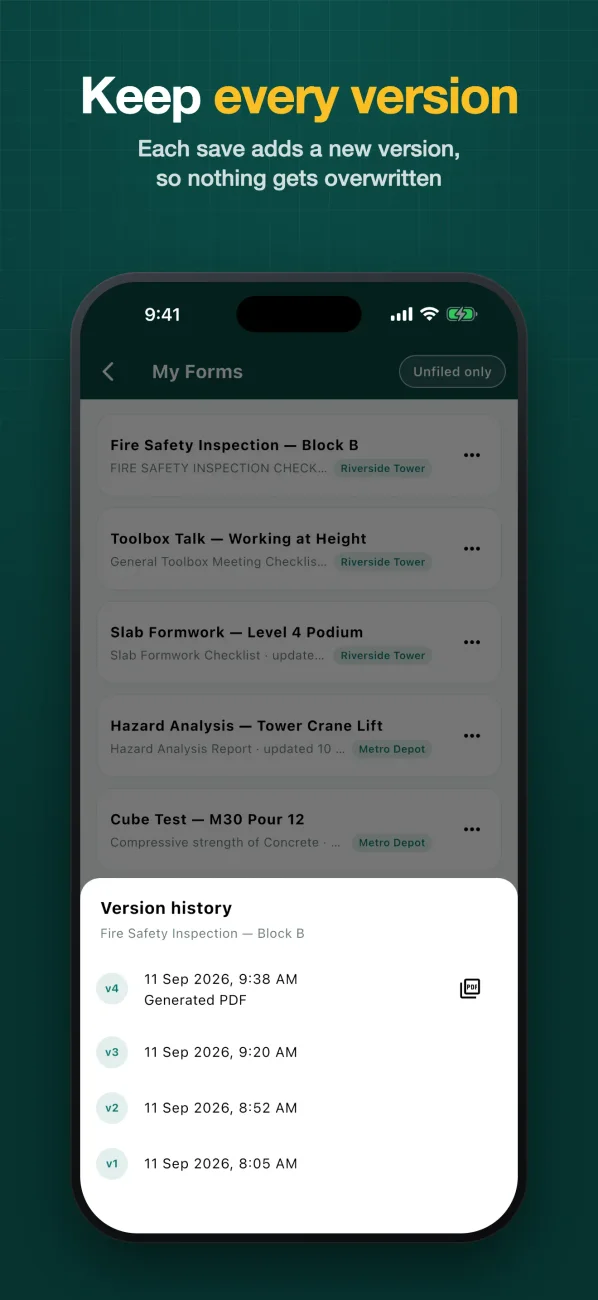
• Every save is kept as a new version – reopen or restore earlier answers at any time
Your Company Branding on Every Document
• Add your logo, company name, address, phone, email and website
• Show up to two registration numbers with your own labels – GSTIN, VAT No., EIN, ABN, Company No. or any other
• Choose from 10 document colors and 3 header styles: Classic, Letterhead and Banner
• Preview a sample document before you save your branding
• Pick your currency from 120+ world currencies
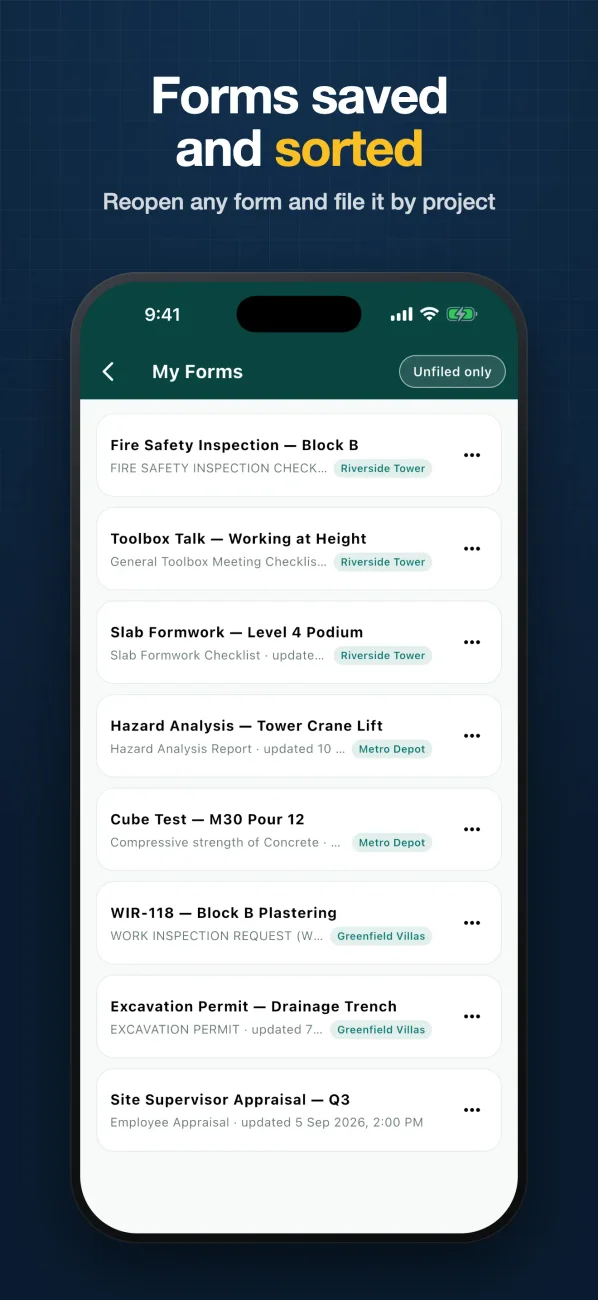
Organize Your Work by Project
• Group filled forms into projects, with folders and sub-folders as deep as you need
• Move any form into a project or folder in a tap
• My Forms keeps every filled document in one place, with a filter for forms not yet filed
Organized by Category for Quick Access
• Checklists (Concrete, Formwork, Plaster, Brickwork & more)
• Material Testing Reports
• Employee & Labour Management
• Engineering Drawings
• Contractor & Subcontractor Documents
• Site Safety & HSE Forms
• Quantity Surveying & Estimation Sheets
• Construction Project Management
• Quality Control & Inspection Forms
• And more categories added regularly
More Key Features
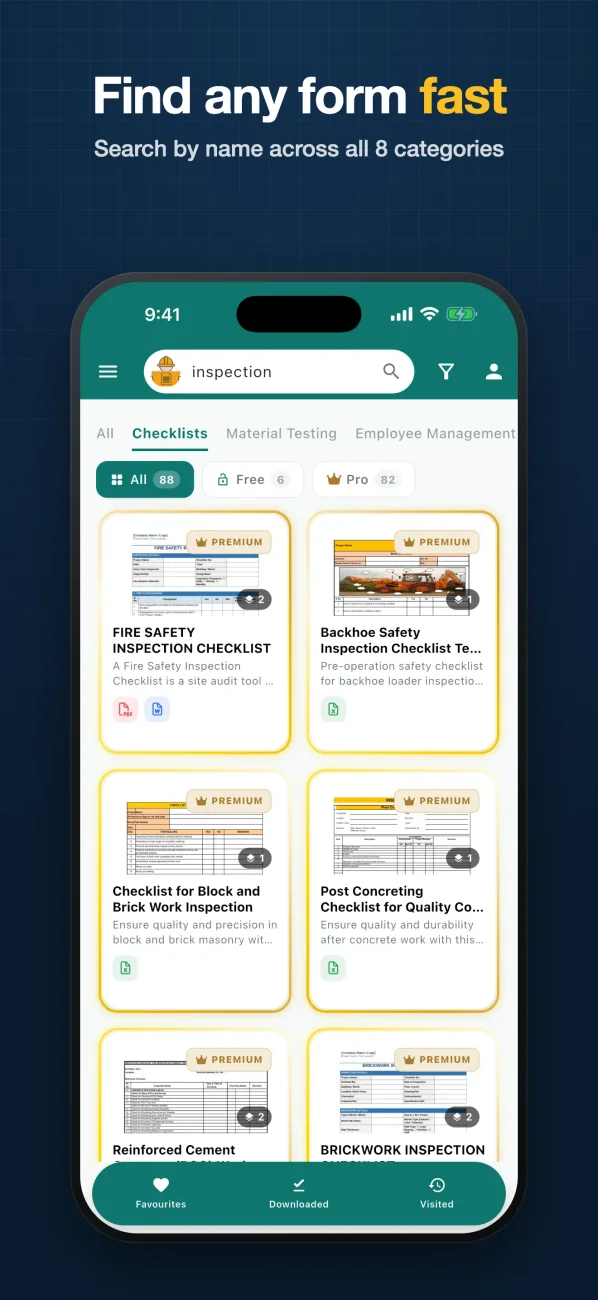
• Search across all documents instantly from the home screen
• Download templates in 1 tap – PDF, Excel, Word, Image, CAD formats
• Save favorites for quick access to your most-used forms
• Document of the Day – get a Premium template free every day
• Share documents and calculation results directly from the app
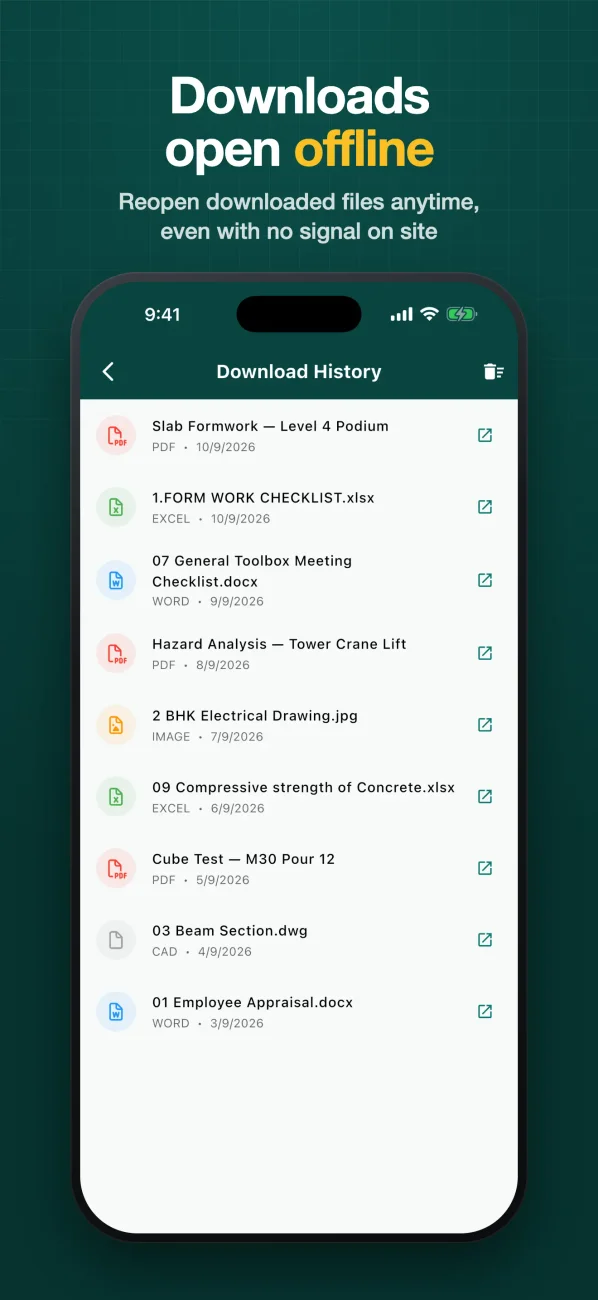
• Track your download history for easy re-access
• Premium documents marked with an elegant golden border
• Sign in quickly with Apple or Google
• Multiple theme options, including Dark Mode
• Downloaded documents work offline – no internet needed on site
Free & Premium Documents
Hundreds of free construction templates are available immediately, and every free document that has a form can be filled in at no cost. Upgrade to Premium to unlock the full library – every Premium template to download, and every Premium form to fill, sign and share.
Built for the Construction Industry
From foundation to finishing, from residential to commercial – find the right form for every stage of construction, then complete it without leaving the site. New documents and categories are added regularly based on user feedback.
We Value Your Feedback
Your suggestions help us build a better app. Contact us anytime at techsupport@binaryandbricks.com
What’s new
Version 2026.10.01 · Oct 6, 2026
What's New in Version 2026.10.01
• Redesigned Checklist PDF Reports: Inspection reports now feature high-contrast, color-coded status badges (Green for Pass, Red for Fail, Grey for NA) with crisp, clear text labels.
• Enhanced Photo Evidence & Annexure: Attach photos directly to individual checkpoints and generate a clean photo evidence annexure with smart callout badges.
• In-App Photo Markup: Annotate and highlight defects directly on site photos before saving and sharing reports.
• Excel Register & Project Export: Export full project registers to Excel (.xlsx) with audit summaries, or bundle all filled documents into a single merged PDF or ZIP archive.
• One-Tap Gloved Inputs: Large, responsive Yes / No / NA toggles designed for easy, one-tap data entry in field and site conditions.
• Smart Form Naming & Project Autofill: Forms now automatically generate descriptive names and auto-fill client and contractor details.
• Custom Checklists & Inspection Reminders: Create custom inspection templates on device and schedule reminders for upcoming site checks.
• General UI, Dark Mode, and stability improvements across all devices.
App privacy
What Binary And Bricks Pvt Ltd declares on the App Store about how this app handles data.
-
Data not collected
The developer does not collect any data from this app.
Privacy practices may vary, for example with the features you use or your age.
Information
- Seller
- BINARY AND BRICKS PRIVATE LIMITED
- Category
- Productivity
- Version
- 2026.10.01
- Updated
- Oct 6, 2026
- Released
- Dec 21, 2021
- Size
- 79.3 MB
- Requires
- iOS 15.0 or later
- Age rating
- 4+
- Price
- Free
- In-app purchases
- Yes
- Languages
- English
- Copyright
- © 2020 Binary and bricks pvt ltd
You might also like
-
 Site Records: Daily ReportsConstruction diary & progress
-
 Estimator360Productivity
-
 Construction Daily Reports AppCrew, Contractor & Field Log
-
 Building Material CalculatorCement Bricks sand Estimation
-
 Site Diary - ConstructionConstruction Daily Report
-
 Contractor Estimate & InvoiceScheduling, Business & More!
-
 PeerAssistDigital Field Tracking
-
 Lydul: Punch List Audit ReportSnag Lists & PDF Issue Tracker
-
 Site Audit List & ReportsPunch, Inspection & PDF Maker
-
 DocuMate: Scan, Sign, PDF, AIDocs & pics at your fingertips