
ContextCall: Call Translator
Live video call translation
Designed for iPhone, iPad, iPod touch
Free · In-app purchases
- Age rating4+
- CategoryProductivity
- DeveloperZHENXING YANG
- LanguagesEnglish+ 3 more
- Size44.7 MB
Links to the official App Store page
Download.org hosts no file of ContextCall: Call Translator. The button opens its official App Store page, published by ZHENXING YANG. Listing last checked on Nov 18, 2026.
Screenshots

About
ContextCall is a real-time call translator for video calls — Thai, Chinese and English.
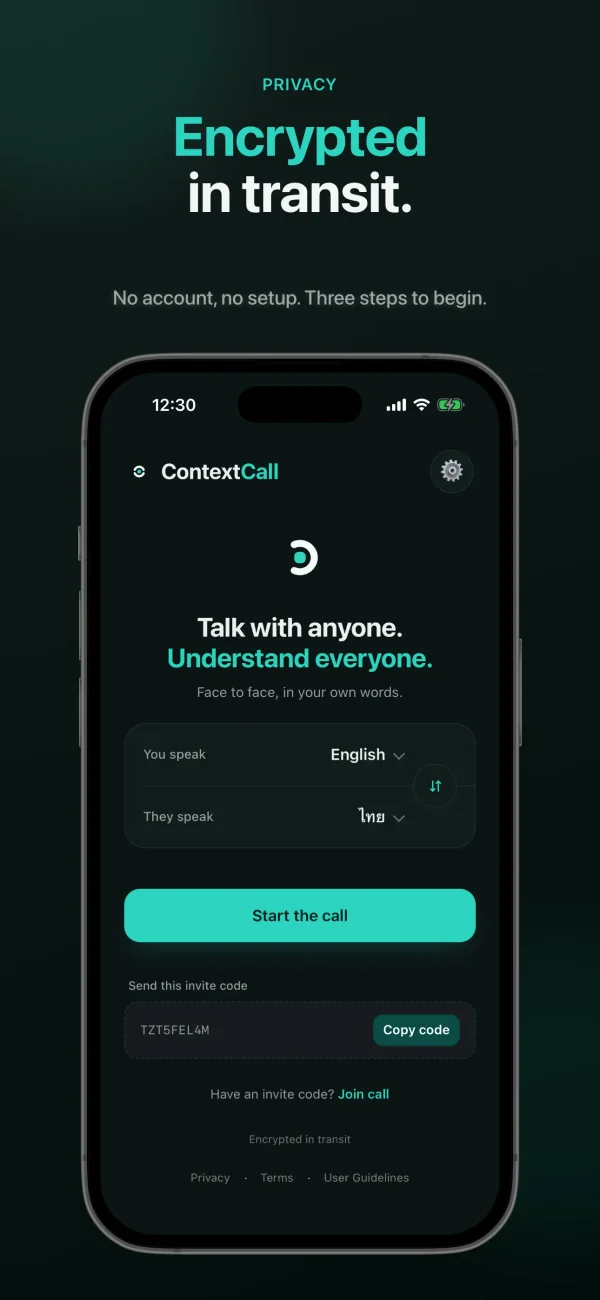
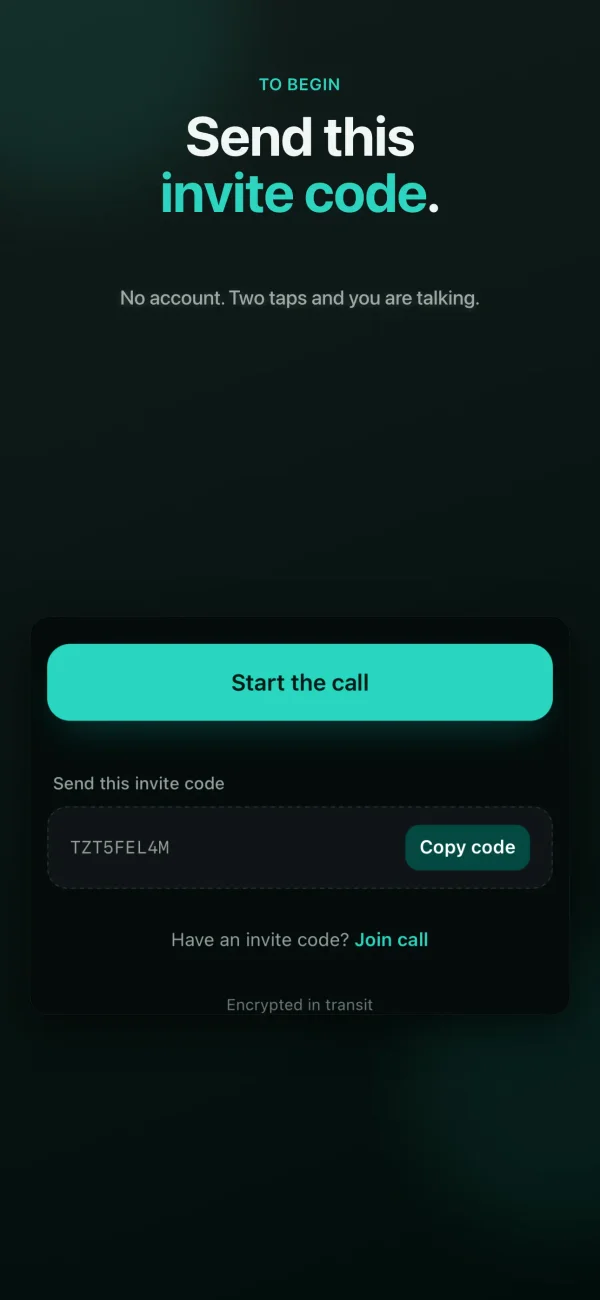
Start a call, share the short invite code, and the other person joins from their own phone — no account needed.
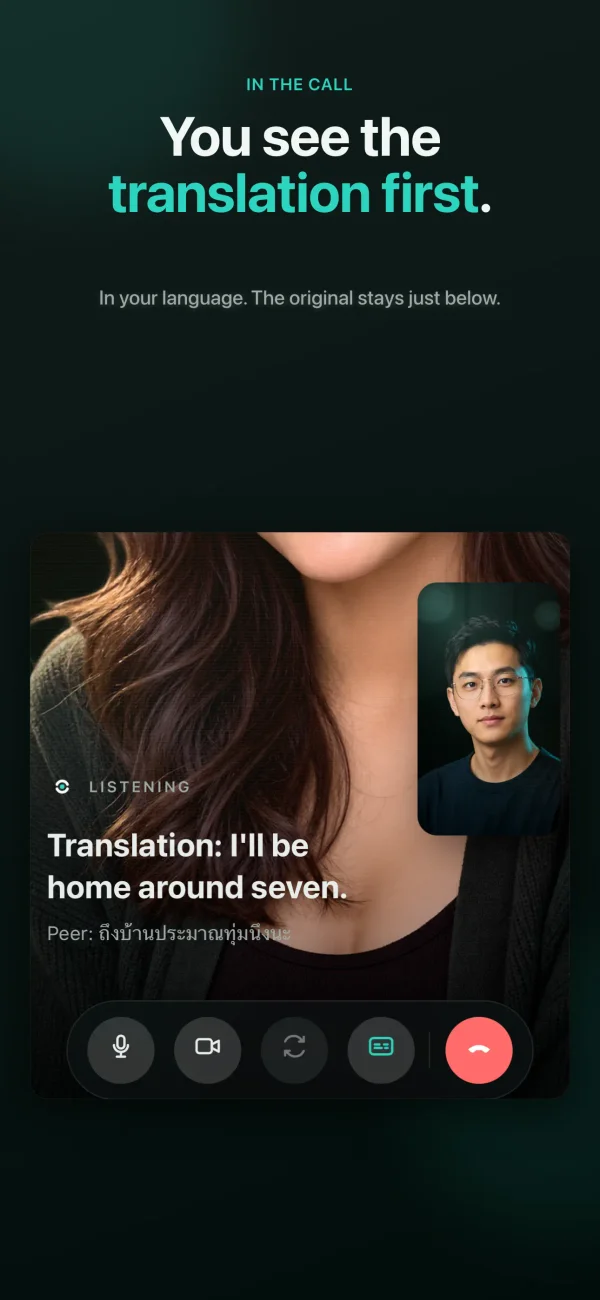
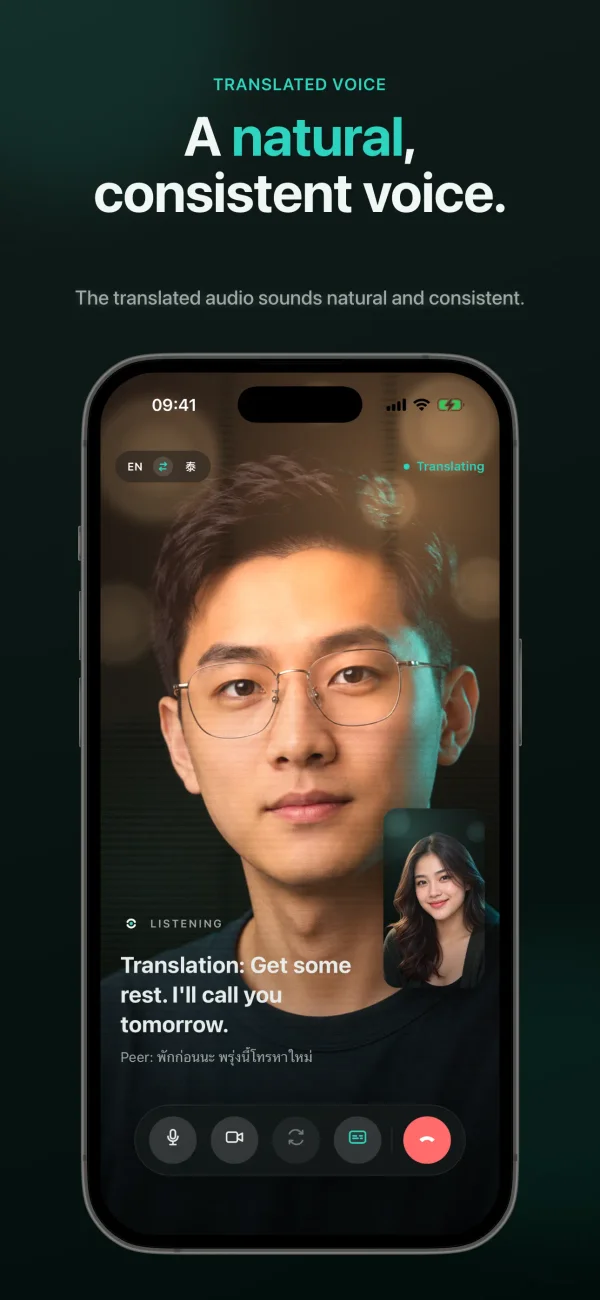
As you each speak, live bilingual subtitles appear on screen and the translation is spoken aloud in one steady, natural voice.
WHY PEOPLE USE IT
• Family across languages — talk with in-laws, grandparents, or a partner's family without a third person interpreting.
• Travel and life abroad — landlords, clinics, schools, repair shops.
• Work — quick calls with overseas colleagues, suppliers, and customers.
HOW IT WORKS
1. Create a call. You get a short invite code.
2. Share the code. The other person enters it in the app.
3. Talk. Subtitles appear in both languages; the translated voice plays as you speak.
WHAT YOU GET
• Real-time speech translation in both directions
• Bilingual subtitles — the original and the translation, side by side
• One steady translated voice, not a robotic read-out per sentence
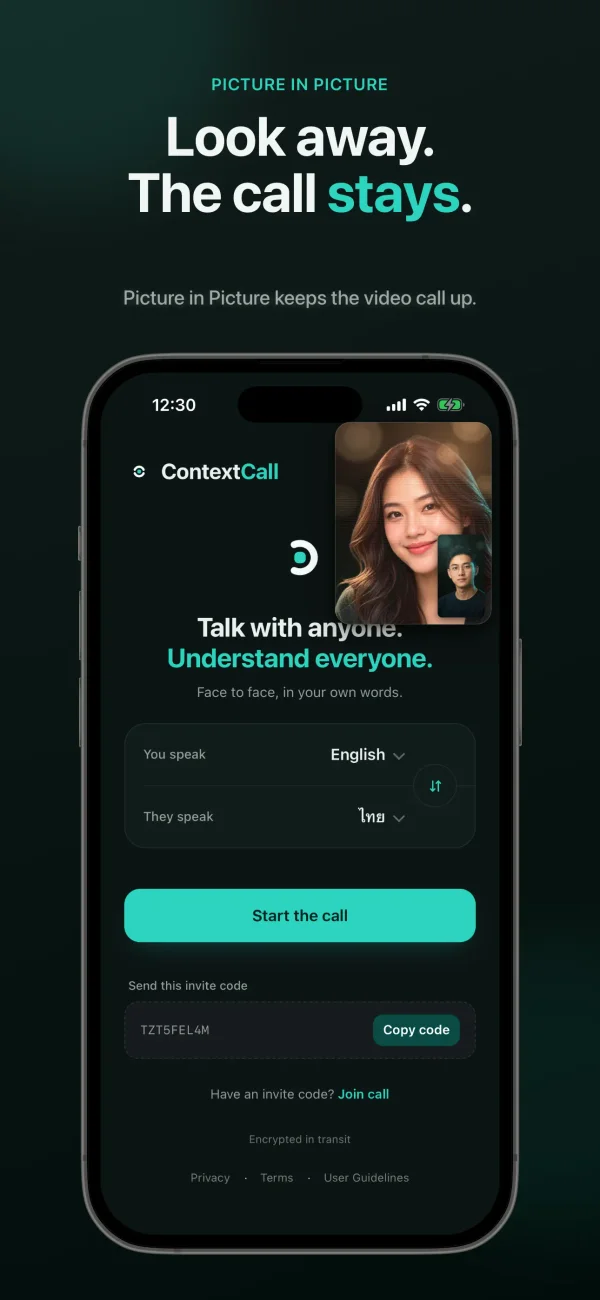
• Picture in Picture — keep the call on screen while you use other apps
• Invite-code rooms only: no username search, no stranger discovery
• Interface in English, 简体中文, 繁體中文 and ไทย
PRIVACY
Calls are not recorded and ContextCall does not keep an archive of your transcripts or translations. To translate speech, microphone audio is relayed through our server to Google Vertex AI. Video travels directly between the two participants over an encrypted WebRTC channel and is never sent for AI processing. Full details: https://contextcall.app/legal/privacy.html
GOOD TO KNOW
Translation quality depends on audio conditions, accents and network. A stable connection gives the best result. ContextCall is not a medical, legal, financial or emergency service.
Terms of Use (EULA): https://contextcall.app/legal/terms.html
Privacy Policy: https://contextcall.app/legal/privacy.html
What’s new
Version 3.3.1 · Oct 2, 2026
• Picture in Picture during calls now uses a 3:4 window, and on iOS 18 or later your camera keeps working in it.
• While a call is in Picture in Picture, opening ContextCall shows the home screen, where you can change the call's languages. Tap the Picture in Picture window to return to the call.
• Translated voice and captions now reach the other person directly from our service.
• Fixed a false "Call couldn't resume" alert and a frozen picture after Picture in Picture. Alerts now appear in your language.
App privacy
What ZHENXING YANG declares on the App Store about how this app handles data.
-
Data linked to you
May be collected and linked to your identity.
- Purchases
- Contact info
- Contacts
- User content
- Identifiers
- Usage data
- Sensitive info
- Diagnostics
Privacy practices may vary, for example with the features you use or your age.
Information
- Seller
- ZHENXING YANG
- Category
- Productivity
- Version
- 3.3.1
- Updated
- Oct 2, 2026
- Released
- Sep 28, 2026
- Size
- 44.7 MB
- Requires
- iOS 15.0 or later
- Age rating
- 4+
- Price
- Free
- In-app purchases
- Yes
- Languages
- English, Simplified Chinese, Thai, Traditional Chinese
- Copyright
- © 2026 ZHENXING YANG
You might also like
-
 Call BearBear the world.
-
 Photo to PDF: JPG Doc ScannerImage Converter & PDF Maker
-
 Rillay: Video Call TranslatorLive Video Meeting Translation
-
 PryvateKeep your email, secure.
-
 Welockin — Lock In & StudyThe student focus blocker
-
 SaviChat: Live Call TranslatorLive Call & Chat Translation
-
 TookooLive voice translation
-
 OneVoice: Translated CallsLive voice & video translator
-
 Foxcolab MailEncrypted Email
-
 Voery: AI Call TranslatorProductivity