Contraction Timer: MyPregnancy
Baby Kick Counter & Birth Plan
Designed for iPhone
Free · In-app purchases
- Age rating12+
- CategoryMedical
- DeveloperMacca Design d.o.o.
- LanguagesEnglish+ 6 more
- Size45.0 MB
Links to the official App Store page
Download.org hosts no file of Contraction Timer: MyPregnancy. The button opens its official App Store page, published by Macca Design d.o.o. Listing last checked on Nov 25, 2026.
Screenshots



About
MyPregnancy times your contractions and counts your baby's kicks with one big button you can use without looking. The timer and the kick counter are free, and nothing pops up while you are timing or counting.
CONTRACTION TIMER
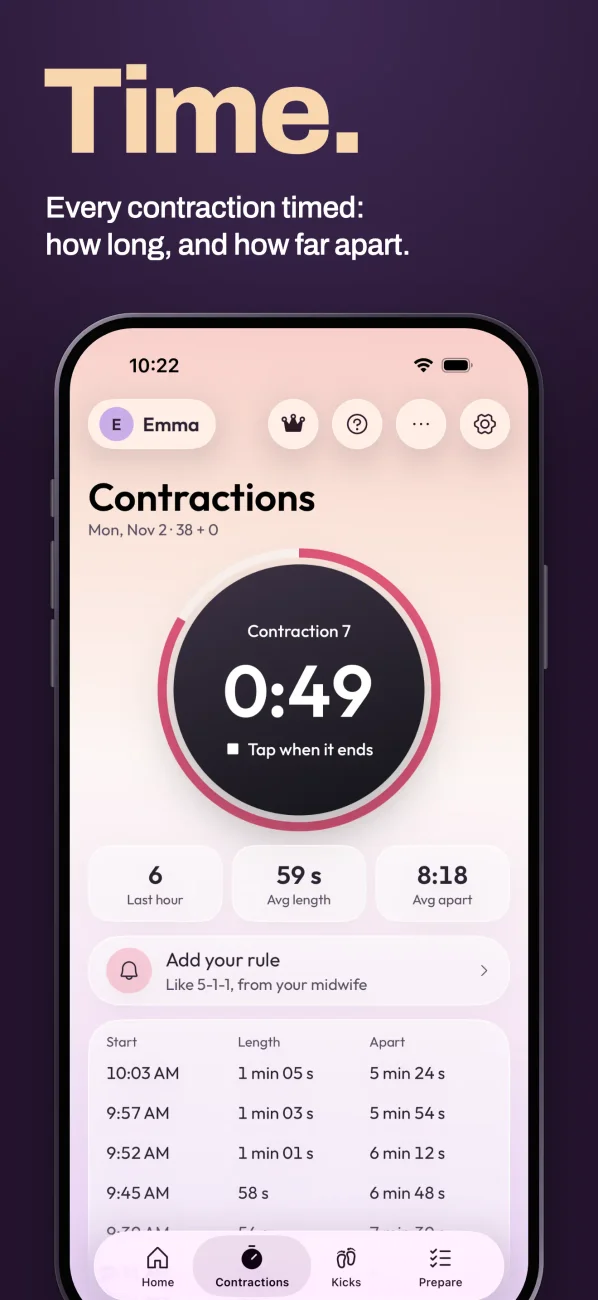
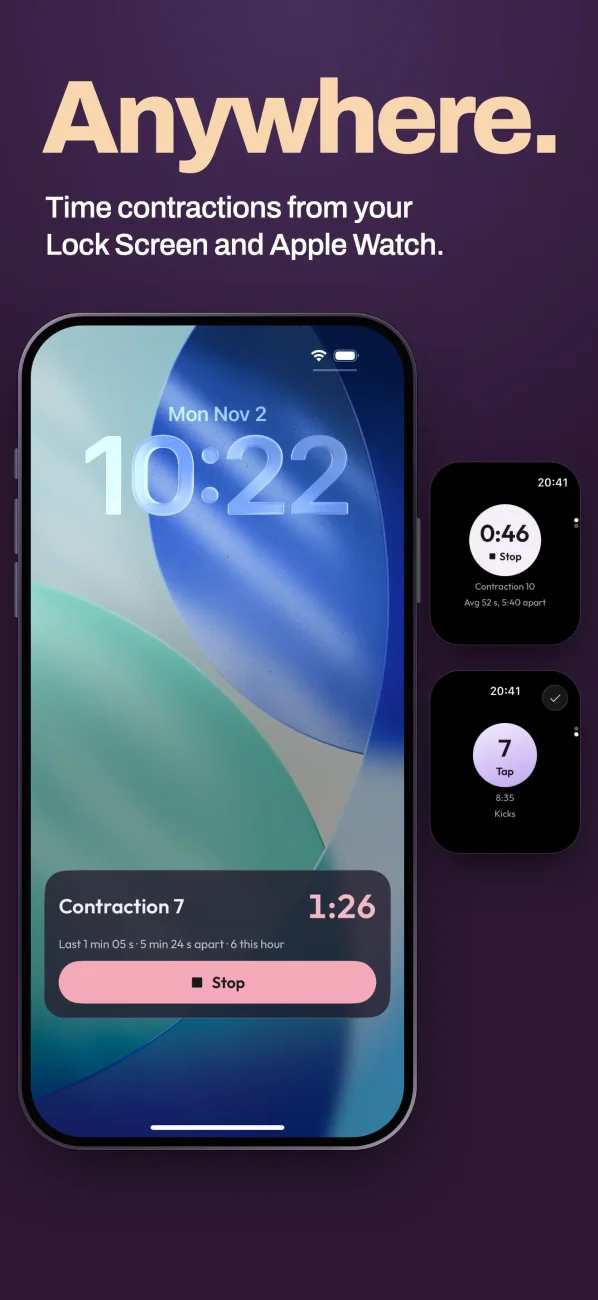
• Tap when a contraction starts and again when it ends. MyPregnancy keeps how long each one lasts and how far apart they are.
• See the last hour at a glance: how many, the average length and the average gap.
• Stop a contraction from your Lock Screen or the Dynamic Island, without unlocking your phone.
• Save the rule your midwife or doctor gave you, like 5-1-1, and get one alert when your contractions match it.
• Mark how strong a contraction was, add a note, or fix a wrong tap.
KICK COUNTER
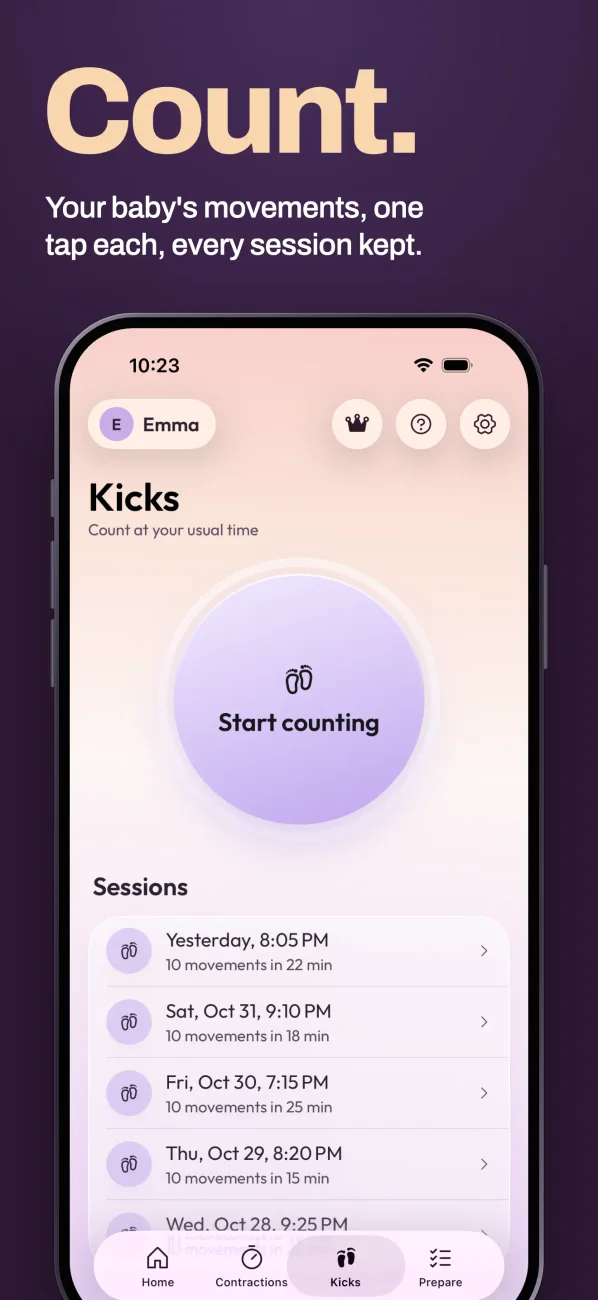
• One tap for each movement, with undo for a double tap.
• Every session is kept by day and time, so you get to know your baby's usual pattern.
• A gentle reminder at your usual time, which you can turn off.
• What to do if your baby's movements slow down, stop or change is always on the screen.
YOUR PREGNANCY, WEEK BY WEEK
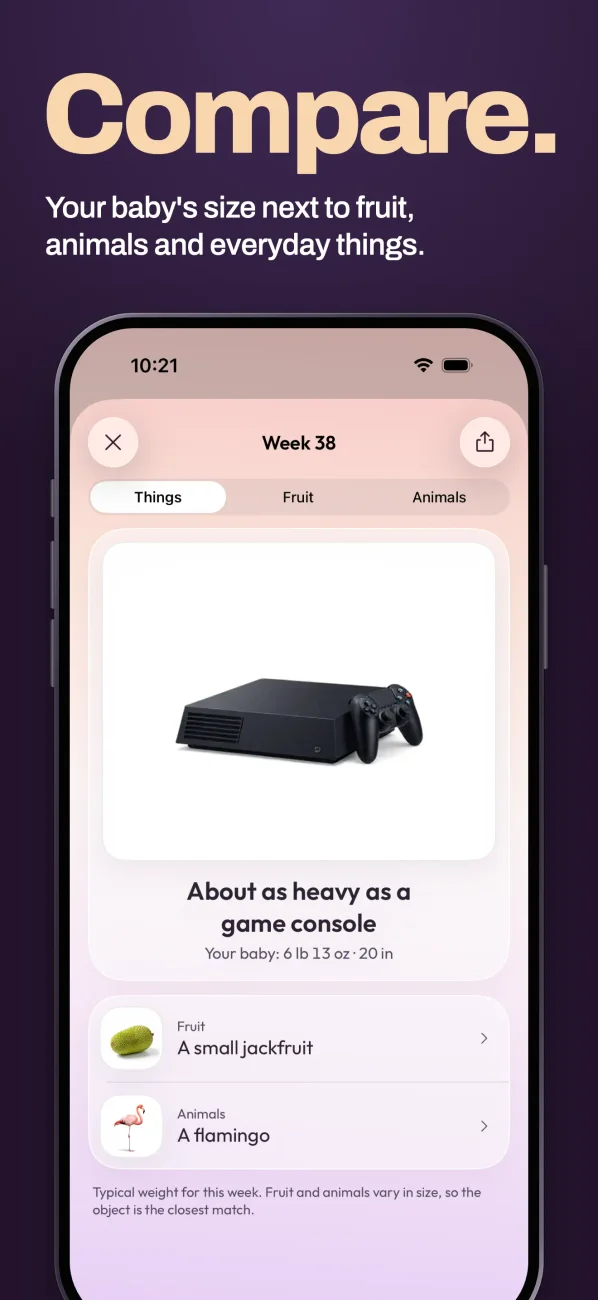
• Your baby's size each week, next to something you can pick up: things, fruit or animals.
• What is happening with your baby and your body this week, with one tip, from NHS and US guidance.
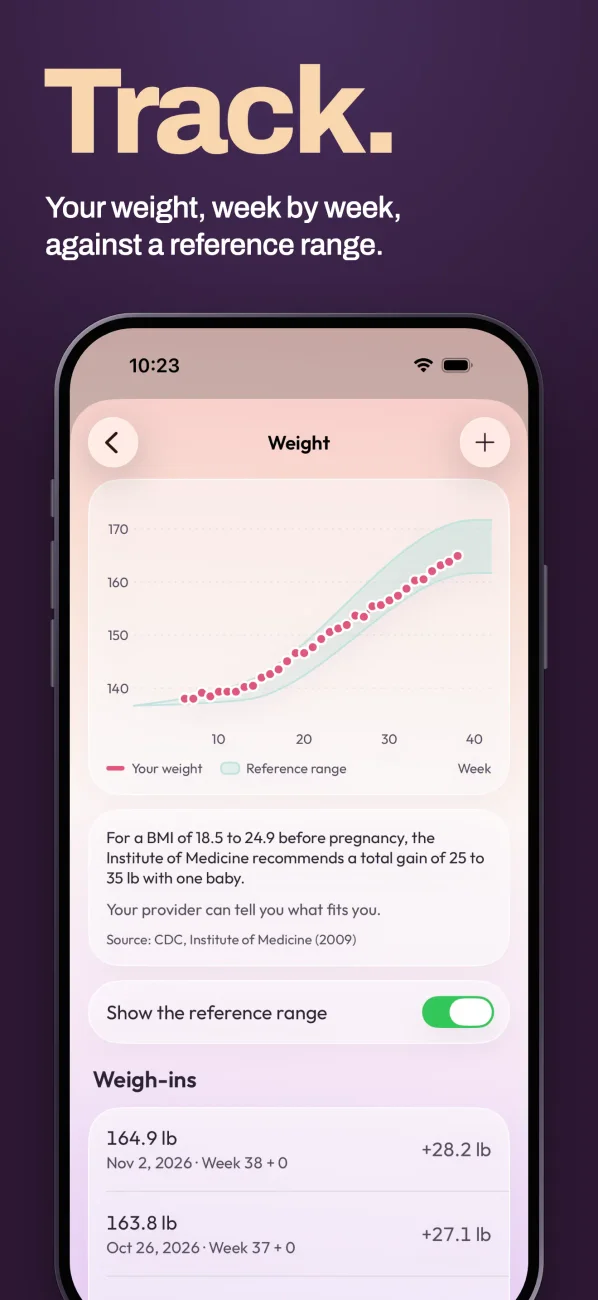
• Your profile: your weight and a belly photo each week.
READY FOR THE BIRTH
• A hospital bag checklist for labor, for after and for the baby.
• A birth plan: nine questions to start the talk with your midwife or doctor.
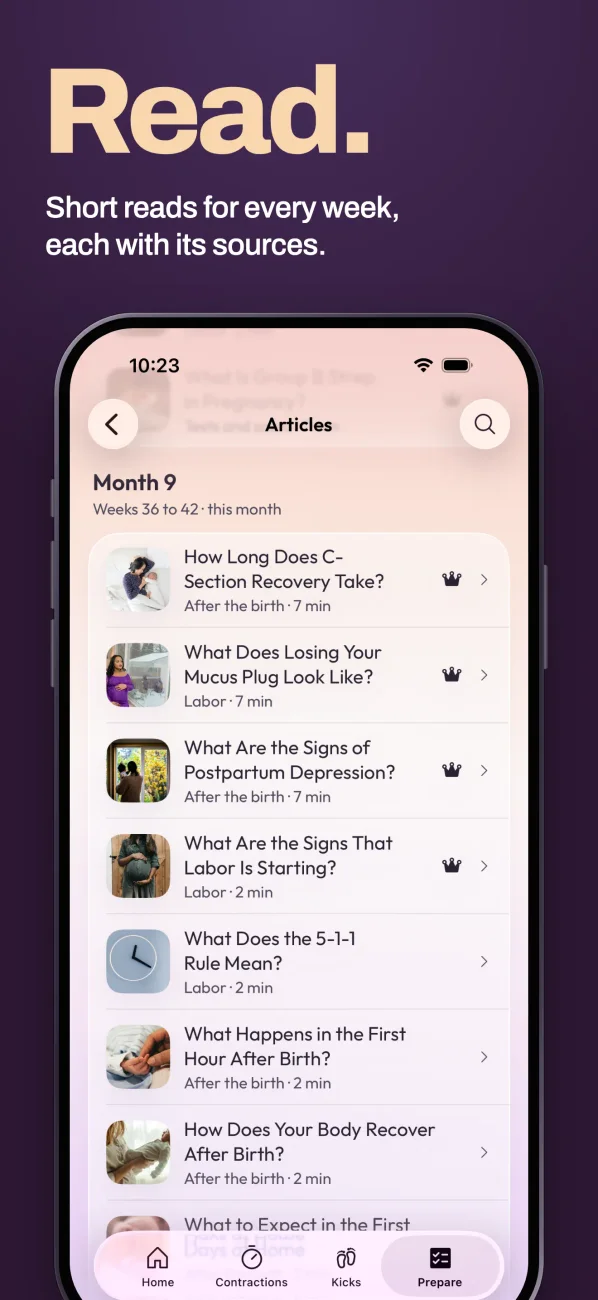
• The labor basics, free: early labor, the 5-1-1 rule, pain relief, warning signs, the first hour and the first days.
• Pelvic floor exercises (Kegels), free: guided sets with gentle vibration and a daily reminder you can turn on.
MYPREGNANCY PLUS
• Apple Watch: time contractions and count kicks from your wrist.
• Share with your partner: both of you follow contractions, kicks and the plan.
• A PDF for your midwife with your contractions, kicks and birth plan.
• Your baby's movement pattern over the weeks.
• Guided breathing with gentle vibration, for practice and for labor.
• Every article, from the first test to after the birth, written from ACOG and NHS guidance, each with its sources.
ONE ACCOUNT WITH MYBABY
Start without signing up. Sign in with Apple or Google to keep your records when you change phones. If you use MyBaby, it is the same account.
MyPregnancy records and measures. It is not a medical device: it does not tell you whether you are in labor or whether your baby's movements are normal. If you are worried about yourself or your baby, call your midwife, doctor or labor and delivery, whatever the numbers say.
MyPregnancy Plus is an auto-renewing subscription for 1 month, 3 months or 1 year; the app shows the price in your currency before you buy. Payment is charged to your Apple Account at confirmation. The subscription renews automatically unless you cancel at least 24 hours before the end of the current period, and the renewal is charged within the 24 hours before it ends. Manage or cancel it in your Apple Account settings. The contraction timer and the kick counter stay free.
Terms of Use: https://www.apple.com/legal/internet-services/itunes/dev/stdeula/
Privacy Policy: https://mypregnancyapp.io/privacy
What’s new
Version 1.2 · Nov 24, 2026
New: invite a friend who is expecting. Share your code in Settings > Invite a friend. When she has logged three things in MyPregnancy, you both get a month of Plus.
Also new: your baby's size by week now follows INTERGROWTH-21st, and the app names the source. Sharing an article now sends a link to its page.
App privacy
What Macca Design d.o.o. declares on the App Store about how this app handles data.
-
Data linked to you
May be collected and linked to your identity.
- Health and fitness
- Purchases
- Location
- Contact info
- User content
- Identifiers
- Usage data
- Sensitive info
- Diagnostics
Privacy practices may vary, for example with the features you use or your age.
Information
- Seller
- Macca Design d.o.o.
- Category
- Medical
- Version
- 1.2
- Updated
- Nov 24, 2026
- Released
- Nov 8, 2026
- Size
- 45.0 MB
- Requires
- iOS 26.0 or later
- Age rating
- 12+
- Price
- Free
- In-app purchases
- Yes
- Languages
- English, French, German, Italian, Japanese, Portuguese, Spanish
- Copyright
- © 2026 Maccadesign d.o.o.
You might also like
-
 Contraction Timer | PreggersSmart labor & pregnancy timer
-
 Bloom Journal: Mindful WritingDiary of mindful reflections
-
 Smart Water Intake TrackerDaily Reminder & Drink Log
-
 InterFit: Home Workout RoutineArm, Leg, Ab, Butt Workouts
-
 Mommy+: Pregnancy & BabyKick Counter & Due Date Timer
-
 Baby Predictor: Gender ScannerInstant Baby Gender Predictor
-
 Gratitudes JarGratitude Journal & Mood Log
-
 LittleDot: Online DoctorLab Results & Family Health
-
 Muscle WOD: Workout GeneratorHome & Gym HIIT Cross-training
-
 Pro Performance - RXHealth & Fitness