ConvertCat-MP3Editor&Converter
Audio Edit,Convert & Isolator
Designed for iPhone, iPad, iPod touch
Free · In-app purchases
- Age rating4+
- CategoryMusic
- DeveloperTianmen Weilan Network Technology Co., Ltd.
- LanguagesEnglish+ 2 more
- Size138.3 MB
Links to the official App Store page
Download.org hosts no file of ConvertCat-MP3Editor&Converter. The button opens its official App Store page, published by Tianmen Weilan Network Technology Co., Ltd. Listing last checked on Nov 17, 2026.
Screenshots


About
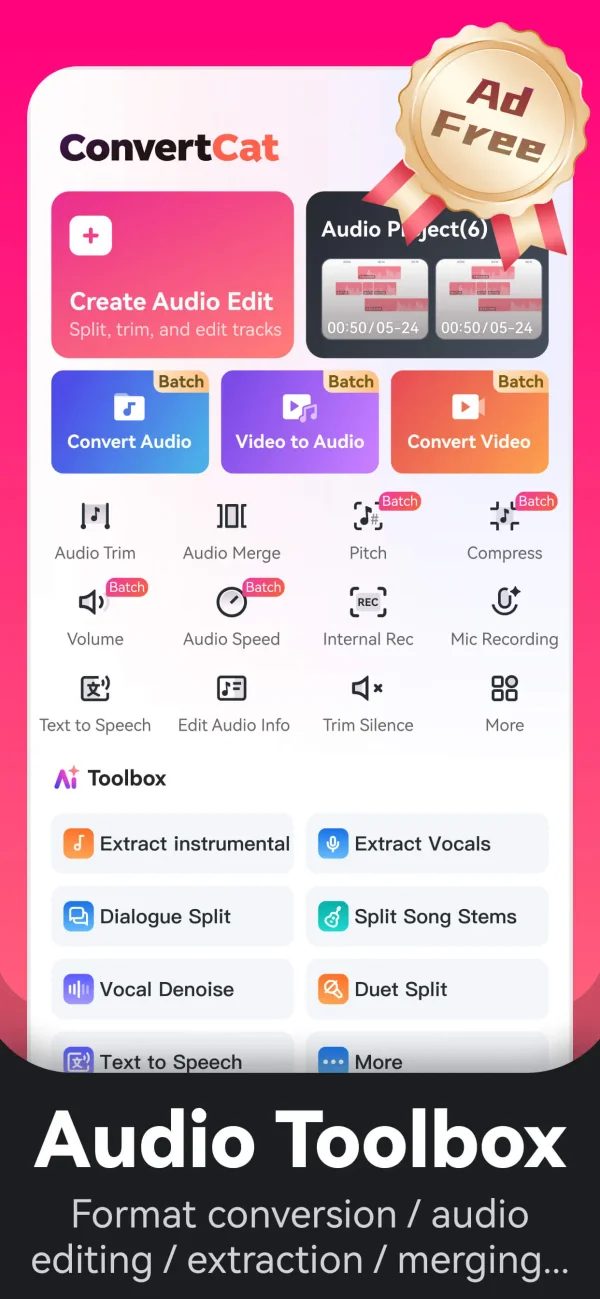
ConvertCat is a professional audio processing app that combines format conversion, audio editing, and AI-powered tools all in one place. Whether you need to convert audio formats, trim tracks, extract audio from video, separate vocals from instrumentals, reduce noise, or create ringtones, ConvertCat helps you get it done quickly and efficiently.
Get started in just 3 simple steps:
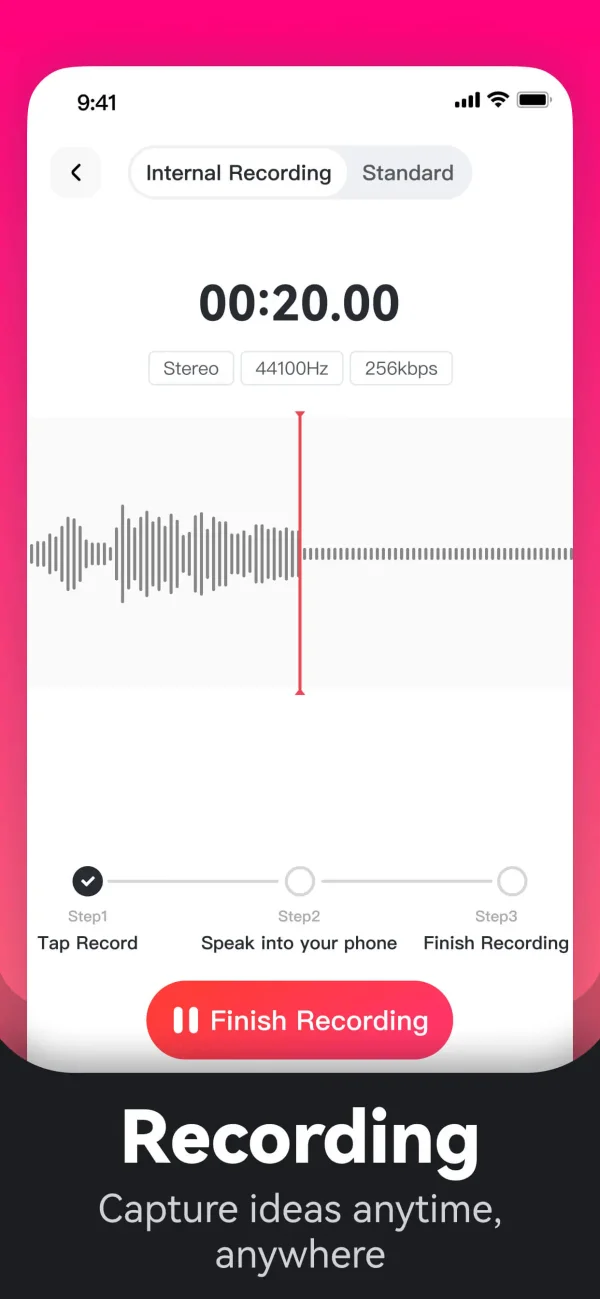
Import an audio or video file, or record directly using the built-in recorder
Choose your desired function – e.g., convert to MP3, trim audio, extract audio from video, separate vocals, remove noise, adjust pitch, compress files, and more
Preview and export your finished audio, then easily save and share it
Key Features:
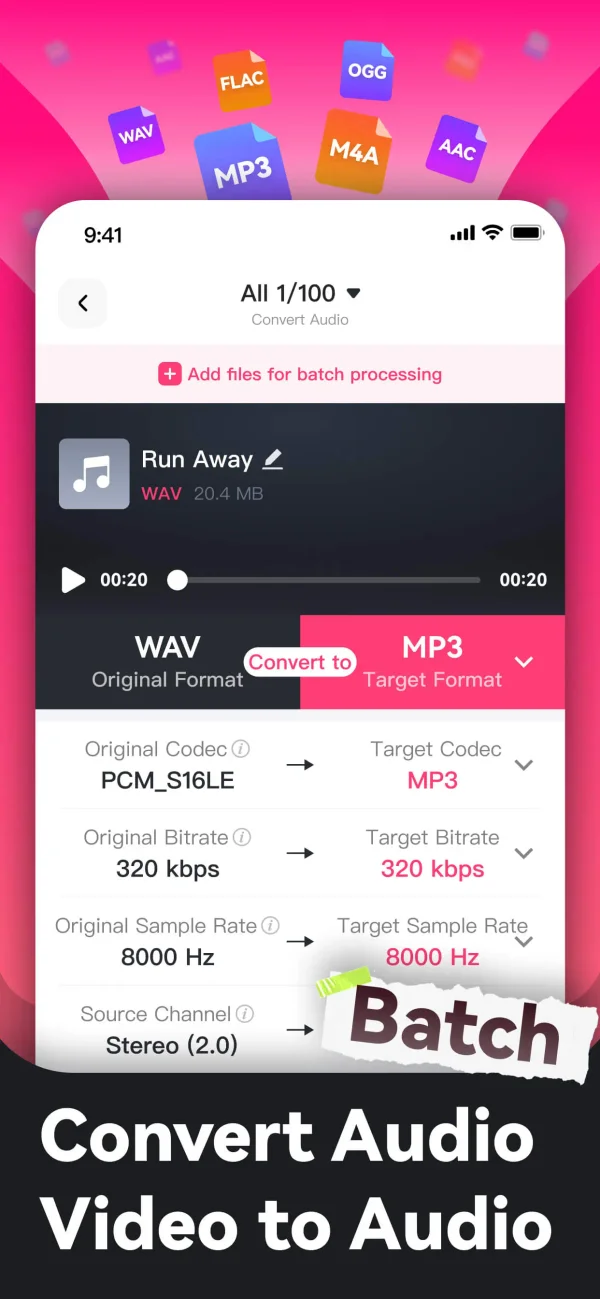
Audio Format Conversion – Supports converting WAV, FLAC, M4A, AAC, OGG, AC3, WMA, AMR, MP2, and more to MP3
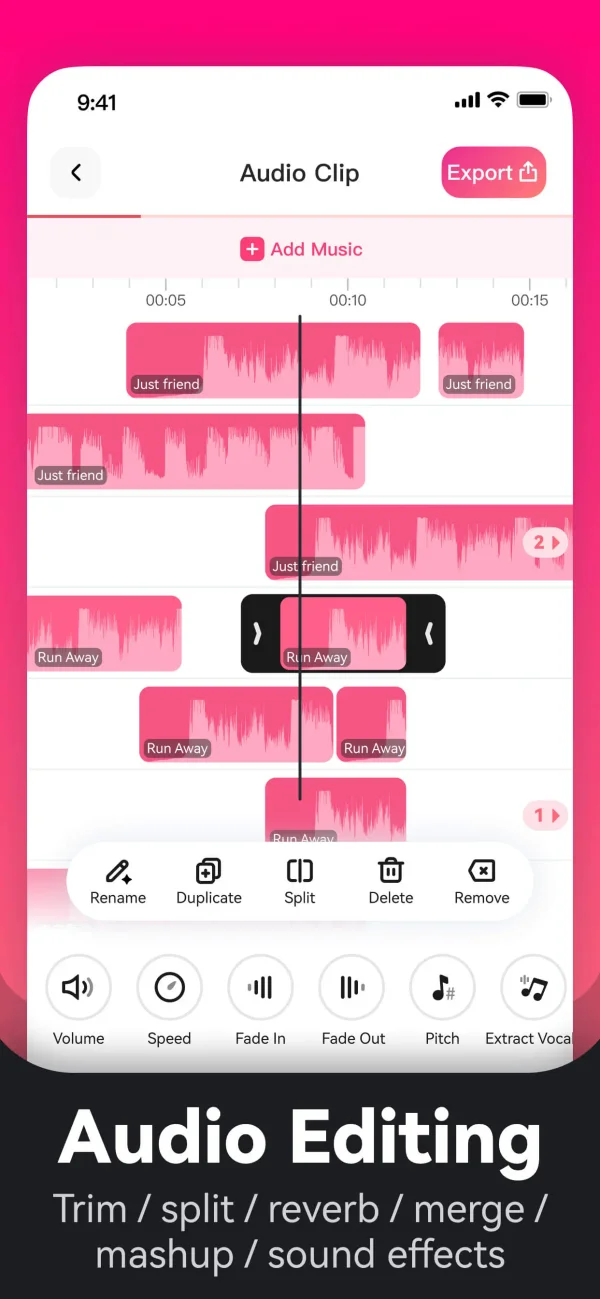
Audio Editing & Trimming – Multi-track cutting, merging clips, splicing audio, and removing silence from the beginning and end
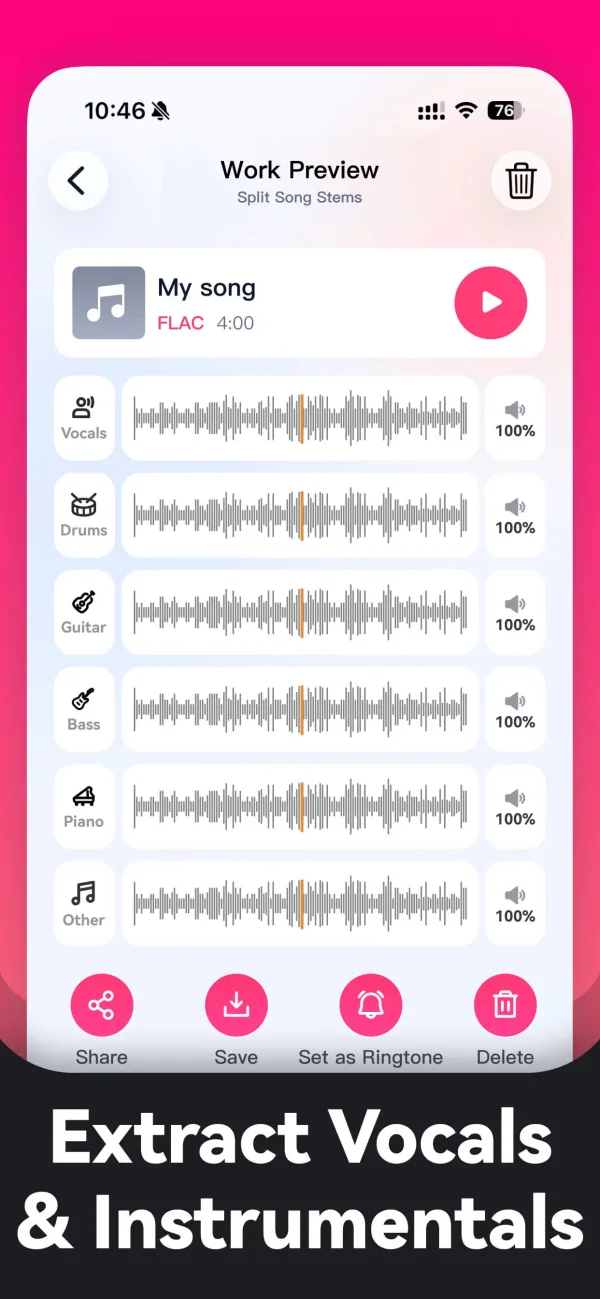
Audio Extraction – Extract background music, vocals, instrumentals, and more from any audio source
Video to Audio Extraction – Quickly extract high-quality audio from video files and save as MP3 or other popular formats
Vocal & Instrumental Separation – One-click separation of dry vocals and backing tracks – ideal for karaoke, singing practice, mixing, and music production
Instrument Track Extraction – Isolate piano, guitar, drums, and other instrument tracks
Noise Reduction – Remove background noise, static, wind, and electrical interference to enhance audio clarity, suitable for both voice recordings and general audio
Dialogue Separation – Perfect for interviews, podcasts, and two-person conversation scenarios
Podcast Production Suite – Multi-track editing with separate layers for vocals and background music; balance host voices, guest dialogues, and background scores; create intro/outro segments seamlessly – covers the entire workflow from recording to final export
Text-to-Speech – Multiple voice options available for dubbing, narration, and listening material creation
Ringtones Maker – Create custom ringtones by selecting your favorite audio clips
Audio Metadata Editing – Edit cover art, album, artist, year, and other ID3 tag information
Pitch Adjustment – Raise or lower pitch to suit singing practice, dubbing, or creative projects
Audio Compression – Reduce file size while preserving sound quality, making it easier to store and share your audio files
Use Cases:
Convert music to MP3 for playback on car USB drives
Create custom ringtones by trimming your favorite song clips
Convert voice recordings to MP3 for meetings, lectures, and interviews
Extract instrumentals or isolate vocals for cover songs
Remove noise from lecture recordings, interviews, and podcast sessions
Produce podcast episodes with noise reduction, dialogue separation, background music embedding, and multi-clip editing – export in standard MP3 format ready for all major podcast platforms
Extract instrument tracks for music arrangement, transcription, and learning
Create dubbing, narration, and text-to-speech content
Whether you're a music enthusiast, content creator, podcaster, student, or just someone who needs to process audio files regularly, ConvertCat offers a straightforward and powerful solution for all your audio processing needs
Subscription Plans:
Auto-Renewing Subscriptions:
Weekly: $2.99/week
Monthly: $4.99/month
Yearly: $14.99/year
Payment will be charged to your Apple ID upon confirmation of purchase
Your iTunes account will be automatically renewed within 24 hours prior to the end of the current period at the selected plan rate
To cancel, please go to Settings → Apple ID → Subscriptions at least 24 hours before the renewal date
Non-Renewing Purchase (One-Time):
One-time purchase: $2.99, valid for 1 day – no automatic renewal after expiration
Privacy Policy: https://www.zhuanhuanmao.com/privacy-policy.html
Terms of Service: https://www.zhuanhuanmao.com/terms-of-service.html
What’s new
Version 1.7.3 · Nov 16, 2026
This update improved user experience
App privacy
What Tianmen Weilan Network Technology Co., Ltd. declares on the App Store about how this app handles data.
-
Data used to track you
May be used to track you across apps and websites owned by other companies.
- Identifiers
-
Data not linked to you
May be collected but is not linked to your identity.
- User content
- Identifiers
- Diagnostics
Privacy practices may vary, for example with the features you use or your age.
Information
- Seller
- Tianmen Weilan Network Technology Co., Ltd.
- Category
- Music
- Version
- 1.7.3
- Updated
- Nov 16, 2026
- Released
- Apr 16, 2026
- Size
- 138.3 MB
- Requires
- iOS 15.0 or later
- Age rating
- 4+
- Price
- Free
- In-app purchases
- Yes
- Languages
- English, Simplified Chinese, Traditional Chinese
- Copyright
- © 2025 WL
You might also like
-
 MP3 Converter - video2mp3Convert to mp3,Extract audio
-
 转格式-格式转换猫Music
-
 LaiyinScore-Sheet music editorAI scan, edit and play
-
 Muse AI-Songs & Music MakerMusic
-
 AeroTune:AI Music GeneratorSong Maker: AI Cover & Lyrics
-
 Audio Editor: MP3 ConverterMusic maker,mp3 cutter,merger
-
 有谱么-钢琴,吉他等各类曲谱Music
-
 小宇宙·一起听播客Music
-
 汽水音乐: AI Music GeneratorCreate, Listen & Remix Songs
-
 秀动-看现场演出的移动票务平台Music