CookDrawer
Import Recipes & Make Lists
Designed for iPhone, iPad, iPod touch
In-app purchases
- Age rating4+
- CategoryFood & Drink
- DeveloperMorikawa Tatsunosuke
- LanguagesJapanese+ 1 more
- Size71.5 MB
Links to the official App Store page
Download.org hosts no file of CookDrawer. The button opens its official App Store page, published by Morikawa Tatsunosuke. Listing last checked on Nov 12, 2026.
Screenshots


About
Turn recipes from social posts, websites, and paper into your own recipe collection, with ingredients and steps together.
CookDrawer helps you import, edit, and organize recipes, then turn ingredients into shopping lists. Keep family favorites and new discoveries ready for the next time you cook.
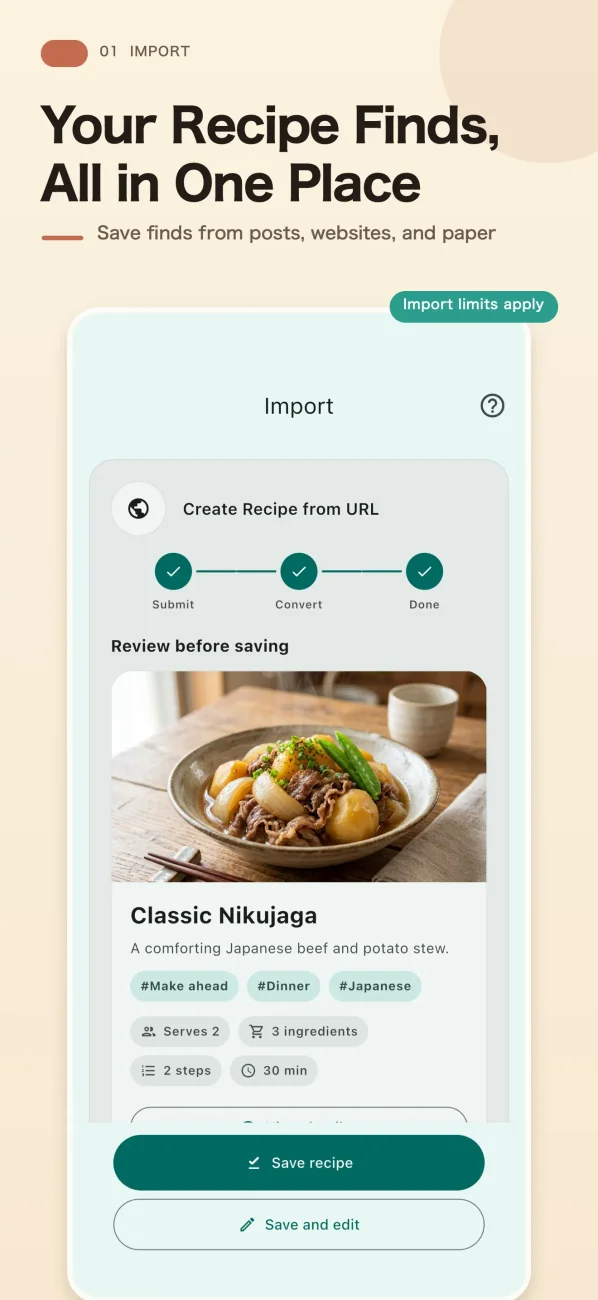
IMPORT RECIPES YOU FIND
Create editable recipes from public Instagram and TikTok captions, YouTube descriptions, and compatible webpages. You can also paste text or recognize recipe text with the camera, an image, or a screenshot.
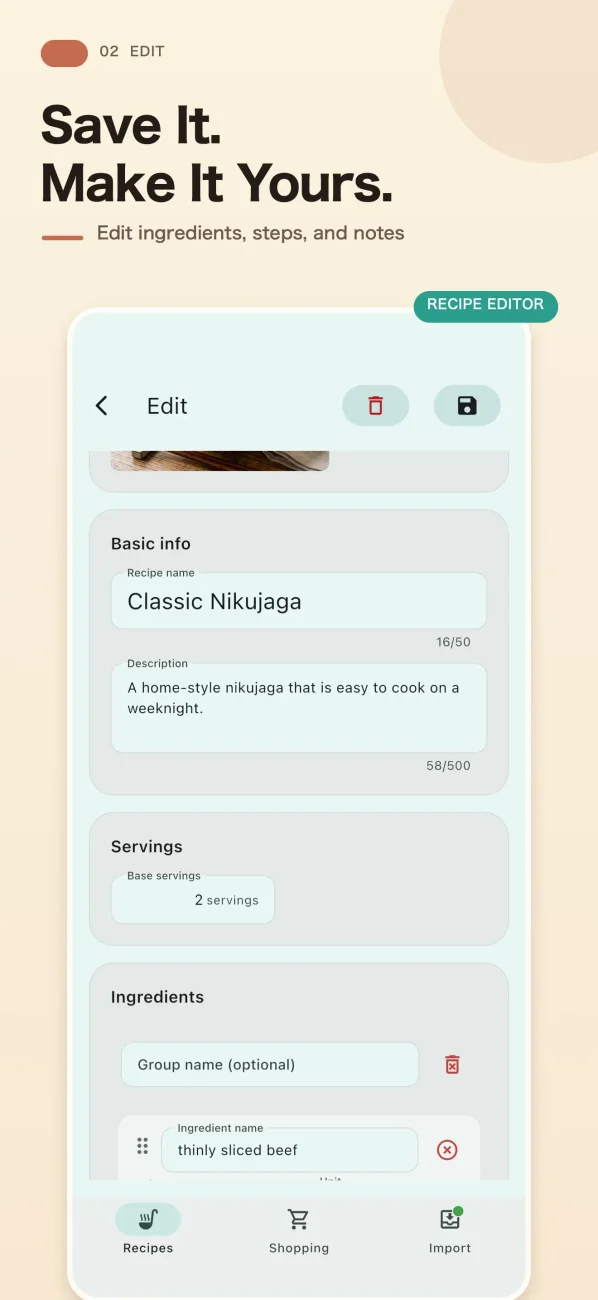
REVIEW AND MAKE IT YOURS
Preview ingredients and directions before saving. When you import a single recipe, choose Save and edit to adjust its ingredients, steps, and notes right away.
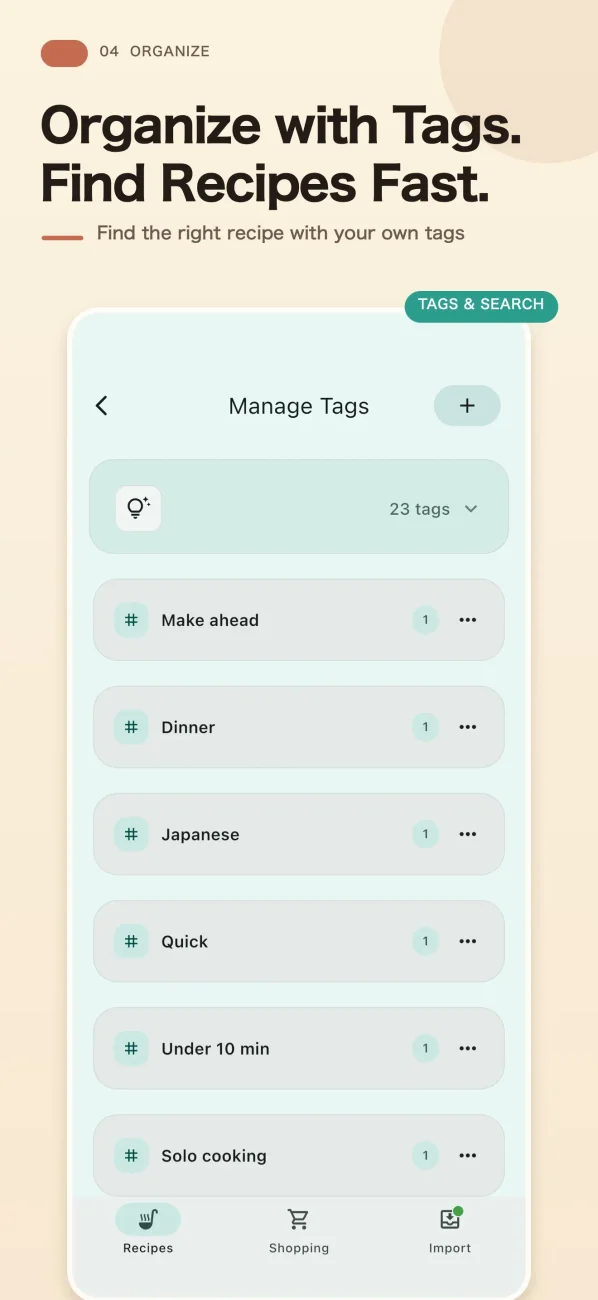
FIND RECIPES WITH TAGS AND SEARCH
Organize by quick meals, meal prep, favorites, and more. Search your collection and choose a list or grid view.
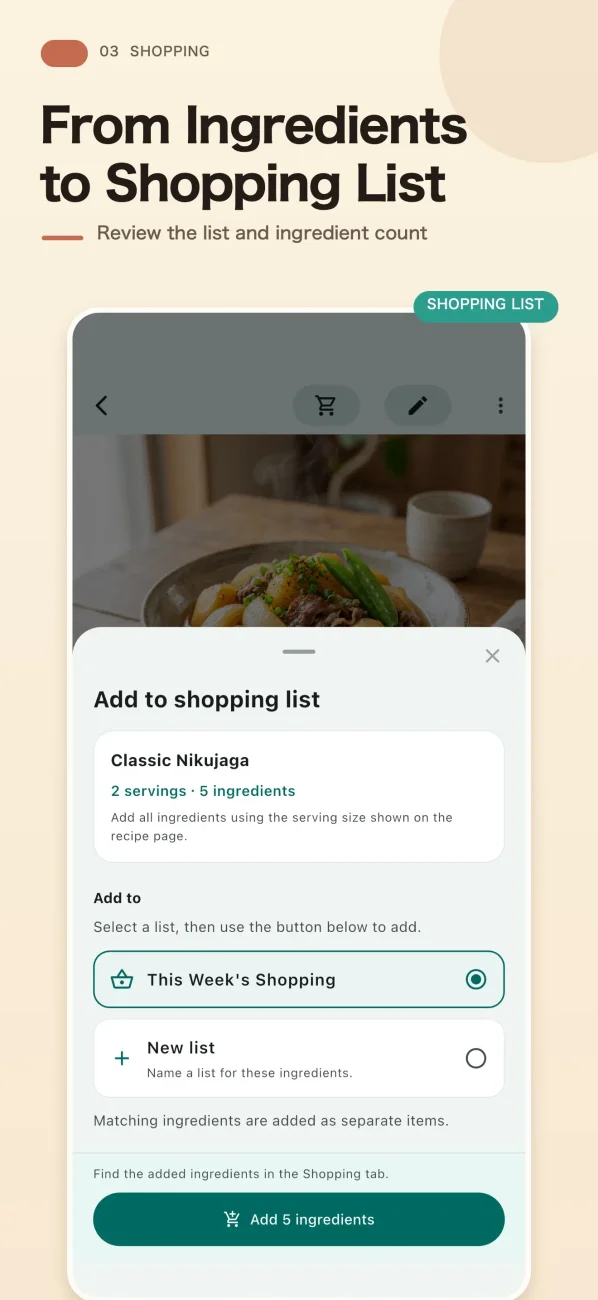
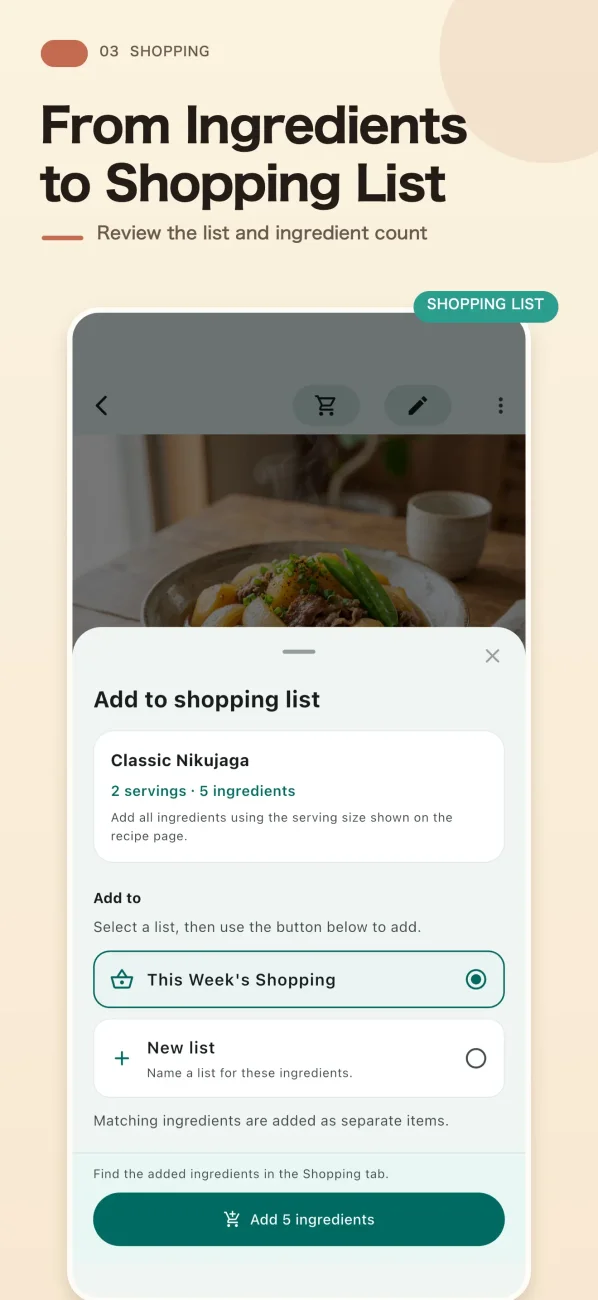
TURN INGREDIENTS INTO SHOPPING LISTS
Review the destination list and ingredient count before adding. Create a new list or add everyday shopping items by hand.
BACK UP TO ICLOUD DRIVE
Back up and restore recipes, tags, and shopping lists. Image files themselves are not included in backups.
FREE FEATURES AND IMPORT ALLOWANCES
Manually adding, viewing, and editing recipes, organizing with tags, and using shopping lists are free.
Eligible devices can try 3 imports as a one-time offer. Registering again or reinstalling the app does not grant another trial on the same device.
Camera, image, and screenshot text recognition is free. Creating a recipe from recognized text uses your import allowance.
OPTIONAL PURCHASES
• Monthly Plus
An automatically renewing subscription with 50 imports each month while active, plus all Plus features. Your first purchase permanently unlocks Plus features, which remain available after the subscription ends. The monthly import allowance ends, but unused trial imports and purchased imports remain.
• Lifetime Plus features
A one-time payment unlocks Plus features permanently, with no automatic renewal. This purchase does not add any imports.
• 10 extra imports
Buy 10 imports when you need them, with no automatic renewal or expiration. Available to both free and Plus users. Connecting your account with Apple is required before purchasing. This purchase does not unlock Plus features.
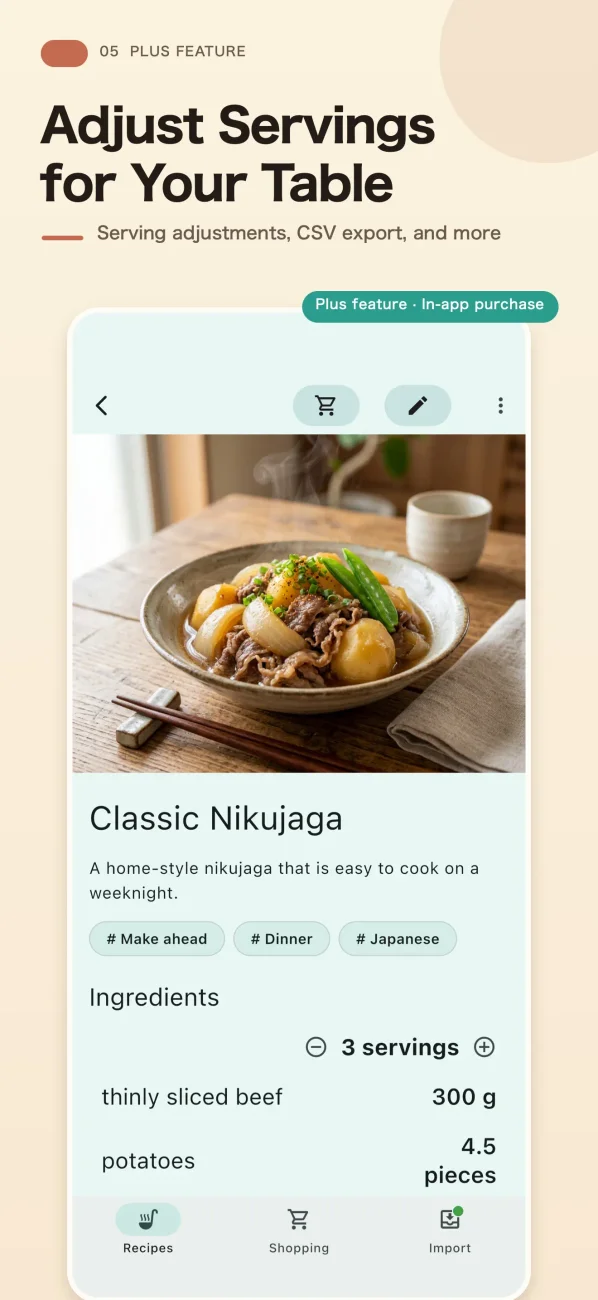
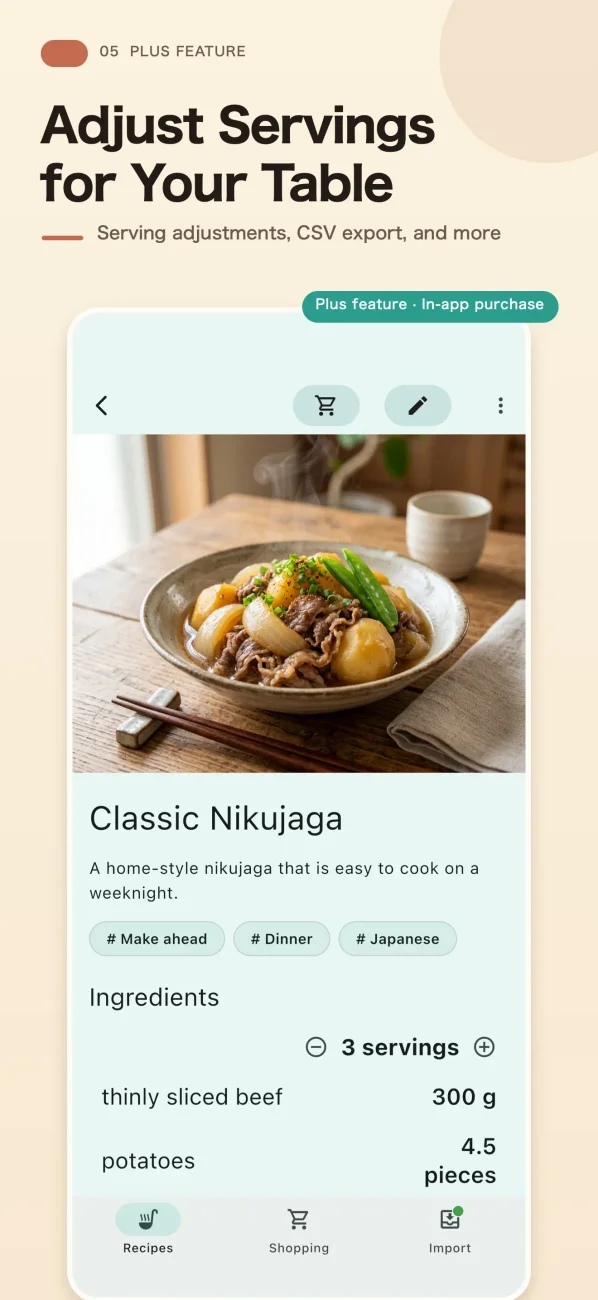
Plus features include serving-size adjustments (including steps of 0.5), CSV export, color customization, and keeping the screen awake while cooking. See the app for prices and purchase details.
IMPORT NOTES
Even public posts may be unavailable because of age verification or access restrictions. YouTube imports use the video description. If recipe text appears in a video or comment, try recognizing it from a screenshot. Review imported content and edit it as needed.
Keep every recipe you want to cook again within easy reach.
What’s new
Version 1.6.2 · Oct 26, 2026
This update fixes many issues and improves stability.
• New setting to adjust servings in steps of 0.5 (Plus). Recipes with fractional servings, such as 2.5, now calculate ingredient amounts correctly.
• Backups and restores are more reliable. Other actions that happen during a backup or restore no longer mix data.
• Your Plus status and display settings now stay correct after a restore.
• Fixed long shared text being cut off. You can now import text of up to 5,000 characters.
• Pasting a recipe page URL into "Paste a memo" now imports from that page, just like sharing it.
• Fixed edits being lost while a recipe was saving or a photo was being prepared.
• Fixed Undo sometimes putting text from a deleted step or ingredient group into another field.
• Fixed restored or replaced images reverting after saving, and unused image files being left behind.
• Fixed shopping list checks and deletions not being saved correctly when a list was reopened or a restore was in progress.
• Search now finds recipes across hiragana and katakana, with the long vowel mark, and with partially typed English words.
• Character counts for names and other text now count emoji as they appear.
• Fixed text being clipped or overflowing with larger text sizes or on narrow screens.
• Fixed smaller issues with renaming tags, CSV export, and using an external keyboard on iPad.
App privacy
What Morikawa Tatsunosuke declares on the App Store about how this app handles data.
-
Data linked to you
May be collected and linked to your identity.
- Identifiers
-
Data not linked to you
May be collected but is not linked to your identity.
- Purchases
- Location
- Identifiers
- Usage data
- Diagnostics
Privacy practices may vary, for example with the features you use or your age.
Information
- Seller
- Morikawa Tatsunosuke
- Category
- Food & Drink
- Version
- 1.6.2
- Updated
- Oct 26, 2026
- Released
- Jan 16, 2026
- Size
- 71.5 MB
- Requires
- iOS 15.0 or later
- Age rating
- 4+
- In-app purchases
- Yes
- Languages
- Japanese, English
- Copyright
- © 2026 Tatsunosuke Morikawa
You might also like
-
 SIMPLE My RecipesCookbook & serving calculator
-
 Recipe Pocket: Save & CookImport recipes in any language
-
 Tsukuriba: Save Video RecipesSave from YouTube, IG & TikTok
-
 RecipeKeep: Save Any RecipeFood & Drink
-
 Recipe Scrap - Save & OrganizeTurn food videos into recipes
-
 Tabering - Restaurant TrackerPhoto Food Map & Dining Diary
-
 Savoro: Recipes & Meal IdeasFood & Drink
-
 SNSレシピメモ - 動画レシピを保存・整理Food & Drink
-
 Lunch Log - Restaurant NotesSave spots, log every meal
-
 たべいこ - グルメ記録&おでかけプランFood & Drink