
- Age rating4+
- CategoryProductivity
- DeveloperYoobin Shin
- LanguagesEnglish+ 13 more
- Size14.3 MB
Links to the official App Store page
Download.org hosts no file of CopyBox - Copy & Paste. The button opens its official App Store page, published by Yoobin Shin. Listing last checked on Nov 8, 2026.
Screenshots

About
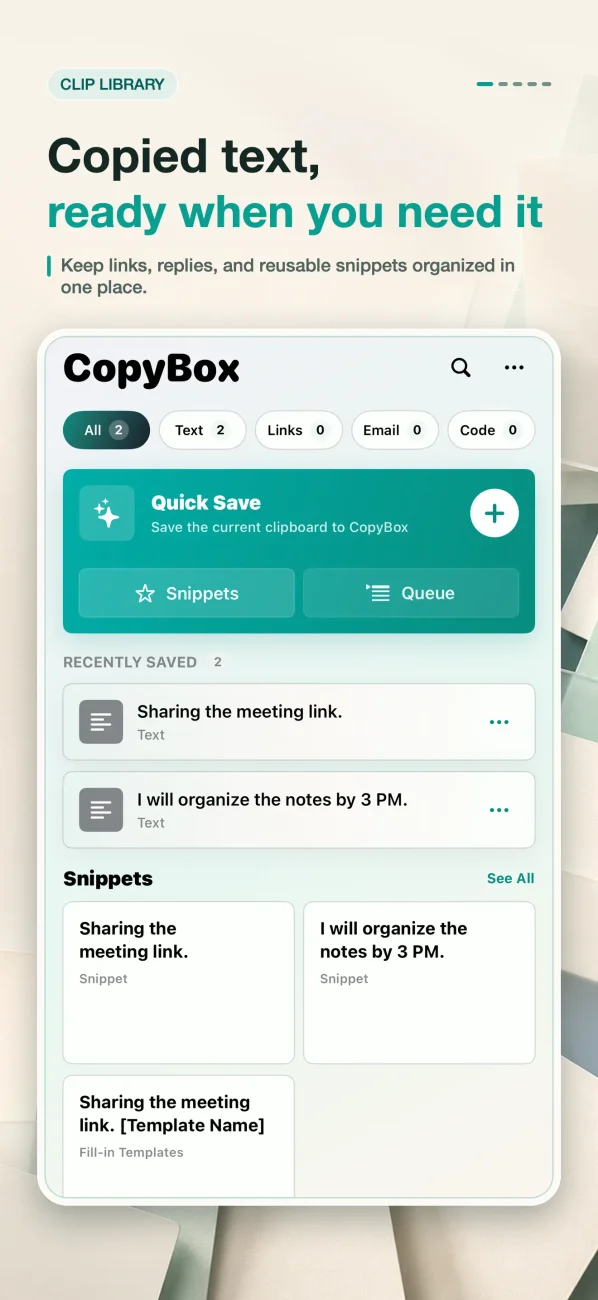
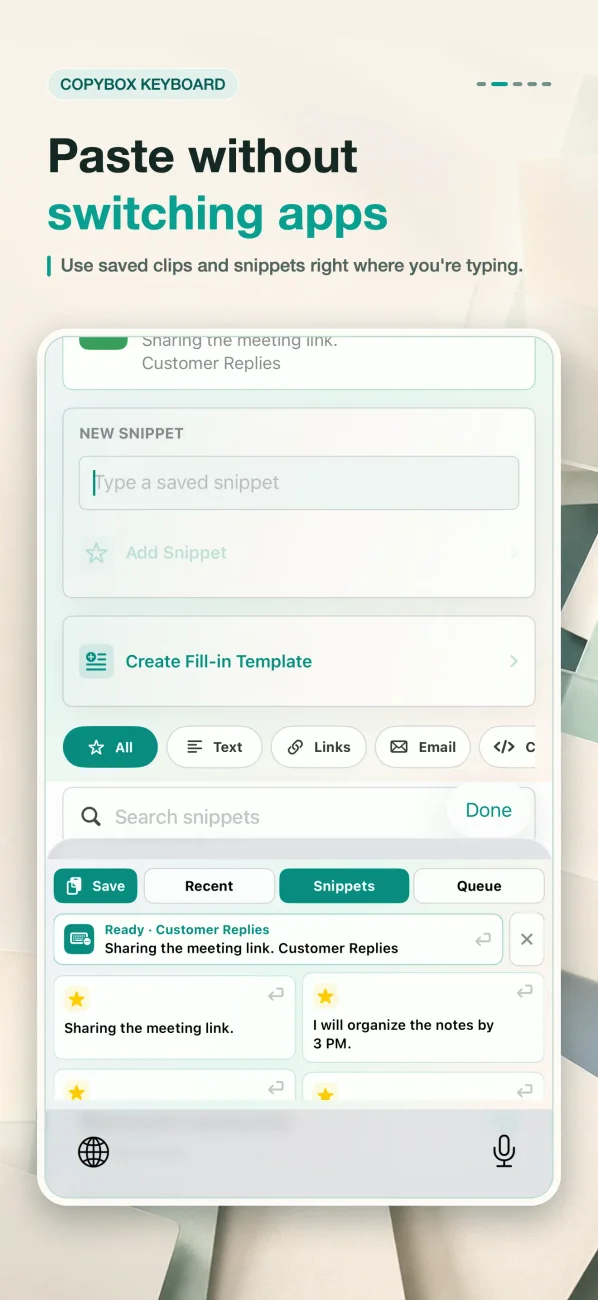
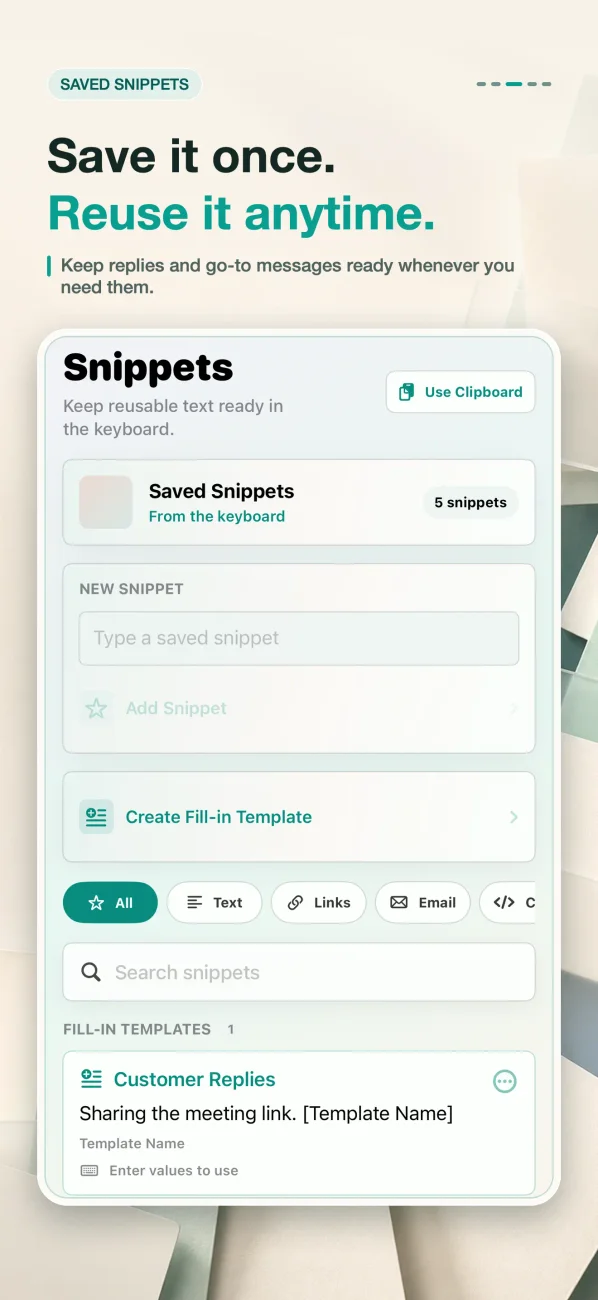
CopyBox is a clipboard library and keyboard paste tool for iPhone. Save copied text, reusable snippets, links, and replies, then paste them from the CopyBox keyboard without switching back and forth between apps.
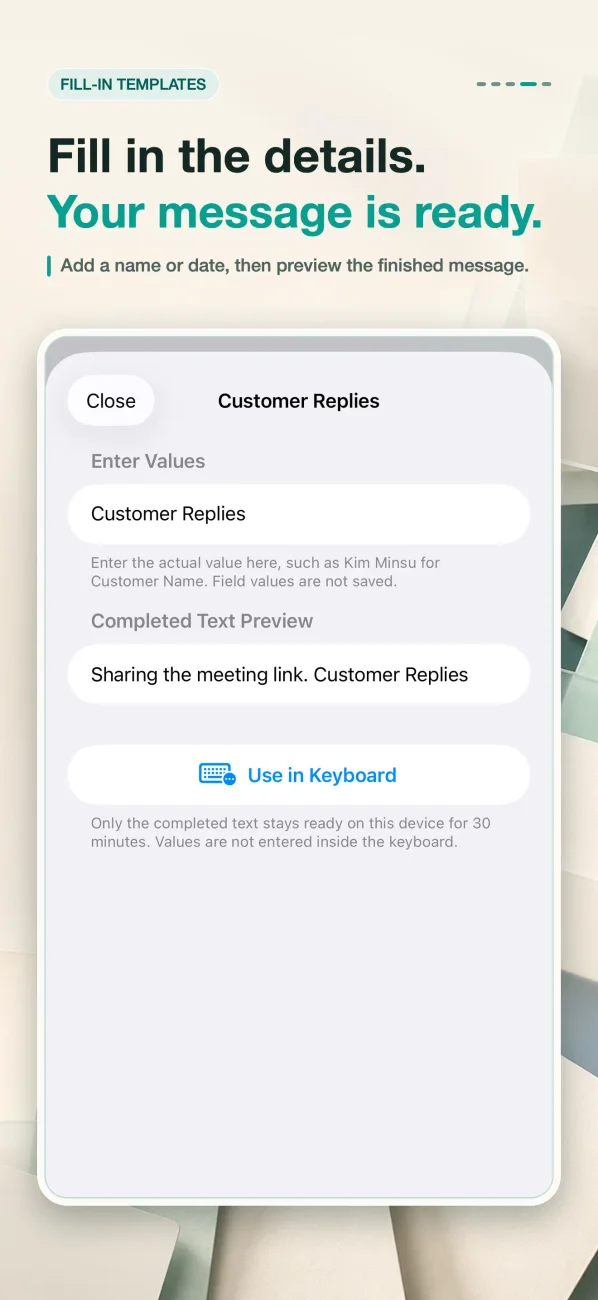
Input Templates turn a reusable message into a simple fill-in form. Define fields such as Customer Name, enter their values when you use the template, review the completed message, and prepare it for the CopyBox keyboard. Only the completed text is available to the keyboard, and it expires automatically after 30 minutes.
Use CopyBox for common replies, support messages, links, hashtags, and any text you need to reuse. When several messages must be sent in a specific order, Queue mode lets you paste the next saved item one step at a time.
Key features:
- Create Input Templates with your own field names
- Enter values, preview the completed message, and prepare it for the keyboard
- Save current clipboard text from the main app
- Save selected text and URLs from the Share Sheet
- Keep recent clips and saved snippets ready
- Keep multiple snippets in an ordered queue
- Create, rename, and delete queues for different tasks
- Insert recent clips, saved snippets, prepared templates, or the next queue item from the custom keyboard
- Import multiple lines at once
- Mark snippets as used and reset queue progress when needed
- Use Shortcuts actions to save the clipboard, add text, copy the next clip, reset queue progress, and open the app
CopyBox stores snippets, templates, and prepared text locally in its shared App Group container. Clipboard text, keyboard input, snippets, template fields and values, and completed messages are not sent to a developer server or included in data sent to advertising, Analytics, or Crashlytics services.
What’s new
Version 1.0.6 · Jul 17, 2026
CopyBox now supports 14 languages, and its App Store presentation has been refreshed so key features are easier to understand.
- See how the clip library, saved snippets, Input Templates, and CopyBox keyboard work together.
- Core features and data handling remain unchanged.
App privacy
What Yoobin Shin declares on the App Store about how this app handles data.
-
Data used to track you
May be used to track you across apps and websites owned by other companies.
- Identifiers
-
Data linked to you
May be collected and linked to your identity.
- Location
- Identifiers
- Usage data
-
Data not linked to you
May be collected but is not linked to your identity.
- Diagnostics
Privacy practices may vary, for example with the features you use or your age.
Information
- Seller
- Yoobin Shin
- Category
- Productivity
- Version
- 1.0.6
- Updated
- Jul 17, 2026
- Released
- Jul 8, 2026
- Size
- 14.3 MB
- Requires
- iOS 17.0 or later
- Age rating
- 4+
- Languages
- English, Arabic, French, Hindi, Indonesian, Japanese, Korean, Portuguese, Simplified Chinese, Spanish, Thai, Traditional Chinese + 2 more
- Copyright
- © 2026 hapinesspang
You might also like
-
 Copy Paste Clipboard ProText Snippets & Keyboard
-
 ClipStashOrganize your clipboard
-
 Fumi ReaderA lightweight RSS reader
-
 Voice to Text NotesAI Transcribe: Meeting Notes
-
 Clipboard Manager: Clip FlowPaste Keyboard & Snippets
-
 Clipboard - Copy Paste ProClipboard, Keyboard, Translate
-
 Prompt Keyboard: AI PasteTemplates & Quick Replies
-
 Pellet - Notes, Tasks, PKMLocal notes, tasks and more.
-
 Pip: Clipboard History ManagerCopy Paste Keyboard & Snippets
-
 めももProductivity