
CorgiKeyboard
Private typing with clipboard
Designed for iPhone, iPad
Free · In-app purchases
- Age rating4+
- CategoryProductivity
- DeveloperTechSoakedLoaf SIA
- LanguagesEnglish+ 35 more
- Size4.6 MB
Links to the official App Store page
Download.org hosts no file of CorgiKeyboard. The button opens its official App Store page, published by TechSoakedLoaf SIA. Listing last checked on Nov 6, 2026.
Screenshots
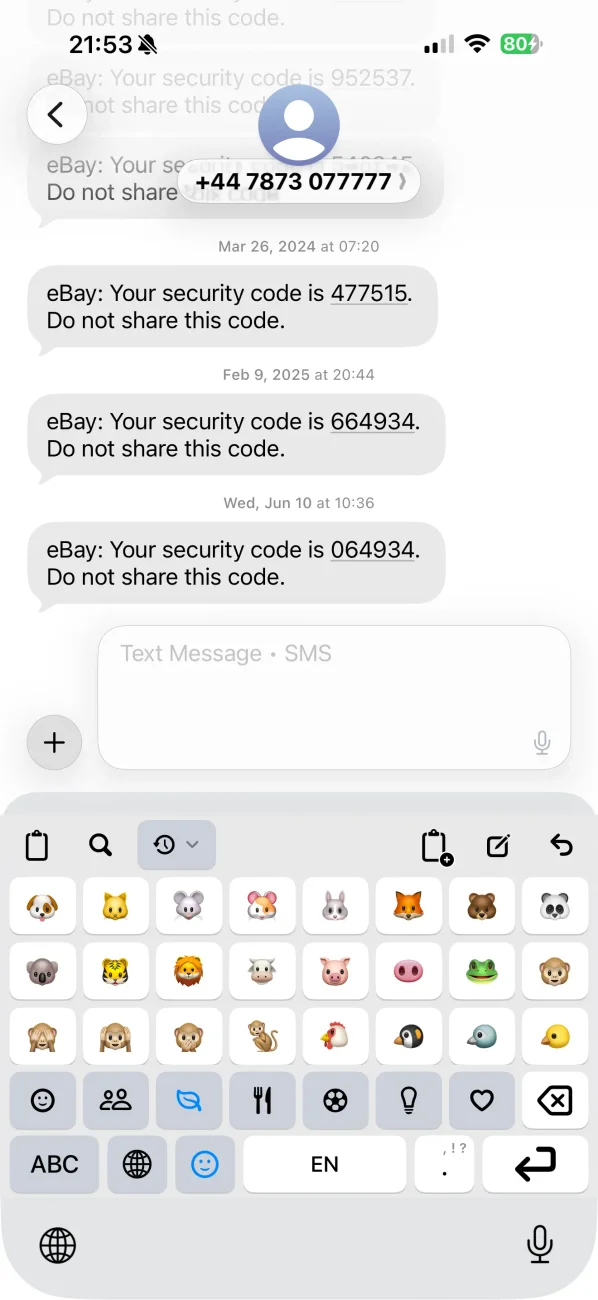
About
Corgi Keyboard is a privacy-first iOS keyboard that does not try to read your mind. It types, it does not predict, and it does not learn from you. Your saved clips and notes sit one tap above the keys (and only if you want it!) — and every feature is free.
WHAT IT DOES NOT DO
- No typed-input collection. What you type is not gathered, stored, analyzed, or sent anywhere.
- No prediction engine, no autocorrect, no rewriting, no AI features. The keyboard does exactly what you tap.
- No swipe learning and no behavioral profiling.
- No ads, no subscriptions, no account.
- Full Access is optional. Typing works normally without it — only the clipboard features need it, and the keyboard tells you so instead of failing silently.
- Content marked as concealed by password managers is never captured.
A COMPLETE KEYBOARD
- 25 typing languages across Latin, Greek, and Cyrillic layouts, switched from the globe key's long-press menu
- Key labels follow the language you are typing in
- Emoji picker with Smileys, People, Nature, Food, Activities, Objects, and Symbols
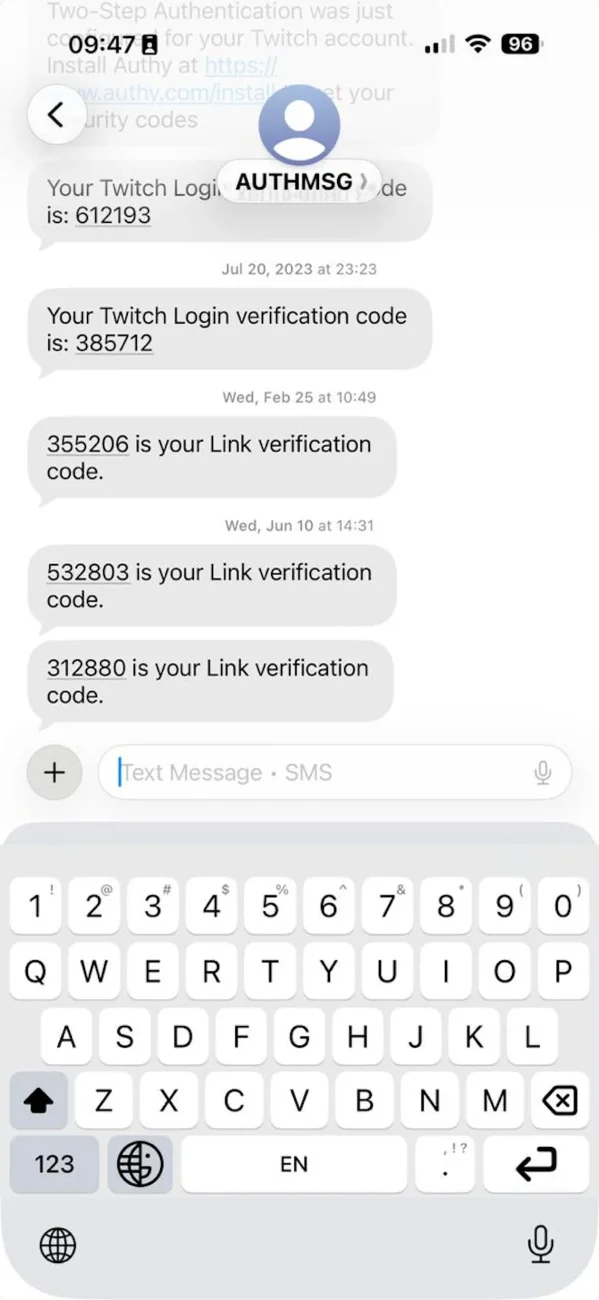
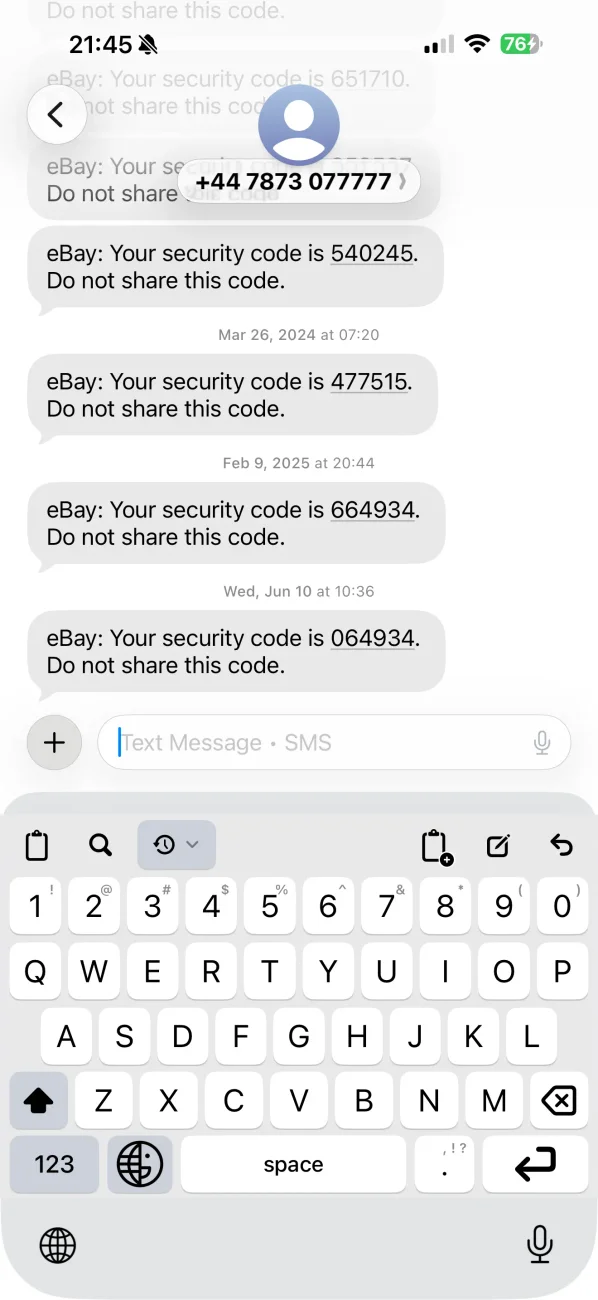
- A number row, with optional long-press symbols underneath — including comma under the period key
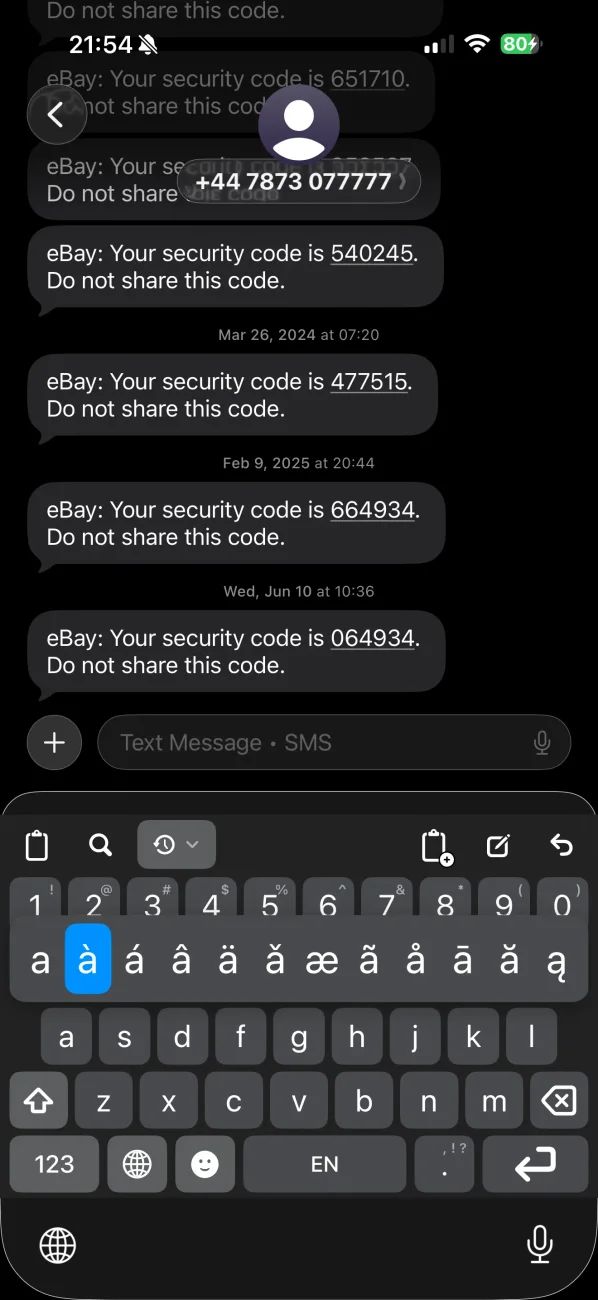
- Long-press any letter for accented variants
- Automatic capitalization at sentence starts; double-tap Shift for caps lock
- Hold the spacebar to move the cursor in any direction, line by line
- Optional undo key that reverses the last text action Corgi Keyboard made
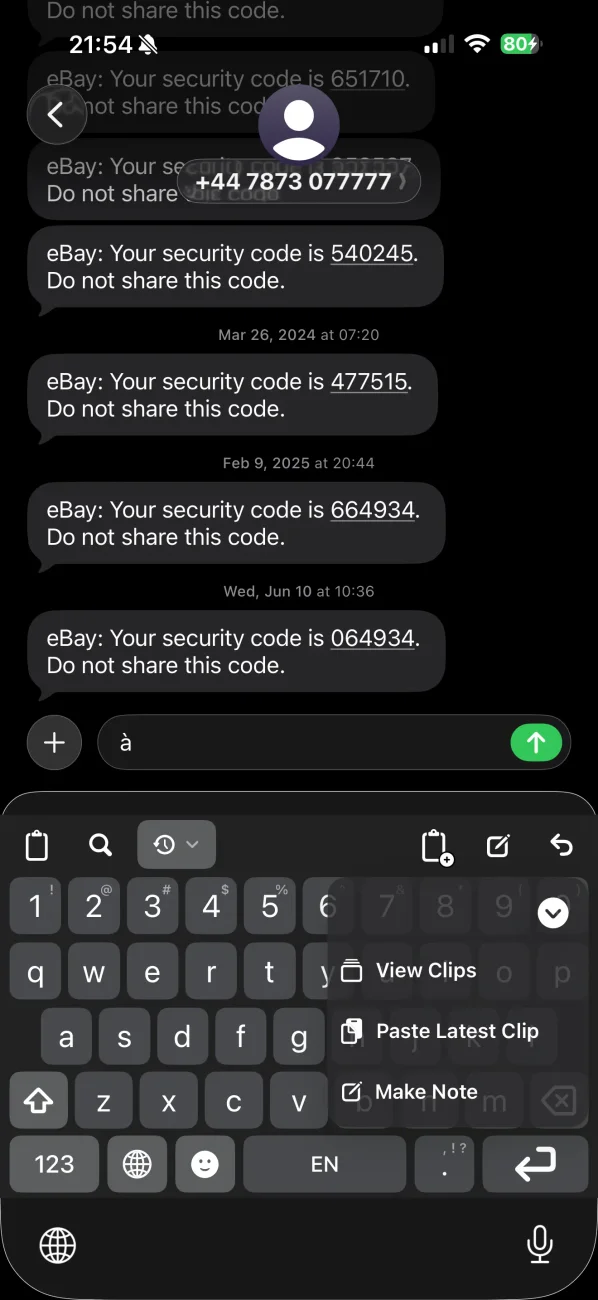
- Automatic light and dark appearance
CLIPS AND NOTES ABOVE THE KEYS
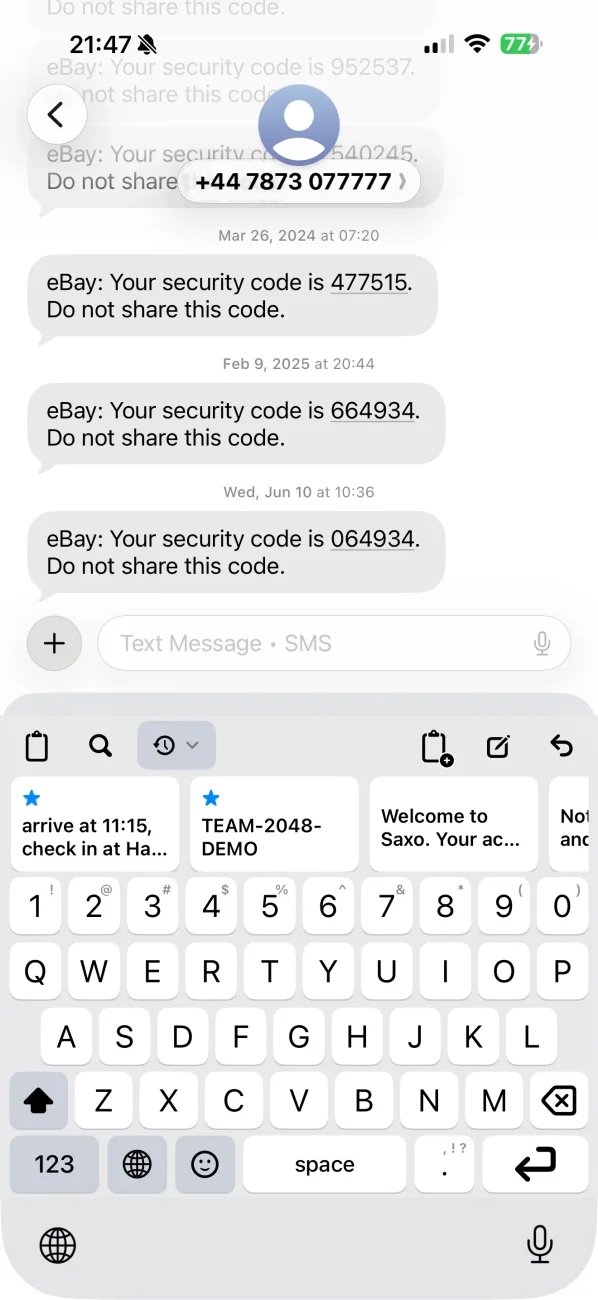
- The Multi-Bar keeps clips, search, recents, save, note, and undo within reach — keep it visible, or long-press Return to call it up only when you need it
- Save what is on the clipboard as a clip without leaving the app you are typing in
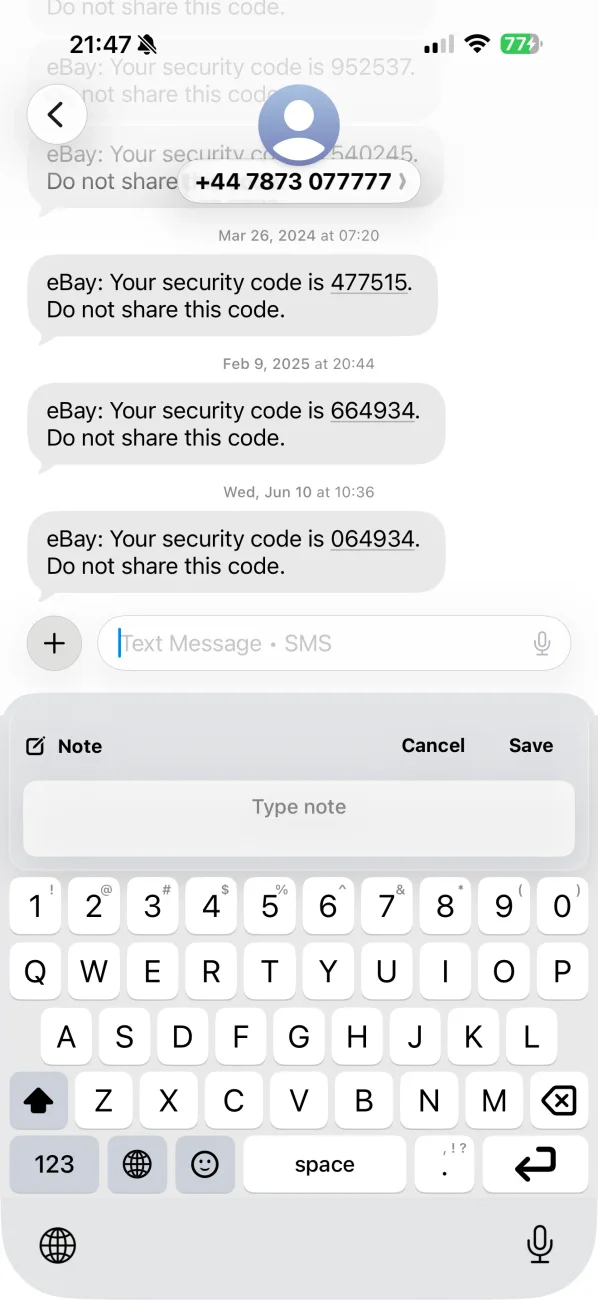
- Write a note straight from the keyboard
- Search your clips by typing
- Unlimited local clip history and up to ten local folders
- Long-press Return for quick actions: view clips, paste the latest clip, or make a note
- Shortcuts support: Create Corgi Note, Save Corgi Clip, and Save Clipboard as Corgi Clip
WORKS WITH CORGICLIP, IF YOU WANT
Corgi Keyboard is complete on its own. If you also use CorgiClip, turn on integration and your CorgiClip folders appear in Saved Clips and Notes. The keyboard reads only the snapshot CorgiClip exports to a shared folder on your device — it never opens the live app database, and it behaves gracefully when CorgiClip is not installed. Turn it off and everything stays local to the keyboard.
MAKE IT FIT YOUR HANDS
- Two keyboard sizes — standard, or larger tap targets on a taller keyboard
- Four haptic feedback levels, including off
- Show or hide the Multi-Bar, the undo key, and the number-row symbol hints
- Combine the globe and emoji keys into one compact bottom-row key
- VoiceOver labels on the keys and controls
- Dark mode
FREE, WITH OPTIONAL TREATS
Every keyboard feature is free for everyone. No paid tier, no unlockables. If Corgi Keyboard earns its place on your keyboard list, there is an optional tip under Support → Donate a corgi treat. Tips unlock nothing, and they are separate from tips in the CorgiClip app.
Questions or ideas? support@techsoakedloaf.com
Requires iOS 17 or later. To use Corgi Keyboard, add it in Settings → General → Keyboard → Keyboards.
App privacy
What TechSoakedLoaf SIA declares on the App Store about how this app handles data.
-
Data not collected
The developer does not collect any data from this app.
Privacy practices may vary, for example with the features you use or your age.
Information
- Seller
- TechSoakedLoaf SIA
- Category
- Productivity
- Version
- 1.0
- Updated
- Oct 14, 2026
- Released
- Oct 14, 2026
- Size
- 4.6 MB
- Requires
- iOS 17.0 or later
- Age rating
- 4+
- Price
- Free
- In-app purchases
- Yes
- Languages
- English, Arabic, Catalan, Czech, Danish, Dutch, Estonian, Finnish, French, German, Greek, Hebrew + 24 more
- Copyright
- © 2026 TechSoakedLoaf SIA
You might also like
-
 Clipboard History KeyboardPaste photos, PDFs and links
-
 Copyo – Clipboard ManagerHistory, keyboard, snippets
-
 Keyda: AI Keyboard & AssistantKeyboard That Thinks With You
-
 CopySafe — Clipboard ManagerCopy Paste Keyboard & History
-
 Kibo PastePaste phrases with one tap
-
 Pink Calculator (No Ads)cute simple basic calc
-
 A Good Custom KeyboardAutocorrect & Calculator
-
 Clipboard: Copy Paste KeyboardAuto save your clipboard
-
 Swaytype AI Translate KeyboardType in yours, send in theirs
-
 PDF Document Editor, Read BookScanner App, Edit, Sign, View