
Countify+
The Smart Tally Counter
Designed for iPhone, iPad
Free · In-app purchases
- Age rating4+
- CategoryProductivity
- Developerhirokazu murabe
- LanguagesEnglish+ 1 more
- Size5.3 MB
Links to the official App Store page
Download.org hosts no file of Countify+. The button opens its official App Store page, published by hirokazu murabe. Listing last checked on Nov 17, 2026.
Screenshots

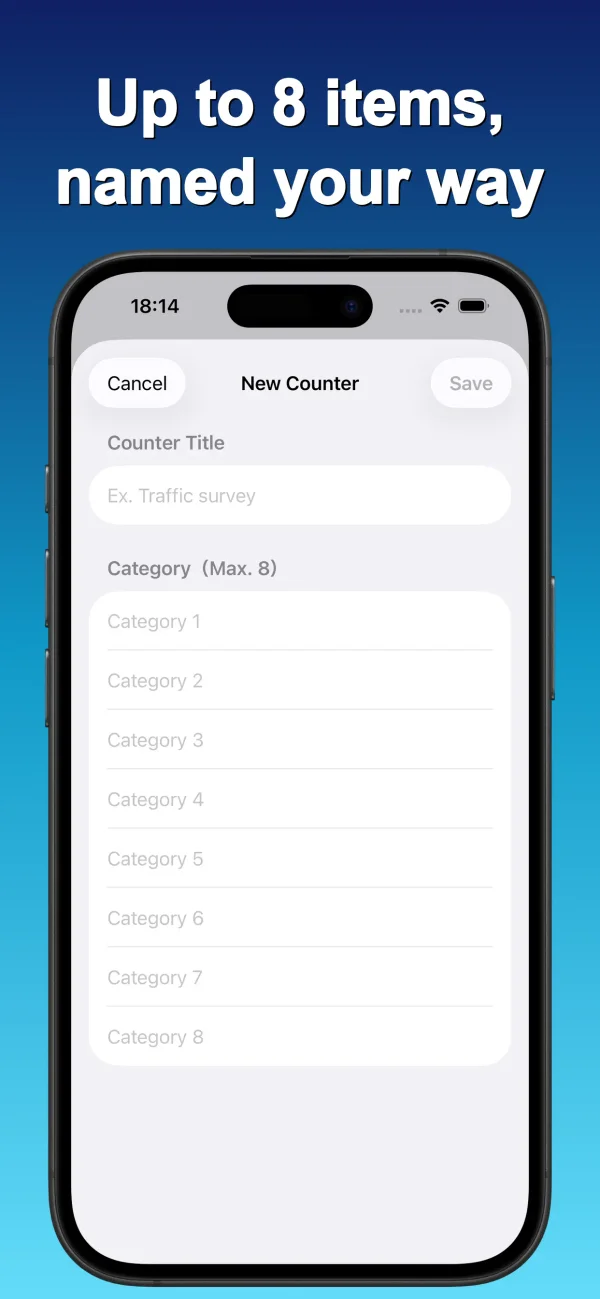

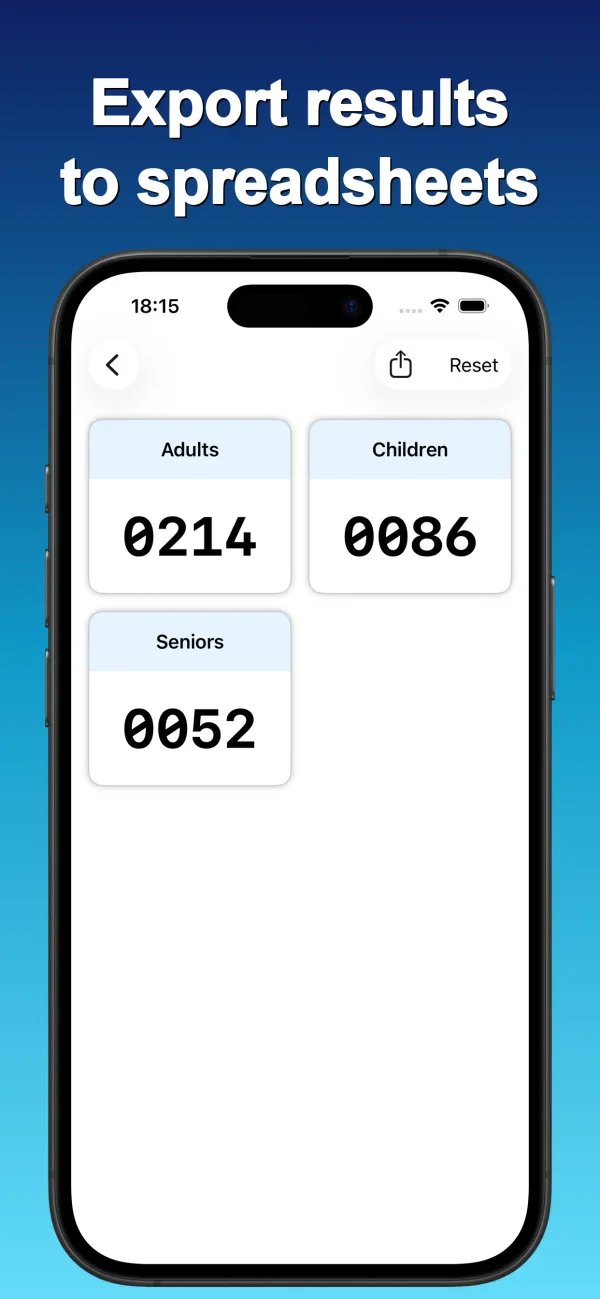
About
Simple & Powerful. The Multi-Counter for Everything.
Tired of losing count or juggling multiple apps and notes?
Countify+ is an intuitive and easy-to-use counter app that lets you manage multiple tallies in organized groups.
From work and hobbies to daily habits, it’s the only counting tool you'll ever need to simplify any tracking task.
Key Features:
Unlimited Counters
Create as many counters as you need. Never forget a number or search for a piece of paper again.
Organize with Groups
Group your counters by project, category, or event. Keep even the most complex counting tasks perfectly organized.
Intuitive Controls
• Tap to increment (+1).
• Swipe up to decrement (-1).
It's so simple, anyone can master it in seconds.
Fully Customizable
Name your counters and individual items to perfectly match what you're tracking.
Perfect For Any Situation:
Business: Inventory & stock counts, attendance tracking, traffic surveys, event management.
Hobbies & Gaming: Birdwatching, fishing, scorekeeping, tracking collections.
Fitness: A reliable rep and set tracker for your workouts.
Daily Life: Shopping lists, habit tracking (like quitting smoking), managing chores.
Make your counting tasks easier and more accurate.
Download Countify+ now and experience the smarter way to tally
What’s new
Version 26.1 · Oct 5, 2026
[New]
- Added "Save Results". You can now export item names and counts as a file that opens in spreadsheet apps.
[Improvements]
- Taps are now counted even when your finger slips slightly during rapid tapping.
- A confirmation now appears when you tap "Reset".
- Counters are no longer deleted right away when you swipe hard on the list.
- Fixed an issue where counter text was hard to read in Dark Mode.
App privacy
What hirokazu murabe declares on the App Store about how this app handles data.
-
Data used to track you
May be used to track you across apps and websites owned by other companies.
- Identifiers
-
Data linked to you
May be collected and linked to your identity.
- Identifiers
Privacy practices may vary, for example with the features you use or your age.
Information
- Seller
- hirokazu murabe
- Category
- Productivity
- Version
- 26.1
- Updated
- Oct 5, 2026
- Released
- Jan 6, 2016
- Size
- 5.3 MB
- Requires
- iOS 17.6 or later
- Age rating
- 4+
- Price
- Free
- In-app purchases
- Yes
- Languages
- English, Japanese
- Copyright
- © 2015 - 2026 Studio Magic
You might also like
-
 MultipleCounterCan count simultaneously!
-
 Tap Tap Counter : MultiCounterTap and record the number
-
 SpeedGunner AI: Speed CameraMeasure speed with your Camera
-
 Simple Multiple CounterSimple multi counters
-
 Click Counter – Multi CounterPeople Group Category Counters
-
 Multi Counter - Tally CounterClicker counter app
-
 Smart Counter – Multi TallyCount anything with ease
-
 BrainDump - Voice to NotionAI Voice Memo & To-Do Tracker
-
 Appstar - Remember NamesNever forget a name
-
 CounterMate: Tally CounterGoals, Stats & Pomodoro Timer