
CourtPon! Badminton Rotation
Doubles pairing & court queue
Designed for iPhone, iPad
In-app purchases
- Age rating4+
- CategorySports
- DeveloperRyuuji Hara
- LanguagesJapanese+ 20 more
- Size5.3 MB
Links to the official App Store page
Download.org hosts no file of CourtPon! Badminton Rotation. The button opens its official App Store page, published by Ryuuji Hara. Listing last checked on Nov 26, 2026.
Screenshots

About
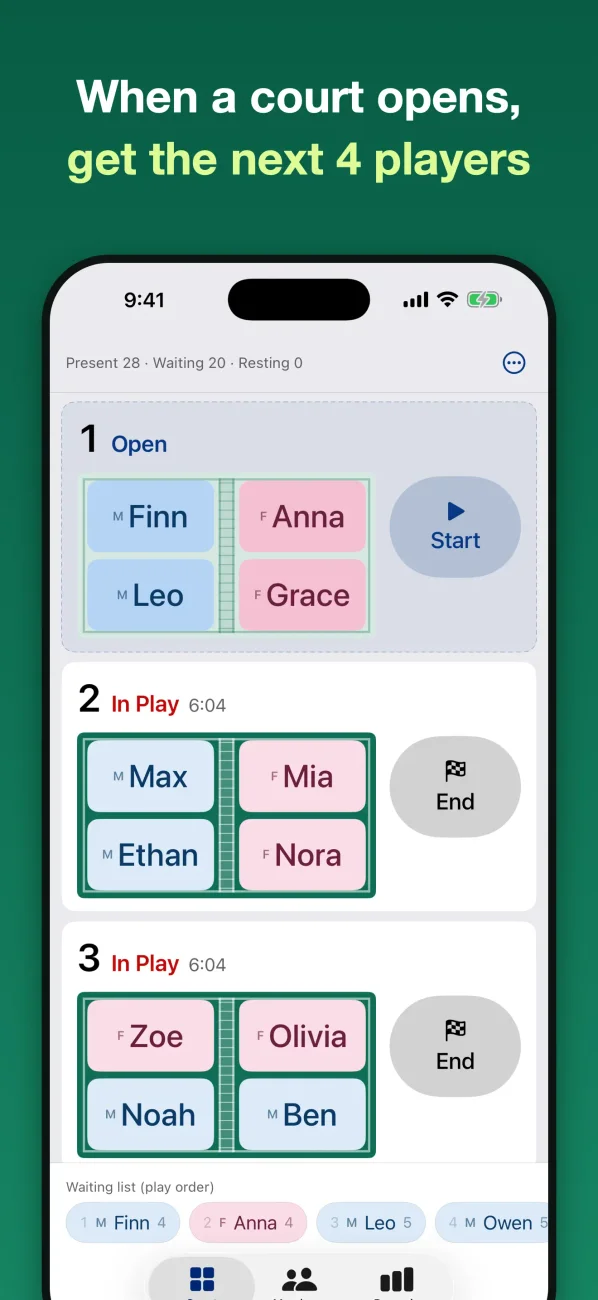
Stop waiting for every court to clear before picking the next group. CourtPon! decides the next 4 players the moment a single court opens up. Built for badminton, but it works just as well for any doubles sport that rotates players through courts — tennis, pickleball, table tennis.
WHY THIS EXISTS
Many badminton clubs wait until every court is free, then draw players for all courts at once — leaving finished courts empty in the meantime. CourtPon! lets each court move independently, so nobody's waiting on anybody else.
WHAT IT DOES
• The instant a court opens, get a fair suggestion for who plays next — just on that court
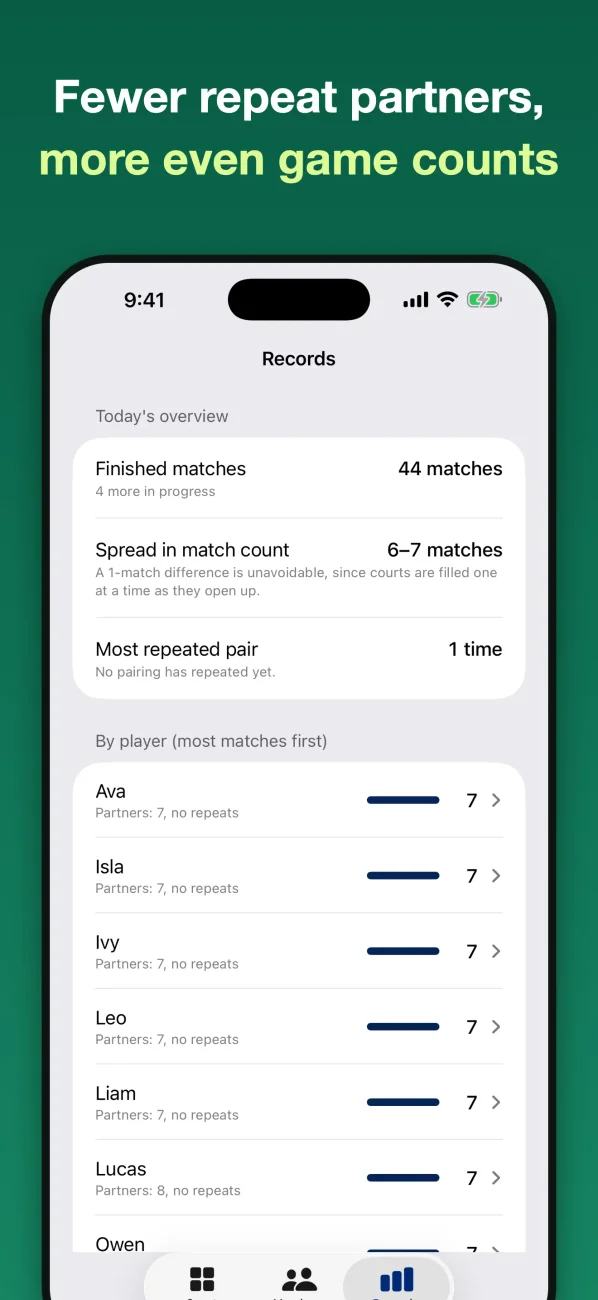
• Automatically avoids repeating the same partners and opponents too often
• Balances match counts while also factoring in skill level — pick Balanced, Fairness first, or Level first in Settings
• Choose a single shared waiting list, or split it per court
• Swap players, pin someone to a court, or reroll a lineup with a couple of taps
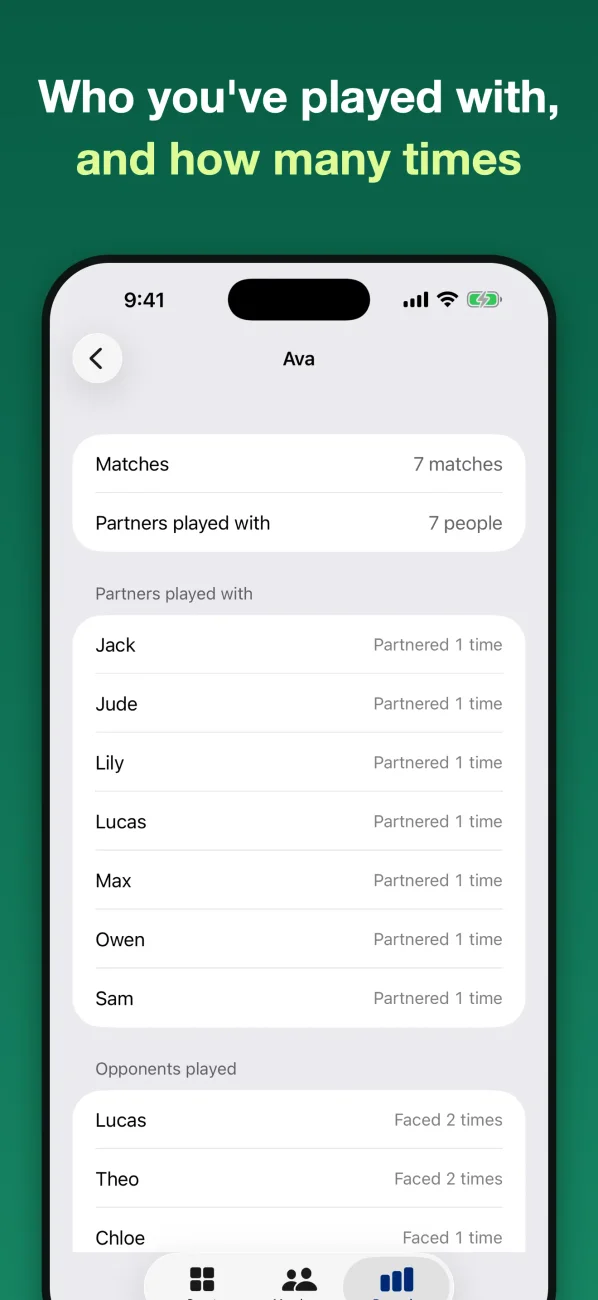
• A records screen shows who's played with whom, how many times, and how even the match counts are
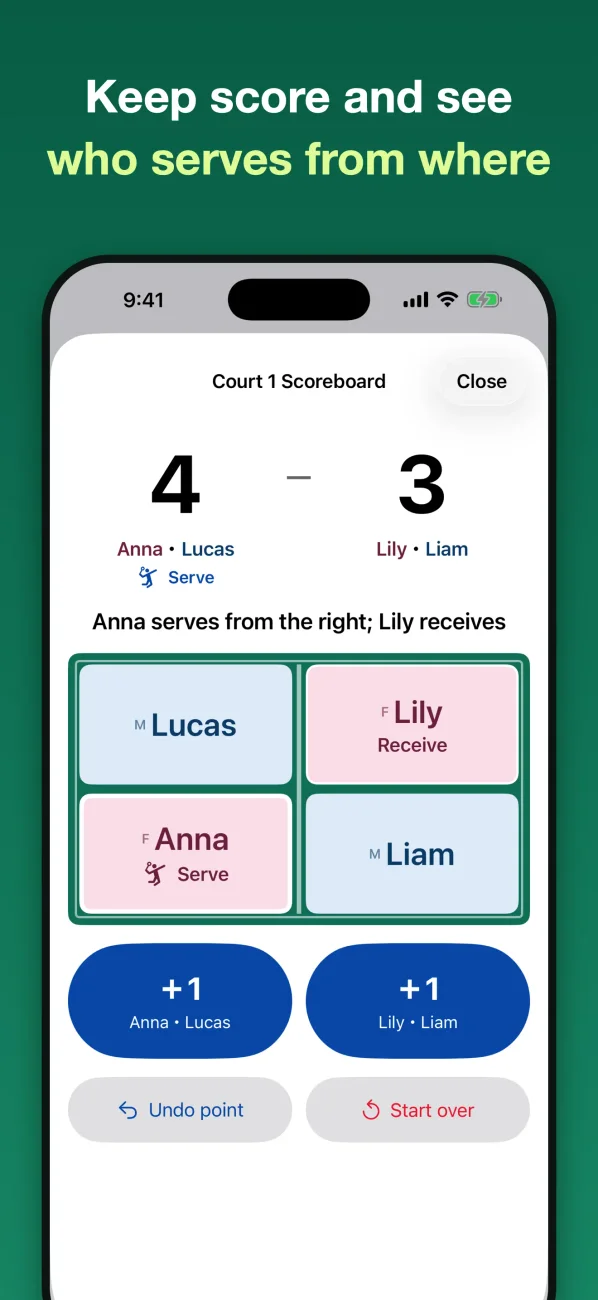
• Players near the host device can follow the live court board on their own iPhone or iPad. No venue Wi-Fi network is required, but the range is limited and may not reach the far end of a gym. They can ask to take a break or rejoin the queue from their own device. The host approves each request, or can turn on "Accept rest requests automatically" in Settings. Requests that can't be applied automatically, such as when no one is available to take a player's place, still wait for approval. With the scoreboard on, anyone sitting out can keep score for a court from their own device
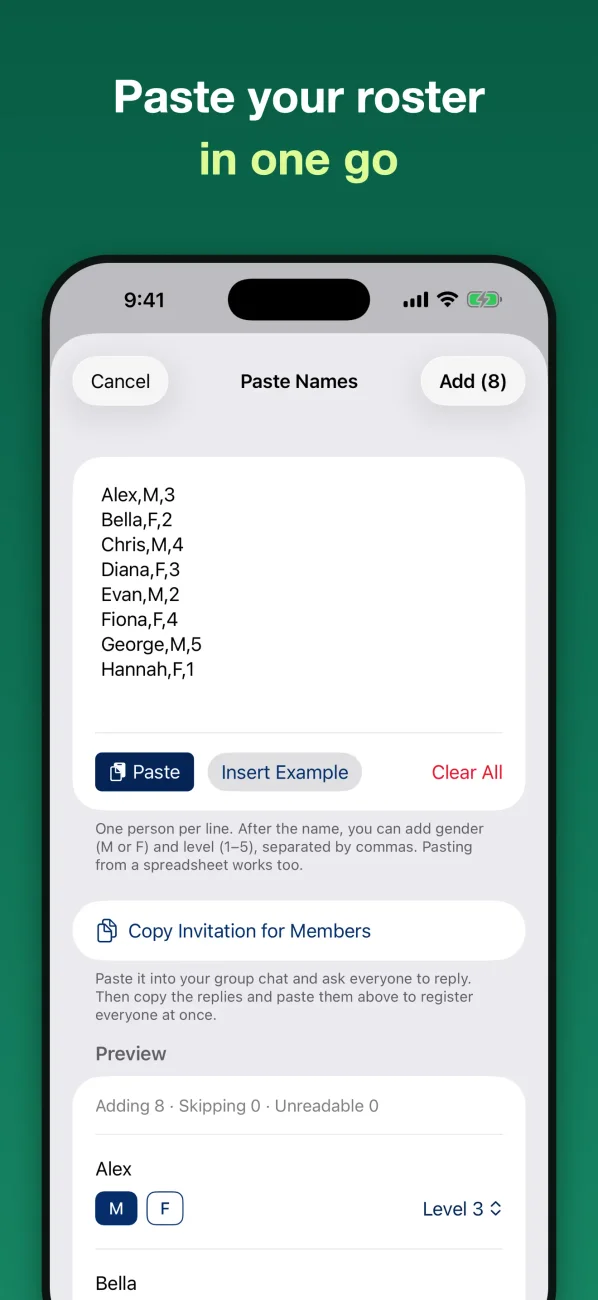
• Paste a list of names from a chat note or spreadsheet to add your whole roster at once (one player per line: name, gender, level)
• Share a summary of the day's practice as an image or text (players, games, courts, and how often pairs repeated). Names are included only if you choose
• Paste attendance replies from your group chat (like "Alex in", "Alex late", "Alex out") to update who's here all at once, and review the list before applying
• Tell players apart by gender with soft colors on the courts and in the queue (soft background, a thin edge marker, or none; the small M/F labels are always there too)
• 1 to 12 courts, and separate rosters for each club you run
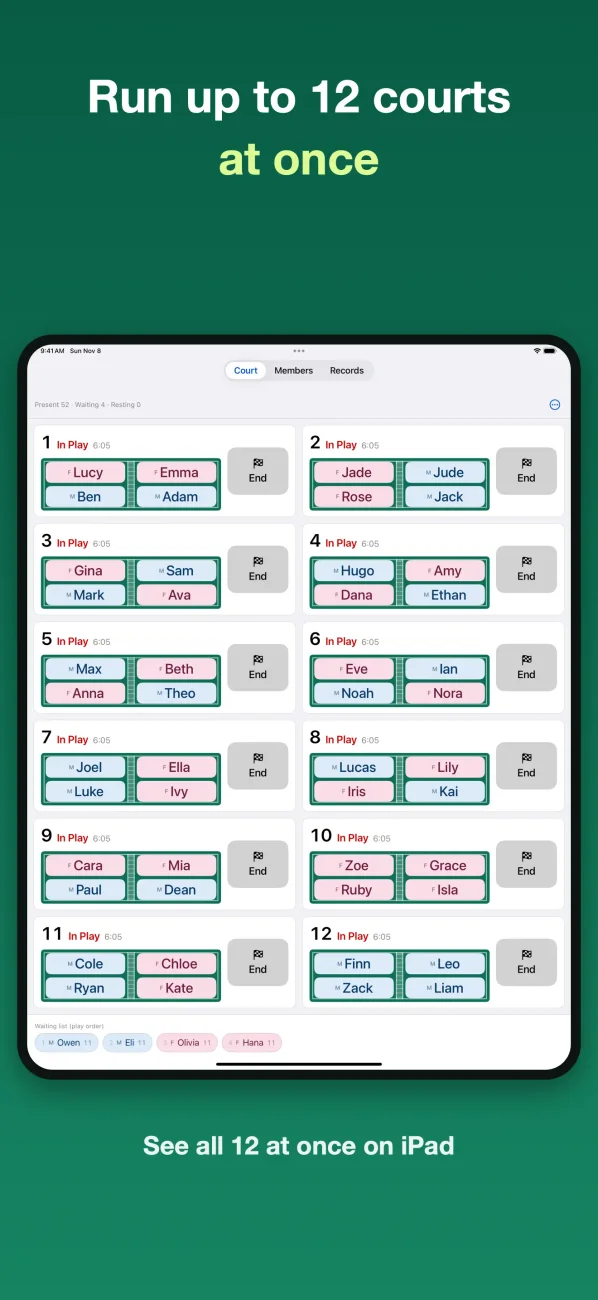
• Works on iPhone and iPad; on iPad, arrange the on-screen courts to match your gym, and all 12 courts fit on one screen (even on 11-inch iPads)
PRICING
Free to download. Run your first 30 games free. Only completed games lasting at least 3 minutes count toward the limit. After that, a one-time purchase removes the limit for good — no subscription. Just following the board with "View nearby devices" is always free.
PRIVACY
No account required. Your rosters and game records are never sent to any server. They're shared only with devices in the same room, directly over Wi-Fi, and only while you use the nearby-devices feature (iOS will ask for Local Network permission). Unlocking is purchased and verified through the App Store; the developer never receives your personal or purchase information.
Built to be used courtside, in the moment.
What’s new
Version 1.16 · Nov 25, 2026
• Share today's results: from the share button on Records, or when you end today's session, send a summary image or text (players, games, courts) to your group chat. You choose each time whether to include names.
• Paste attendance replies from your group chat to check players in all at once (Members → + → Paste Attendance Replies…). Review the list before applying.
• Updated App Store screenshots and description.
App privacy
What Ryuuji Hara declares on the App Store about how this app handles data.
-
Data not collected
The developer does not collect any data from this app.
Privacy practices may vary, for example with the features you use or your age.
Information
- Seller
- Ryuuji Hara
- Category
- Sports
- Version
- 1.16
- Updated
- Nov 25, 2026
- Released
- Sep 21, 2026
- Size
- 5.3 MB
- Requires
- iOS 17.0 or later
- Age rating
- 4+
- In-app purchases
- Yes
- Languages
- Japanese, Arabic, Italian, Indonesian, Dutch, Spanish, Thai, Danish, Turkish, German, Hindi, French + 9 more
- Copyright
- © 2026 半歩舎
You might also like
-
 Pickle-kun: Pickleball ScorerSports
-
 BADMIN - Badminton ManagerPractice & Match Management
-
 Doubles Round Robin BoardNo one sits out twice in a row
-
 Doubles Rotation for BadmintonSports
-
 CourtMaster - Match ManagerDoubles pairing & scoring
-
 ダブルス組み合わせ表・乱数表|テニス・バドミントン・卓球Sports
-
 PadeLovers: Padel Match MakerFair doubles rotation & scores
-
 Doubles Match MakerCreate fair doubles match pair
-
 テニペアSports
-
 Courtly: Fair MatchesBadminton & Pickleball Doubles