Cova Life
Cova Life: Planner & Habits
Designed for iPhone, iPad
Free · In-app purchases
- Age rating4+
- CategoryHealth & Fitness
- DeveloperMITESH PATEL
- LanguagesEnglish
- Size54.3 MB
Links to the official App Store page
Download.org hosts no file of Cova Life. The button opens its official App Store page, published by MITESH PATEL. Listing last checked on Nov 18, 2026.
Screenshots




About
Cova Life is one calm app for running your day: what you need to do, the habits you're building, where your money goes, and how you're feeling.
Open it for a few seconds to tick a habit or log a coffee. Sit down with it to plan your week or look over your spending. It's built for both.
TODAY
• Everything that matters today on one page: habits to tick, tasks due, your next calendar events and your money for the month.
• Your Life Score: one number out of 100, with a plain-English line about why. Tap it to see how each part was worked out.
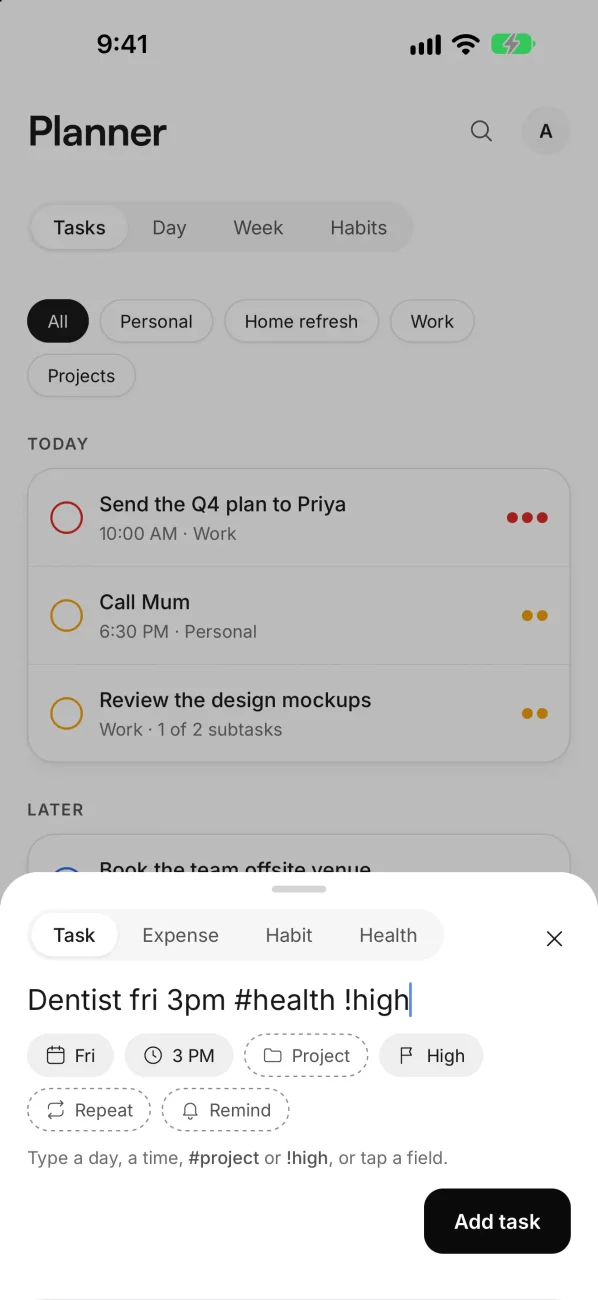
ADD ANYTHING IN TWO TAPS
• One + button, everywhere. Pick Task, Expense, Habit or Health and save.
• Type the way you think. "Dentist fri 3pm #health !high" becomes a task with a day, time, project and priority. "coffee 4.50" becomes an expense.
• Prefer tapping? Every field is also a normal picker, always.
• Deleted something by mistake? Undo.
PLANNER
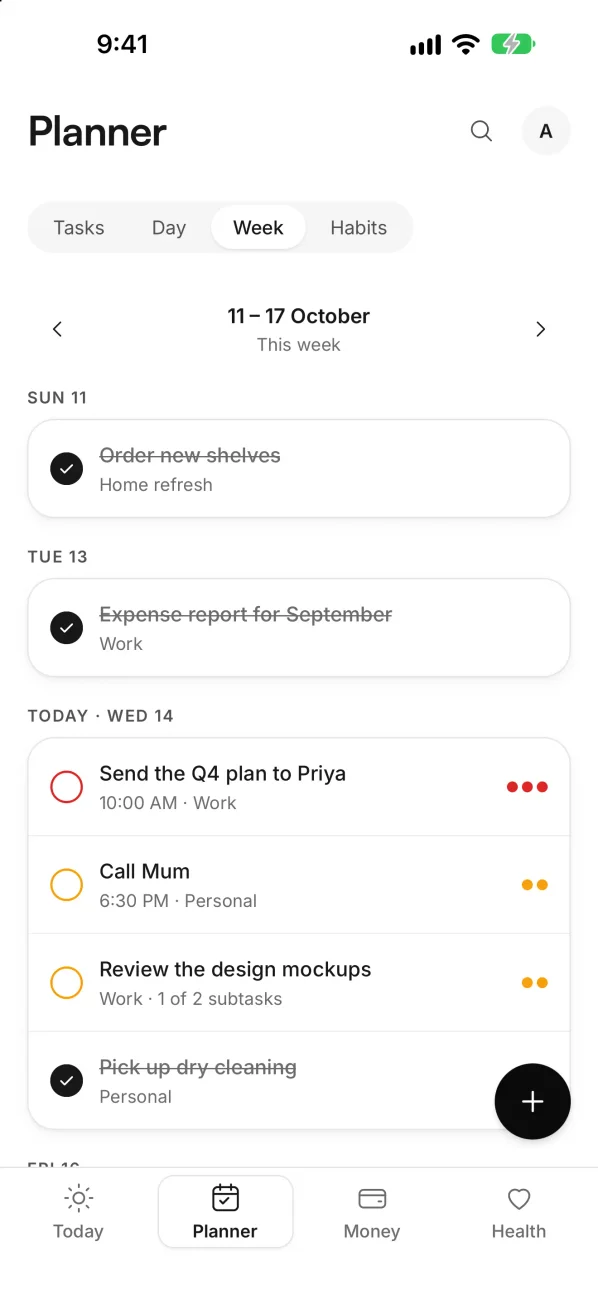
• Tasks with due dates, times, priorities, notes and subtasks.
• Projects with colours and progress.
• Day and week views, with your calendar events beside your tasks.
• Habits you can tick for today or yesterday, with streaks and a month-by-month history.
CALENDARS, READ-ONLY
• See the calendars on your iPhone or iPad, or connect Google and iCloud so your events show on every device.
• Cova only reads your calendars. It never changes them and never adds tasks to them.
MONEY
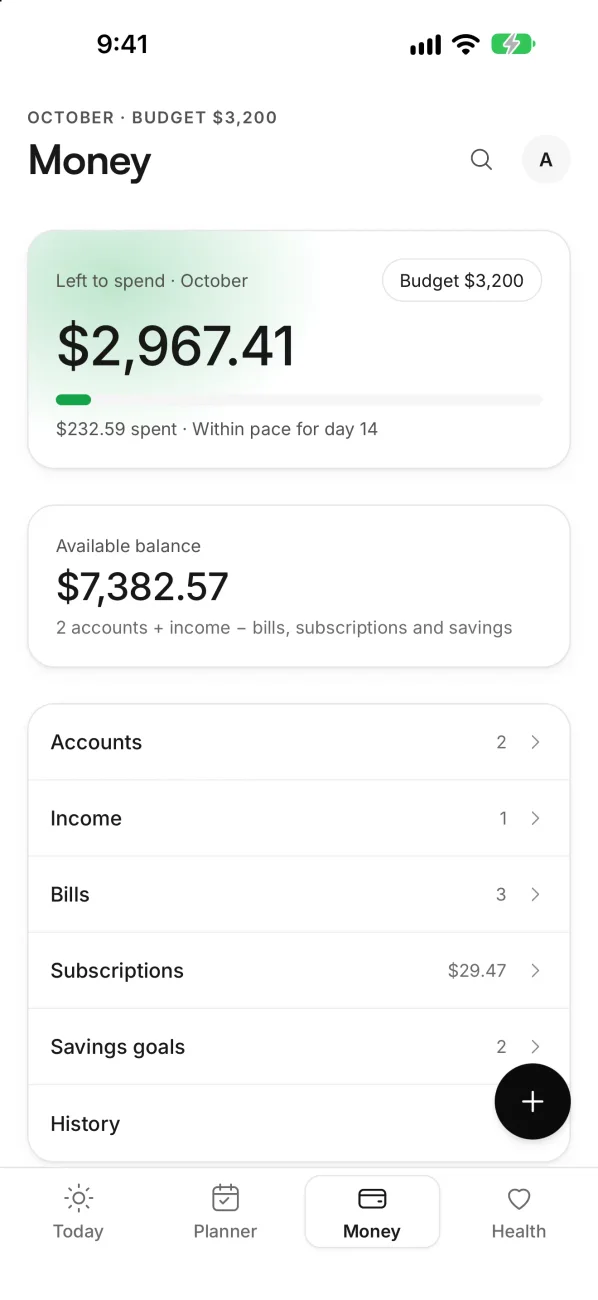
• A monthly budget with alerts, and "left to spend" at a glance.
• Expenses, income, bills, subscriptions, accounts and savings goals, all in your own currency.
• Spending by category and a month-by-month trend.
• No bank connection needed. You stay in control of every number.
HEALTH (PRO)
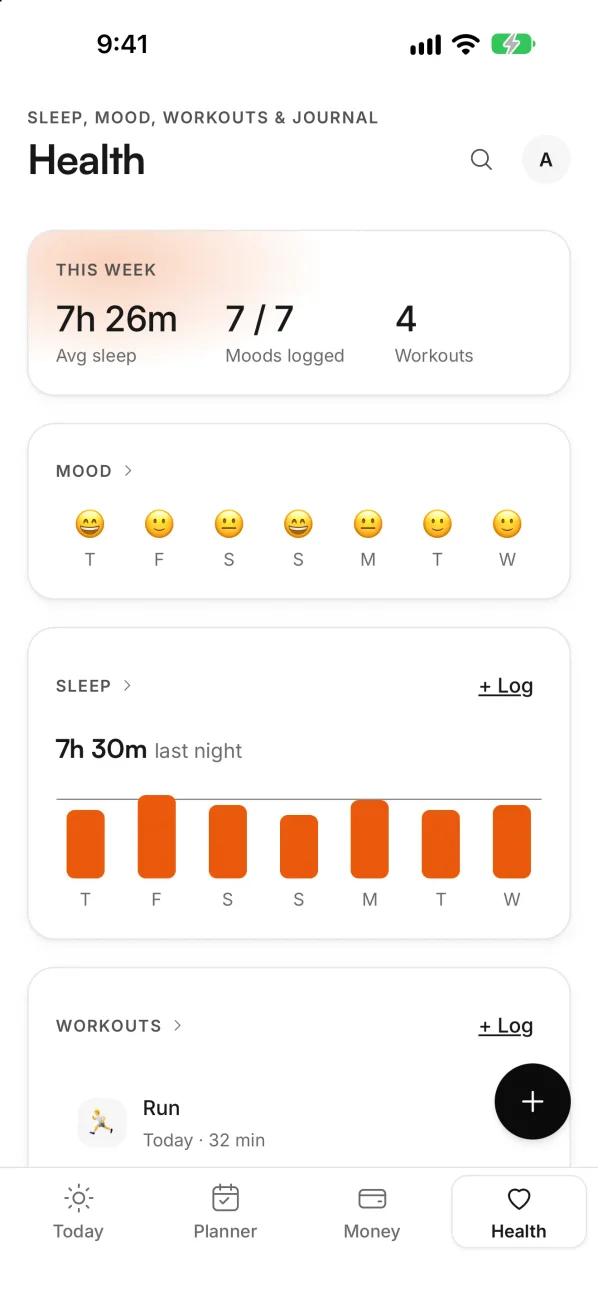
• Log mood, sleep, workouts and journal entries in seconds.
• See your week: mood trend, sleep chart and workouts.
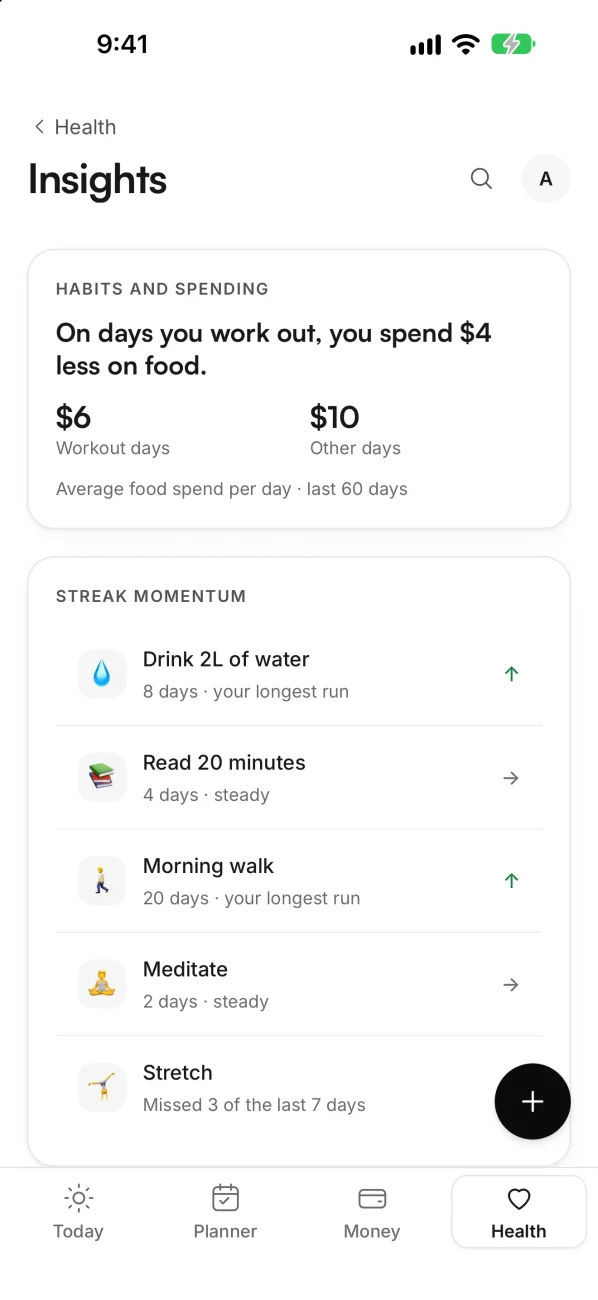
• Insights show patterns, like how you sleep after a workout or how you spend on busy days.
WORKS EVERYWHERE, EVEN OFFLINE
• iPhone, iPad and Mac, with layouts made for each.
• Everything works without signal and syncs when you're back online.
• Keyboard shortcuts and search on iPad and Mac.
PRIVATE BY DESIGN
• No ads. No tracking. No analytics tools in the app.
• Export everything as spreadsheets and a full JSON file whenever you like.
• Delete your account and all your data from Settings.
FREE AND COVA PRO
Cova is free for daily use: tasks, projects, habits, money and one calendar account, with no caps.
Cova Pro adds repeating tasks, reminders for tasks and habits, the Health area, Insights, your full money history and unlimited calendar accounts. Try it free for 7 days.
Cova Pro is an auto-renewing subscription, available monthly or yearly. The price is shown in the app before you buy. Payment is charged to your Apple ID account when you confirm the purchase, or when the free trial ends. The subscription renews automatically unless you turn off auto-renew at least 24 hours before the end of the current period, and your account is charged for renewal within 24 hours before the period ends. You can manage or cancel your subscription in your Apple ID account settings at any time.
Terms of Use: https://covalife.app/terms
Privacy Policy: https://covalife.app/privacy
Questions? support@covalife.app
What’s new
Version 2.0.1 · Oct 21, 2026
Thanks for all the feedback on Cova Life 2.0. This update makes Money smarter and fixes a few things.
• Your budget now counts bills and subscriptions too. A new "After bills & subs" figure shows what's really left this month.
• Bills that change month to month: type what you paid and tap Save. It's marked paid.
• Text size: make all text in Cova up to 2 points bigger (Settings › Text size).
• Settings is tidier: each section folds open when you tap it.
• Typed something and tapped away? Cova now asks before discarding it.
• Monthly tasks due on the 31st come back to the 31st after a short month.
• A task due at a set time today shows as overdue once that time passes.
• Today moves to the new day after midnight, even if the app was left open.
• Logging sleep for another morning no longer replaces today's.
• Signing out now clears that device's reminders.
• Other small fixes for calendars, sign-in links and subscriptions from Cova 1.1.
Questions or ideas? support@covalife.app
App privacy
What MITESH PATEL declares on the App Store about how this app handles data.
-
Data linked to you
May be collected and linked to your identity.
- Health and fitness
- Purchases
- Financial info
- Contact info
- User content
- Identifiers
Privacy practices may vary, for example with the features you use or your age.
Information
- Seller
- MITESH PATEL
- Category
- Health & Fitness
- Version
- 2.0.1
- Updated
- Oct 21, 2026
- Released
- Jul 18, 2026
- Size
- 54.3 MB
- Requires
- iOS 16.4 or later
- Age rating
- 4+
- Price
- Free
- In-app purchases
- Yes
- Languages
- English
- Copyright
- © 2026 Mitesh Patel
You might also like
-
 Lani: Holistic Life OSYour life, one place
-
 LifeOS, Life in a FlowAI Habit & Sleep Coach
-
 Fazlo: Gym & Calorie TrackerWorkout log, macros & progress
-
 Vyta - Life OSAbitudini, salute e progetti
-
 Blocks - Workout TrackerProgressive Overload Coach
-
 Reset - Reset Your LifeGet your life back in 60 days
-
 SwyftOps - Admin AppMedical
-
 Fire Lens AIHealth & Fitness
-
 GlidewellMedical
-
 EcoCheck - Deine EinkaufslisteLeicht nachhaltig einkaufen