- Age rating4+
- CategoryLifestyle
- DeveloperCrestron Electronics, Inc.
- LanguagesEnglish+ 27 more
- Size116.4 MB
Links to the official App Store page
Download.org hosts no file of Crestron Home. The button opens its official App Store page, published by Crestron Electronics, Inc. Listing last checked on Nov 12, 2026.
Screenshots

About
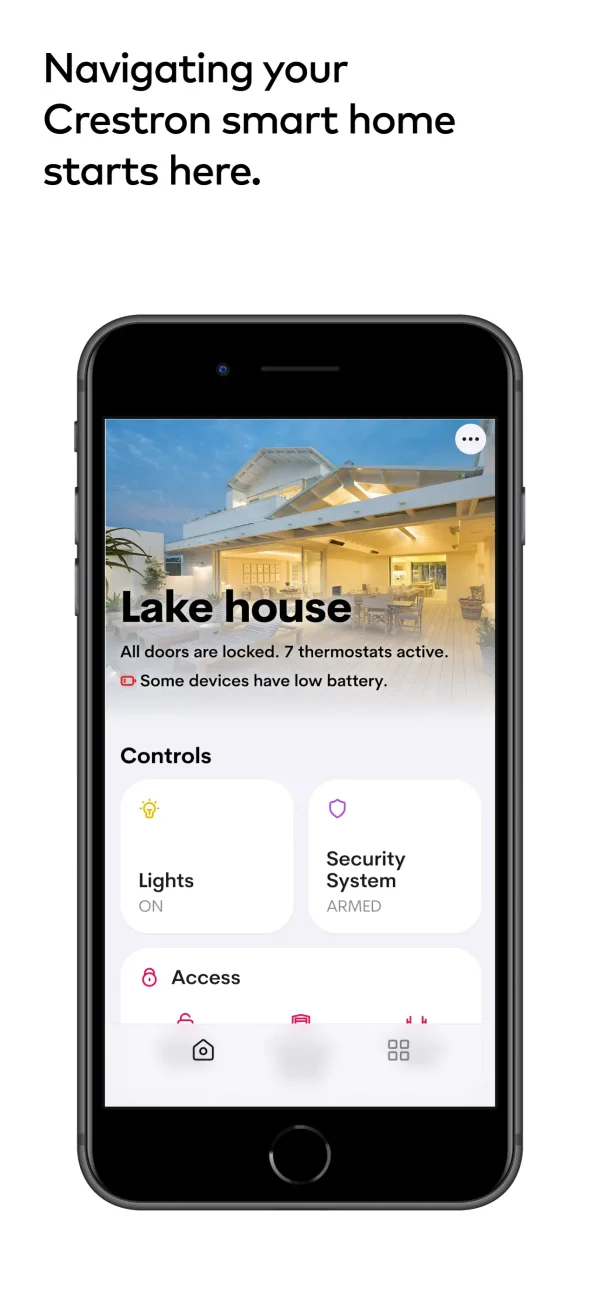
The Crestron Home™ app makes it easy to access and control every aspect of your Crestron smart home with the tap of a button on your iPhone® or iPad®, or with the sound of your voice. Lighting, climate, audio, video, shades, security, and more are at your command, from wherever you happen to be. Experience rooms that awaken with a single touch and environments that adjust to your every mood. Enjoy the peace of mind that comes with knowing your home is safe and sound, whether you’re home or away. Crestron Home elevates your living experience, transforming your everyday commands into instantaneous delight.
Designed for you
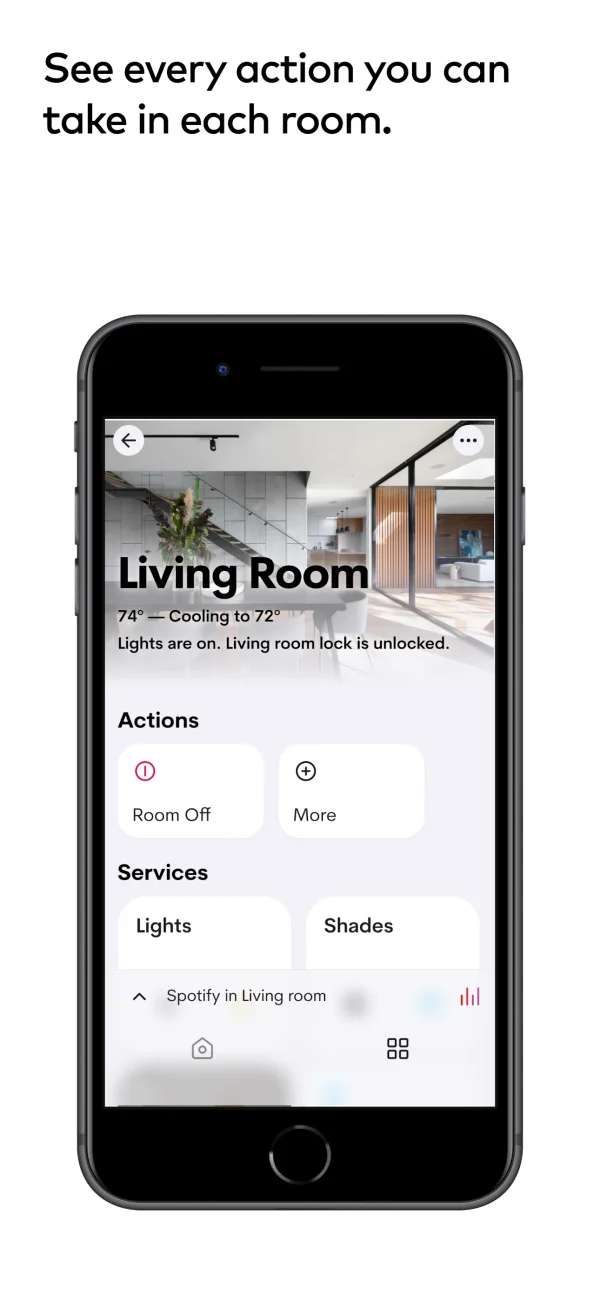
Personalize your experience for every room and space in your home. Create scenes to activate multiple smart home features with one tap. Easily personalize your room images and screen savers.
Seamless, simple control
Easily manage one or multiple homes, remotely or on the premises.
Responsive and intuitive
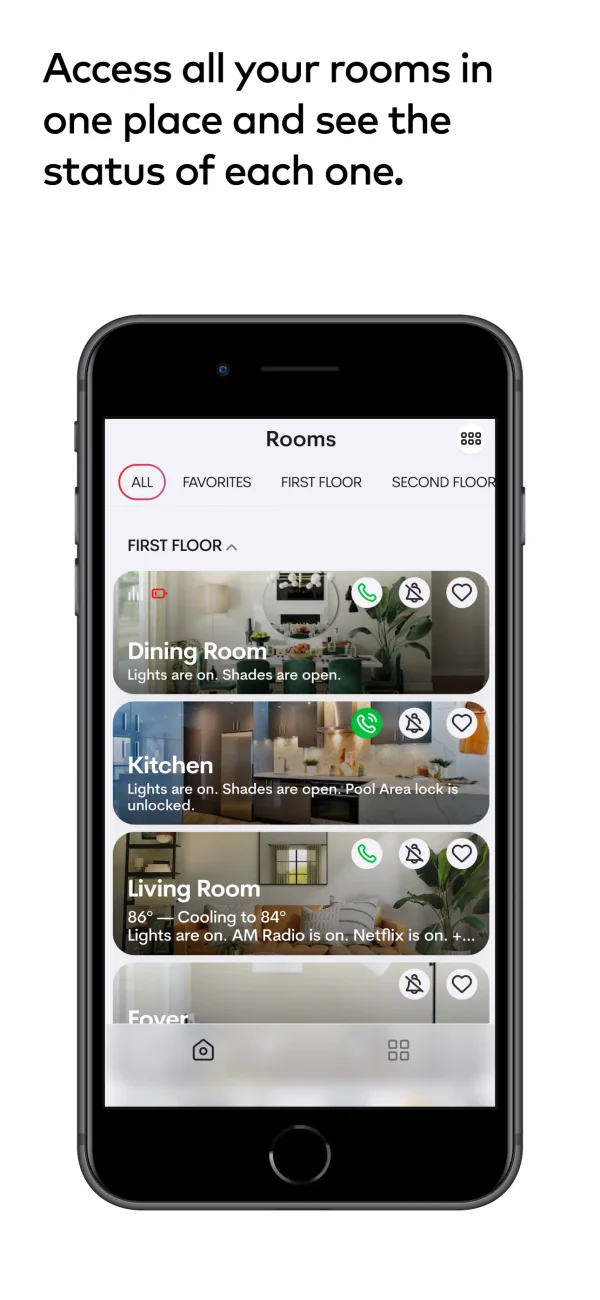
Access all your home’s information via smooth animations and easy-to-navigate, responsive icons. Organize your favorites, navigate your rooms, and personalize each destination with your image of choice.
Easy accessibility
Instantly activate any level of control you require.
Dynamic performance
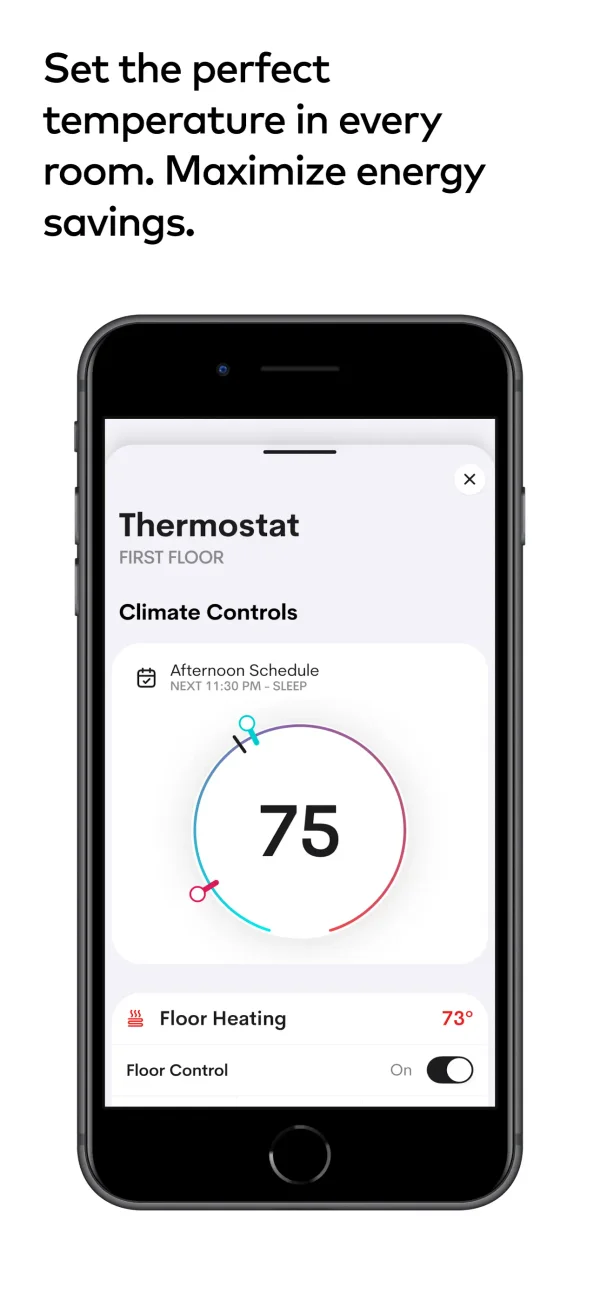
Commands are displayed dynamically, from home screen actions to climate control. Set your preferred temperature and see the transition occur right before your eyes.
Connected entertainment
Enjoy what matters, including a rich multimedia experience that features your preferred entertainment services, all easy to access and control.
NOTE: Use of the Crestron Home app requires a Crestron smart home system that has been installed and licensed by a Crestron Authorized Dealer. Visit our Dealer Locator page to find one near you:
https://www.crestron.com/en-US/How-To-Buy/find-a-dealer-or-partner/Elite-Platinum-Residential-Dealers
What’s new
Version 4.12.11 · Sep 22, 2026
CRESTRON MULTIVIEW
Watch several video sources at the same time on a single display, with 16 window layouts to choose from. Ask your installer about hardware requirements.
A REFRESHED VIDEO EXPERIENCE
Video screens have been redesigned throughout the app. Choosing a source, switching between displays, directing audio to the room, and opening the on-screen remote are all faster and easier to navigate.
MORE LANGUAGES
The app is now available in Croatian, Serbian, and Turkish.
IMPROVEMENTS AND FIXES
- Room and audio grouping lists load noticeably faster
- Light on/off feedback now updates correctly when switching between homes
- Shades in a hidden room no longer appear on the Home tab
- Camera mirroring and rotation now match your configured settings, and room names display correctly
- Corrected Dutch and Norwegian thermostat wording
- Stability and sign-in fixes
Some features require specific Crestron hardware and a system running Crestron Home 4.12. Contact your Crestron dealer for details.
App privacy
What Crestron Electronics, Inc. declares on the App Store about how this app handles data.
-
Data linked to you
May be collected and linked to your identity.
- Contact info
- User content
- Identifiers
- Other data
-
Data not linked to you
May be collected but is not linked to your identity.
- Identifiers
- Diagnostics
Privacy practices may vary, for example with the features you use or your age.
Information
- Seller
- Crestron Electronics, Inc.
- Category
- Lifestyle
- Version
- 4.12.11
- Updated
- Sep 22, 2026
- Released
- Sep 3, 2019
- Size
- 116.4 MB
- Requires
- iOS 17 or later
- Age rating
- 4+
- Price
- Free
- Languages
- English, Arabic, Croatian, Czech, Danish, Dutch, Finnish, French, German, Greek, Hebrew, Hungarian + 16 more
- Copyright
- © 2019-2025 Crestron Electronics, Inc.