Cribbo: Setup Code for HomeKit
Save Smart Home & Matter Codes
Designed for iPhone, iPad
Free · In-app purchases
- Age rating4+
- CategoryLifestyle
- DeveloperNicholas Dapolito
- LanguagesEnglish
- Size26.2 MB
Links to the official App Store page
Download.org hosts no file of Cribbo: Setup Code for HomeKit. The button opens its official App Store page, published by Nicholas Dapolito. Listing last checked on Nov 16, 2026.
Screenshots


About
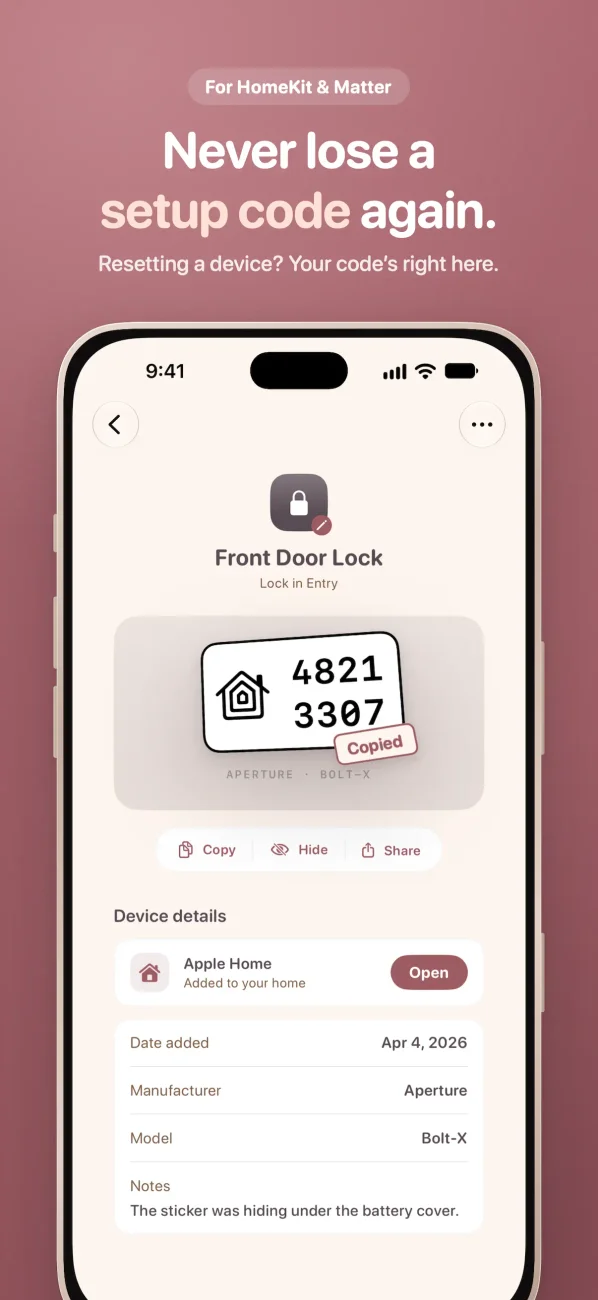
Every HomeKit and Matter device has a setup code on a tiny sticker. You need it again the day you reset, move, or re-pair that device, and by then the box is long gone.
Cribbo keeps every code in one private place. No account, no ads.
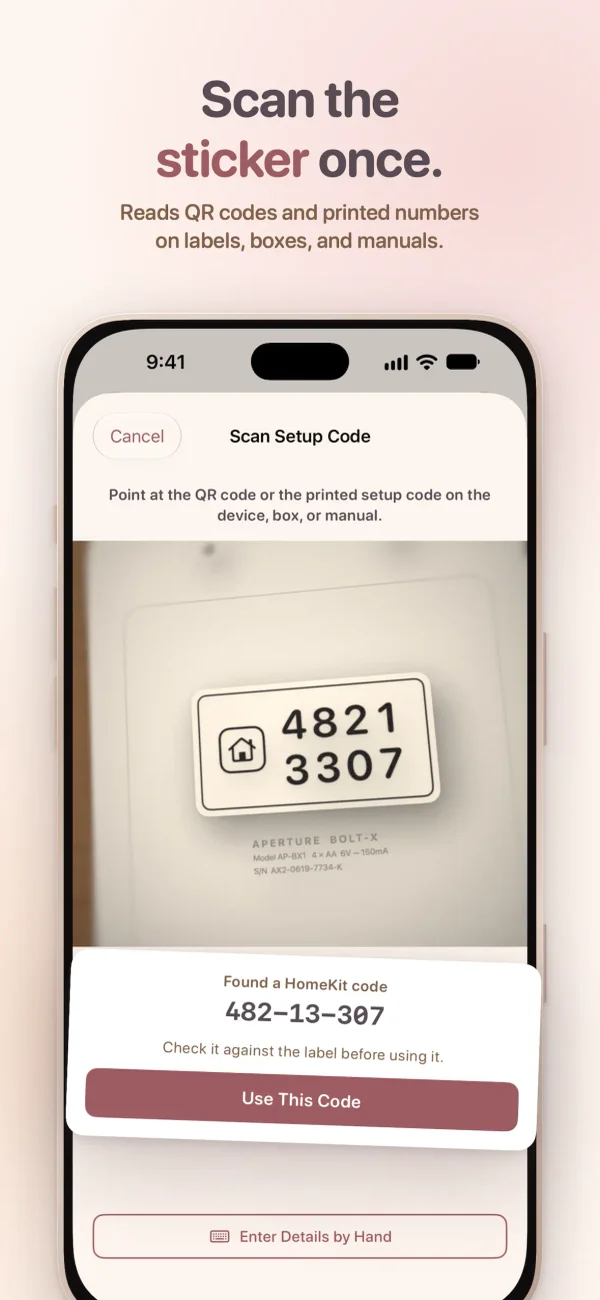
Scan once, done
• Scan a HomeKit or Matter QR code, or the printed numbers on a label, box, or manual
• Import your accessories from Apple Home, then scan the ones still missing a code, one at a time
• Or type a code in by hand
Find it in seconds
• Every device in one list, grouped by room
• Search by name, room, category, or code, in the app or from Spotlight
• Tap a code to copy it
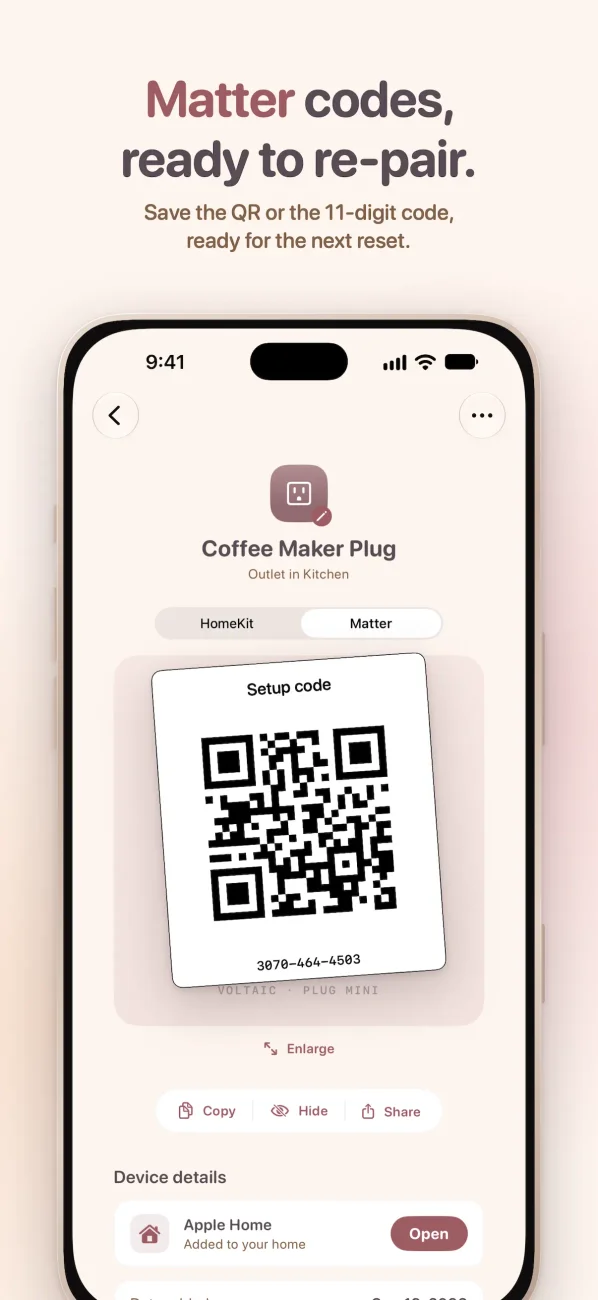
• Bring up a Matter device's QR code whenever you need to re-pair it
• Ask Siri: "Show Cribbo code for Front Door Lock"
• Add a device to Apple Home with its code already copied
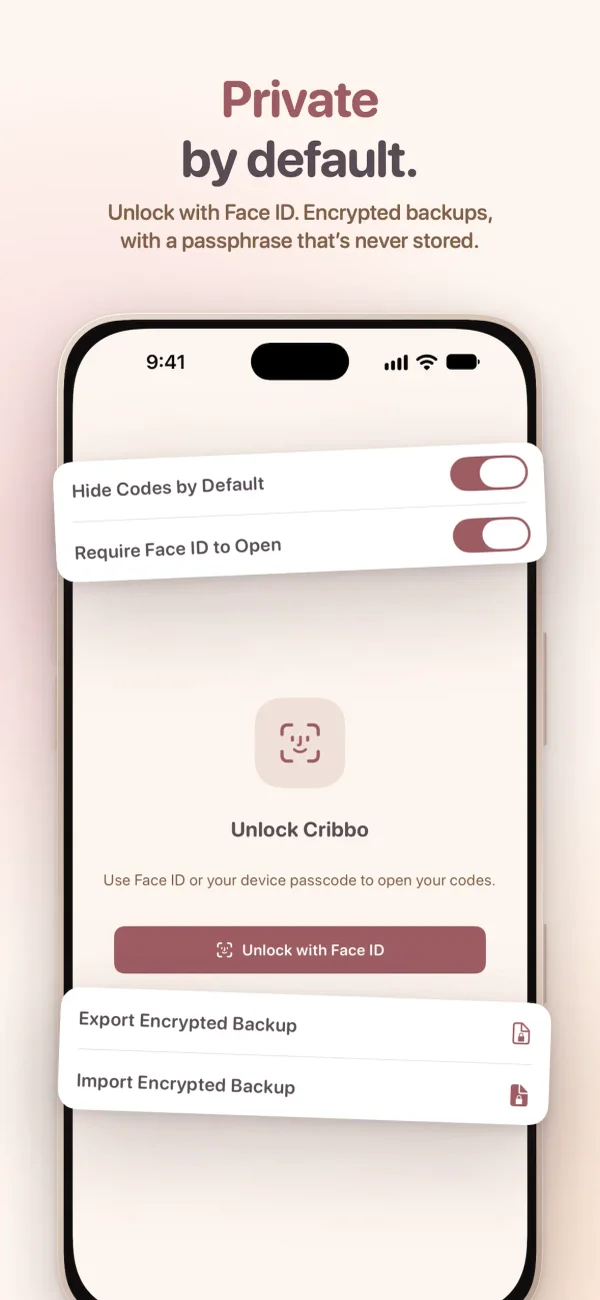
Private by default
• Codes stay hidden until you reveal them
• Lock the app with Face ID or Touch ID
• Encrypted backups, protected by a passphrase that's never stored
• Optional anonymous analytics, off unless you turn them on
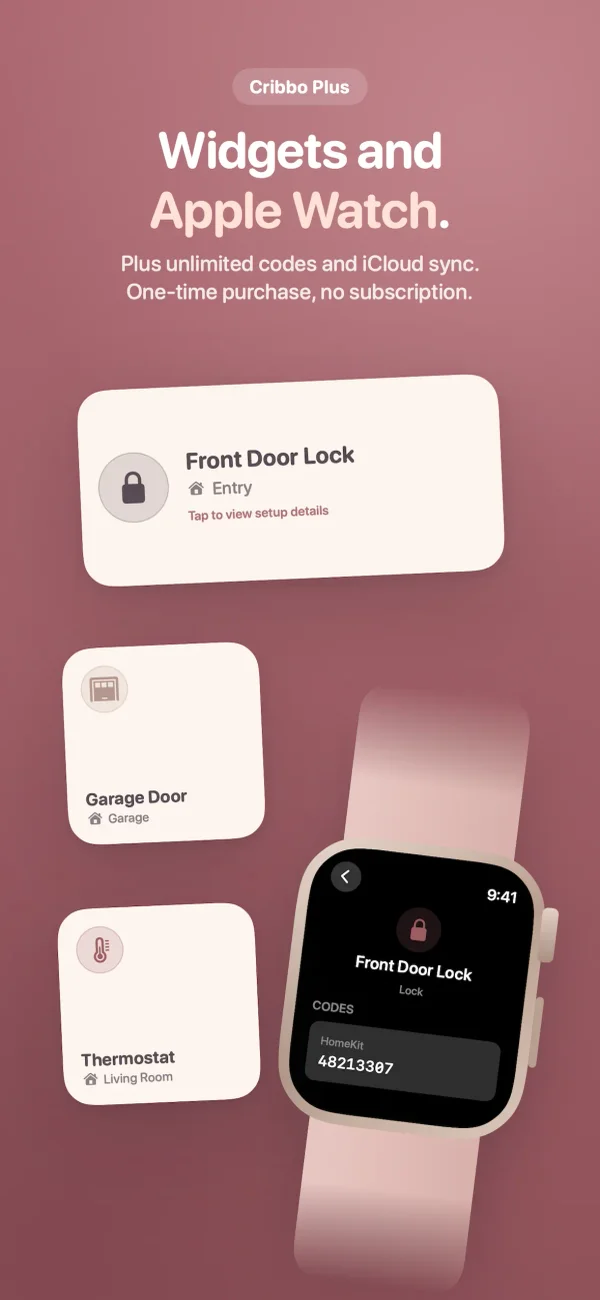
Cribbo Plus
A one-time purchase. No subscription. Shared with your Family Sharing group.
• Unlimited codes (the free version holds 10)
• iCloud sync, encrypted on your device before it's uploaded
• Home Screen, Lock Screen, and StandBy widgets
• Apple Watch app
Always free: scanning, Apple Home import, search, Face ID lock, and encrypted backups.
Bought Cribbo before it was free? Plus is already unlocked for you.
What’s new
Version 1.3.1 · Nov 3, 2026
Your setup codes now look like the real thing.
• Scan a device's label once, and it's saved: the QR code or the printed numbers for HomeKit and Matter.
• Every code is drawn like the sticker on your device, ready to copy with a tap.
• A QR code you scanned now appears on its label. Enlarge it to scan from another device.
• Home rows and pinned devices carry a small label, and devices without a code show a blank one.
• A cleaner device page: the label gets its own panel, with Copy, Show, and Share in one slim bar.
• Bolder device icons, in solid color so they're easier to spot.
• Made for Larger Text: layouts adapt to your text size, long names wrap instead of getting cut off, and main buttons stay in reach.
As always, thank you for using Cribbo!
App privacy
What Nicholas Dapolito declares on the App Store about how this app handles data.
-
Data not linked to you
May be collected but is not linked to your identity.
- Location
- Identifiers
- Usage data
Privacy practices may vary, for example with the features you use or your age.
Information
- Seller
- Nicholas Dapolito
- Category
- Lifestyle
- Version
- 1.3.1
- Updated
- Nov 3, 2026
- Released
- Apr 12, 2026
- Size
- 26.2 MB
- Requires
- iOS 18.2 or later
- Age rating
- 4+
- Price
- Free
- In-app purchases
- Yes
- Languages
- English
- Copyright
- © 2026 Nicholas Dapolito
You might also like
-
 MealDriftLet the app choose your meal
-
 My Days: Daily Mood Journal AiMood tracker with lock & sync
-
 JotBeeQuick, private daily journal
-
 day.txtA text canvas for every day.
-
 Burning Parchment: BedtimeBurn the day, keep the ash
-
 Mobirth: Alarms and CalendarChina holiday-aware alarms
-
 Sprout Diary: Family JournalBaby & kids memory keeper
-
 Appy Birthday: RemindersGift Ideas, Cards & Wishlists
-
 Sekki: Photo Food DiarySnap meals, keep your streak
-
 iMuscleMapMuscle Map & Workout Tracker