
CRM: Customer & Sales Tracker
Appointments, quotes, payments
Designed for iPhone, iPad
Free · In-app purchases
- Age rating4+
- CategoryBusiness
- DeveloperMustafa Onur Kendir
- LanguagesEnglish+ 54 more
- Size188.9 MB
Links to the official App Store page
Download.org hosts no file of CRM: Customer & Sales Tracker. The button opens its official App Store page, published by Mustafa Onur Kendir. Listing last checked on Nov 28, 2026.
Screenshots

About
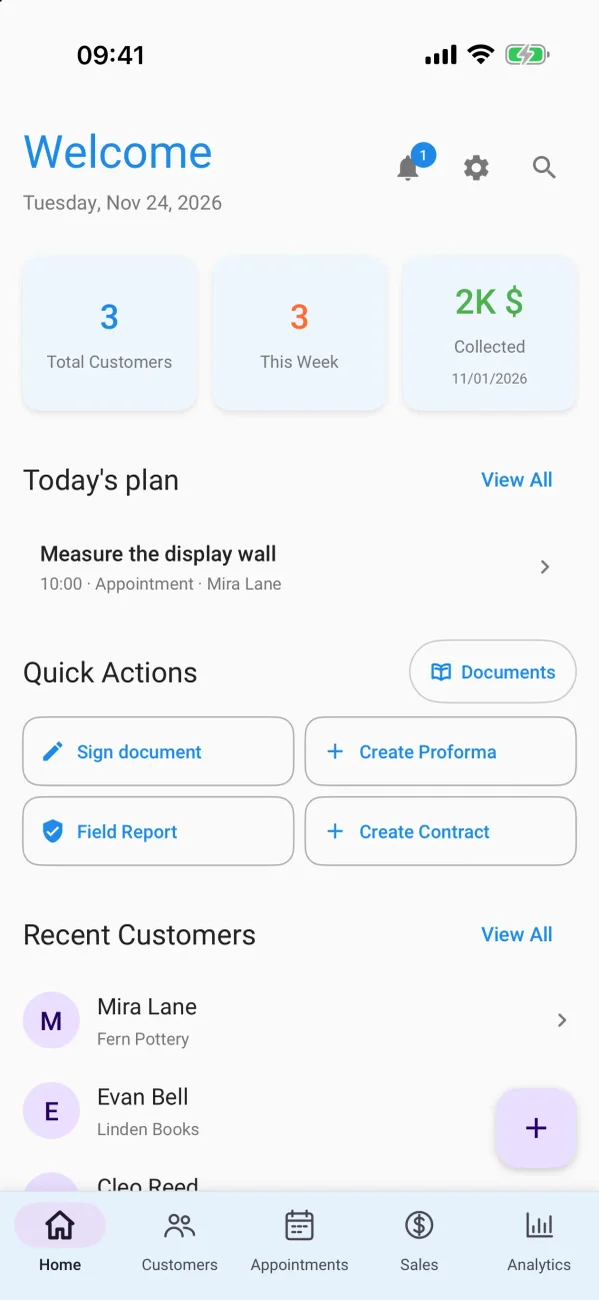
A customer at the counter wants a copy of last month's estimate. Open their record to find the quote, signed documents and payment history. This small business CRM brings customer management, appointment scheduling and sales tracking together on iPhone and iPad.
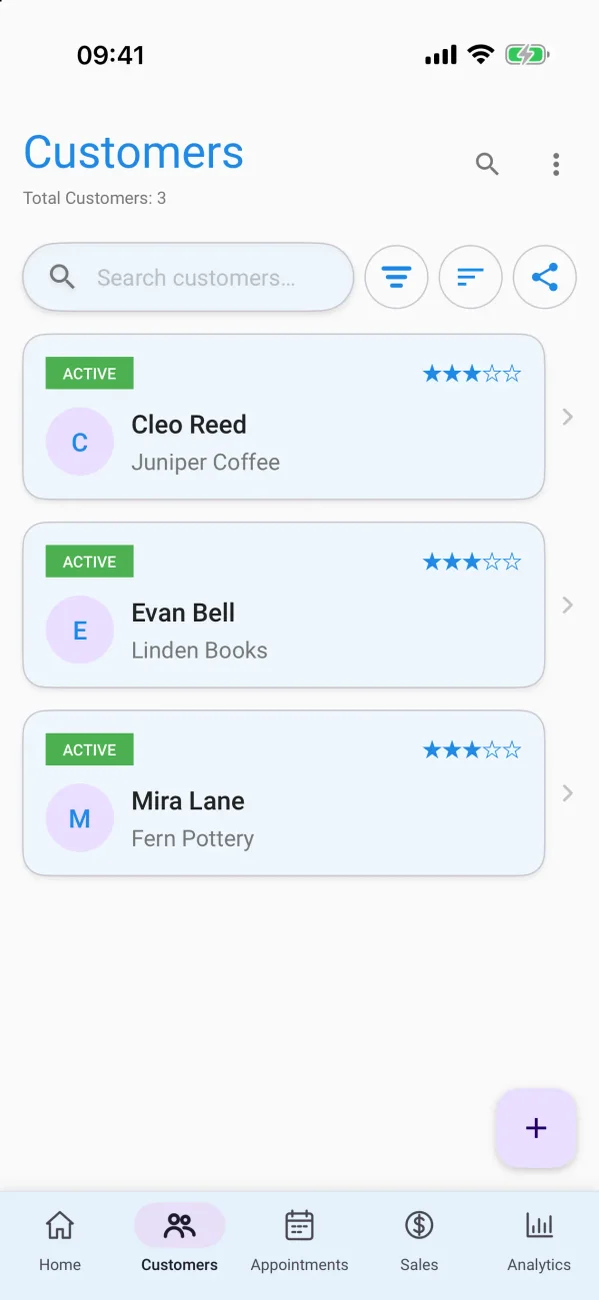
A repair shop can use one record from the first estimate to pickup. Note the model the customer brought in, add a photo of the damage and make an appointment for collection. When someone calls the front desk a week later, the person answering can check which work was approved and whether the customer still owes a balance.
Keep a customer contact list for the people who book, approve and pay for work. A customer profile can hold more than one address and contact person. Open the customer history before calling back. The visit notes, site visit photos and signed documents on file give you a record of what was agreed, even when the person who took the call is away.
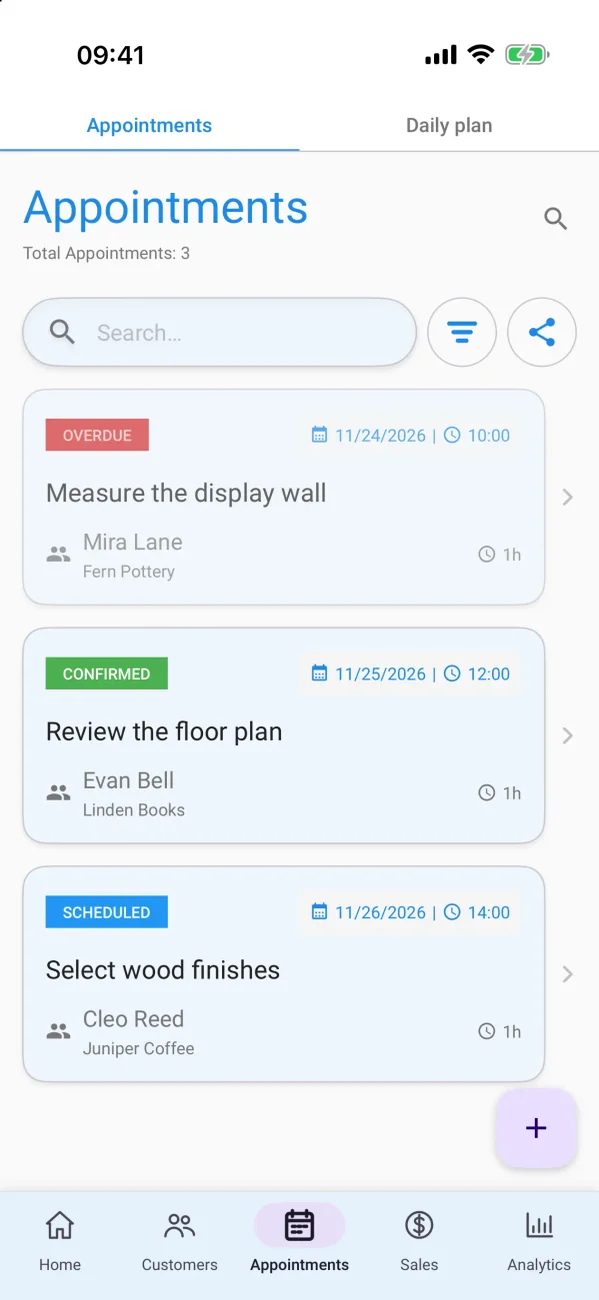
Use appointment reminders for client appointments and follow-up reminders for calls you owe. During visit planning, check the address and the contact who will meet you. After field visits, attach the measurements to the right record before moving on to the next job.
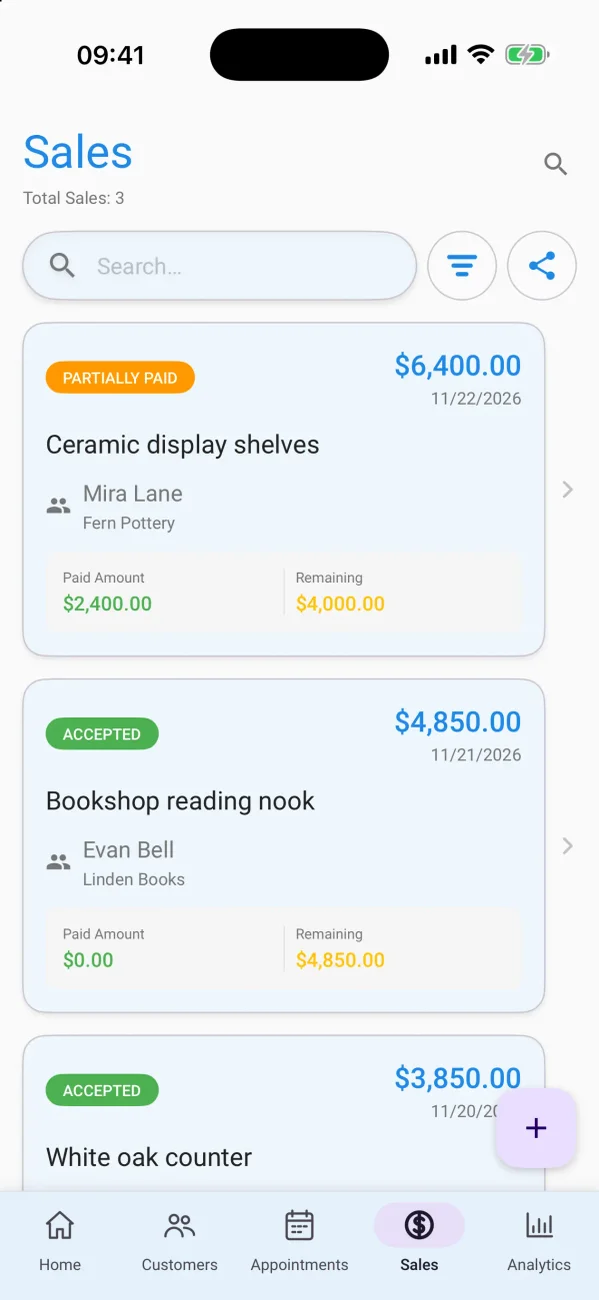
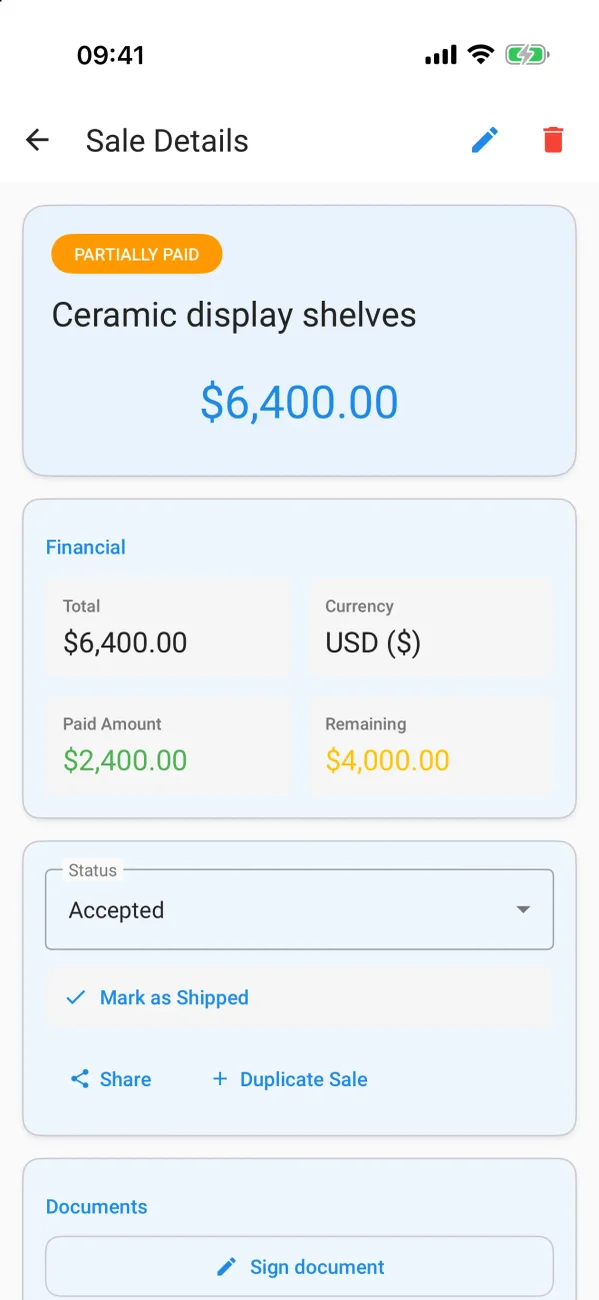
From an accepted service estimate, record the sale, due dates and installment schedule. A shop that takes a deposit for parts can use installment tracking to check when the next payment is due. Review accounts receivable by date before making payment collection calls, and open the sale items when a customer asks what a charge covers.
Check payment history before chasing a bill. Customer deposits and partial payments belong with the sale, so you can explain a remaining balance without adding up a string of messages. For refund tracking, record the amount actually returned. Review sales by currency when the period includes more than one currency.
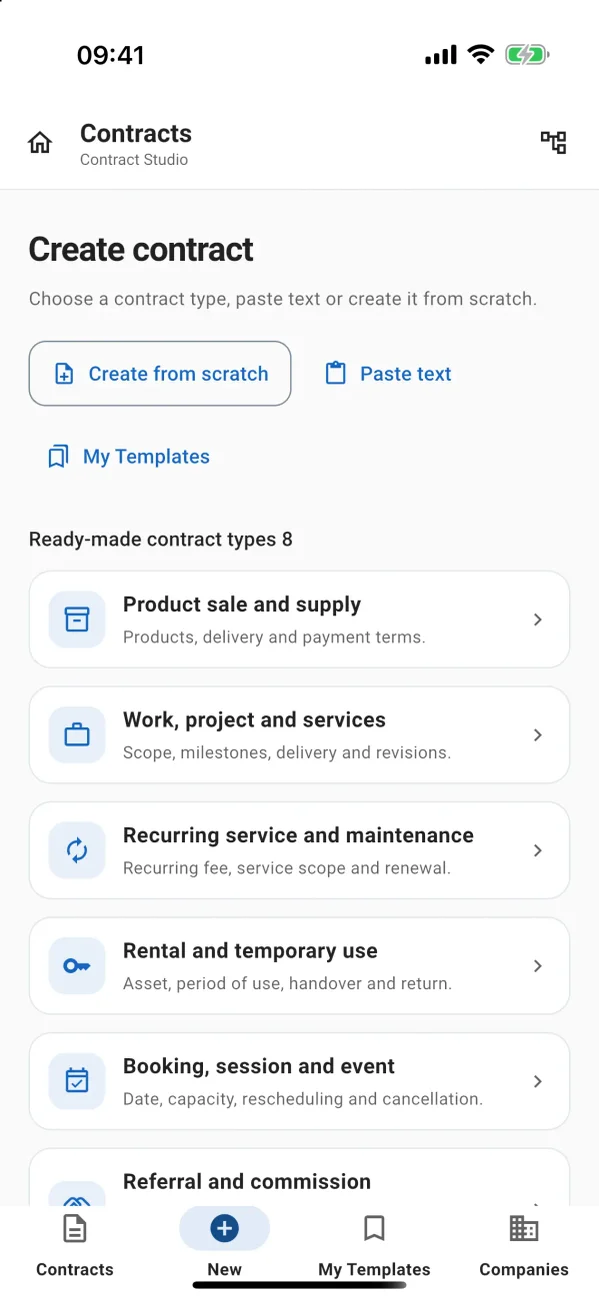
Prepare a pro forma invoice from the items on a sale. For contract drafting, choose the parties and terms, then export the customer agreement to Word if more edits are needed or keep the finished PDF with the customer's file. Use a field report to hand over site measurements, pictures and work still to be done.
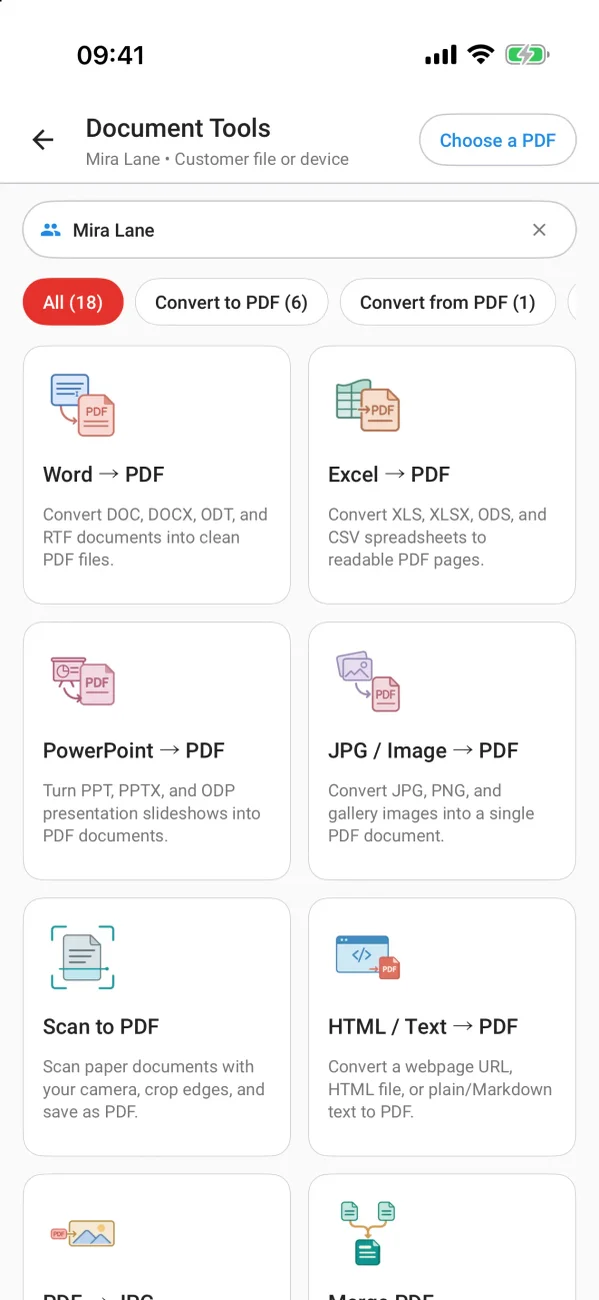
Use the document scanner for a delivery receipt or a set of handwritten measurements. Convert Word and Excel files to PDF, combine JPG photos into one document or export a PDF page as a JPG. You can rotate PDF pages scanned sideways and merge PDF pages from the quote and its attachments. Add a signature or stamp, then compress a PDF if the finished copy is too large to send.
At the end of a repair, compare the pickup note with the amount still open. Save the signed delivery receipt as one of the customer attachments. The next time the same customer brings an item in, their order history is there to check.
At month-end, compare sales records for the past two months. Check how much the shop collected and refunded in each period, then export the report to Excel if your bookkeeper needs the figures for a worksheet.
For a customer handover, the manager chooses which lists the employee can work on and whether they can export customer data. A colleague working on the same list can open the customer notes and see the next visit. Keep your own contacts and offline customer records in your personal workspace. Connect your Google account for free personal sync between your devices.
PERSONAL AND TEAM PLANS
The app is free to download. Personal Pro offers monthly and yearly subscriptions and a one-time Lifetime purchase. With a Team subscription, the manager shares a workspace through Google Drive and invites each employee using their own Google account. Plans and upgrades shows the local price, billing period and available options before purchase. Manage auto-renewable subscriptions in your Apple Account settings.
Terms of use (Apple standard license)
https://www.apple.com/legal/internet-services/itunes/dev/stdeula/
What’s new
Version 0.2.3 · Nov 26, 2026
When restoring a team, you can still see your other available teams if you’ve lost access to an old team file. If the list doesn’t load in full, you can try again.
App privacy
What Mustafa Onur Kendir declares on the App Store about how this app handles data.
-
Data linked to you
May be collected and linked to your identity.
- Purchases
- Financial info
- Location
- Contact info
- Contacts
- User content
- Identifiers
- Usage data
- Diagnostics
-
Data not linked to you
May be collected but is not linked to your identity.
- Other data
Privacy practices may vary, for example with the features you use or your age.
Information
- Seller
- Mustafa Onur Kendir
- Category
- Business
- Version
- 0.2.3
- Updated
- Nov 26, 2026
- Released
- Nov 2, 2026
- Size
- 188.9 MB
- Requires
- iOS 17.0 or later
- Age rating
- 4+
- Price
- Free
- In-app purchases
- Yes
- Languages
- English, Albanian, Amharic, Arabic, Bengali, Bosnian, Bulgarian, Catalan, Croatian, Czech, Danish, Dutch + 43 more
- Copyright
- © 2026 Deepliy
You might also like
-
 Hera AIBusiness
-
 CRM Sales PipelineCRM, Lead & Sales Tracker
-
 Street InvoiceEstimates, Receipts, Get Paid
-
 PDF Format Converterphoto to pdf,jpg in pdf,epub
-
 Call Recorder: VistaCall AppRecord Phone Calls, Voice Memo
-
 Cloze Relationship ManagementSmart CRM, Inbox and Contacts
-
 CRM by DealerSocketBusiness
-
 Kallix - Record CallsRecord Phone Calls & Voices
-
 The Time Zone Converterfor remote teams & travelers
-
 AI chat assistant: ChatComImage and content creator