
Croplet
A4 to 4x6" label cropper
Designed for iPhone, iPad
Free · In-app purchases
- Age rating4+
- CategoryUtilities
- DeveloperUmberto Ragone
- LanguagesEnglish+ 5 more
- Size18.8 MB
Links to the official App Store page
Download.org hosts no file of Croplet. The button opens its official App Store page, published by Umberto Ragone. Listing last checked on Nov 17, 2026.
Screenshots
About
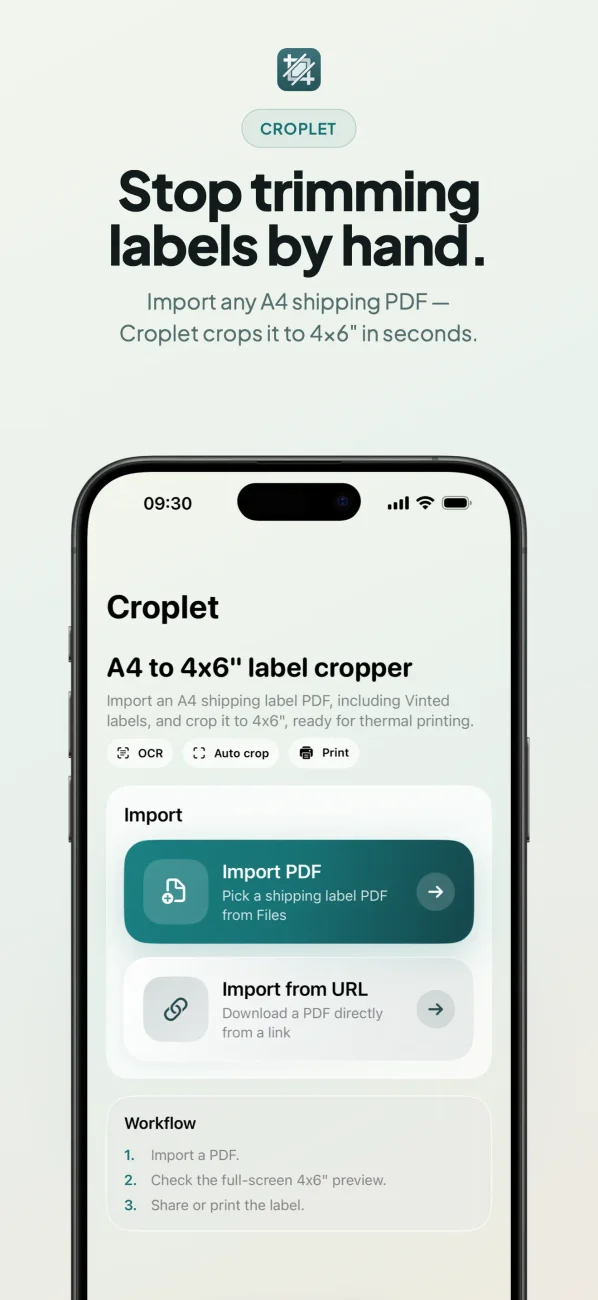
Croplet turns shipping label PDFs into clean 4×6-inch labels ready for thermal printing. Import an A4 label, including Vinted labels, crop it precisely, then export or print in seconds.
Everything you need for shipping labels:
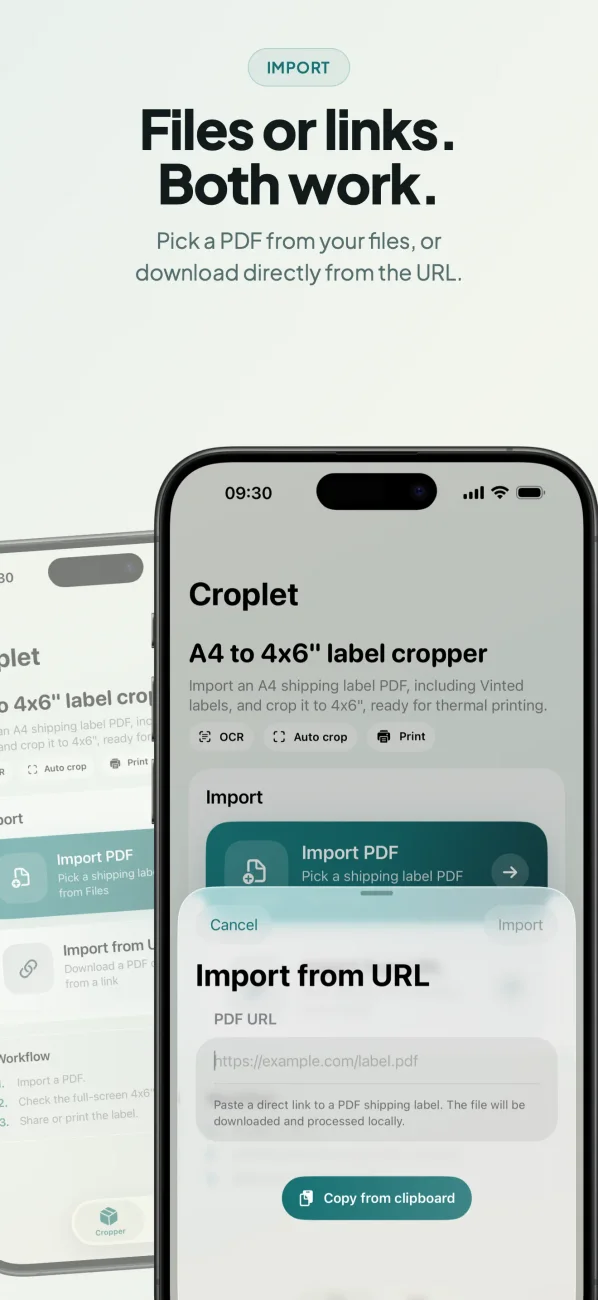
• Import PDFs from Files, the Share Sheet, or a secure HTTPS link (up to 25 MB).
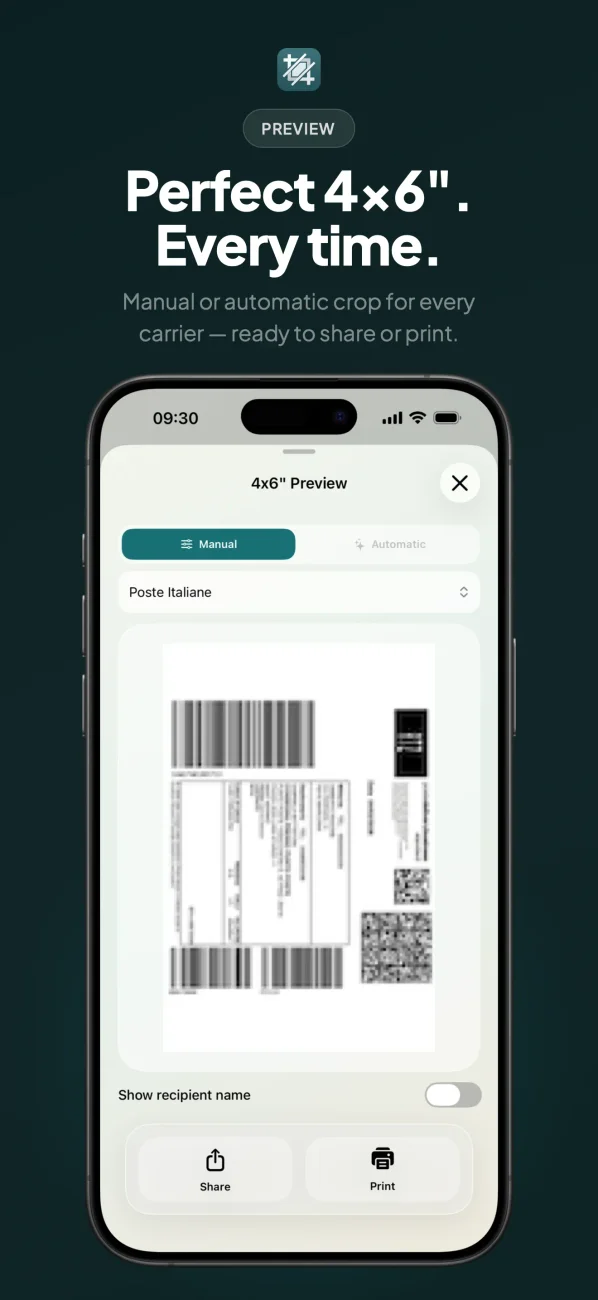
• Preview the original page and the finished crop before exporting.
• Crop manually with scale, rotation, and position controls when you need full control.
• Use automatic OCR detection to identify supported carriers and label layouts, including Poste Italiane and Vinted Go, BRT, DPD, InPost, Mondial Relay, Hermes, UPS, USPS, DHL, and more.
• Handle multipage PDFs: process one page or send every page to Batch. Each page becomes a separate 4×6-inch label.
• Batch processing with Croplet Pro: queue multiple PDFs, process them together, review results, and share or print the completed queue.
• Export batch results as separate files or combine them into one PDF.
• Save reusable presets with your crop, carrier, detection mode, privacy, output format, and DPI settings. Apply presets automatically when a matching carrier is detected.
• Choose PDF or PNG output and set the resolution for your thermal printer.
• Choose portrait or landscape output, with carrier-specific layouts for difficult label formats such as BRT and DHL Parcel Connect.
• Protect your data with sender-address masking, including carrier-specific privacy controls. Keep or show recipient names on supported labels.
• Share, save, and print directly from the output preview.
Croplet keeps processing on your device after import. Manual cropping is available for everyone; automatic detection, batch processing, and reusable presets are part of Croplet Pro.
Terms of Use (EULA): https://www.apple.com/legal/internet-services/itunes/dev/stdeula/
What’s new
Version 1.3.0 · Oct 19, 2026
• PDF Branding with Croplet Pro: add custom text and logos to labels, with styling and positioning controls, to promote your business or socials.
• Improved Batch workflow: append PDFs to an existing queue or replace it, select pages from multipage PDFs, and edit crops with manual recovery when automatic cropping fails.
• Croplet Pro makes PDF imports easier with automatic label detection, clearer guidance if manual cropping is needed, and smoother previews.
• Bug fixes and performance improvements.
App privacy
What Umberto Ragone declares on the App Store about how this app handles data.
-
Data not collected
The developer does not collect any data from this app.
Privacy practices may vary, for example with the features you use or your age.
Information
- Seller
- Umberto Ragone
- Category
- Utilities
- Version
- 1.3.0
- Updated
- Oct 19, 2026
- Released
- Mar 19, 2026
- Size
- 18.8 MB
- Requires
- iOS 17.0 or later
- Age rating
- 4+
- Price
- Free
- In-app purchases
- Yes
- Languages
- English, Dutch, French, German, Italian, Spanish
- Copyright
- © 2026 Umberto Ragone
You might also like
-
 Label ButcherThe Smart Mailing Label Carver
-
 Crop and PrintPDF & Photo Crop for Print
-
 PDF Label ResizerEasily resize shipping labels
-
 Zlabelprinter
-
 RONGTASoPrint is now RONGTA!
-
 Shipping Printer ProThermal printer printing
-
 CorePrintUtilities
-
 FlashLabel ProProfessional label solutions
-
 LabelifeMore efficient and simpler
-
 Jadens PrinterUtilities