
Cropwise Operations
digital farming solution
Designed for iPhone, iPad, iPod touch
Free
- Age rating4+
- CategoryBusiness
- DeveloperSyngenta Digital LTDA
- LanguagesEnglish+ 12 more
- Size184.7 MB
Links to the official App Store page
Download.org hosts no file of Cropwise Operations. The button opens its official App Store page, published by Syngenta Digital LTDA. Listing last checked on Nov 17, 2026.
Screenshots


About
Satellite field monitoring system.
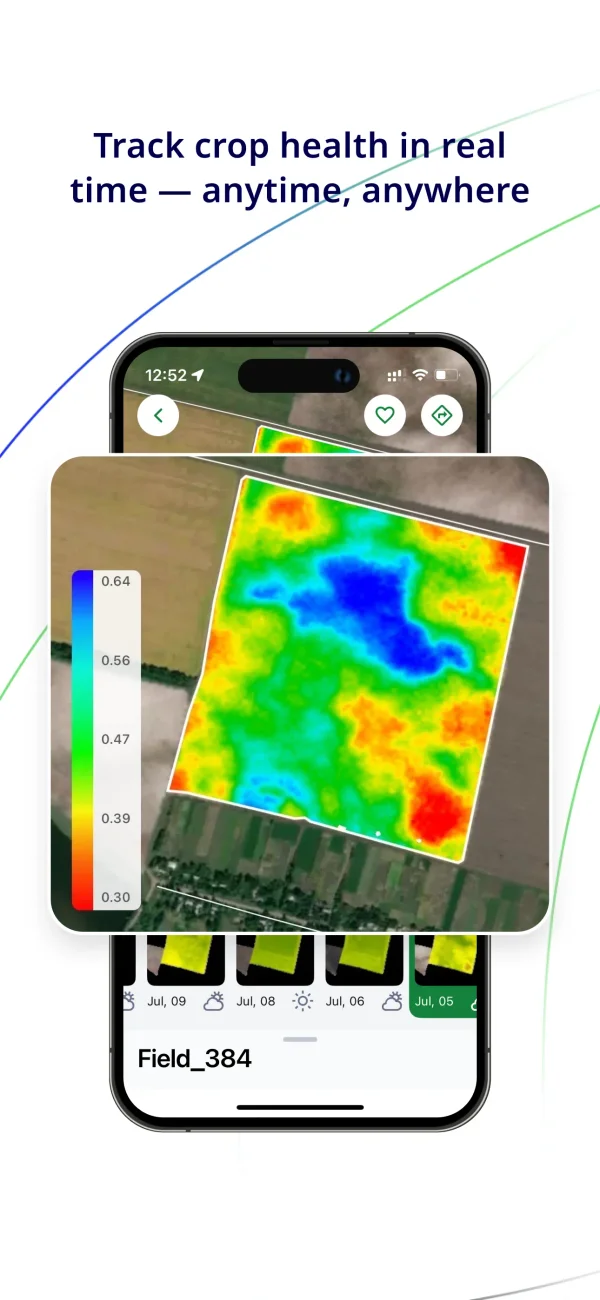
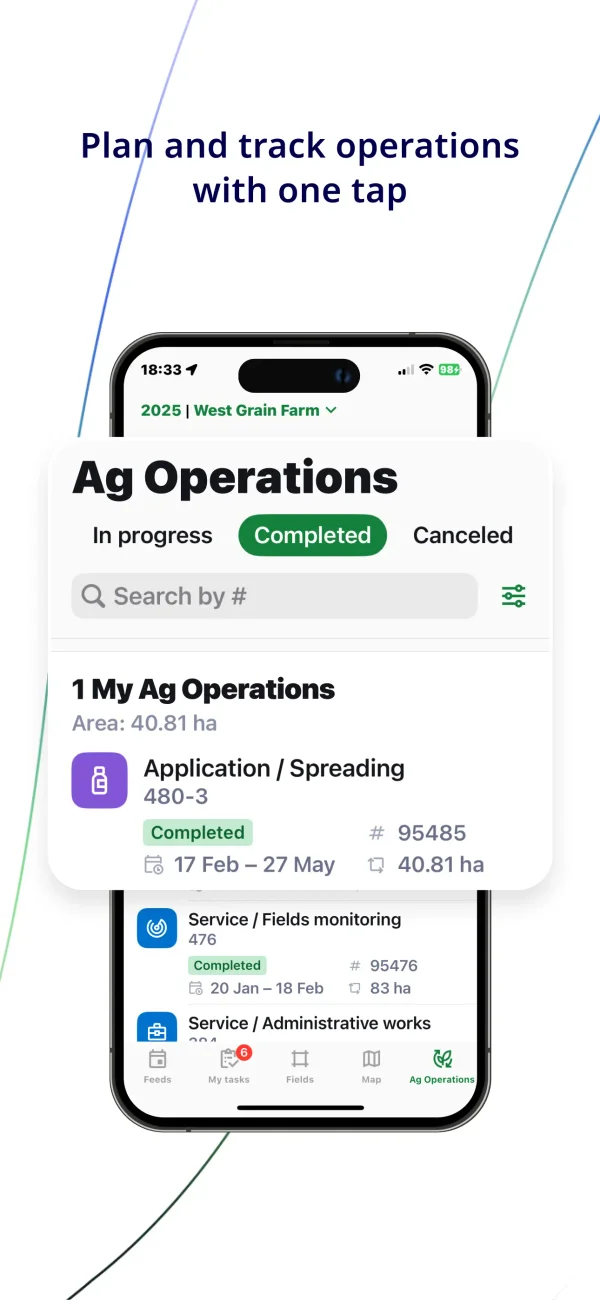
Cropwise Operations is a productivity management system that facilitates remote monitoring of agricultural land and enables its users to efficiently plan and carry out agricultural operations. The System provides real-time updates on current field and crop conditions, determines vegetation levels and identifies problem areas, delivers precise weather forecasts.
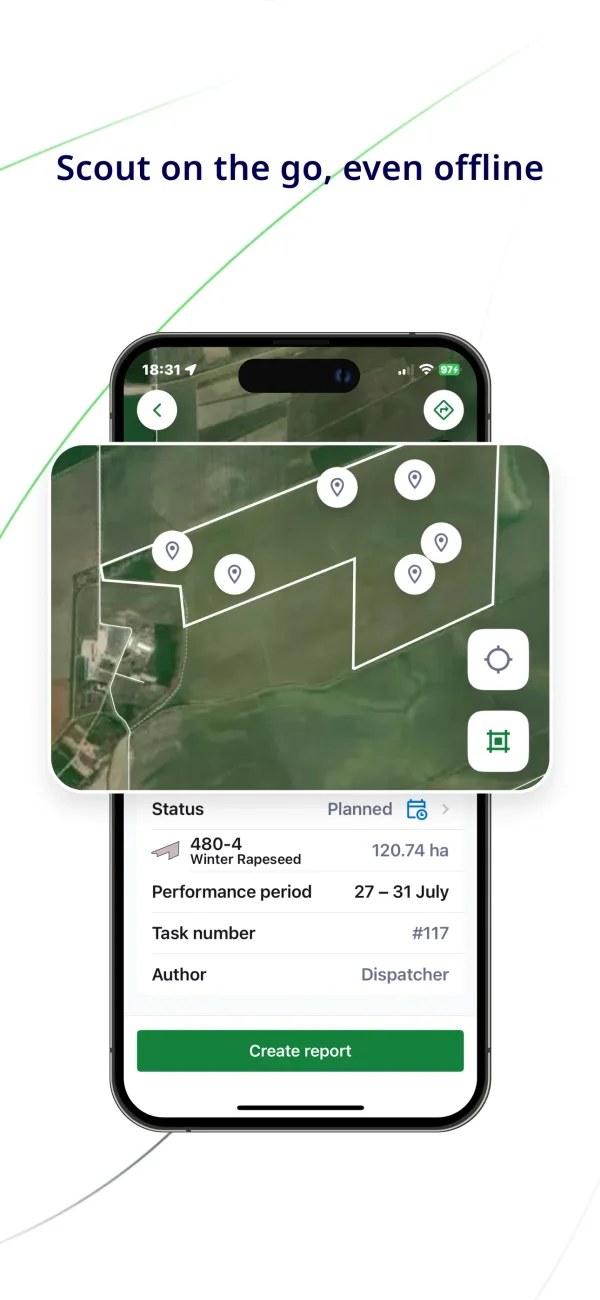
Cropwise Operations application was designed for agronomists and top managers of agricultural companies. The system gives an access to the main information about fields, satellite images, status of agricultural works, current weather data, field status reports, etc. Once synced, application could work offline, without Internet access.
Also, Cropwise Operations application gives an ability for agronomists to create reports for their fields (with photos and text notes) that can be synced with Cropwise Operations web version.
Cropwise Operations functions:
— real-time vegetation monitoring;
— field zoning and problem area identification;
— fertilizer and seed distribution mapping;
— reports and notification system;
— databank and field history information;
— integration with GPS monitoring system, monitoring of agricultural operations;
— productivity estimate;
— weather forecast for each individual field.
The application requests access to the camera and photo in order to make field photo and attach it to the scout reports. Without camera access you can not attach field photos to the scout reports.
The application request access to the location in order to automatically attach scout reports to the fields. Without location access you would need to attach reports to the fields manually through the web version.
What’s new
Version 5.19.0 · Nov 6, 2026
• Added report IDs to the scout reports list and search by ID
• Added template filters by crop and scouting type
• Added the ability to view input values used in calculated measurements
• Added the ability to share and download photos from scout reports
• Added CP products, fertilizers and seeds to the Directory
• Added support for requiring a growth stage at scouting points after sowing, according to company settings
• Improved field and boundary display for the selected season
• Added navigation to a field’s scout reports from relevant push notifications
• Fixed opening reports that contain hidden plant threats
• Added missing translations
App privacy
What Syngenta Digital LTDA declares on the App Store about how this app handles data.
-
Data linked to you
May be collected and linked to your identity.
- Location
- User content
- Identifiers
- Usage data
- Diagnostics
Privacy practices may vary, for example with the features you use or your age.
Information
- Seller
- Syngenta Digital LTDA
- Category
- Business
- Version
- 5.19.0
- Updated
- Nov 6, 2026
- Released
- Oct 7, 2014
- Size
- 184.7 MB
- Requires
- iOS 15.0 or later
- Age rating
- 4+
- Price
- Free
- Languages
- English, Arabic, Bulgarian, Czech, Estonian, German, Hungarian, Polish, Portuguese, Romanian, Russian, Spanish + 1 more
- Copyright
- © Syngenta Agro AG
You might also like
-
 Crop MonitoringPrecision agriculture app
-
 xarvio® FIELD MANAGERPlan smarter. Grow better.
-
 AgroptimaDigitize your farm
-
 Traction EnterpriseBusiness
-
 Syngenta Cropwise GrowerProductivity
-
 AuravantAgricultura de precisión
-
 Farmable: Farm Manager AppSpray Management & Harvest
-
 SWAT RECORDSBusiness
-
 beqomHappiness drives success
-
 Corn Tools appBusiness