
Cross-Stitch Copilot & Maker
Photo to Pattern & PDF Markup
Designed for iPhone, iPad, Mac
Free · In-app purchases
- Age rating4+
- CategoryLifestyle
- DeveloperMikhail Andrewywvich Chekalin
- LanguagesEnglish+ 30 more
- Size126.9 MB
Links to the official App Store page
Download.org hosts no file of Cross-Stitch Copilot & Maker. The button opens its official App Store page, published by Mikhail Andrewywvich Chekalin. Listing last checked on Nov 27, 2026.
Screenshots

About
Cross-Stitch Copilot helps you keep your place in PDF cross-stitch patterns on iPhone and iPad. Open a chart you already own, mark the stitches or areas you have finished, and continue from the page and position where you stopped. Make a new pattern from a photo, follow your progress, and organize DMC floss in the same app.
STITCH FROM PDF AND IMAGE CHARTS
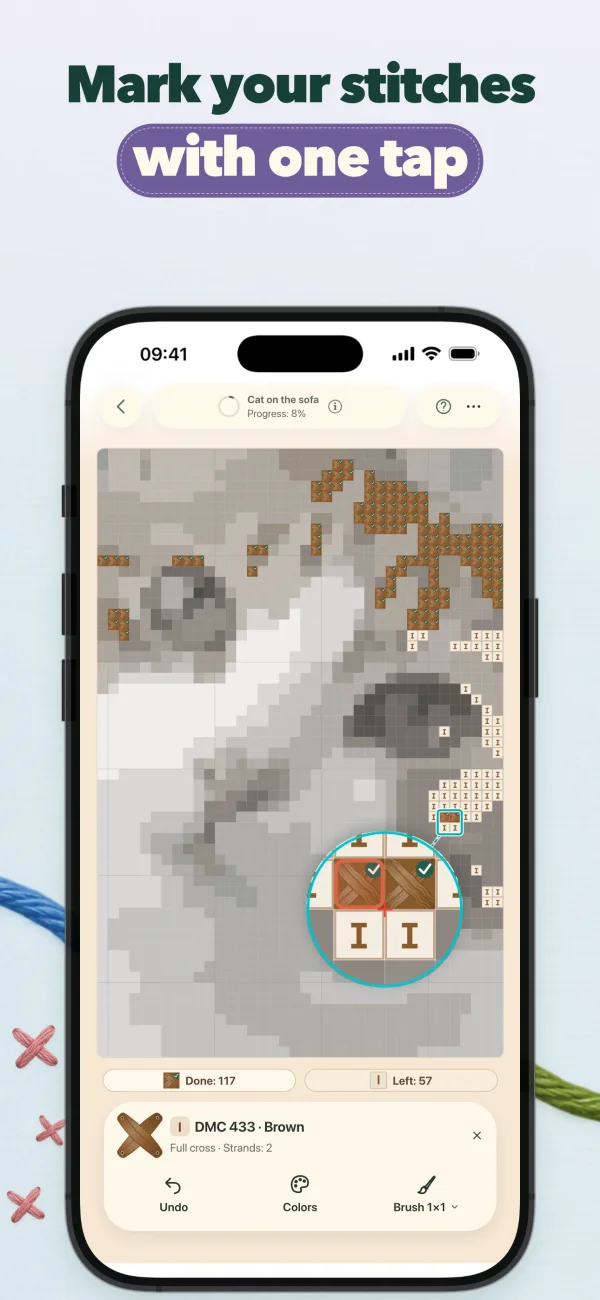
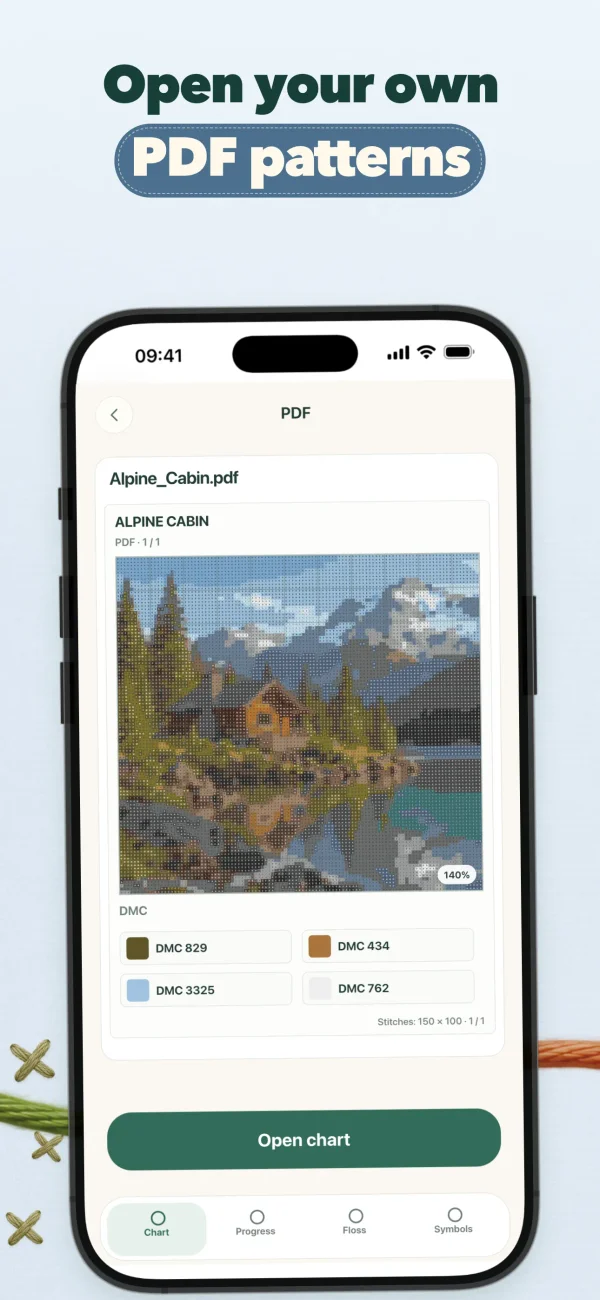
Keep your original PDF pattern visible while you work. Zoom into small symbols, move between pages, and mark completed areas directly on the chart. For stitch-by-stitch tracking, place a grid over a chart page, check its alignment, and mark individual cells. Your last PDF page, zoom level, and position are saved for the next session.
You can also import a PNG or JPG chart, including a clear scan of a printed pattern. Review the detected grid and legend before using cell counts. The imported chart stays available as a reference while you stitch.
FIND THE SYMBOL YOU NEED
On a configured PDF page, select a chart symbol to highlight suggested matches. Check them against the original pattern before marking stitches complete. Focus on one symbol, see which cells are finished and which remain, and undo a mark when you need to correct it. You can mark a single cell or a matching area as you work.
CREATE A CROSS-STITCH PATTERN FROM A PHOTO
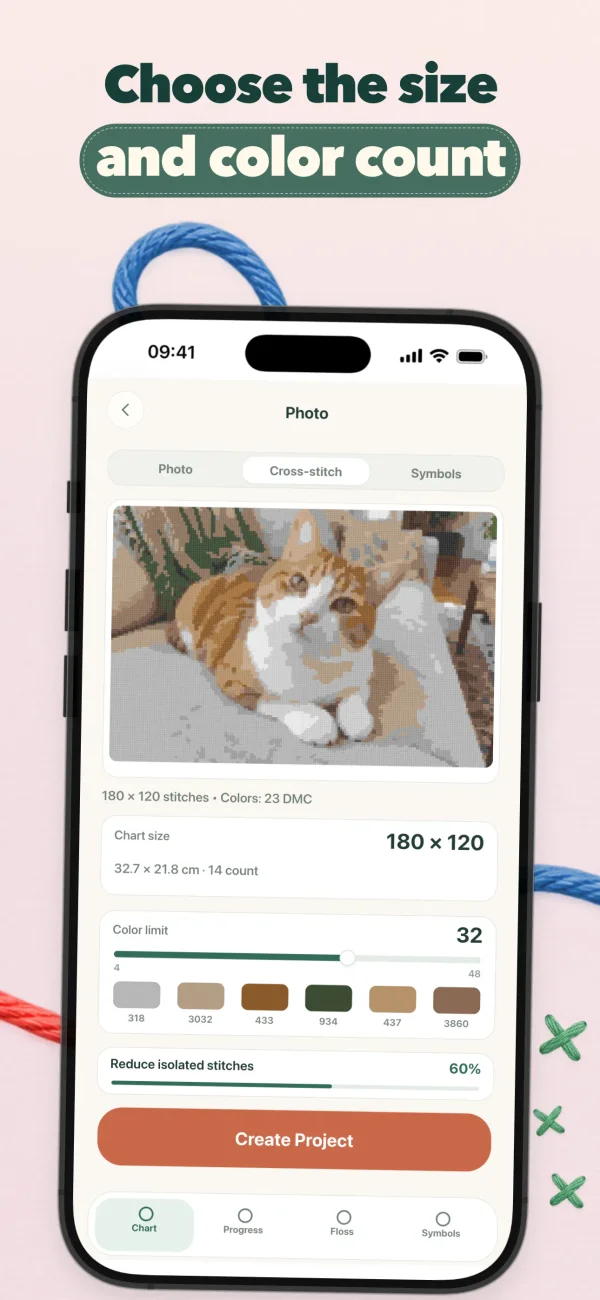
Turn a photo of a pet, landscape, drawing, or another subject into a new chart. Crop the image, choose the chart size and color settings, and preview the design before creating it. Each cell in the generated pattern represents one color and one symbol, so you can follow and mark the chart as you stitch.
SEE WHAT YOU HAVE FINISHED
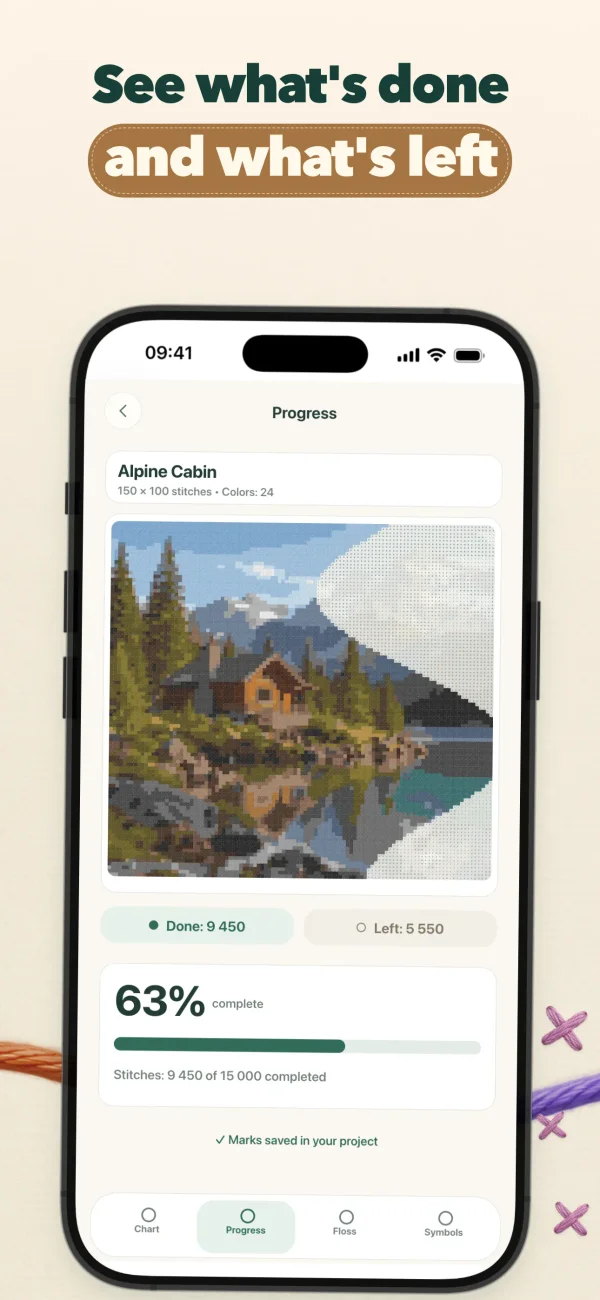
View completed and remaining stitches, project completion, and recent activity in one place. Set goals and follow your stitching history. When a project has enough data, see an estimated finish time. Add notes and progress photos to remember how the work grew from the first stitches to the final details.
KEEP FLOSS AND MATERIALS ORGANIZED
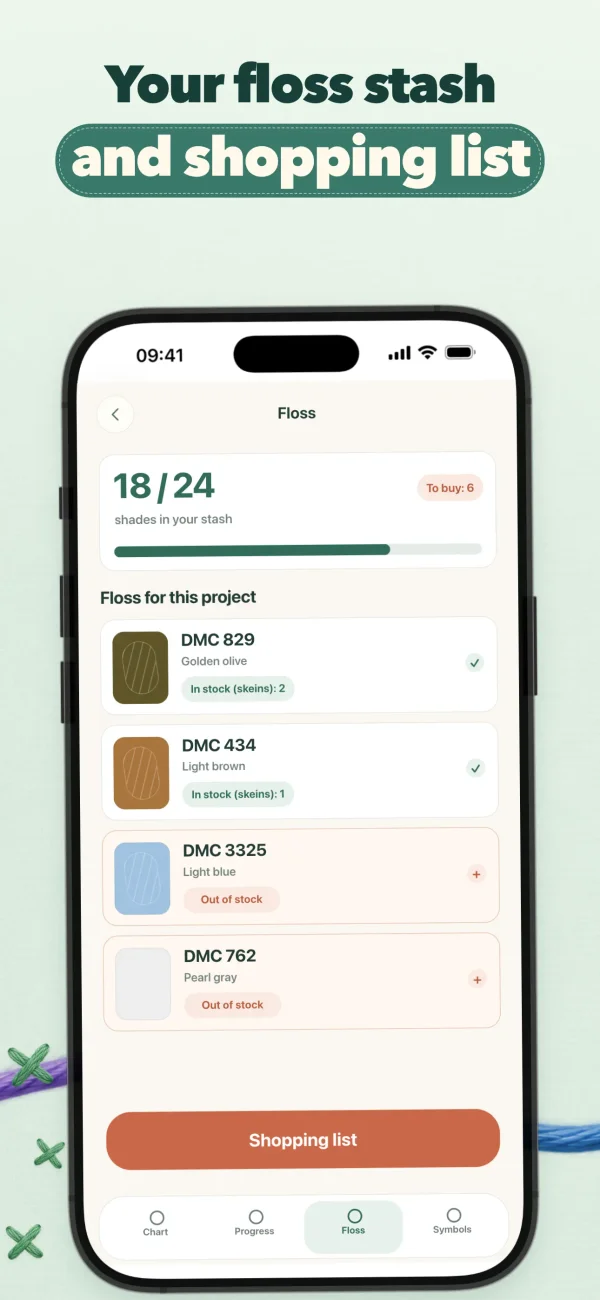
Review DMC thread colors, record the floss you own, and make a shopping list for what you still need. For imported charts, check the pattern's own color key and confirm suggested symbol-to-thread matches before relying on material totals.
PICK UP WHERE YOU LEFT OFF
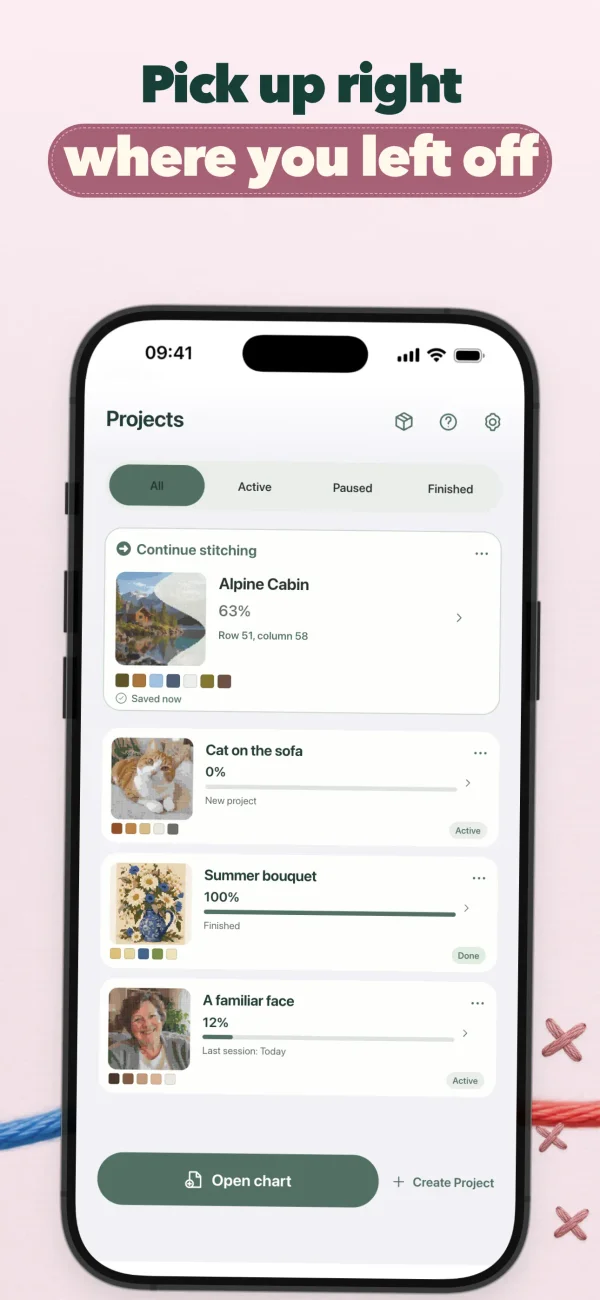
Your marks and project progress save as you work. Export a backup and restore it when needed. No account is required to begin.
From a first cross-stitch kit to a detailed multi-page PDF, Cross-Stitch Copilot brings your pattern, symbol search, stitch counter, progress tracker, and floss list together in one calm workspace.
Terms of Use (EULA): https://www.apple.com/legal/internet-services/itunes/dev/stdeula/
https://stitch-copilot.com
What’s new
Version 2.3 · Nov 26, 2026
• Quick actions on the chart. Added a new button for quick actions.
• Improved PDF handling. We made it easier to choose the legend page and improved symbol recognition.
• Easier stitching scans. We updated area selection, the scan map, and grid alignment on your stitching.
• Small improvements and stability fixes.
App privacy
What Mikhail Andrewywvich Chekalin declares on the App Store about how this app handles data.
-
Data linked to you
May be collected and linked to your identity.
- Contact info
- User content
- Diagnostics
Privacy practices may vary, for example with the features you use or your age.
Information
- Seller
- Mikhail Andrewywvich Chekalin
- Category
- Lifestyle
- Version
- 2.3
- Updated
- Nov 26, 2026
- Released
- Sep 30, 2026
- Size
- 126.9 MB
- Requires
- iOS 17.0 or later
- Age rating
- 4+
- Price
- Free
- In-app purchases
- Yes
- Languages
- English, Arabic, Bengali, Czech, Danish, Dutch, Finnish, French, German, Greek, Hebrew, Hindi + 19 more
- Copyright
- © 2026 Mike Chek
You might also like
-
 Stitchkin cross stitch trackerPDF Pattern Markup & Progress
-
 StitchTracker: Cross StitchOXS Chart Tracker & Counter
-
 Hello CrossStitchCross stitch pattern tracker
-
 Uzora: Cross StitchPattern viewer & chart tracker
-
 Cross Stitch Craft: CrossiePattern Maker, Keeper, Tracker
-
 X-Stitch AssistCross Stitch Pattern Tracker
-
 X-Stitch Tracker: Cross StitchStash Organizer & Project Log
-
 Crosstela Cross Stitch TrackerPattern Maker & PDF Reader
-
 Stitchwork: Cross Stitch ChartPDF Pattern Tracker · Buy Once
-
 StitchDuck: Cross StitchCross Stitch Pattern Maker