- Age rating4+
- CategoryUtilities
- DeveloperShashank Arora
- LanguagesEnglish
- Size4.5 MB
Links to the official App Store page
Download.org hosts no file of CrossCheck FTL. The button opens its official App Store page, published by Shashank Arora. Listing last checked on Nov 20, 2026.
Screenshots


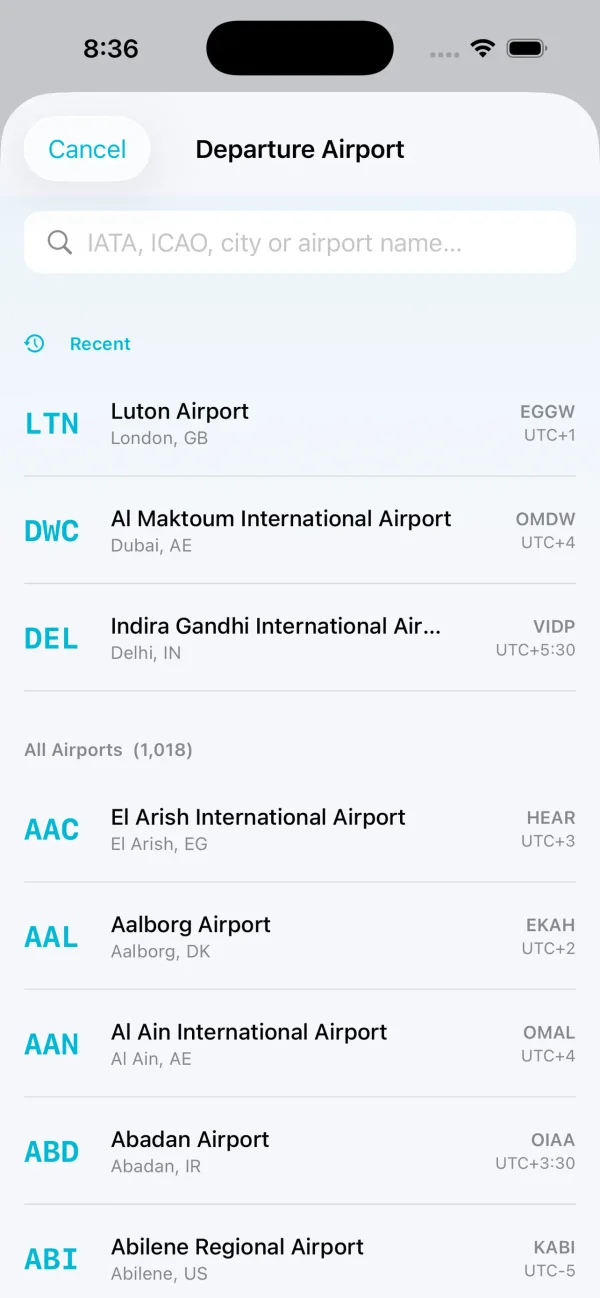
About
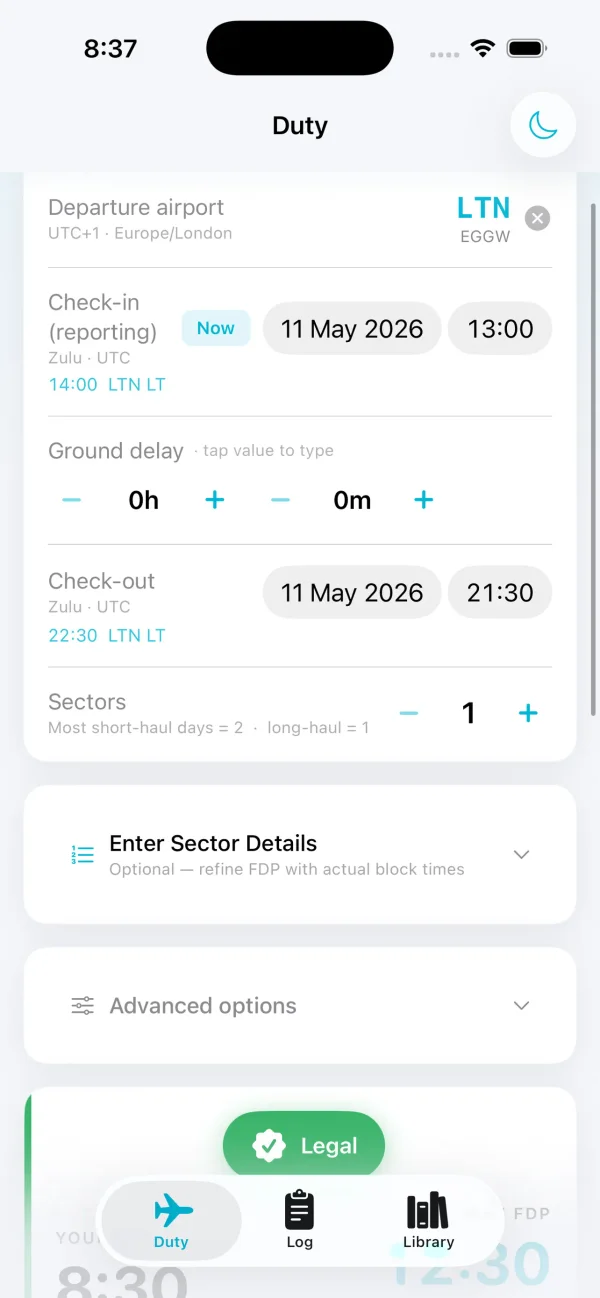
EASA FTL Crosscheck is a planning aid for line pilots flying under EU flight and duty time rules. Enter your reporting time, sectors and crew config, and get an immediate answer to the only question that matters before sign-on: what does my day legally allow?
— DUTY —
Enter your check-in time and sector count and CrossCheck looks up your Table 2 limit instantly. Add acclimatisation status, crew configuration, rest facility, split duty breaks, or standby time and it adjusts automatically. WOCL overlap is detected to the minute. Commander's Discretion limits and post-discretion rest requirements are shown alongside every result.
— REST —
Working backwards or forwards: enter when you finished duty and see your earliest legal report time, or enter your planned report and see your latest legal off-blocks. Minimum rest rules under ORO.FTL.235 applied automatically for home base and away operations.
— DUTY LOG —
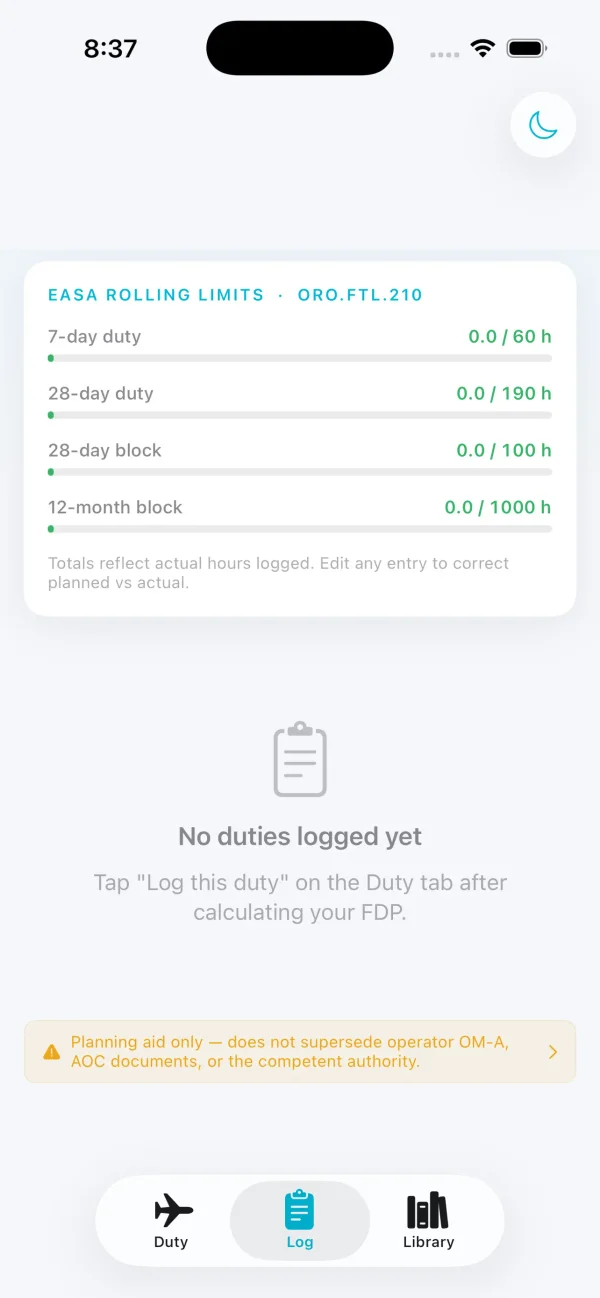
Log every duty after the flight and track your rolling cumulative limits: 7-day (60h), 28-day (190h), 28-day block hours (100h), and 12-month block hours (1000h). Traffic-light progress bars show how close you are to each limit at a glance. Edit or delete past entries at any time.
— LIBRARY —
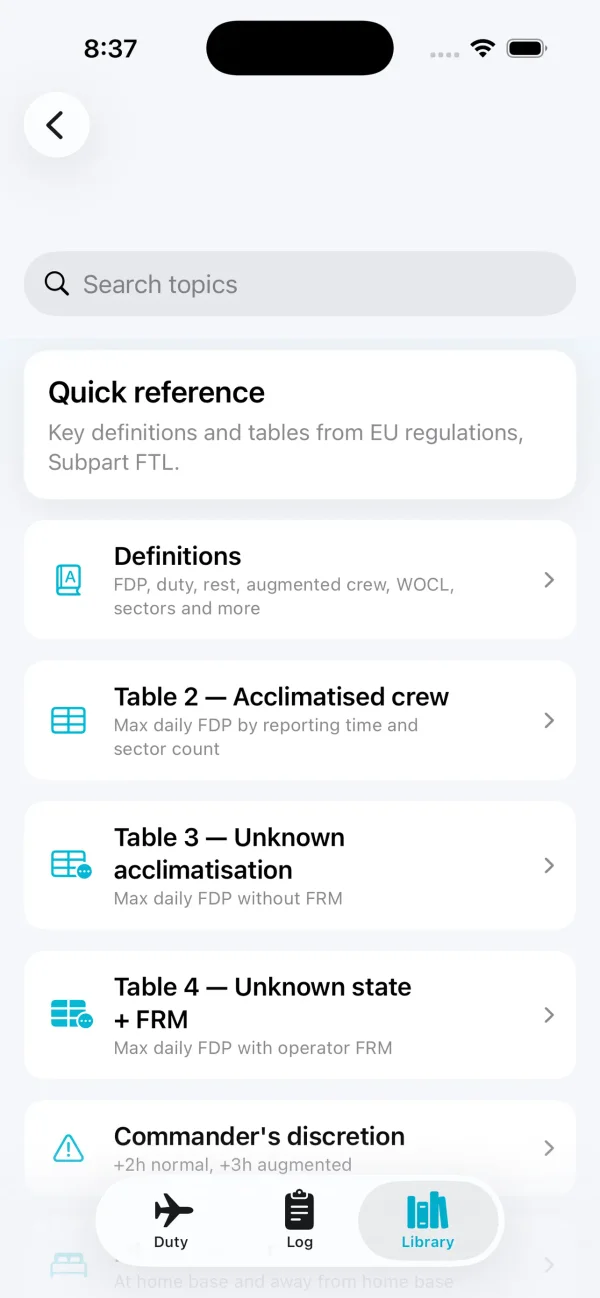
The full regulation text is built in — Table 2, Table 3, Table 4, Commander's Discretion, minimum rest, cumulative limits, standby rules, disruptive schedule, and in-flight rest. No internet required. Sourced from EU Reg 965/2012 consolidated February 2026.
— T&L CURRENCY —
Track your take-off and landing currency under ORO.CCO.MP.015. Log each event and see exactly how many days until your 3-in-90 window expires.
— COCKPIT MODE —
One tap switches to a fullscreen countdown timer with a large, traffic-light colour display designed to be read across the cockpit. Stays active via a home screen widget and Dynamic Island Live Activity throughout your flight duty period.
ADDITIONAL FEATURES
· iCloud sync — duty log available on all your devices automatically
· Home screen and lock screen widgets — FDP time remaining at a glance
· Dynamic Island Live Activity — real-time FDP countdown on your lock screen
· Night / cockpit mode — low-brightness red-tinted display for dark environments
· World airport database — 1,000+ airports with accurate local time and UTC offset
· Delay calculator — see the FDP impact of any delay before it becomes a problem
· Fully offline — no account, no subscription, no ads
CrossCheck is a planning aid. Always apply your own judgement and refer to your operator's Operations Manual. The app does not replace qualified crew planning or official dispatch systems.
What’s new
Version 1.5.2 · Jun 8, 2026
Bug fixes in this new version
App privacy
What Shashank Arora declares on the App Store about how this app handles data.
-
Data not collected
The developer does not collect any data from this app.
Privacy practices may vary, for example with the features you use or your age.
Information
- Seller
- Shashank Arora
- Category
- Utilities
- Version
- 1.5.2
- Updated
- Jun 8, 2026
- Released
- Apr 28, 2026
- Size
- 4.5 MB
- Requires
- iOS 17.0 or later
- Age rating
- 4+
- Languages
- English
- Copyright
- © 2026 BlueBirdEdu
You might also like
-
 Duty Time - FTL CalculatorFTL Calculator - Duty Time
-
 Crosscheck – Built for CrewTools for life in the air
-
 CrewLink ManagerUtilities
-
 Aviation Fuel CalculatorFuel Unit Converter for Pilots
-
 RosterXCrewLink roster tool
-
 ACR/PCR CalculatorEfficient ACR/PCR Limit Calc
-
 Simionic G1000 (MFD)Simulator for Garmin G1000
-
 Network Speed Tester ClientUtilities
-
 PC-12 CalculatorUtilities
-
 Yeti VPN: Open Connect USA VPNVPN & Ad Blocker for Safari