- Age rating4+
- CategoryUtilities
- DeveloperSeth Farrington18896201822
- LanguagesEnglish
- Size4.7 MB
Links to the official App Store page
Download.org hosts no file of CryptKB. The button opens its official App Store page, published by Seth Farrington18896201822. Listing last checked on Nov 14, 2026.
Screenshots

About
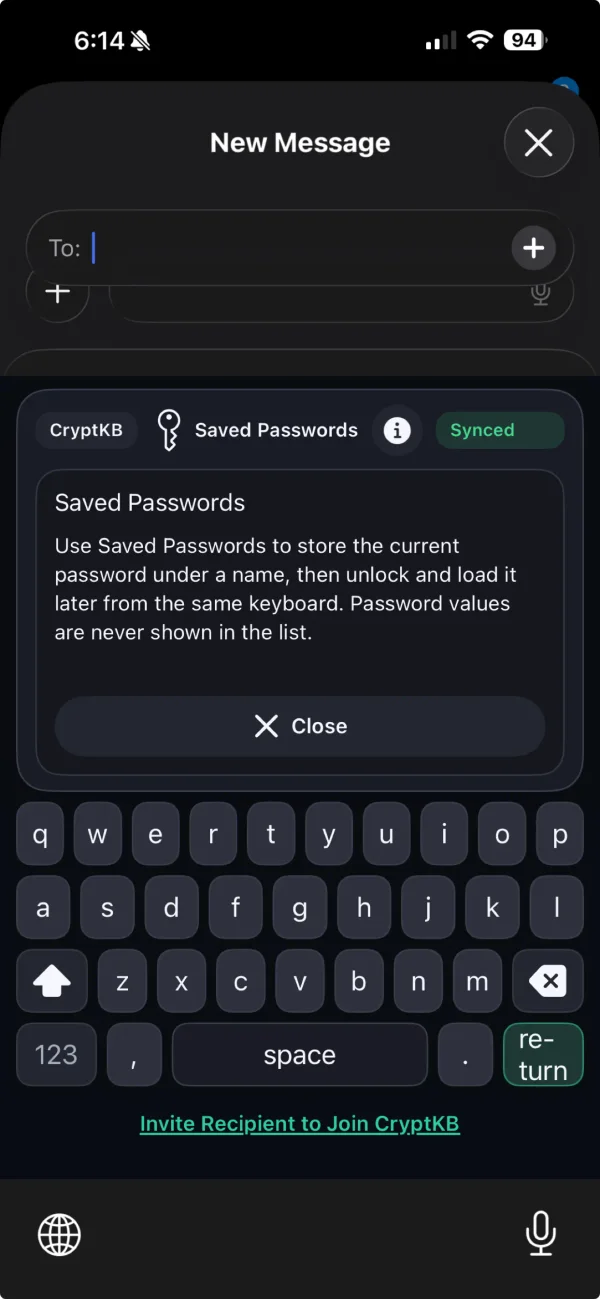
CryptKB helps you encrypt message text before it leaves your iPhone or iPad.
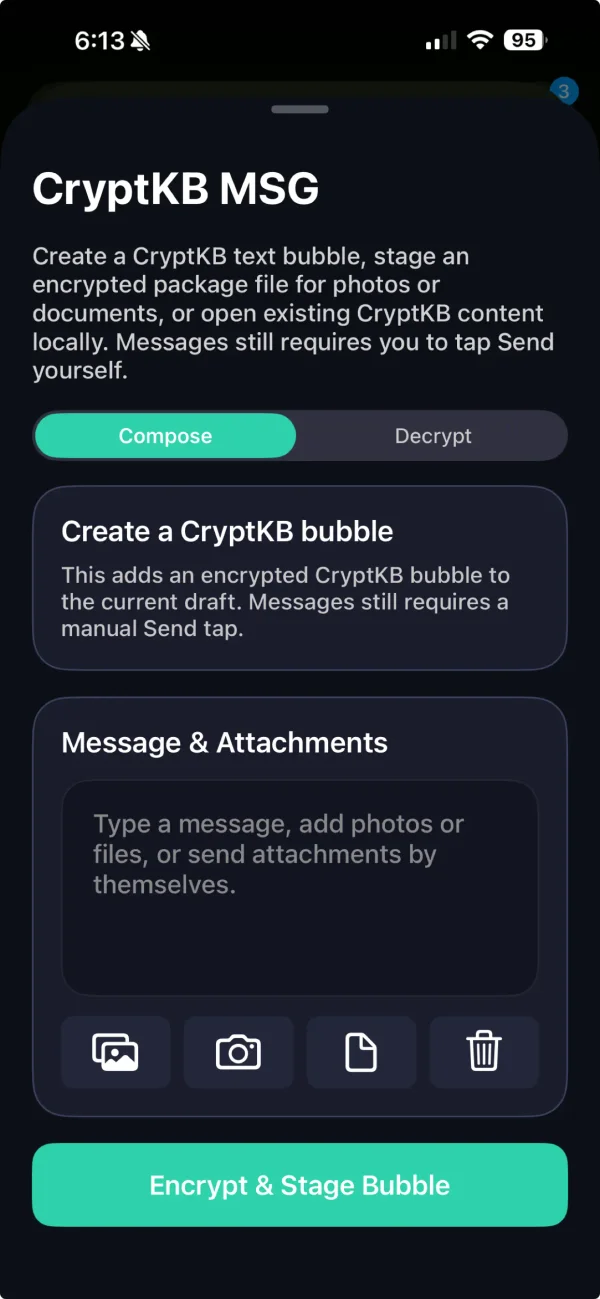
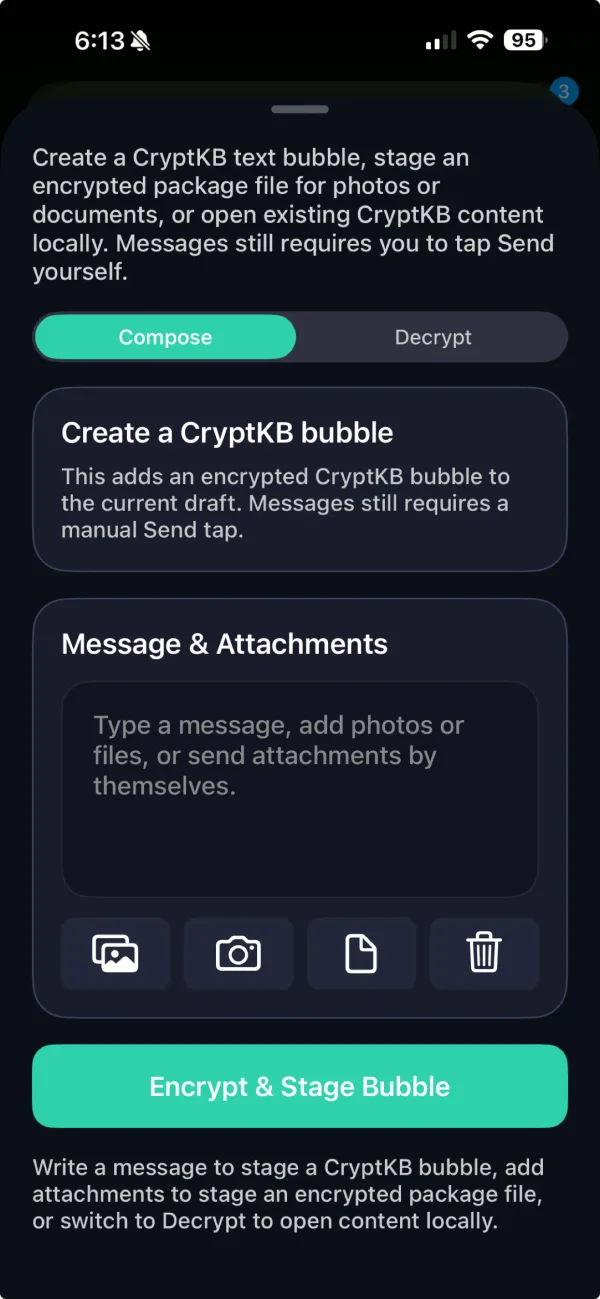
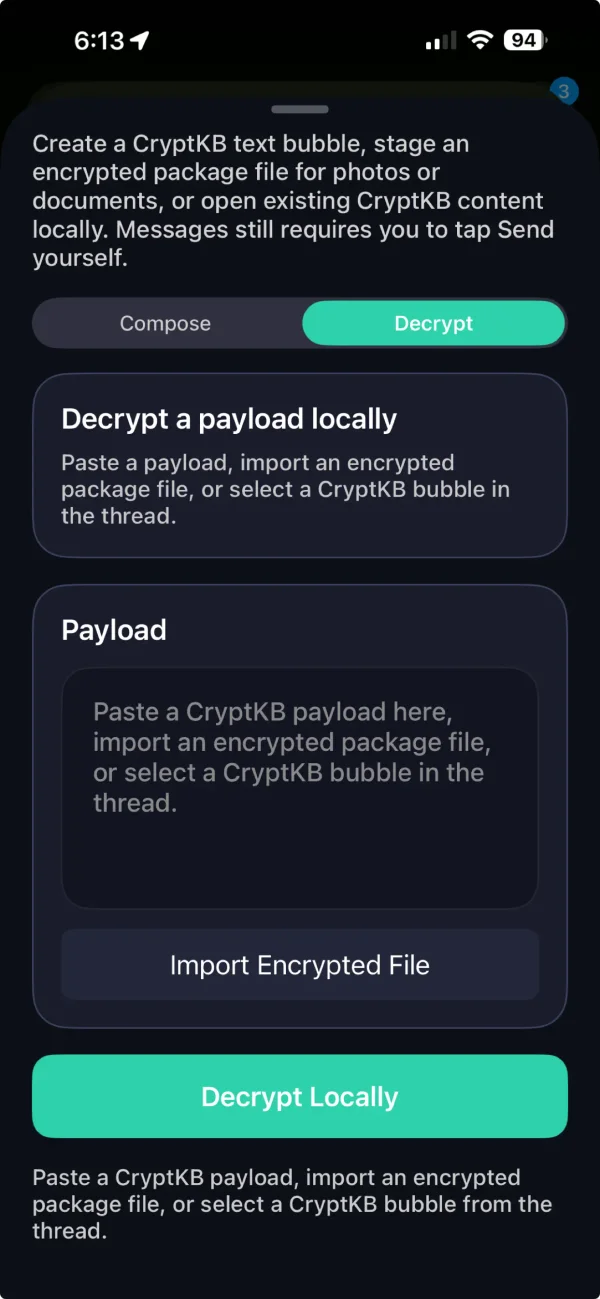
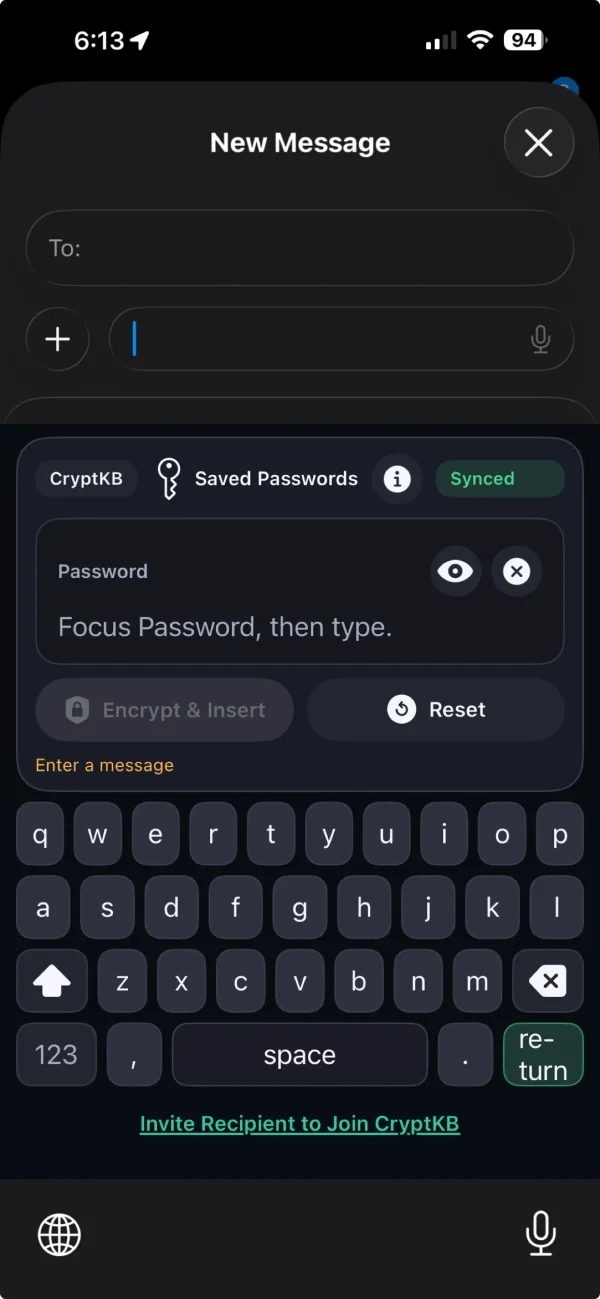
Use the custom keyboard to write a message, choose a password, and insert an encrypted payload into Messages or another text field. Or open the Messages extension to stage a CryptKB bubble inside a Messages draft. The other person can open the same payload in CryptKB and decrypt it locally with the matching password.
Why people use CryptKB:
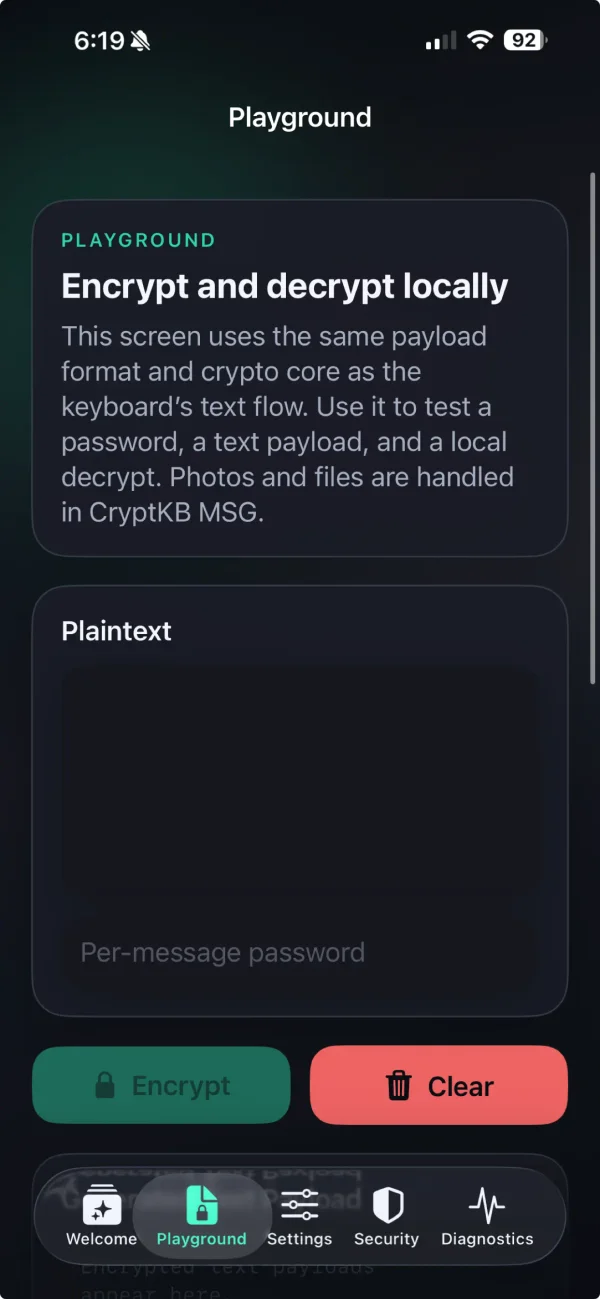
- Local encrypt and decrypt on device
- Custom keyboard for ordinary text fields
- Messages extension for composing and opening CryptKB bubbles
- AES-256-GCM encryption with PBKDF2-HMAC-SHA256 key derivation
- ASCII-safe payload format for copy, paste, and sharing
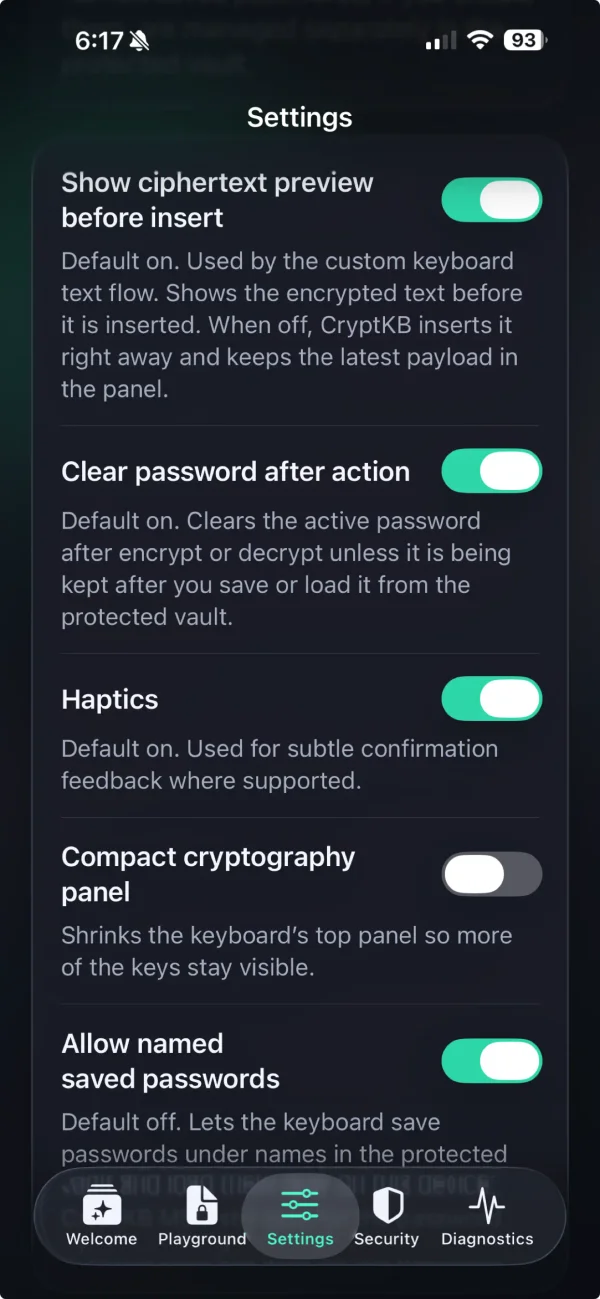
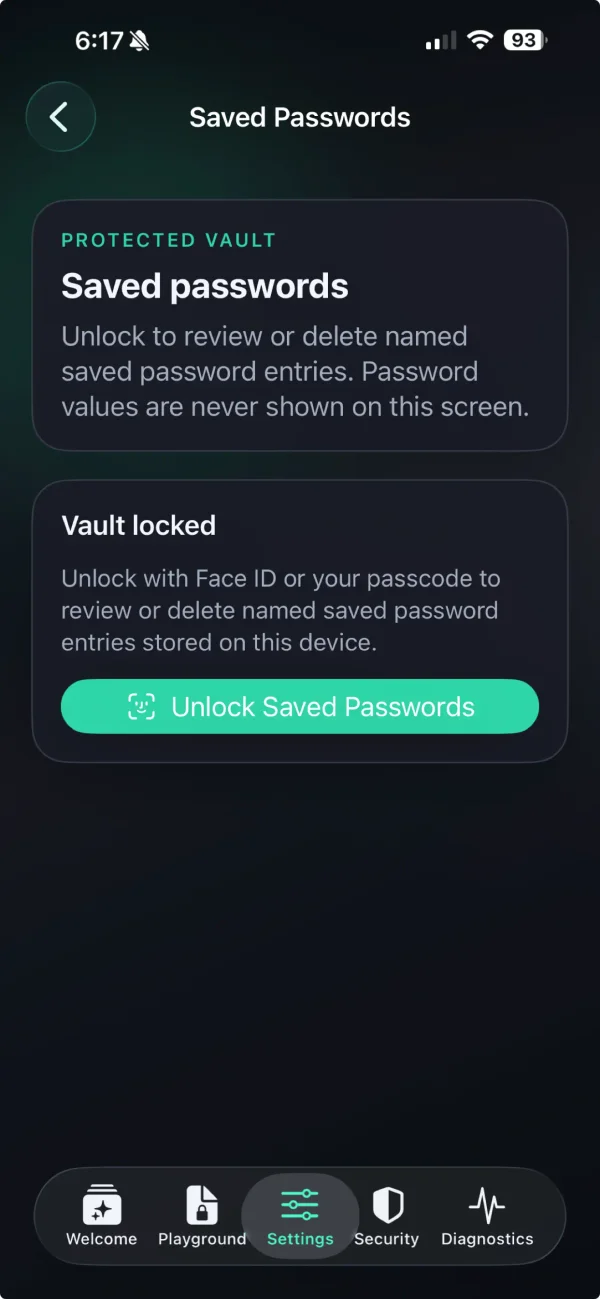
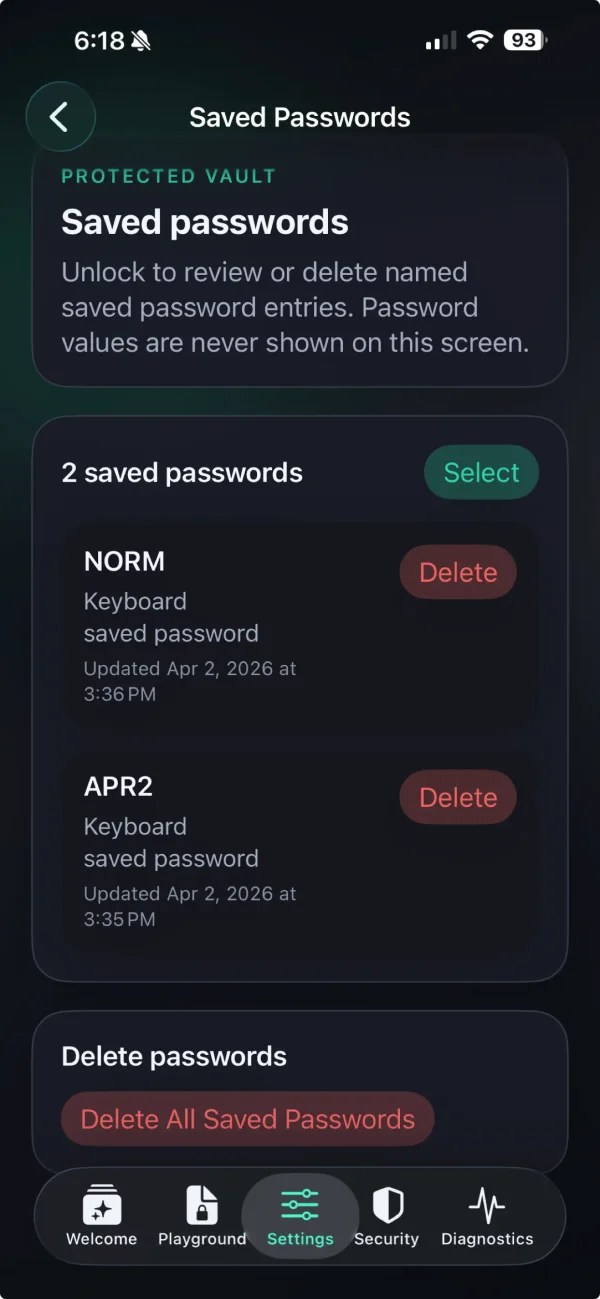
- Optional saved conversation passwords protected by Face ID or device passcode
- No account creation, no backend relay, no analytics SDKs, and no ad tracking in the app
- Built-in playground, settings, privacy notes, and diagnostics
How it works:
1. Switch to CryptKB Keyboard.
2. Type your message.
3. Enter a password.
4. Tap Encrypt & Insert.
5. Review the encrypted text and tap Send yourself.
To decrypt, paste or open a CryptKB payload, enter the matching password, and read the plaintext locally. CryptKB intentionally reveals decrypted text in a local panel instead of writing it back into the conversation automatically.
Important platform notes:
- Apple does not allow third-party keyboards to tap the host app's Send button, so sending is always manual.
- Password recovery is not possible by design.
- CryptKB protects message content inside its encrypted payload, not message metadata like recipients, timestamps, screenshots, or notification previews.
App privacy
What Seth Farrington18896201822 declares on the App Store about how this app handles data.
-
Data not collected
The developer does not collect any data from this app.
Privacy practices may vary, for example with the features you use or your age.
Information
- Seller
- Seth Farrington
- Category
- Utilities
- Version
- 1.0
- Updated
- Apr 27, 2026
- Released
- Apr 27, 2026
- Size
- 4.7 MB
- Requires
- iOS 17.0 or later
- Age rating
- 4+
- Price
- $5.99
- Languages
- English
- Copyright
- © 2026 MidState Agency. CryptKB and related marks are property of MidState Agency, all rights reserved.
You might also like
-
 Master of Inventory: WarrantyWarranty Tracker & Belongings
-
 NanoTermSSH terminal, SFTP & monitor
-
 OneBoard - Snippets, ClipboardYour phrases, one tap away
-
 Random Number Generator-DiceOffline Fair Draw Team Color
-
 Metal Detector & MagnetometerEMF, Gauss Meter & Compass
-
 MoodCycle AIPredict Your Emotional Rhythm
-
 xZipPreview without extracting
-
 Clipp.netCross-platform clipboard sync.
-
 debtMeTrack transactions
-
 PDF Scanner AssistantA Better PDF Scanner.