
CSVly - CSV Viewer & Editor
View CSV as a table, edit rows
Designed for iPhone
In-app purchases
- Age rating4+
- CategoryProductivity
- DeveloperLITTLE FOREST
- LanguagesEnglish
- Size70.2 MB
Links to the official App Store page
Download.org hosts no file of CSVly - CSV Viewer & Editor. The button opens its official App Store page, published by LITTLE FOREST. Listing last checked on Nov 14, 2026.
Screenshots


About
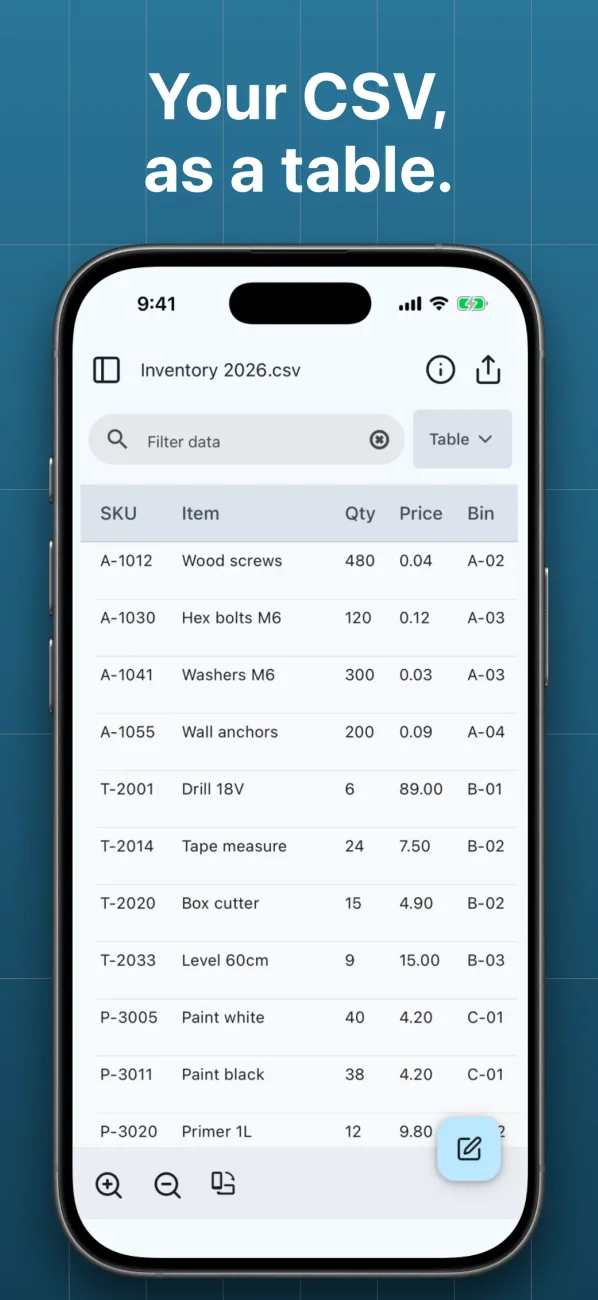
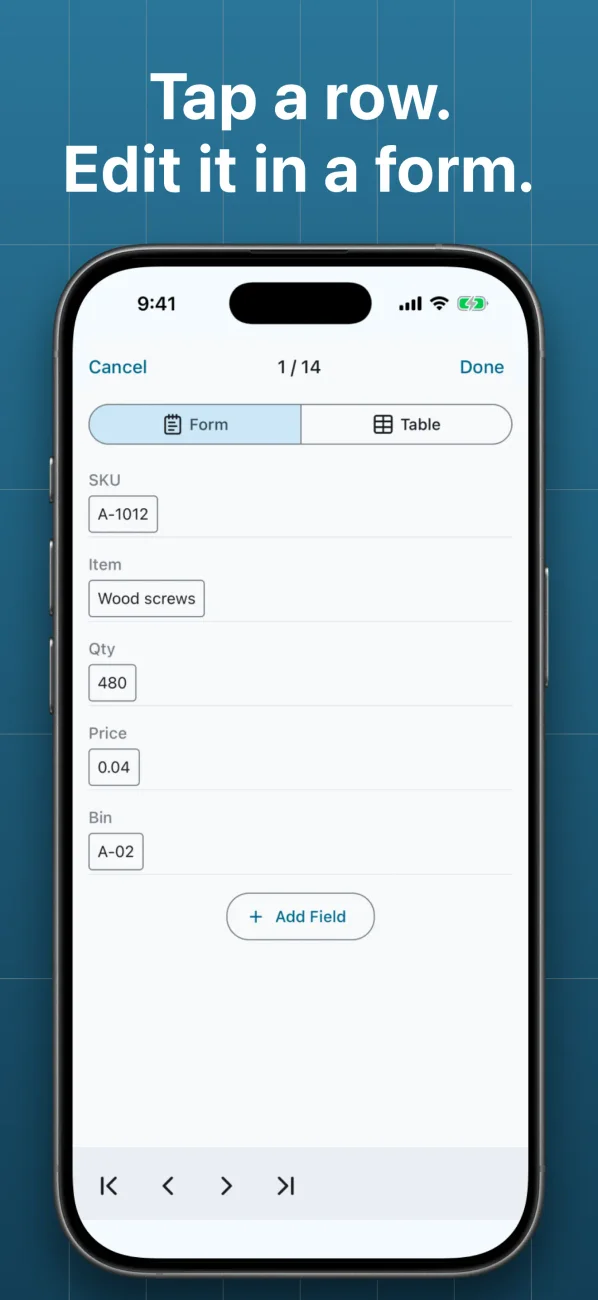
Import a CSV and see it as a table at a glance. To change something, tap a row and edit it in a form. Scrolling and tapping around the table won't change your data by accident.
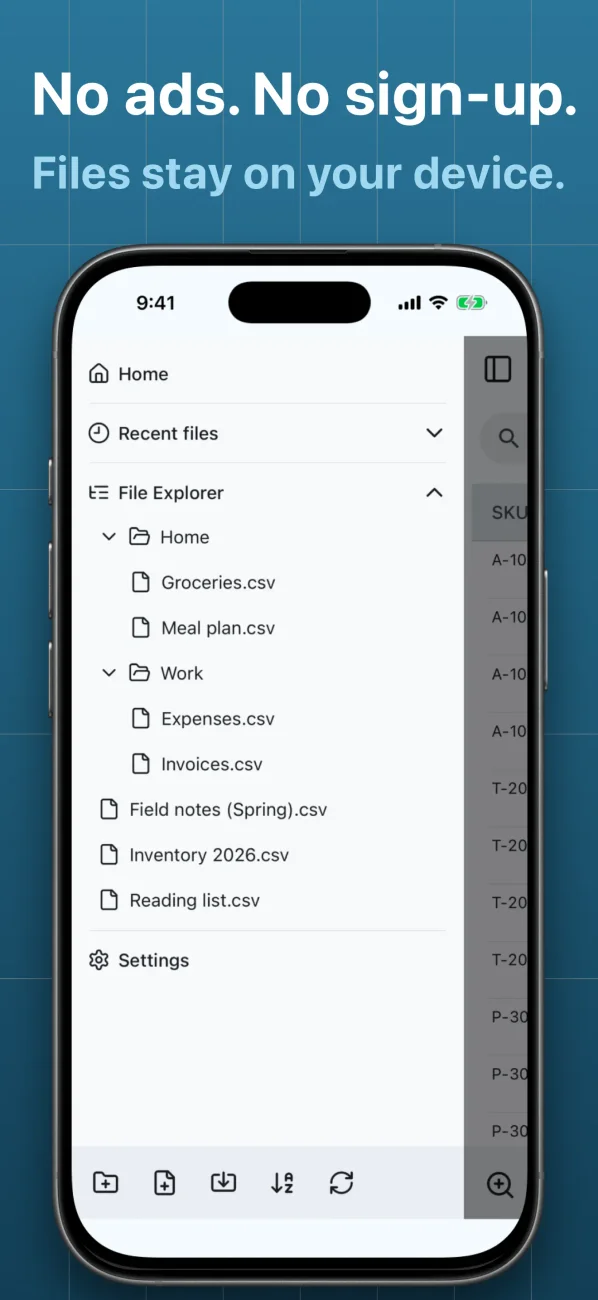
Your files stay plain CSV on your device — no sign-up, no ads, no proprietary format. Saved locally by default, with optional cloud sync in Pro+. Because they're just text, you can reuse them later in spreadsheet apps, scripts, or any tool that reads text. Japanese CSVs in Shift_JIS or EUC-JP open without garbled text (files are saved as UTF-8).
Features
• Table view by default — see every column at a glance, tap a row to edit it
• Three view modes — Table, Cards, and Text — switch anytime
• Cards view — show just the columns you need, then sort or group rows
• Create new files or import existing CSV / TSV
• Search — find rows by keyword
• Import CSV / TSV in UTF-8, Shift_JIS, or EUC-JP — no garbled text
• Share a plain CSV or TSV file to other apps
• Copy a table as Markdown for notes or docs
Plans
• Free — up to 5 files, with every viewing and editing feature
• Pro (one-time purchase) — unlimited files
• Pro+ (subscription) — everything in Pro, plus iCloud sync
From work and study to everyday lists, CSVly makes CSV files simple to handle on your phone.
* Terms of Use (Apple Standard EULA): https://www.apple.com/legal/internet-services/itunes/dev/stdeula/
What’s new
Version 1.3.0 · Nov 1, 2026
• CSV and TSV files you share now open correctly in Excel, even with Japanese and other non-English text.
• Imported files now keep their original name.
• Various fixes and refinements.
App privacy
What LITTLE FOREST declares on the App Store about how this app handles data.
-
Data not collected
The developer does not collect any data from this app.
Privacy practices may vary, for example with the features you use or your age.
Information
- Seller
- LITTLE FOREST
- Category
- Productivity
- Version
- 1.3.0
- Updated
- Nov 1, 2026
- Released
- Oct 13, 2025
- Size
- 70.2 MB
- Requires
- iOS 16.4 or later
- Age rating
- 4+
- In-app purchases
- Yes
- Languages
- English
- Copyright
- © 2025 Little Forest
You might also like
-
 Today CountdownMake every second count
-
 NextPaperKnow what to read next.
-
 RowSwift: Data ExplorerQuick CSV Stats & Charts
-
 NoFile: Share file in localWifi file server, no cloud
-
 Csv2ImgCsv Converter to PNG / PDF.
-
 CSV MasterSpreadsheet Style CSV Editor
-
 CSV file Create Editer & ViewText to CSV Converter
-
 Glazr XLSX & CSV File EditorOffline XLSX & CSV Editor
-
 Taskchamp: tasks for devsTaskwarrior Companion
-
 Hippo – Personal CRMRemember friends & birthdays