Cub Draw
Drawing adventures for kids
Designed for iPhone, iPad
Free · In-app purchases
- Age rating4+
- CategoryEducation
- DeveloperNanda Kusumadi
- LanguagesEnglish+ 2 more
- Size102.0 MB
Links to the official App Store page
Download.org hosts no file of Cub Draw. The button opens its official App Store page, published by Nanda Kusumadi. Listing last checked on Nov 18, 2026.
Screenshots
About
The iPad is already in the bag. Cub Draw puts the sketchbook there too.
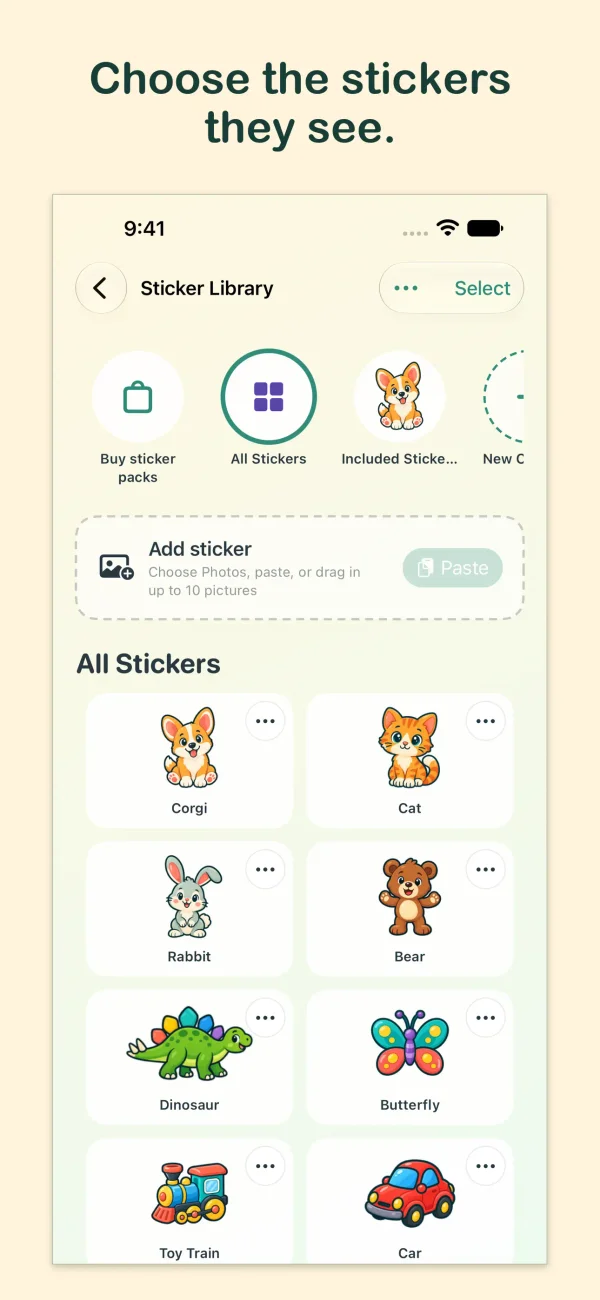
Cub Draw is built for young children who are still learning to read. Large picture-led controls let them draw with Apple Pencil or a finger, choose colours, add parent-approved stickers, and start from blank paper, mazes, or illustrated scenes.
Every drawing saves automatically and stays editable. There is no pile of paper to clear out and no need to choose which pictures get cupboard space.
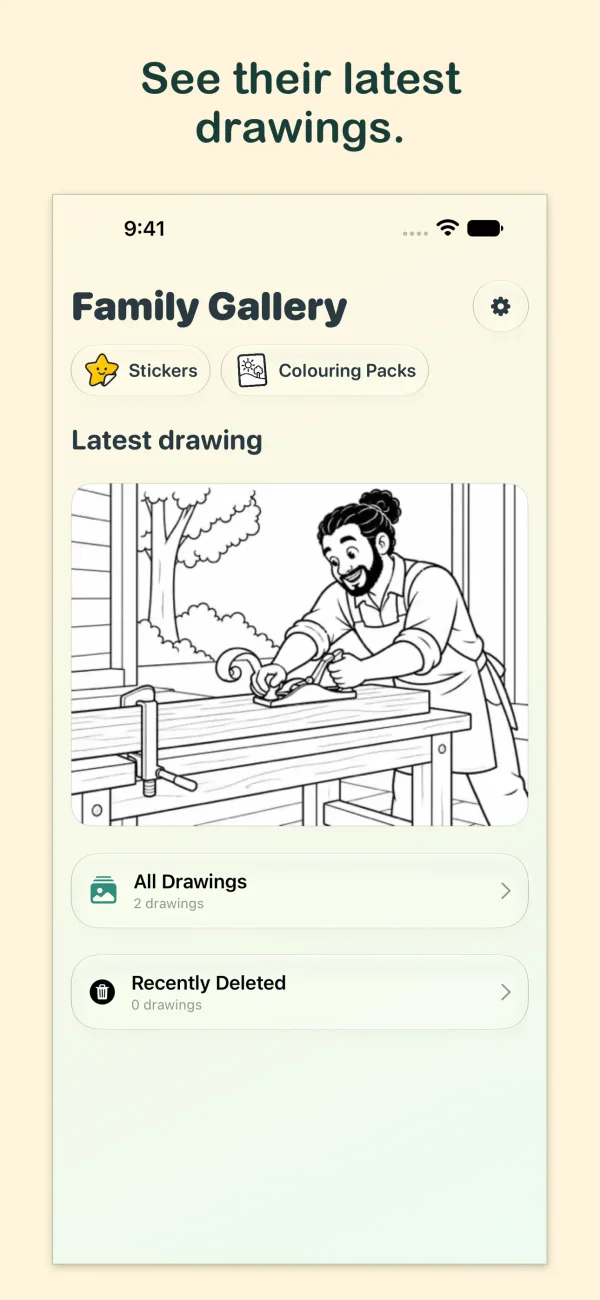
With optional private family sharing, parents can see new drawings from their own iPhone or iPad. Open a favourite and send it as an image to Grandma, Grandpa, or anyone else through the Apple share sheet. They do not need Cub Draw to receive it.
Built for little hands:
- Large, picture-led controls
- Apple Pencil and finger drawing
- Portrait and landscape paper
- Undo and redo for strokes and stickers
- Past drawings stay editable
For parents:
- Keep past drawings together and editable
- Manage stickers, templates, sharing, recovery, and deletion
- See new work from another iPhone or iPad
- Share a finished drawing as an ordinary image
- Use an optional private Child Space to sync family devices through iCloud
On unfolded iPhone Duo, select a child in Parent Mode and open Child Mode to draw in that child’s existing space. Returning to Parent Mode uses the parent gate. Folding pauses drawing and keeps parent controls protected. The same switch is available on parent iPads with a full-size layout.
No ads. No tracking. No public profiles, chat or social feed. Core drawing is free.
Optional colouring packs are available in Parent Mode. Start with seven free Amazing Journeys pages, choose from nine themed packs of 50 pages each, or buy the Nine-Pack Collection with all 450 paid pages. Each offer is a one-time purchase; future packs are not included in the collection. Children browse available pages by pack without seeing prices or purchase prompts.
Optional sticker packs are available in Parent Mode. Choose from nine themes with 50 stickers each, or the 2026 Fall Season collection with all 450 stickers. Sticker packs and colouring packs are separate one-time purchases; future seasons are not included. Parents choose which Child Spaces can use each pack. Available downloaded packs have their own categories, and the sticker drawer remembers your place while you create. The 60 included stickers remain free.
Family sync requires iCloud and an internet connection. Purchases, restore and first pack downloads need an internet connection. Downloaded pages and stickers work offline while access remains valid; shared child access needs a parent refresh within 90 days. Existing drawings keep their artwork. Core drawing remains local-first and works offline.
What’s new
Version 1.4.2 · Nov 17, 2026
Grown-up settings now sit behind one padlock button at the end of the toolbar. My Drawings is simpler for children, and the colour strip stays open while they choose. Family sync is more reliable and downloads less, and Parent Mode shows clearly when something needs attention.
App privacy
What Nanda Kusumadi declares on the App Store about how this app handles data.
-
Data linked to you
May be collected and linked to your identity.
- Purchases
- Contact info
- User content
- Identifiers
Privacy practices may vary, for example with the features you use or your age.
Information
- Seller
- Nanda Kusumadi
- Category
- Education
- Version
- 1.4.2
- Updated
- Nov 17, 2026
- Released
- Sep 15, 2026
- Size
- 102.0 MB
- Requires
- iOS 18.0 or later
- Age rating
- 4+
- Price
- Free
- In-app purchases
- Yes
- Languages
- English, French, German
- Copyright
- © 2026 Nanda Kusumadi
You might also like
-
 TinyColors: Coloring BookKids Art & Magic Brushes
-
 Drawing Ciao LiteSimple Painting for Kids
-
 SPIE ConferencesReference
-
 HMH GoEducation
-
 Data Structure DisplayDynamic Presentation for DS
-
 Alef StudentEducation
-
 Wagotabi Lite: Learn JapaneseLearn Japanese
-
 IQ Globen (IQ Globe)Education
-
 Car coloring book & drawinglearn how to draw cars games
-
 NWEA Secure TestingEducation