Cubuild: World Edit, Vehicles
Create your own vehicles!
Designed for iPhone, iPad, iPod touch
Free
- Age rating4+
- CategoryAdventure
- DeveloperKhalih Akhadov
- LanguagesEnglish
- Size6.8 MB
Links to the official App Store page
Download.org hosts no file of Cubuild: World Edit, Vehicles. The button opens its official App Store page, published by Khalih Akhadov. Listing last checked on Nov 13, 2026.
Screenshots
About
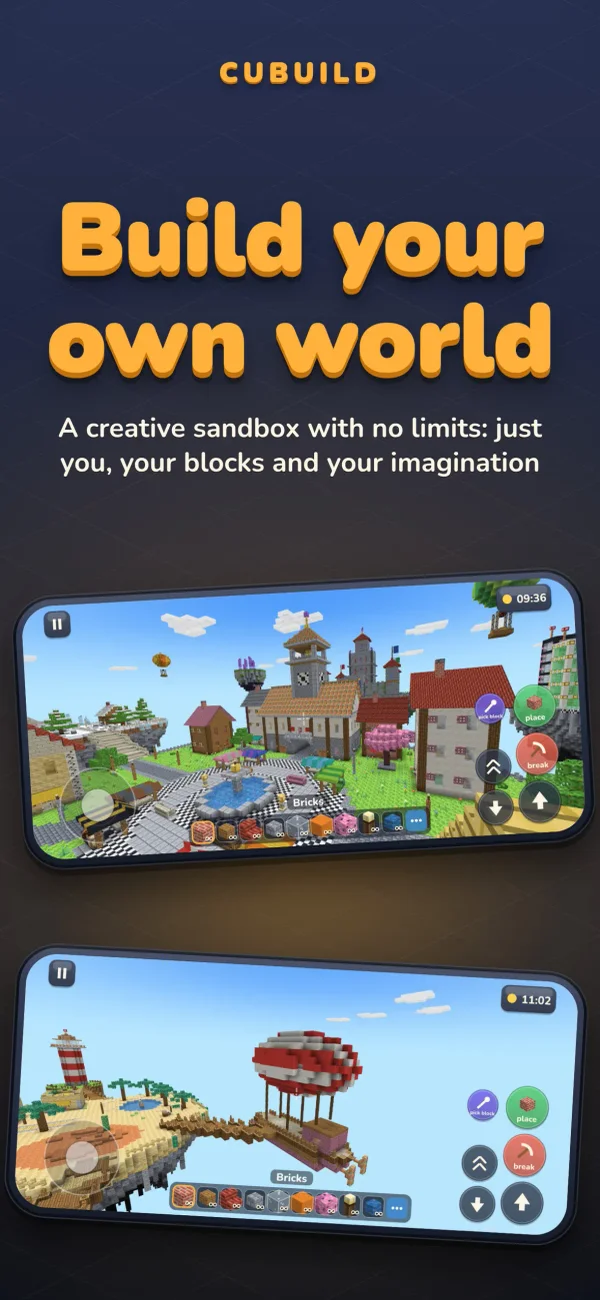
Cubuild is a creative sandbox that is all about building. Pick a material, pick a shape and start: every block is unlocked from the first minute.
There is no survival, no monsters, no mining and no crafting. Nothing stands between you and what you want to build.
BUILD ANYTHING
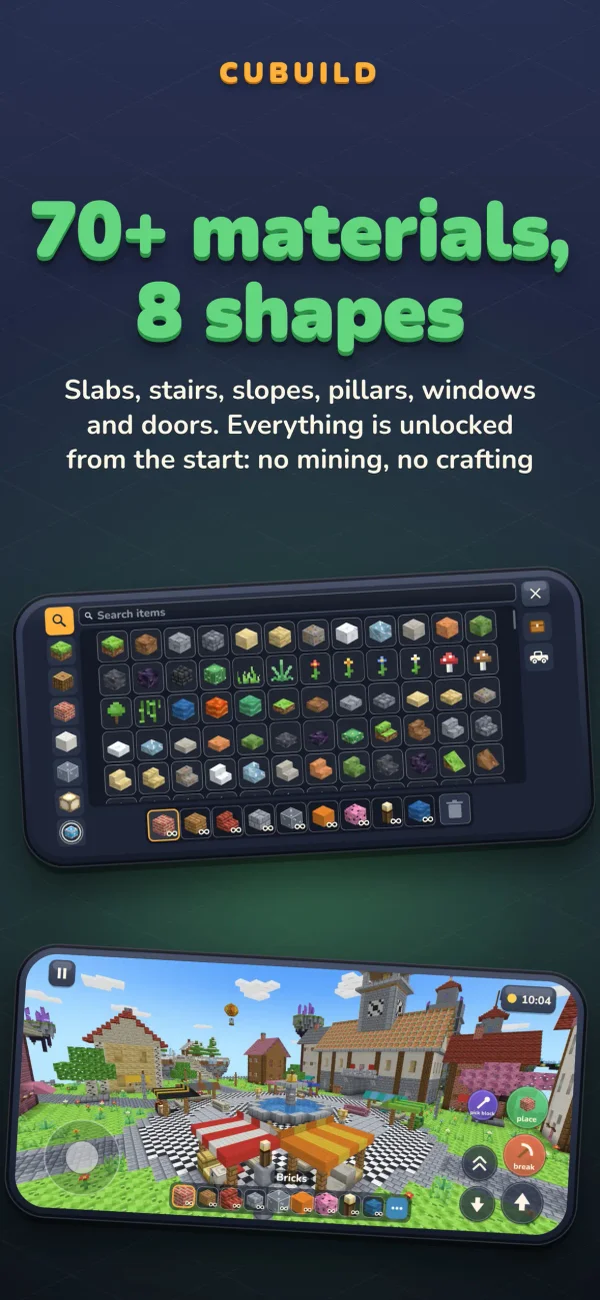
• More than 70 materials: stone, brick, wood, metal, fabric in 15 colors, glass and stained glass.
• 8 shapes for every building material: block, slab, stairs, slope, vertical slab, pillar, beam and panel.
• Windows, doors and trapdoors that open and close.
• Flowers, ferns, vines and mushrooms for the finishing touches.
A WORLD THAT FEELS ALIVE
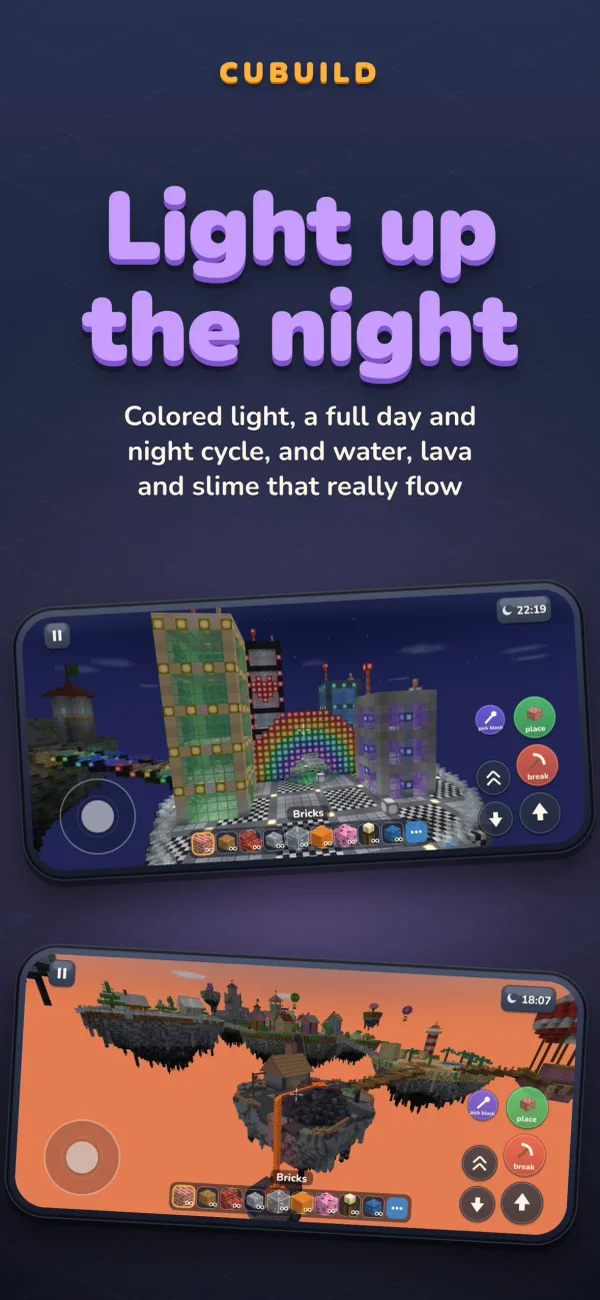
• Three liquids: water, lava and slime. They flow, spread and tumble down as waterfalls.
• Colored light: lamps, lanterns and neon in nine colors tint everything around them.
• A full day and night cycle with sunrise, sunset and stars. The Totem of Light skips ahead to morning or evening.
BUILD IT, GLUE IT, DRIVE IT
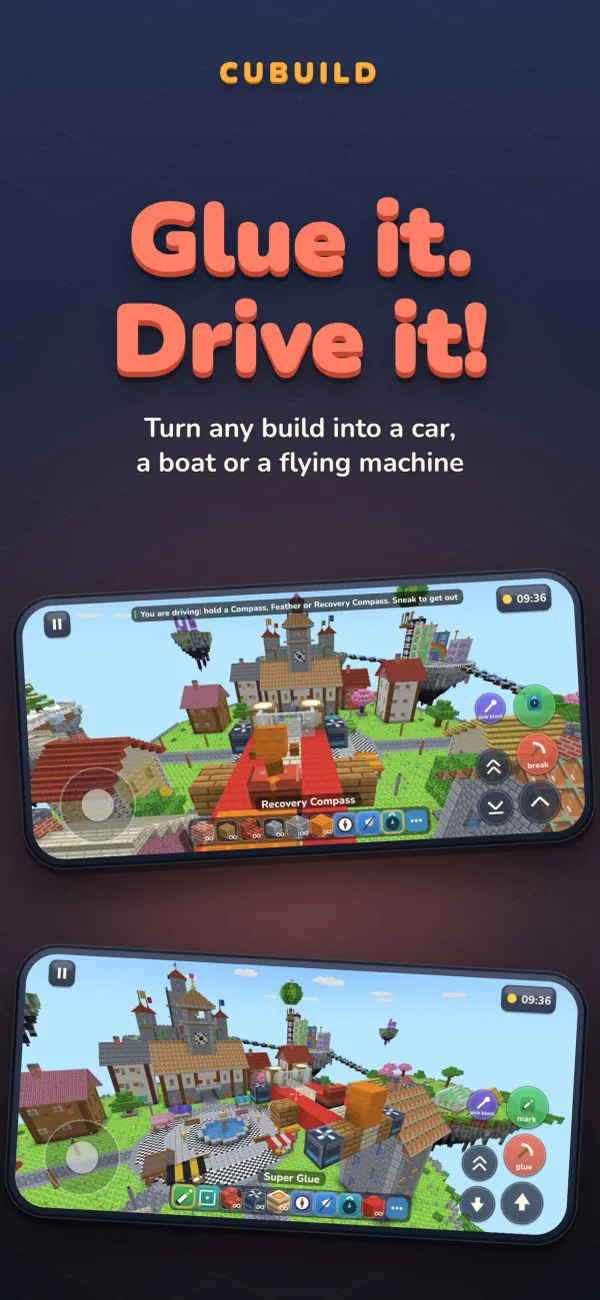
• Glue any build into a single vehicle, add a seat and set off.
• Floaters keep boats on the water, propellers lift flying machines into the sky.
ENDLESS WORLDS
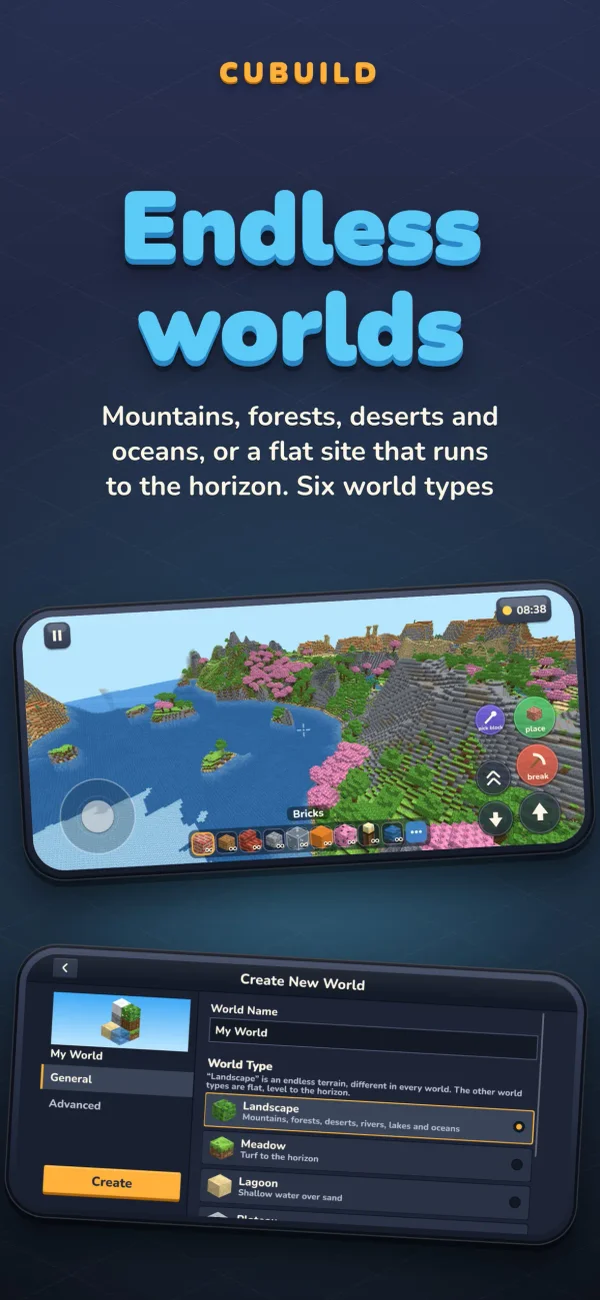
• Landscape: an endless terrain of mountains, forests, deserts, rivers, lakes and oceans, different in every world.
• Five flat sites for a clean start: Meadow, Lagoon, Plateau, Snowfield and Void.
• Create as many worlds as you like and move any of them to another device as a single file.
TOOLS FOR BUILDERS
• Pick block, fast flight, a ghost preview of each block before you place it, and a third-person camera.
• Cleaners clear a building site in one go.
• Experimental options in Settings: WorldEdit for editing whole areas (fill, replace, copy, paste, shapes, undo), sounds, and a ready-made map, Island City.
Plays on iPhone, iPad and Mac. On Mac, with keyboard and mouse.
Interface in 12 languages. No ads, no in-app purchases.
What’s new
Version 1.2 · Nov 7, 2026
Builder bots plan and build entire settlements on their own, right before your eyes, block by block.
How to summon. The WorldEdit tab now has a Cubuilder Summoner item.
Builder menu. Tap a builder to open their menu:
- Start building. They look over the terrain, plan a settlement and build it.
- Stop / Continue building. Pause in the middle of construction. They pick up from the same block, even after you leave the world.
- Expand settlement. New streets and plots, up to five stages.
- Repair. Restores anything broken in their buildings.
- Call over. The builder flies to you and founds the next settlement right there.
- Pace. Calm, fast or very fast.
- Name and Color. Rename and recolor, with twelve colors to choose from.
- Demolish settlement. The world goes back to how it was before, without a single stray block.
- Dismiss Cubuilder. The builder leaves, but their buildings stay.
The settlement depends on the terrain.
What they build: a square with a fountain or well and a market, streets and lanes, one- and two-story furnished houses, towers, a town hall with a bell tower, windmills, vegetable gardens, gardens with ponds, lamps and trees.
They prepare the ground themselves. They cut down hills, fill in pits and make gentle slopes. Across water and ravines they lay bridges with railings and piles.
They never touch your builds. They go around everything built by you and by other builders. Lakes don't drain, and sand and plants never collapse for lack of support.
The summoner is available only while WorldEdit is on. Builders you have already summoned stay in the world even if you turn WorldEdit off.
CUBE WARS: UP TO FOUR SIDES
Play against one, two or three computers. With three or four sides it's every side for itself: a side with no buildings left is eliminated, and the last one standing wins.
- New side colors: green and yellow.
- The more players, the bigger the island, so each side gets the same room. The map stays fair: everyone gets the same forest, stone and path to their neighbours.
- Players' places are shown at the end of a match, and you get messages during play when a side is eliminated.
CUBE WARS: NEW "COMPUTER VS COMPUTER" MODE
Two to four computers fight each other while you watch.
There is no fog of war, so the whole island is visible. You can select any unit or building to see its orders, cargo, training queue and upgrades, but you can't give orders.
Spectator console:
- speed x1, x2 or x4;
- camera to any side's base;
- a "To battle" button that jumps to the latest skirmish;
- a score for every side: workers, army, buildings, food.
At the end you see the winner and a "Watch again" button. The mode is remembered along with the difficulty and island size.
SPLEEF ARENA: NEW "COMPUTERS ONLY" MODE
Four computers on the arena, each with its own temper: one plays it steady, one charges into fights, one throws snowballs from afar and one plays it safe. A new opponent, "Flurry", plays for blue.
Tap a player or their plate at the top, and the camera moves in closer and follows them. Tapping elsewhere brings back the view of the whole arena.
App privacy
What Khalih Akhadov declares on the App Store about how this app handles data.
-
Data not collected
The developer does not collect any data from this app.
Privacy practices may vary, for example with the features you use or your age.
Information
- Seller
- Khalih Akhadov
- Category
- Adventure
- Version
- 1.2
- Updated
- Nov 7, 2026
- Released
- Oct 18, 2026
- Size
- 6.8 MB
- Requires
- iOS 15.0 or later
- Age rating
- 4+
- Price
- Free
- Languages
- English
- Copyright
- © Khalih Akhadov
You might also like
-
 Sanduloo: Splash & SculptRelaxing sand & water
-
 Pixel IsletRaising and Friends of Widget
-
 Heartwood: Grow a Pixel TreeRoots, branches, real physics
-
 GroundboundRebuild your rocket, get home
-
 Metrópole: Cidade BrasileiraSimulation
-
 Tiny Block: One Block SkyblockMaps, Mods & Survival Worlds
-
 Block Crafts 3DSimulation
-
 Photo Anomaly - Horror GameSurvive the Night Shift
-
 World Destroyer SimulatorThe planet-destruction sandbox
-
 AlienSunny LiteDesign Customize Your Farm