- Age rating4+
- CategoryProductivity
- DeveloperNishant Hada
- LanguagesEnglish+ 4 more
- Size13.2 MB
Links to the official App Store page
Download.org hosts no file of CueCard Teleprompter. The button opens its official App Store page, published by Nishant Hada. Listing last checked on Nov 28, 2026.
Screenshots


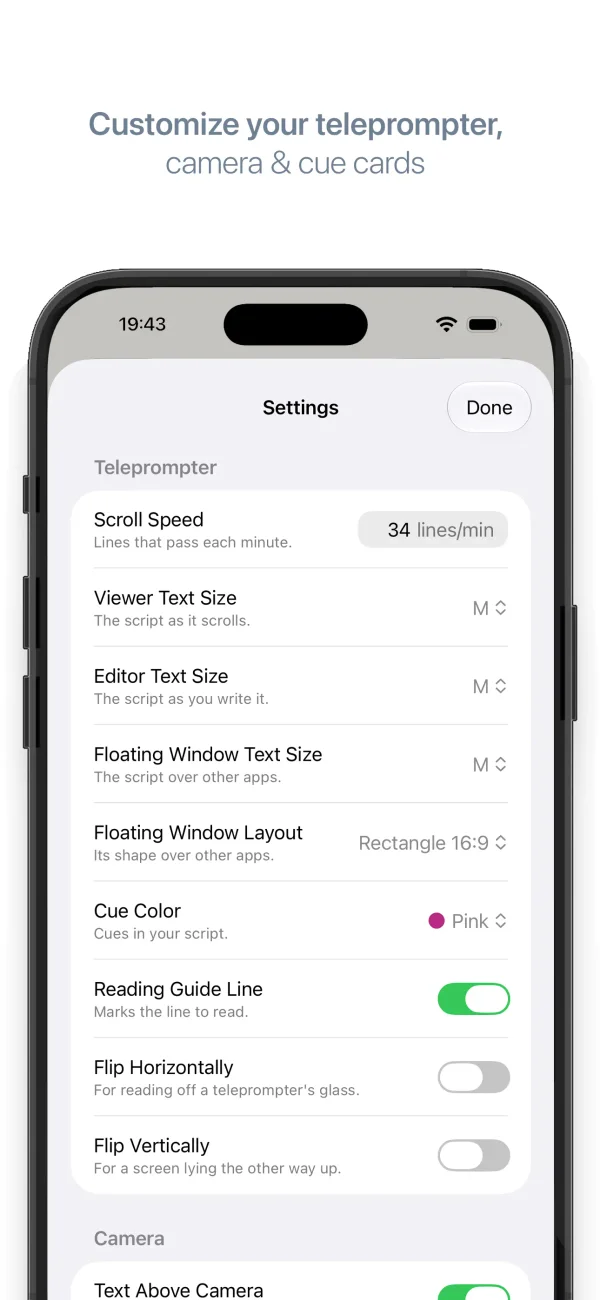
About
CueCard is a free teleprompter and cue cards app for iPhone and iPad, built for video recording, presentations and public speaking. Keep your scripts, reading tools and recorded takes together, from your first draft to your final video.
Free and open source. No ads, subscriptions or sign-in required. Your scripts stay on your device.
FEATURES
• Floating Teleprompter
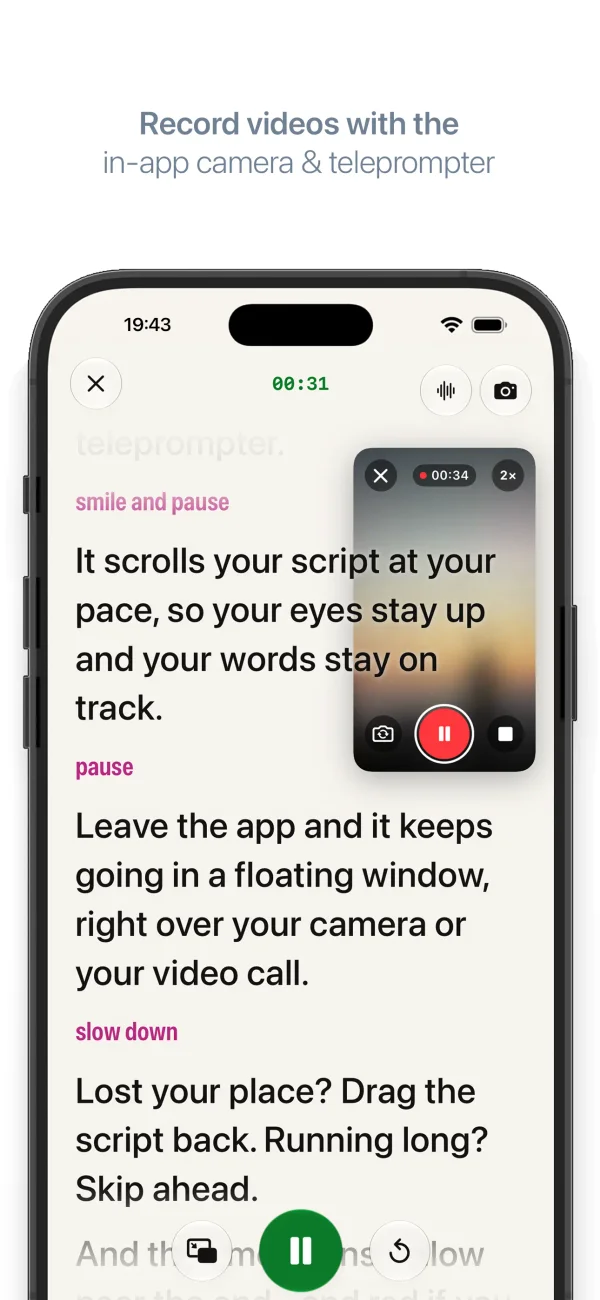
Read your script while recording with your preferred camera app or speaking on a video call. Move and resize the floating window, adjust the text size and position your words near the camera.
• Video Recording
Record directly in CueCard using the teleprompter or swipeable cue cards, without your script appearing in the video. Choose your resolution, frame rate, dynamic range, codec, stabilization and front camera mirroring.
• AI Integrations (Beta)
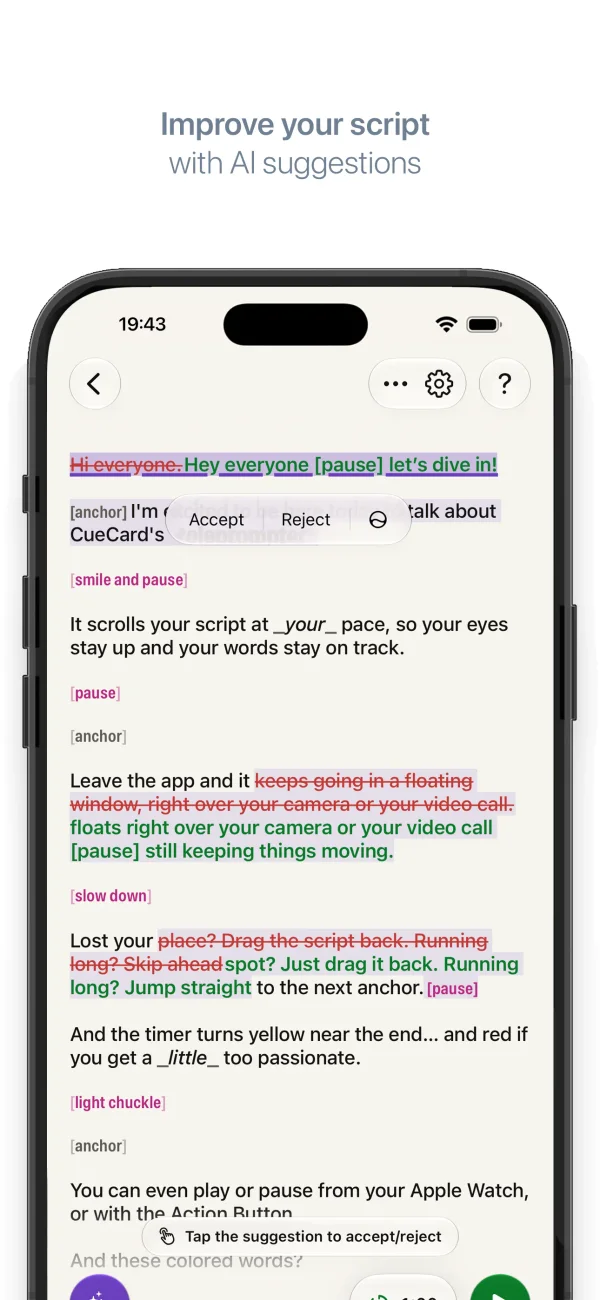
Follow Me AI scrolls your script as you speak using on-device speech recognition. Suggestions AI helps improve your writing with corrections, rewrites, speaking cues and formatting. Help AI answers questions about using CueCard.
• Cue Cards & Remote Control
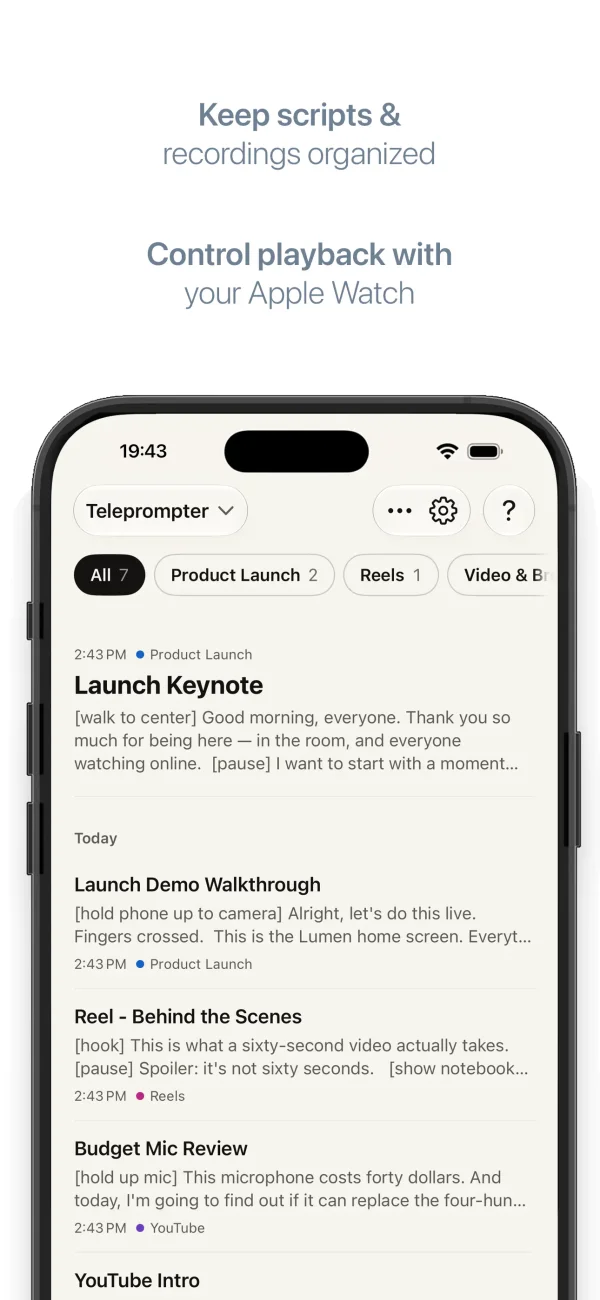
Turn your speech or presentation into cards and swipe through your talking points. Access cards from the Lock Screen or read them on Apple Watch without your iPhone. Control teleprompter playback and check your timer from your wrist, or use the iPhone Action Button to play and pause.
• Scrolling & Reading Tools
Set your scrolling speed, add a countdown and track your speaking time. Follow a movable reading guide, jump between script anchors and add colored reminders for emphasis, expressions and pauses. Flip text horizontally or vertically for teleprompter glass.
• Scripts & Collections
Organize scripts and cards into collections. Search your notes, compare versions and restore earlier drafts. Add images, bold and italic text. Import .txt and .rtf files, export scripts with speaking cues, and save notes to folders outside the app.
• Takes & Video Organization
Find videos associated with your scripts, including recordings made with other camera apps. Review your takes, add tags and notes, mark favorites and organize videos into albums.
Use CueCard for Reels, Shorts, tutorials, online lessons, speeches and video presentations. Read a full script or keep just a few talking points in view.
AI features are in beta. Follow Me AI requires supported on-device speech recognition for your script’s language. Suggestions AI and Help AI require a compatible device with Apple Intelligence enabled. Feature availability depends on your device and language.
Available in English, Spanish, Portuguese, French and Russian.
What’s new
Version 1.16.0 · Nov 27, 2026
• Floating Window now rotates with your phone. Lock its orientation in Settings.
• Fixed Follow Me AI for Simplified and Traditional Chinese.
• Improved Follow Me AI scrolling in the floating window with better reading guide alignment.
App privacy
What Nishant Hada declares on the App Store about how this app handles data.
-
Data not linked to you
May be collected but is not linked to your identity.
- Usage data
- Diagnostics
Privacy practices may vary, for example with the features you use or your age.
Information
- Seller
- Nishant Hada
- Category
- Productivity
- Version
- 1.16.0
- Updated
- Nov 27, 2026
- Released
- Jan 8, 2026
- Size
- 13.2 MB
- Requires
- iOS 17 or later
- Age rating
- 4+
- Price
- Free
- Languages
- English, French, Portuguese, Russian, Spanish
- Copyright
- © 2026 Nishant Hada
You might also like
-
 VoicePrompter: TeleprompterBest video teleprompter app
-
 Cue: Floating TeleprompterRead Video Script Auto Scroll
-
 FloatTextFloating prompt for video
-
 Teleprompter For Video RecordScroll Script, Mirror & Cue
-
 Cue Cards: AI Speech NotesPodcast, Toast & Presentation
-
 Teleprompter • Video RecorderScript & Speech Prompter
-
 Teleprompter AI Video CaptionsSubtitles Prompter & Script
-
 TeleprompterPADMirror mode & remote control.
-
 Teleprompter: Script RecorderAI Writer, Enhancer, Recorder
-
 Telepromptme: TeleprompterAutocue prompter for video