
CueCaster TelePrompter
Your script follows your voice
Designed for iPhone, iPad
In-app purchases
- Age rating4+
- CategoryPhoto & Video
- DeveloperWhizbang
- LanguagesEnglish+ 7 more
- Size20.0 MB
Links to the official App Store page
Download.org hosts no file of CueCaster TelePrompter. The button opens its official App Store page, published by Whizbang. Listing last checked on Nov 13, 2026.
Screenshots


About
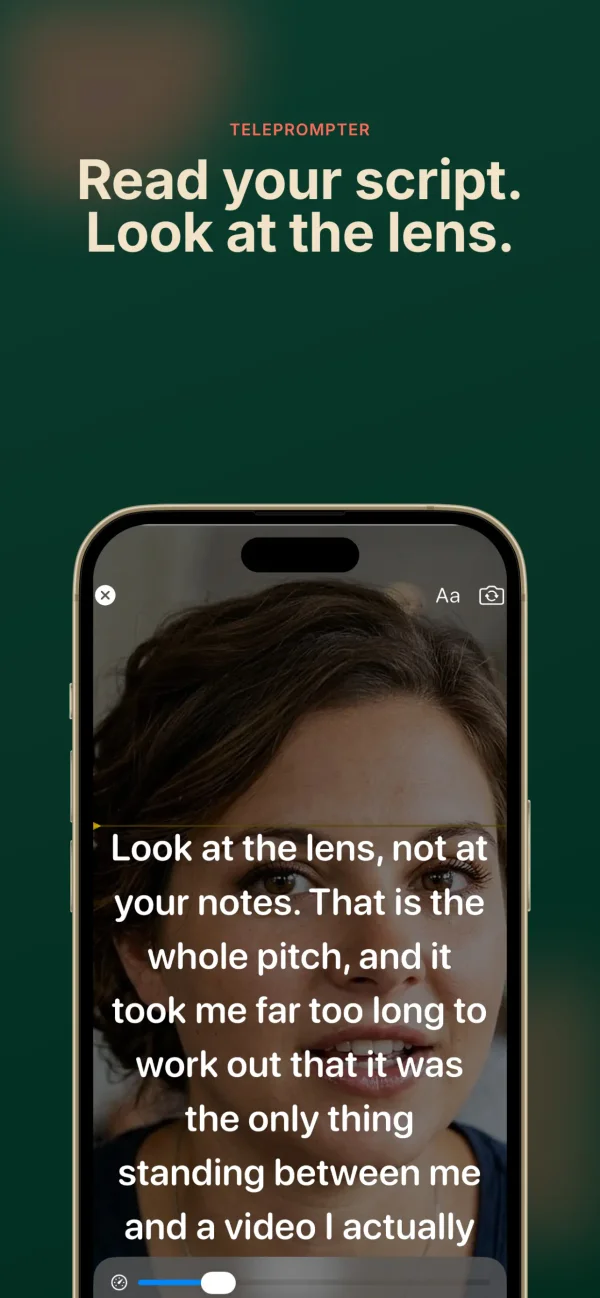
Look at the lens.
Not at your notes.
CueCaster puts your script straight over the live camera, so you read it while
looking exactly where your audience is. No cue cards off to the side. No
glancing down. No fourth take because you lost your place halfway through a
sentence you have already nailed twice.
MADE FOR THE VIDEOS YOU ACTUALLY MAKE
Live selling and product demos. Online classes and lesson recordings. A video
introduction for a virtual assistant or remote job application. Vlogs, Reels,
TikTok and Shorts. Anything where you need to say the right thing, in the
right order, while looking people in the eye.
IT SCROLLS WHEN YOU TALK
Fixed-speed autoscroll is why prompter footage sounds like prompter footage —
you end up chasing the text instead of talking. Turn on Voice Follow and the
script tracks your actual words. Pause for breath and it waits. Go off-script
for a moment and it holds, then picks you back up when you return to the line.
You set the pace. Not a slider.
PUT THE PHONE WHERE IT BELONGS
The phone goes on the tripod across the room, which is the whole problem with
prompter apps — you cannot reach it. CueCaster takes a Bluetooth remote, a
keyboard, a presenter clicker or a foot pedal, so you can start the take,
pause the scroll, change speed or stop recording without walking back into
frame.
BRING THE SCRIPT YOU ALREADY WROTE
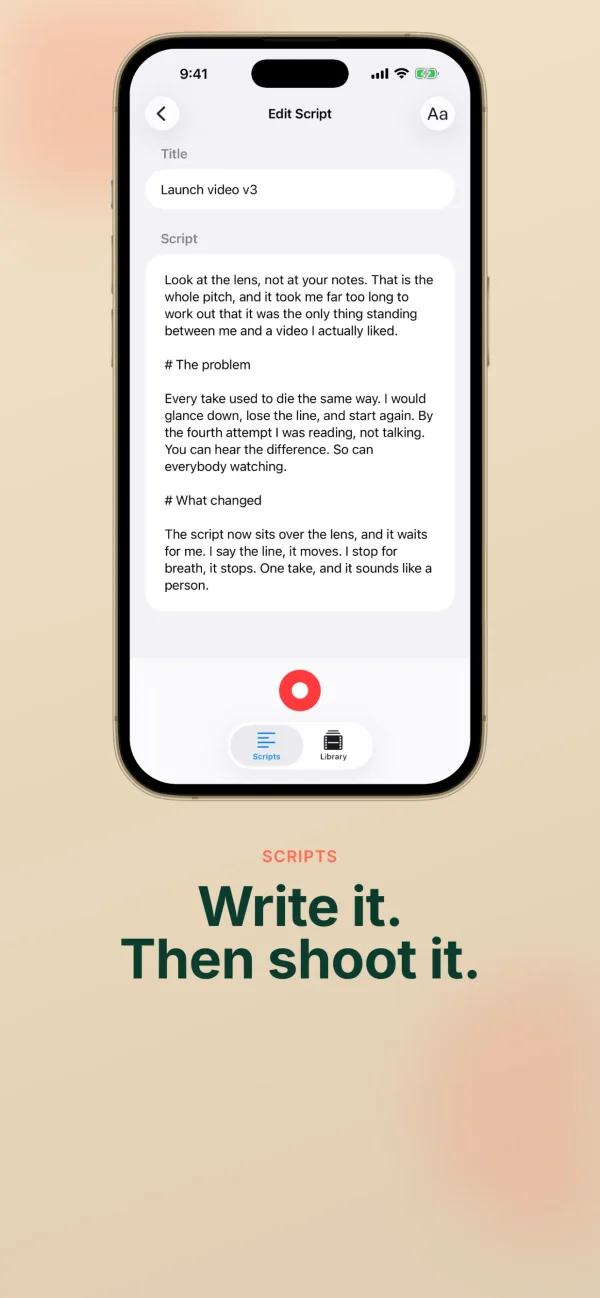
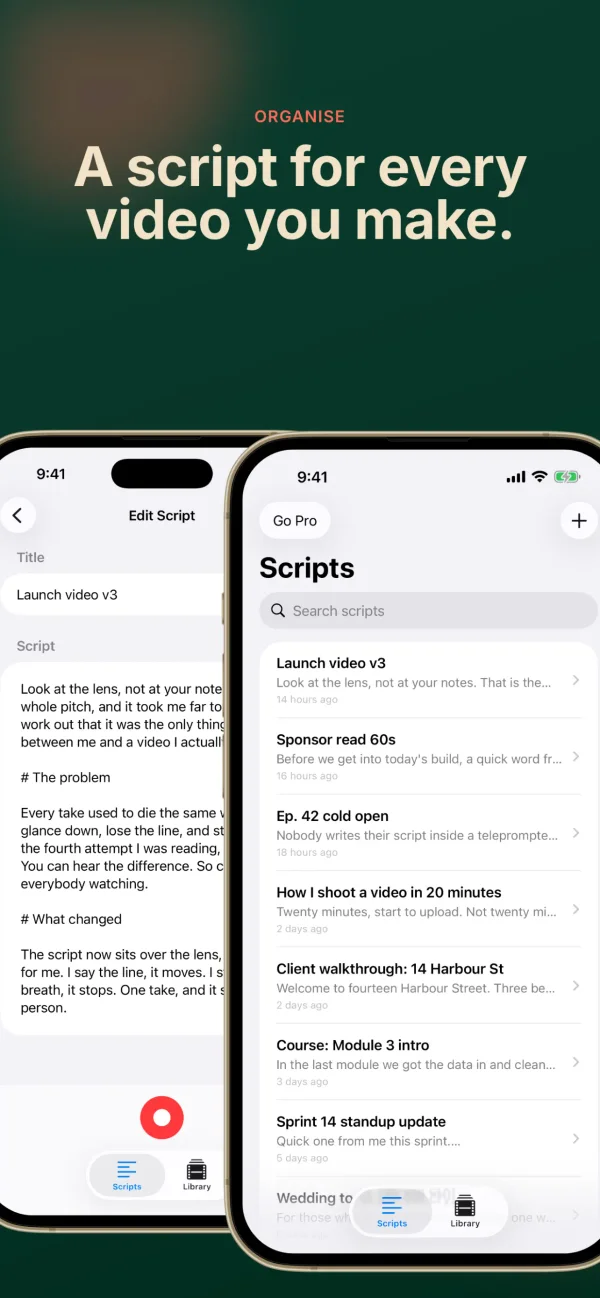
Nobody writes their script in a teleprompter app. Import straight from Files,
iCloud Drive, Dropbox or Google Drive — TXT, RTF, Markdown, PDF and Word docs
all come in with formatting intact. Or type it here. Either way you are
recording in under a minute.
CAPTIONS THAT ARE ACTUALLY RIGHT
Every other app transcribes your audio afterwards and hands you back your own
words with the names spelt wrong. CueCaster already knows the script, so
captions come out verbatim — correct spelling, correct punctuation, every
proper noun and product name intact. Export .srt or .ass, or burn them in with
the spoken word highlighted as you say it.
MAKE IT READABLE
Fonts, size, colour and alignment. An adjustable scrim so text stays legible
over a bright shot. A reading guide that keeps your eyes near the lens. Mirror
mode for beam-splitter rigs. Portrait for Reels, TikTok and Shorts, landscape
for YouTube.
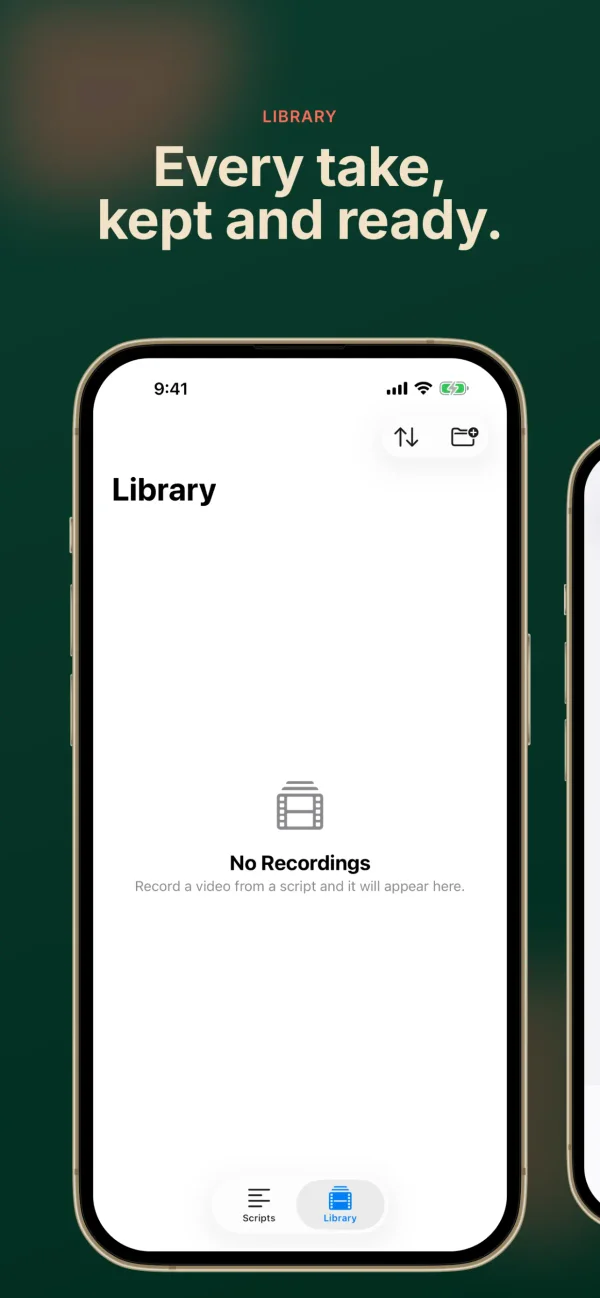
KEEP EVERY TAKE
Recordings land in an in-app library you can organise into Casts. Play back,
rename, share, or save to Photos. Nothing is uploaded anywhere.
FREE
The full teleprompter, script import, unlimited recording, and export with a
watermark. Supported by ads.
PRO
No ads. Voice Follow, hands-free remote control, synced captions and word
highlighting, and watermark-free original-quality export — for a fraction of
what other teleprompter apps charge.
iPhone and iPad. Eight languages.
Write it once.
Say it like you mean it.
SUBSCRIPTIONS
CueCaster Pro is available as an auto-renewing Weekly, Monthly or Yearly
subscription, or a one-time Lifetime purchase you own outright. Subscriptions
renew automatically unless cancelled at least 24 hours before the current
period ends, and can be managed or cancelled any time in your App Store account
settings. Exact pricing for each option is shown on the in-app purchase screen
before you buy.
Privacy Policy: https://whizbangapps.github.io/CueCaster/privacy
Terms of Use (EULA): https://www.apple.com/legal/internet-services/itunes/dev/stdeula/
What’s new
Version 2.0.0 · Oct 26, 2026
NEW: SCRIPT ASSIST
Write and polish your scripts without leaving CueCaster.
• Draft: open a new script, tap Draft with Script Assist, say what the video is about, and get a first draft ready to read. [Placeholders] mark the details only you know, and CueCaster reminds you to fill them in before you record.
• Fit to Time: choose how long you want to talk for, and Script Assist rewrites your script, or just the part you select, to fit. Read times use your own speaking pace, measured from your Voice Follow takes.
• Make Speakable: turns written sentences into lines that are easy to say out loud.
Every Assist shows you the changes first, with added and removed words marked. Nothing changes until you tap Replace, and you can undo it.
On devices with Apple Intelligence, Fit to Time and Make Speakable run on your device and are included with Pro. Script Assist Cloud, a monthly add-on for Pro, adds Draft and runs Assists in the cloud, with 60 Cloud Assists a month.
IMPROVED: CAPTIONS WHEN YOU GO OFF SCRIPT
When you ad-lib, captions now include what you actually said, instead of skipping it.
IMPROVED
• A refreshed Pro card in Settings, and links to follow us on Instagram and Threads.
• Polish and fixes.
Questions, bugs and ideas: hello@whizbangapps.dev. We read everything.
App privacy
What Whizbang declares on the App Store about how this app handles data.
-
Data used to track you
May be used to track you across apps and websites owned by other companies.
- Usage data
-
Data linked to you
May be collected and linked to your identity.
- Usage data
-
Data not linked to you
May be collected but is not linked to your identity.
- User content
Privacy practices may vary, for example with the features you use or your age.
Information
- Seller
- Mark Wong
- Category
- Photo & Video
- Version
- 2.0.0
- Updated
- Oct 26, 2026
- Released
- Sep 18, 2026
- Size
- 20.0 MB
- Requires
- iOS 18.0 or later
- Age rating
- 4+
- In-app purchases
- Yes
- Languages
- English, French, German, Japanese, Korean, Portuguese, Simplified Chinese, Traditional Chinese
- Copyright
- © Whizbang Apps 2026
You might also like
-
 Cue: Hands-Free TeleprompterGesture Autocue for Video
-
 Teleprompter: Autocue & CueVideo Script Prompter & Reader
-
 Hooky: Auto Cut Video EditorFiller Word & Pause Remover
-
 Clean PrompterClean, Easy, Powerful Prompter
-
 Script Prompter: TeleprompterVoice Scroll, No Ads/Watermark
-
 SpeakCam - Voice TeleprompterFloats over apps, follows you
-
 Prompter — Teleprompter VideoVoice-guided script & captions
-
 PromptFly TeleprompterFloating Voice Cue Prompter
-
 Prompter - Teleprompter CameraScript Reader for Video
-
 CueFlow - Voice TeleprompterScript Reader & Video Recorder